

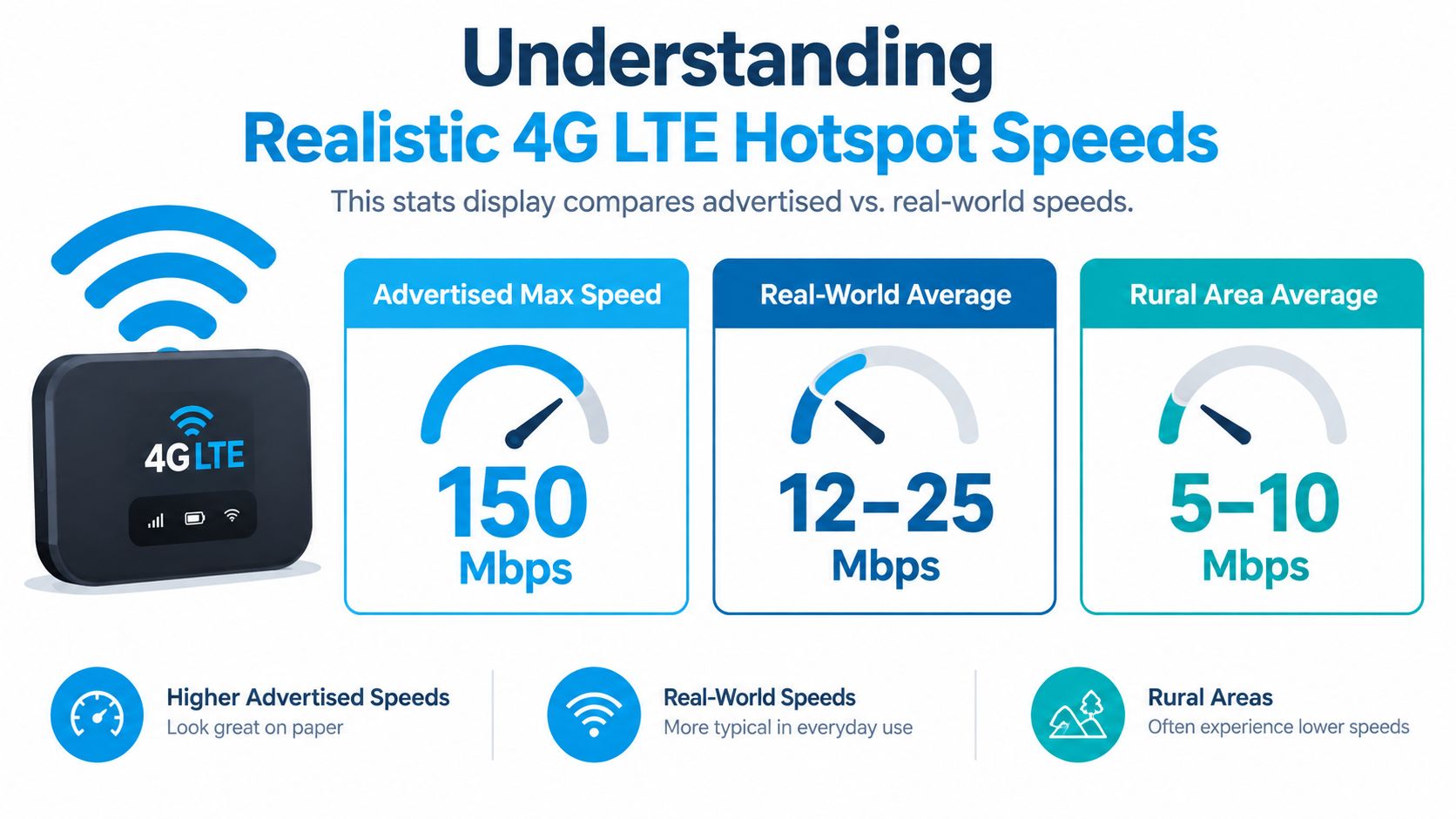
15 to 49 Mbps is a realistic practical range for many 4G LTE hotspots in the US, although results can vary sharply with location, carrier, and signal strength. A standard hotspot often falls between 15 and 40 Mbps, while stronger US carrier conditions can produce averages near 49 Mbps overall.
You're parked at an RV site, the laptop is connected, and the video call starts buffering before you've finished your coffee. The hotspot box promised a much higher maximum, but the number that matters is the one you get from your actual tower, in your actual vehicle, at that moment.
That gap between marketing and field performance explains most frustration around 4G LTE hotspot speed. The modem may support a high theoretical ceiling, yet congestion, weak signal, limited spectrum, Wi-Fi sharing, and plan restrictions can pull the usable result much lower. The practical way to troubleshoot a hotspot is to identify which of those limits is affecting you, then fix the highest-impact problem first.
Understanding Realistic 4G LTE Hotspot Speeds
An RV traveler can move a hotspot from a cabinet to a window and see a noticeable change without switching plans or hardware. At another campground, the same device may deliver a different result. Cellular performance follows the local radio conditions more closely than the number printed on the packaging.
For one user, that practical range is typically enough for HD streaming, video calls, email, and ordinary cloud work, as detailed below. A standard connection commonly pairs those speeds with 40 to 70 ms latency, according to hotspot speed guidance from HighSpeedInternet.com. Several people streaming, syncing large files, or joining meetings can expose the limit quickly, especially when the cell sector is busy.
Why the US range is so wide
Analysts reported a broad spread among major US carriers. Average 4G LTE hotspot speeds reached about 49 Mbps overall, including 79.5 Mbps on T-Mobile, 38.2 Mbps on AT&T, and 31.3 Mbps on Verizon, as documented in the ITU quality-of-service data collection material.
Those figures are benchmarks, not promises for a particular address. A result near 15 Mbps does not automatically indicate faulty equipment, while a result near 80 Mbps does not represent every location on that carrier. Spectrum, tower backhaul, local demand, supported device bands, and signal quality determine where your connection falls within the actual range.
For a closer comparison with fixed wireless use cases, see this explanation of 4G LTE home internet speed. Treat an advertised maximum as the modem's hardware ceiling, not as a daily expectation. When performance disappoints, compare location, time of day, and connected devices before replacing the hotspot.
Key Factors That Determine Your Actual Speed
The cellular network and the hotspot work as a chain. The slowest important link sets the experience, so replacing hardware won't solve a congested tower, and moving the device won't help if the plan has already triggered a speed restriction.
Signal, congestion, and spectrum
Signal quality usually matters more than the label on the device. A hotspot behind metal RV walls, deep inside a rural home, or on the side of a building facing away from the tower may have a weaker connection than the same unit placed near a window. Distance, terrain, building materials, and tower direction all affect the radio link.
Congestion creates a different problem. Your signal can look acceptable while performance drops during busy periods because many nearby users are sharing the same cell-sector resources. A quiet morning test and an evening test can therefore tell very different stories. Spectrum availability also matters, because a carrier with more usable capacity at your location has more room to serve simultaneous users.
Carrier aggregation can combine compatible LTE bands to increase throughput, but it only works when both the network and hotspot support the relevant bands. A device that sees one band may perform worse than a newer modem that can combine several, even if both display similar signal bars. This is why understanding what carrier aggregation does helps when comparing hotspot hardware.
Modem category versus usable throughput
LTE category ratings describe theoretical PHY-layer capability, not the speed delivered to your laptop. Cat 4 hardware is commonly rated up to 150 Mbps downlink, Cat 6 up to 300 Mbps, and Cat 11 up to 600 Mbps, though real throughput is reduced by carrier aggregation availability, spectrum width, MIMO configuration, network limits, and Wi-Fi sharing overhead, according to LTE hotspot category guidance from The Gadget Digest.
Practical rule: Upgrade the modem when it lacks the bands or aggregation your local carrier uses. Don't upgrade solely because the box advertises a larger maximum.
Your connected devices add another layer. A laptop, smart TV, phone, cloud backup, and security camera can divide the same cellular connection. The hotspot may be working normally while the household asks it to serve more traffic than the tower and plan can sustain.
Carrier Performance Differences and Regional Variations
Carrier choice matters only in relation to the place where you use the hotspot. A national reputation cannot show which band reaches your campsite, which tower serves your rural road, or how much traffic that tower handles after work.
Use the reported averages as a planning reference, not a promise:
| Carrier or grouping | Reported average 4G LTE hotspot speed |
|---|---|
| US overall | 49 Mbps |
| T-Mobile | 79.5 Mbps |
| AT&T | 38.2 Mbps |
| Verizon | 31.3 Mbps |
These figures are the same ITU-referenced averages cited above. They help set expectations by carrier, then need validation at your campsite, rural address, or regular work location. A nearby user on another network may see a different result, and performance can change sharply after a short move.
Rural conditions change the comparison
Rural testing often exposes the gap between a network label and usable speed. A phone may show 5G while the underlying connection relies on similar LTE coverage, leaving 4G and 5G devices near 11 to 12 Mbps, according to rural hotspot coverage analysis from EarthSIMs.
Low-band spectrum travels farther and penetrates obstacles better. Higher-frequency capacity can provide more speed, but across a smaller practical area. That trade-off explains why rural results can cluster near the same range across carriers, even when national averages differ.
Check each carrier's coverage map, then confirm it with local reports, a trial, or a compatible backup option. Test at the exact place where you work or travel. Coverage reach, tower capacity, terrain, and indoor signal loss usually explain a slow connection better than the carrier logo on the device.
How to Test Your Hotspot Speed Accurately
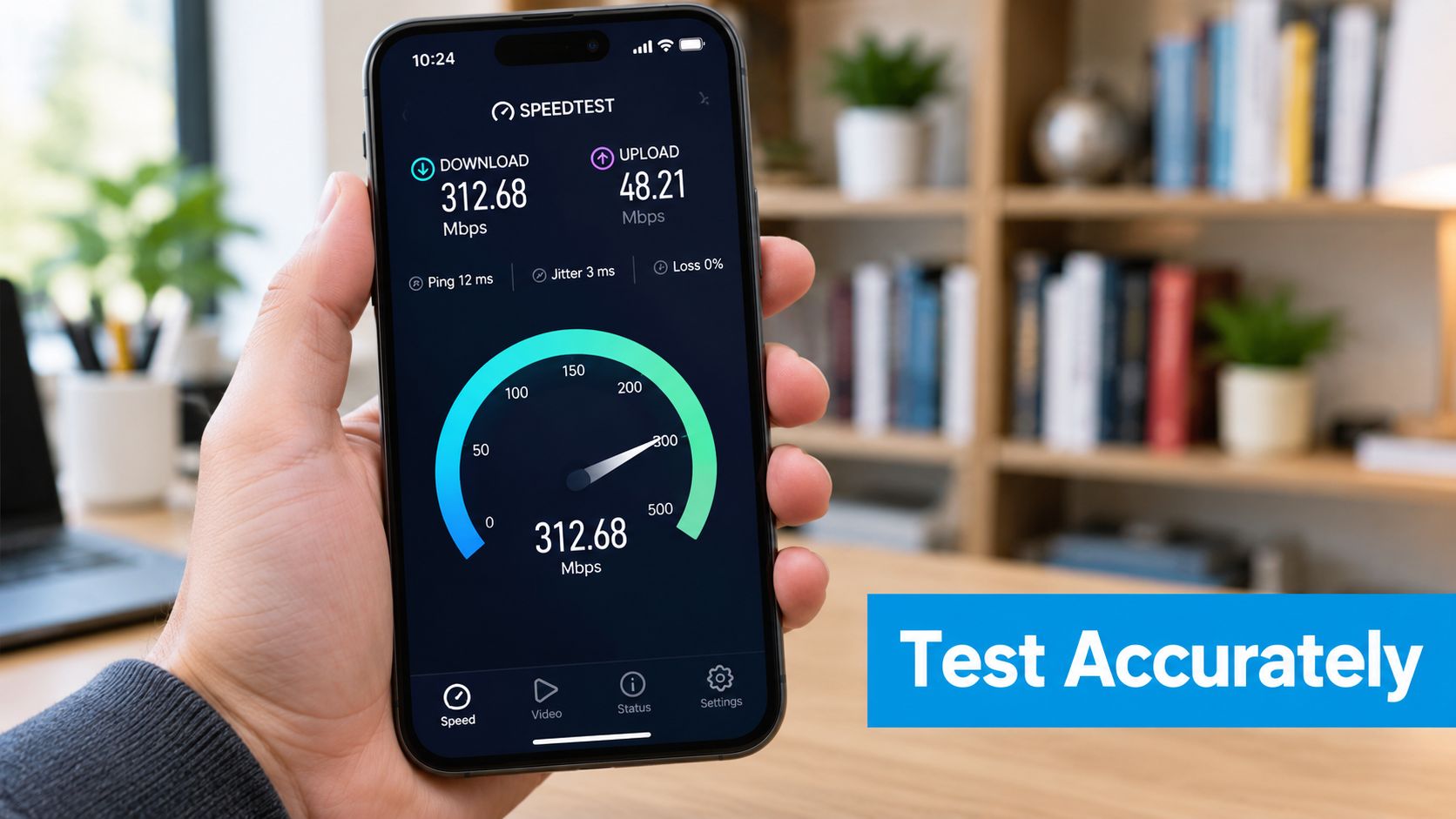
A speed test can misdiagnose a hotspot if the test setup adds its own bottleneck. A laptop connected through crowded Wi-Fi may make a strong cellular signal look slow, while a single check during a quiet period can conceal evening congestion.
Use a repeatable process
- Test close to the hotspot. Keep the laptop in the same room and pause streaming, backups, updates, and other connected activity.
- Test at different times. Run checks during both quiet and busy periods. A slowdown that returns each evening usually indicates congestion rather than a faulty device.
- Use a direct connection when possible. USB tethering or Ethernet from a router helps separate cellular performance from local Wi-Fi interference.
- Record more than download speed. Log upload speed, latency, and consistency. Upload affects video calls and file transfers, while latency affects how responsive applications feel.
- Compare locations. Test near a window, on the RV side facing the tower when its direction is known, and from your normal working position.
If your result falls well below the 15 to 40 Mbps with 40 to 70 ms latency practical range noted earlier in one location but returns to normal near a window, treat placement or signal loss as the likely issue rather than the plan. A normal download result with poor calls can point to upload speed, latency, Wi-Fi interference, or the application itself.
Run each check on the same recognized speed-test platform, then keep a simple log of time, location, signal conditions, download, upload, and latency. This record shows whether the problem follows a location, time of day, or connection method. The hotspot speed testing guide from SwiftNet Wifi provides a practical reference for interpreting results instead of chasing one unusually high reading.
Practical Strategies to Improve Hotspot Performance
The biggest improvements usually come from changing the environment, not changing a setting buried in the admin menu. Start with placement, then reduce unnecessary demand, then investigate the plan and hardware.
Work through the high-impact fixes
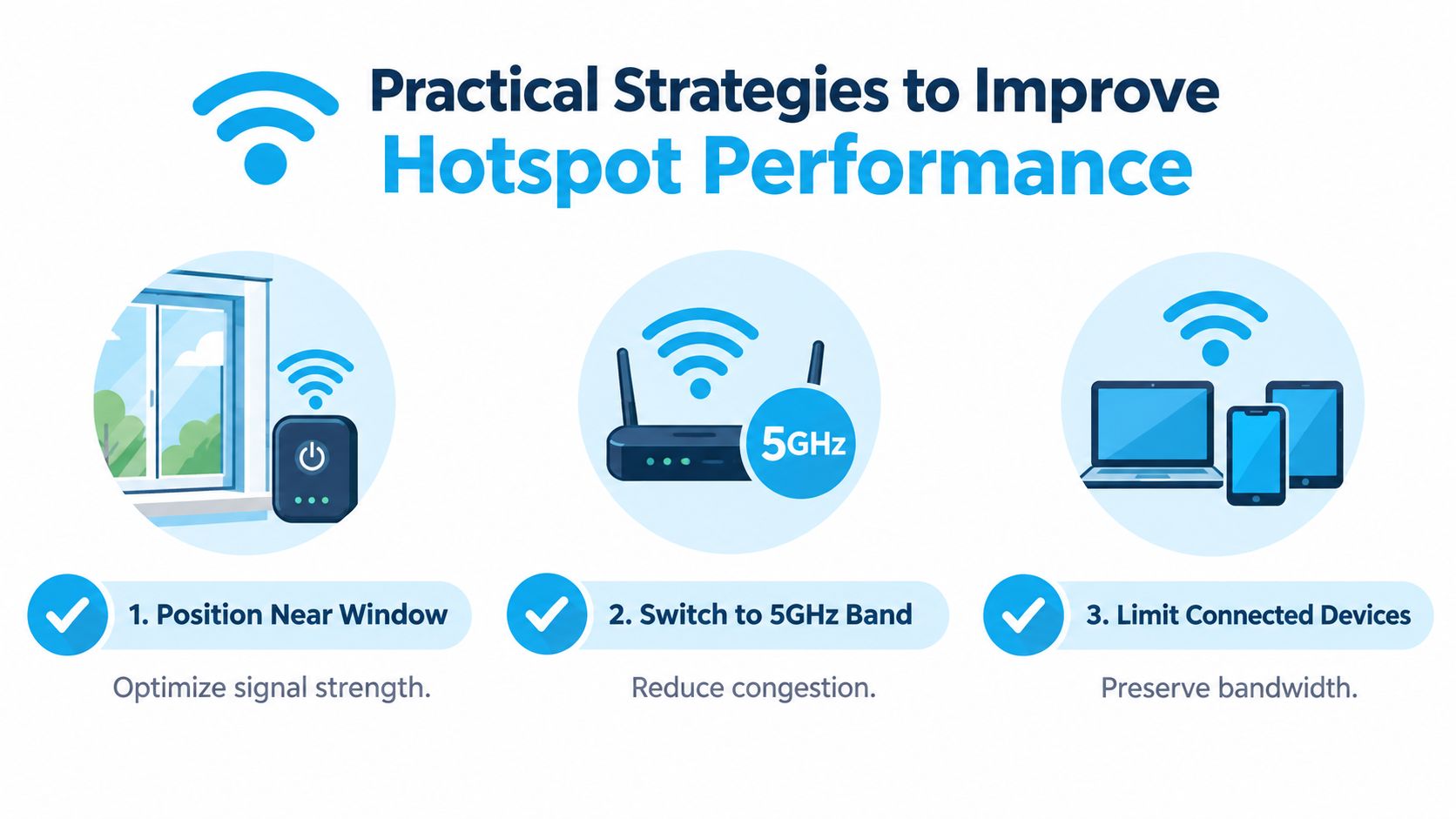
- Move the hotspot near a window. Avoid cabinets, thick walls, appliances, and metal surfaces. In an RV, test several windows because the best side can change with the tower location.
- Keep the device cool and open. Heat and cramped placement can make sustained use less reliable. Give the unit airflow rather than hiding it behind a television or under bedding.
- Try the available Wi-Fi band. A 5 GHz local Wi-Fi connection can reduce interference in some environments, while 2.4 GHz may travel farther through obstacles. Choose based on where your devices sit, not on the label alone.
- Disconnect idle equipment. Smart TVs, tablets, cameras, and automatic sync tools consume capacity even when nobody is actively browsing.
- Schedule heavy transfers. Cloud backups, operating-system updates, and large downloads are easier to tolerate during quieter periods.
- Check the data policy before blaming the tower. A plan can deliver good performance until its high-speed hotspot allowance is exhausted.
One carrier FAQ documents hotspot data slowing to 600 Kbps on 5G and 4G LTE after a plan threshold is reached, as described in Verizon's mobile hotspot FAQ. At that point, moving the hotspot around the room won't restore normal video calls. The practical question isn't only “How fast is LTE?” It's “How much fast data does this plan provide before the restriction applies?”
If placement and device management don't solve the problem, compare another carrier at the same location. A higher-category hotspot can help when your current modem lacks compatible bands, but it won't create capacity that the local tower doesn't have.
When 4G LTE Outperforms 5G in Practice
A newer network generation doesn't automatically produce a faster connection. 5G can be excellent in the right conditions, but a weak 5G signal may be less useful than stable LTE with better reach, lower fluctuation, or stronger support from the local tower.
Rural coverage makes this especially clear. When both devices use the same LTE bands, the 5G label may not change the underlying experience. The relevant comparison is stability during the work you do, not the generation shown in the status bar.
The dependable connection can win
Most 4G LTE Wi-Fi hotspot devices reach roughly 30 to 40 Mbps in real-world use, even though their technical download capability can approach 100 Mbps. Rural typical speeds are often around 25 to 30 Mbps, according to mobile hotspot performance guidance from HighSpeedInternet.com.
That can be enough for a remote worker who needs email, browser applications, cloud documents, and a video meeting, particularly when one person uses the connection. It may be a poor fit for several simultaneous high-bandwidth activities, regardless of whether the device says 4G or 5G.
A steady LTE connection that keeps a meeting alive is more valuable than a faster test result that disappears whenever the signal shifts.
Before paying for new equipment, test both devices in the exact places you use them. Check morning and evening behavior, upload performance, latency, and stability. If you're comparing fixed wireless options for a business location, this guide to business broadband from Networking2000 provides broader context on the trade-offs between fiber and wireless access.
5G is worth considering when your location has strong, consistent 5G coverage and your plan supports the usage you need. It isn't automatically worth the cost when the local network falls back to LTE or when the limiting factor is congestion, data policy, or indoor signal loss.
Choosing the Right Plan and Equipment for Your Needs
Start with the work, not the speed claim. An RV traveler who checks maps, sends email, and joins occasional calls needs a different setup from a rural household sharing streaming, cloud backups, and remote work. A truck driver may value portability and quick placement, while a full-time remote worker may prioritize stable upload and a plan that doesn't sharply restrict hotspot use.
Match the hardware to the connection
A basic LTE hotspot can be sensible for lighter use when the local carrier performs well. Higher-category hardware becomes more relevant when you need carrier aggregation, broader band support, external antenna compatibility, or sustained service for several devices. The modem rating matters, but only after you confirm that the carrier uses the bands and capacity the device can exploit.
Don't choose a plan by download speed alone. Check:
- High-speed data allowance: Find out how much hotspot data remains at normal performance.
- Post-threshold policy: Look for throttling, deprioritization, or restrictions that apply after the allowance.
- Coverage at your destinations: Check home, campground, work stops, and regular travel routes.
- Upload behavior: Remote presentations, file transfers, and cloud work depend on more than downloads.
- Flexibility: A no-contract option or trial can reduce the risk of committing before testing local performance.
The historical perspective is useful. OpenSignal reported worldwide average LTE download speeds of 17.4 Mbps in late 2016 and 16.2 Mbps in mid-2017, showing that early LTE commonly operated in the mid-teens rather than at fiber-style speeds, as documented in its State of LTE report. Current results can be higher in strong markets, but the lesson remains: local conditions decide what you experience.
Use a simple decision test
Keep your current setup if it delivers stable calls, acceptable page loads, and enough capacity for the number of users connected. Test another carrier if speed changes dramatically by location or time. Consider new equipment when the modem lacks useful bands or aggregation support. Change plans when performance collapses after the high-speed allowance, even though the signal itself remains strong.
SwiftNet Wifi offers 4G hotspot options, including a 4G Bronze plan, for users who need mobile or rural connectivity without relying on a single fixed Wi-Fi connection. To compare available options and see whether the service fits your travel or remote-work setup, visit SwiftNet Wifi.
#rv #rvlife #rvliving #rvlifestyle #rvrenovation #rvremodel #rvtravel #rvcamping #rvadventures #ruralwifi #5gwifi #5ginternet


