

Figuring out the right internet speed for remote work can feel a bit like trying to read a foreign language. You see all these big numbers thrown around in ads, but what do they actually mean for your day-to-day grind?
Let’s keep it simple. Think of your internet connection like a highway.
Download speed is how quickly data gets to you. It’s the speed limit for things like streaming a training video, loading a webpage, or pulling files from the cloud. Upload speed is how quickly you can send data out. This is what controls how clear your video looks on a Zoom call or how fast you can send that massive presentation to your boss.
For anyone working from the road or a rural homestead, the single most important factor isn't blazing-fast top speeds—it's consistency. A stable 50 Mbps connection that never drops is infinitely better than a flashy 200 Mbps plan that’s constantly cutting out.
Finding Your Perfect Speed Tier
So, how much speed do you actually need? The honest answer is: it depends entirely on your job. A freelance writer who spends their day in Google Docs has vastly different needs than a video editor uploading massive 4K files.
As a solid starting point, most remote work pros can get by comfortably with a dedicated 25-30 Mbps per person. This gives you enough bandwidth to multitask without frustrating lag.
However, if you're in a household with multiple people working, streaming, or gaming at the same time, you'll want to aim higher. A plan with 50-100 Mbps download and 10-25 Mbps upload is a much safer bet to keep everyone productive and happy.
Are you a "power user" like a developer, streamer, or graphic designer? Don't skimp here. Look for speeds of 100+ Mbps to ensure your connection never becomes a bottleneck.
This visual guide breaks down the typical needs for three common remote work profiles.
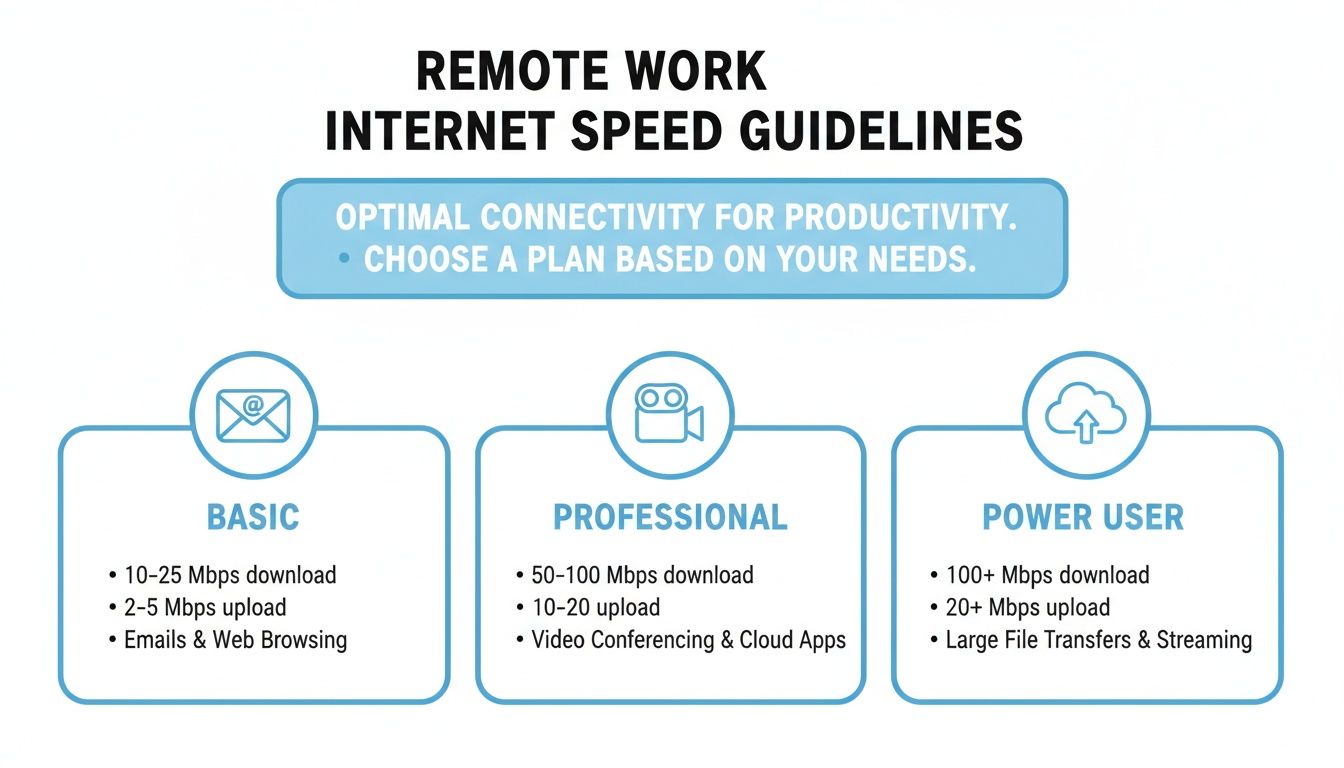
As you can see, while a basic user might get by on the lower end, professionals and power users need to think seriously about both download and upload speeds to maintain a smooth workflow.
Recommended Internet Speeds for Remote Work Tasks
To make it even clearer, let's match some common remote work styles with the internet speeds you'll need for a buffer-free experience.
| Remote Work Profile | Primary Activities | Minimum Download Speed | Recommended Upload Speed |
|---|---|---|---|
| The Casual User | Email, web browsing, basic document editing | 10-25 Mbps | 3-5 Mbps |
| The Professional | Frequent video calls, cloud-based apps, moderate file transfers | 50-75 Mbps | 10-15 Mbps |
| The Power User | Large file uploads/downloads, live streaming, 4K video editing | 100+ Mbps | 25+ Mbps |
This table should give you a gut check on where your own needs fall and help you choose a plan that won't leave you hanging mid-meeting.
The biggest mistake I see remote workers make is completely ignoring their upload speed. A slow upload is the culprit behind a frozen video feed on a conference call or why it takes an eternity to send a large file.
Your ability to be an active participant online—not just a passive consumer—hinges on your internet's upload speed. If your days are packed with back-to-back video meetings, you’ll want to check out our deep dive on the ideal https://swiftnetwifi.com/blogs/news/internet-speed-for-zoom.
Going Beyond Speed Tests to Understand Your Connection
Running a quick speed test and seeing a huge download number feels great, right? But if that number is high and your Zoom calls still look like a slideshow, it’s not telling you the whole story about the internet speed for remote work. A genuinely solid connection is about more than just one flashy number; it's a team effort between a few key metrics.
Think of it like this: your download speed is a wide, multi-lane highway bringing traffic into your town. It’s definitely important, but you also have to consider the highway heading out of town and all the stoplights in between. To really get why your connection feels fast one minute and sluggish the next, you need to look at the whole traffic system.
The Unsung Hero of Video Calls: Upload Speed
Download speed gets all the glory, but upload speed is the quiet workhorse that makes remote work possible. This is the metric that governs how fast you can send data from your computer out to the internet. Every time you talk on a video call, share your screen, or shoot off an email with a big attachment, you're using your upload bandwidth.
Imagine you're in a crucial meeting. Your computer is constantly pushing a stream of your audio and video out to everyone else. If your upload speed is too low, it’s like trying to merge onto a packed freeway from a tiny, short on-ramp. You’re going to cause a traffic jam. The result for your coworkers? A pixelated, frozen version of you, even if they look crystal clear on your end.
Latency: The Digital Delay
Latency, which you’ll often see called ping, is all about response time. It measures, in milliseconds (ms), how long it takes for a signal to travel from your laptop to a server and back again. It's the digital version of that awkward delay you sometimes hear on an old long-distance phone call.
For anything happening in real-time, like video conferencing or online gaming, you want low latency—ideally under 50 ms. High latency is what creates that frustrating lag where you end up talking over someone because you didn't hear them finish their sentence.
A connection with high speed but high latency is like a sports car that takes five seconds to respond after you turn the steering wheel. It has the power, but the delay makes it clumsy and frustrating to use for anything that requires quick reactions.
Jitter: The Enemy of Consistency
Finally, we have jitter. This metric measures the variation in your latency. In simple terms, it's a measure of your connection's consistency. If your ping is bouncing all over the place—from 30 ms one second to 150 ms the next—you've got high jitter.
Think of jitter as an unreliable delivery driver. Their average delivery time might be fast (low latency), but if one package shows up in 20 minutes and the next takes two hours, that inconsistency ruins the whole experience. On a video call, high jitter means data packets are arriving out of order, causing your audio to chop up and your video to freeze at random moments. If you want to dive deeper, you can learn more about how to monitor network usage in our detailed guide.
How to Measure Your Real-World Internet Speed (The Right Way)
Knowing your plan's advertised speed is one thing, but understanding what you're actually getting in the real world is what really counts for remote work. The numbers on your bill don’t always translate to performance, especially in an RV park or a rural spot where conditions can change in an instant. Getting an accurate measurement takes a bit more than just finding a speed test site and hitting "Go."
Think of it like a science experiment: to get a true baseline, you have to eliminate all the other variables that could mess with your results. A bad test can easily fool you into thinking your connection is way worse—or better—than it actually is.
Setting Up a Proper Speed Test
Before you run any test, take a few minutes to follow these steps. This ensures you're measuring your internet connection directly, not the limitations of your Wi-Fi or some app hogging bandwidth in the background. Doing this gives you the most reliable data on the internet speed for remote work being delivered to your location.
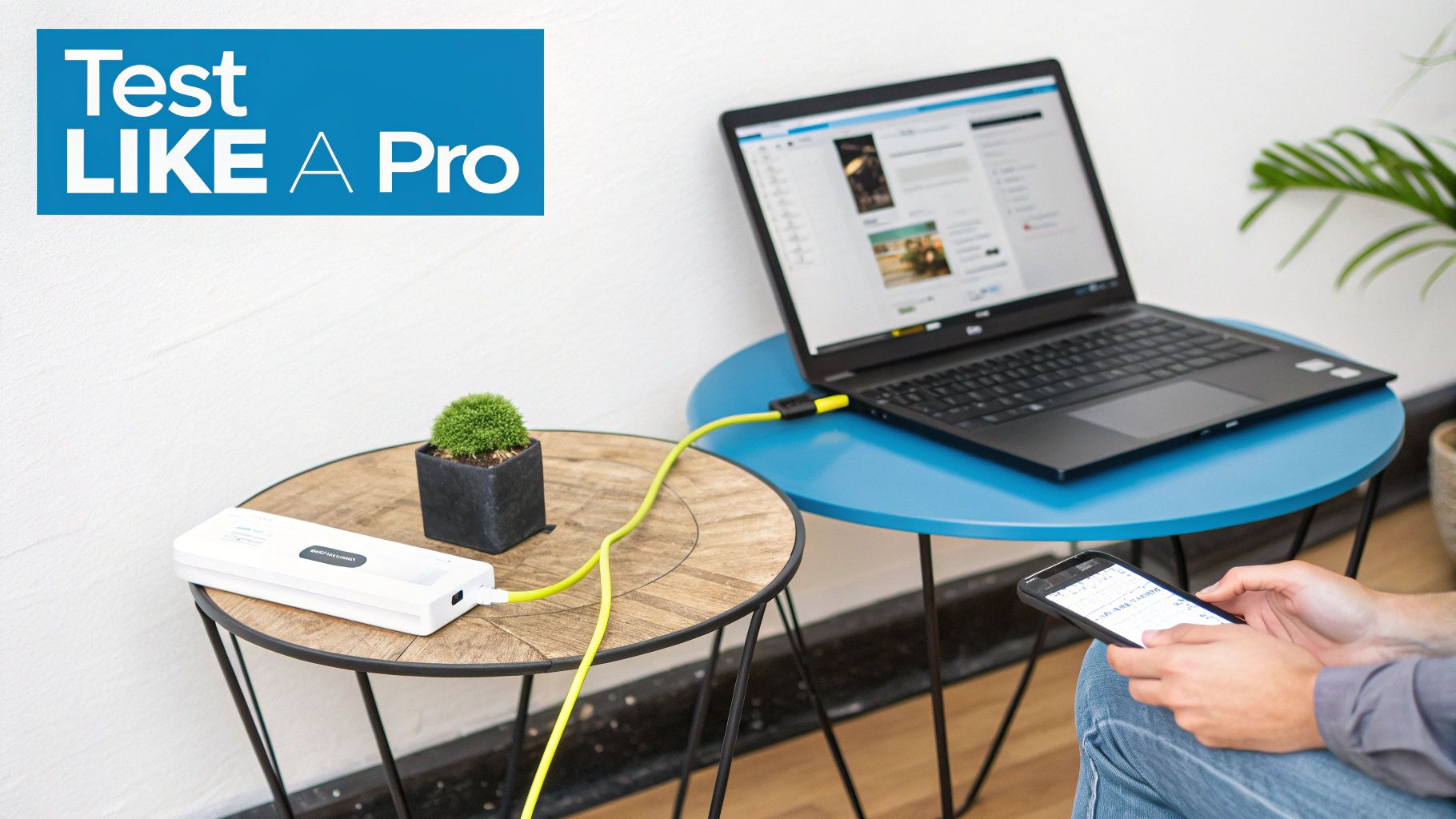
- Go Wired: If you can, plug your computer directly into your router with an Ethernet cable. Wi-Fi is great, but its signal can be weakened by distance, walls, and other interference, which will absolutely skew your speed results.
- Shut It All Down: Close out everything else that might be sipping on your internet connection. That means streaming services, cloud-syncing apps like Dropbox or Google Drive, and any big downloads or system updates running quietly in the background.
- Test at Different Times: Internet speeds aren't static; they fluctuate. Run tests during your peak work hours, again in the evening when everyone in the area is online, and maybe once early in the morning. This paints a much fuller picture of your connection's stability.
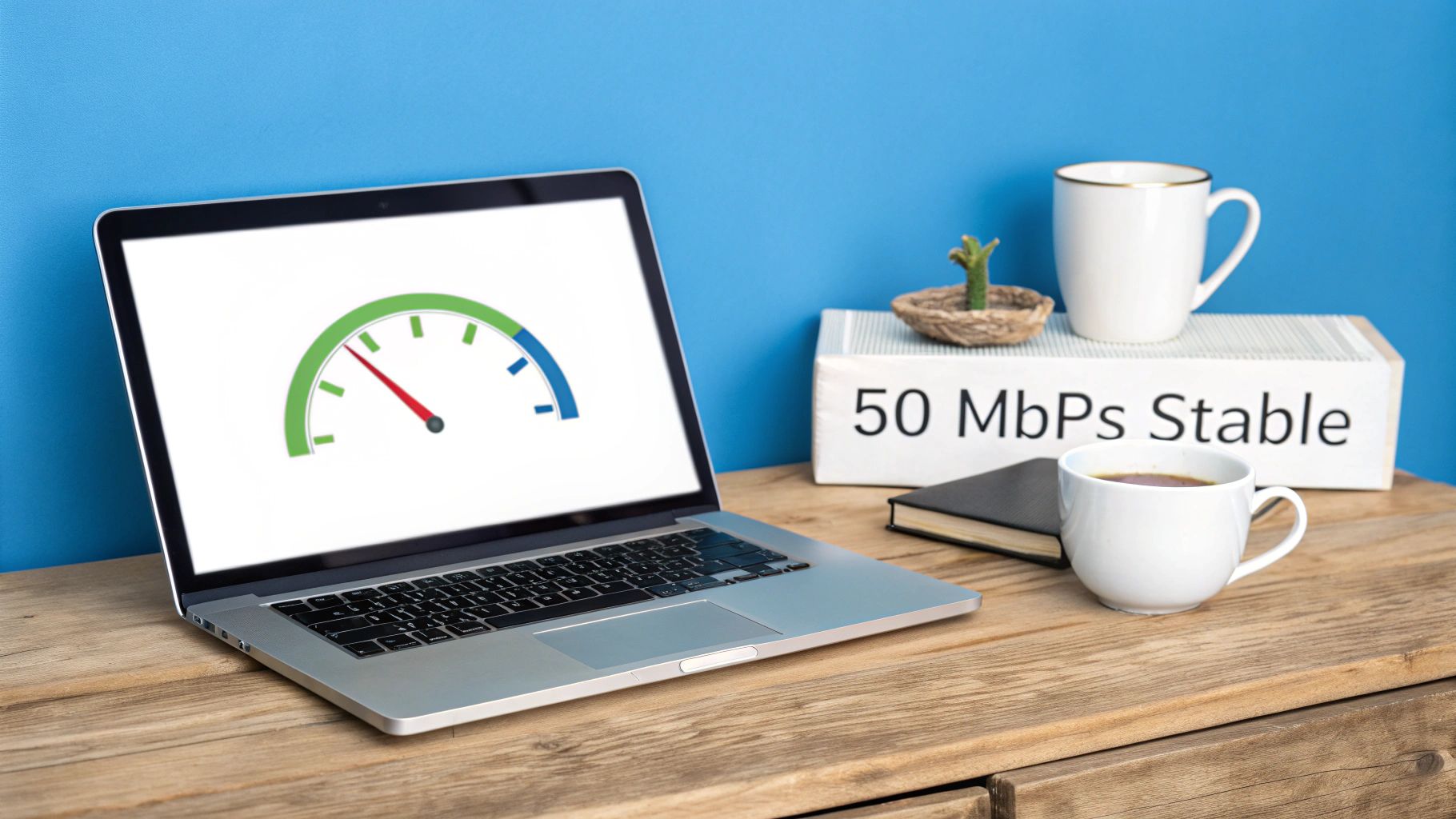
Following these steps will give you a clean, clear snapshot of your internet's true performance. Here’s what a typical result from a tool like Speedtest.net might look like.
This result shows a solid download speed but a much weaker upload speed—a classic scenario that can really throw a wrench in your video calls.
How to Read Your Test Results
Once you have your numbers, you need to know what you're looking at. You’ll see figures for download, upload, and ping (which is latency). As we’ve covered, a fast download speed is great for watching Netflix, but a slow upload speed can bring your workday to a grinding halt.
A huge red flag for remote workers is an upload speed that's less than 10% of the download speed. If you've got 100 Mbps coming down but only 5 Mbps going up, you're almost guaranteed to struggle with video meetings and sending large files.
This performance gap is a frustrating reality in many places. While 5G is a game-changer for remote work globally—the UAE hit mobile speeds of 238.06 Mbps back in 2021—rural dead zones are still common. For instance, even in a tech hub like Hong Kong, coverage in the outskirts is only around 60%.
For SwiftNet customers using modern 5G setups, this often means hitting 100+ Mbps on the move, which blows the typical 10-20 Mbps from old-school rural DSL completely out of the water. You can find more insights on what makes for good internet speeds for working from home at Tachus.com.
Navigating Internet Challenges on the Road and in Rural Areas
For anyone working remotely from an RV or a rural home, the hunt for a good internet connection is more than a minor annoyance—it can feel like a daily battle. You're not just dealing with the occasional lag. You’re up against a whole different set of obstacles that people in the city just don't have to think about.
The dream of "working from anywhere" often crashes into the hard reality of spotty, unpredictable service.
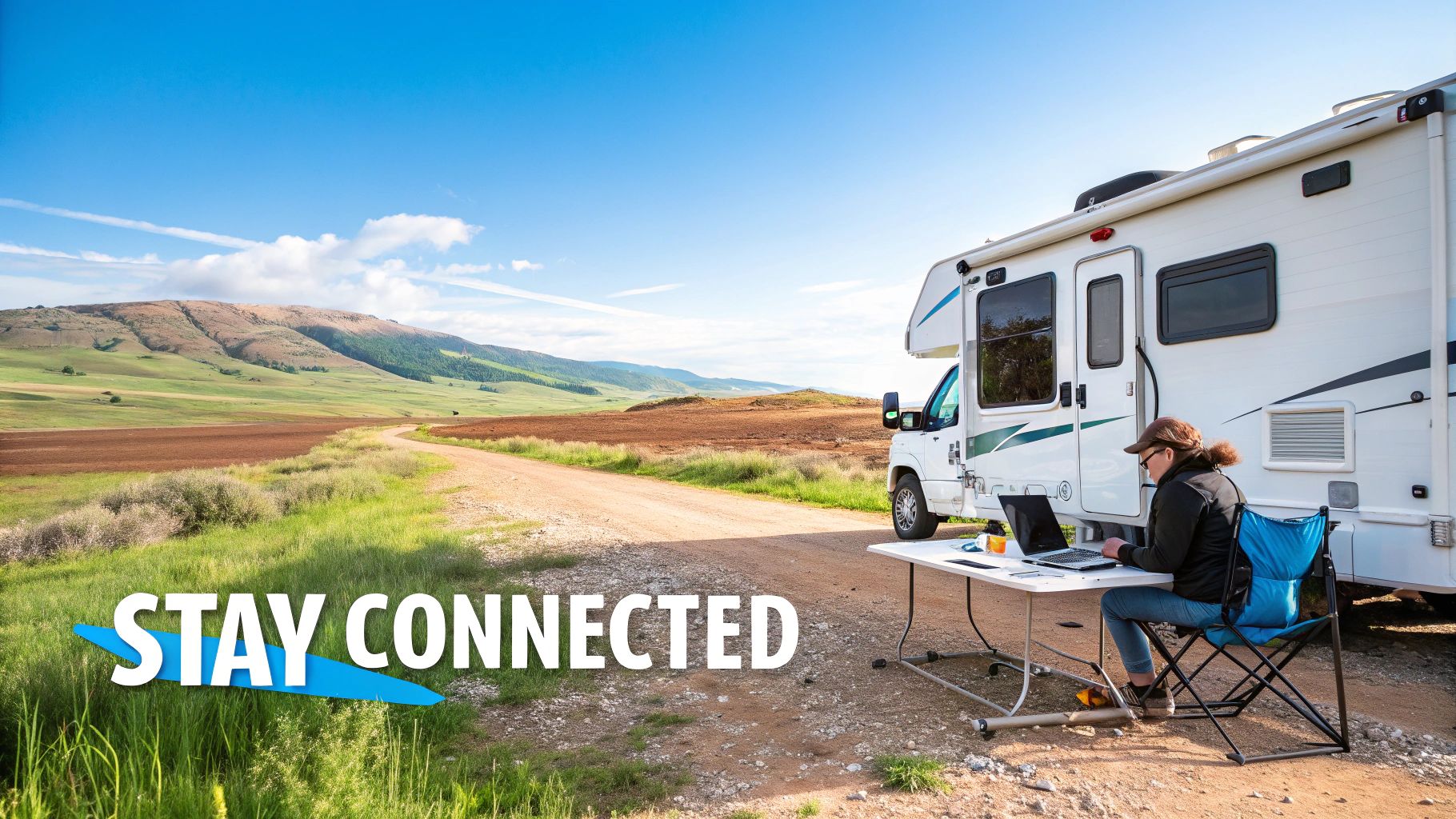
Picture this: you've found the perfect, scenic campground to settle into for a productive week. By Monday afternoon, your connection slows to a crawl. You’ve just experienced the classic "campground slowdown." This is what happens when the local cell tower gets completely overwhelmed by dozens of other campers firing up their devices to stream, game, and work all at once.
This shared bandwidth problem creates a digital traffic jam, and suddenly, even a simple video call becomes impossible. Your solid internet speed for remote work disappears, not because your gear is faulty, but because the local network is totally congested.
Common Connectivity Roadblocks
Beyond a crowded network, a few other things love to get in the way of a good signal when you're off the beaten path. These issues can take a perfectly strong signal and turn it into a weak, frustrating trickle.
- Terrain Interference: Hills, thick forests, and even big buildings can physically block or mess with the radio waves trying to get from the cell tower to your device.
- RV Construction: The very things that make your RV a solid home on wheels—like aluminum siding and metal framing—can also act like a shield, literally blocking cell signals from getting inside.
- Distance from Towers: Out in the countryside, cell towers can be few and far between. The further you get from a tower, the weaker and less dependable your connection will be.
Because of these physical hurdles, the service you get inside your RV or rural home can be a world away from what the coverage map promises. It's a common struggle, and learning about your options for internet access for rural areas is a great place to start.
The hard truth for many rural and mobile workers is that national internet speed averages just don’t match their day-to-day reality. You hear about lightning-fast speeds in big cities while your own connection is just trying to keep up with the basics.
This gap is real. As of 2025, the U.S. might rank 13th in the world for broadband speed, but huge differences between states mean rural areas often get left in the dust. This creates a massive headache for remote professionals. You can see just how wide this gap is by checking out the global internet speed rankings on World Population Review.
Understanding these specific pain points is the first step toward finding a real solution that actually works for you.
Practical Ways to Boost Your Internet Signal Anywhere
Okay, so we've diagnosed the usual suspects that mess with remote internet connections. Now for the fun part: fixing them. A spotty or slow signal doesn't have to be a fact of life, even if you’re miles from the nearest city. With the right approach and a few key pieces of gear, you can build a connection that’s solid enough to work from just about anywhere.
Think of these tips as your personal toolkit for a better signal. Some are quick fixes you can do right now, while others are smart investments that pay off big time in productivity and sanity. We'll start with the heart of your local network: the router.
Optimize Your Router and Device Placement
Your router is the command center for your Wi-Fi, and where you put it makes a massive difference. Seriously, don't just shove it in a cabinet or tuck it behind the TV and forget about it.
- Get it Up High: Place your router in a central spot, as high up as you can. Signals travel down and out, so elevating it helps it reach more of your space without getting gobbled up by furniture.
- Give it Breathing Room: Keep it away from thick walls (especially concrete or brick), metal objects like filing cabinets, and appliances that create interference—microwaves are notorious Wi-Fi killers.
- Close the Distance: When you’ve got a crucial video call or a big file to upload, the simplest trick is often the best: move closer to the router. The strongest, most stable connection will always be nearest the source.
Making these small adjustments can dramatically improve the signal strength inside your home or RV. It’s about making the most of the internet you’re already paying for.
One of the single best upgrades you can make to your setup is investing in a modern, high-quality router. An old, outdated router can be a serious bottleneck, choking your speeds no matter how fast your internet plan is.
Manage Your Bandwidth Smartly
When you're working with a limited connection, you have to be the boss of your bandwidth. It’s all about telling your network what’s a priority, so your work tasks always get the fast lane.
A super effective way to do this is by using Quality of Service (QoS) settings. Most modern routers have this feature, which lets you prioritize certain apps or devices. For example, you can tell your router that your work laptop and video conferencing apps like Zoom or Microsoft Teams always get first dibs on the internet connection.
It also pays to be mindful of when you use your bandwidth.
- Schedule Big Downloads: Set your computers and devices to run those massive system updates overnight, well outside your 9-to-5.
- Pause the Sync: Turn off automatic cloud backups from services like Dropbox or Google Photos right before an important video call. This frees up that precious upload bandwidth when you need it most.
- Shut It Down: Close out any streaming apps or extra browser tabs you aren’t using. You’d be surprised how many of them are quietly sipping bandwidth in the background.
By actively managing how your internet is used, you ensure that the performance you need for your internet speed for remote work is there when it counts.
Choosing the Best Internet Service for Your Lifestyle
Alright, now that you have a handle on what your internet needs actually are, you can start shopping for a service that truly fits your life on the road or in a rural home. The best plan isn't just about raw speed. It's about finding a provider that gets the unique challenges of a mobile or out-of-the-way lifestyle.
Things like data caps, long-term contracts, and genuine portability should be at the very top of your list. So many traditional internet services are built for a stationary life in a subdivision, not for the freedom of the open road.
They'll often lock you into rigid contracts, slap you with punishing fees for using "too much" data, and rely on tech that's physically wired to a single address. For any digital nomad or rural professional, those aren't minor inconveniences—they're dealbreakers that can bring your entire operation to a halt.
Comparing Internet Options for Rural and RV Life
To find your perfect match, let's break down the most common technologies available to remote workers who've ventured beyond city limits. Each one comes with its own set of strengths and weaknesses, especially when you're trying to lock down a reliable internet speed for remote work from a campsite or farmhouse.
| Technology | Typical Speeds | Pros | Cons |
|---|---|---|---|
| DSL | 5-35 Mbps Download 1-10 Mbps Upload |
It’s available in a lot of rural places where other options aren't. Usually pretty cheap. | Speeds are often slow and can feel ancient. Performance tanks the farther you are from the provider's central office. |
| Satellite | 12-100 Mbps Download 3-5 Mbps Upload |
Can get you online almost anywhere on the planet, as long as you have a clear view of the sky. | The latency (ping) is sky-high, making real-time video calls a nightmare. Prone to strict data caps and gets knocked out by bad weather. |
| 5G Cellular | 50-250+ Mbps Download 10-50+ Mbps Upload |
Blazing-fast speeds and low latency, just like home cable internet. Incredibly portable and flexible for working on the move. | Your performance is tied to how close you are to a 5G tower. Can get bogged down by network congestion in crowded spots. |
Looking at the options side-by-side, 5G cellular really stands out as the hero for the modern remote worker. It bridges the gap that older technologies just can't cross, delivering the kind of speed and responsiveness you need to run a business, not just check email.
This is exactly the problem that providers like SwiftNet Wifi were created to solve. They've built 5G solutions from the ground up for mobile professionals, focusing on the connectivity puzzle for RV and rural life. They deliver that powerful, high-speed connection but with the flexibility you actually need—so you can stay productive, no matter where you decide to park your office for the week.
Got Questions? We've Got Answers.
Even with the best game plan, you're bound to run into specific questions when you're managing internet on the road. Let's tackle some of the most common ones we hear from RVers and folks living the rural work-from-home life. These are the real-world situations you'll likely face.
Is 100 Mbps Enough For Two People Working From Home?
You bet it is. A steady 100 Mbps download speed gives two people more than enough breathing room to work remotely without stepping on each other's digital toes. You can both be on HD video calls, collaborating in the cloud, and browsing the web without a hitch.
The real bottleneck, more often than not, is your upload speed. If you want to make sure your video calls aren't fighting for bandwidth and causing those dreaded screen freezes, look for a plan with at least 20 Mbps on the upload side.
How Does Bad Weather Affect 5G Internet In An RV?
This is a big one for anyone who’s ever had old-school satellite internet. While a really nasty storm with heavy rain or snow can interfere with 5G signals, the impact is usually small and doesn't last long. Modern 5G networks are way more resilient to weather than older technologies.
For RVers, adding an external antenna or a cell signal booster to your setup practically eliminates any potential weather-related slowdowns. It makes an already reliable connection even more solid.
The bottom line is that 5G is a tough and dependable technology for remote work, even when the weather isn't playing nice. It's a massive leap forward from the internet options we used to be stuck with.
Can I Get Fiber-Like Speeds Without A Physical Cable?
While it’s tough to match the absolute, screaming-fast gigabit speeds of a true fiber optic line, modern 5G fixed wireless gets you incredibly close. For most of what you do in a remote workday, the experience feels pretty much the same—fast, responsive, and low-latency.
This is exactly why 5G is such a game-changer, especially for those of us living and working where running a physical cable just isn't an option.
For a connection built from the ground up for the challenges of rural and mobile life, SwiftNet Wifi offers high-speed 5G internet that delivers the performance you need, wherever your office happens to be. Check out our flexible, no-contract plans at the SwiftNet Wifi website.
#rv #rvlife #rvliving #rvlifestyle #rvrenovation #rvremodel #rvtravel #rvcamping #rvadventures #ruralwifi #5gwifi #5ginternet


