

You're standing at a gas pump with a full tank, a phone at 8%, and a route that looks simple until you remember how many things can go wrong after the first hundred miles. The bags are packed, the playlists are downloaded, the last text messages are half answered, and the question that matters isn't whether you can drive cross country, it's whether the trip is set up so you won't hate yourself by day three.
For me, the difference between a smooth coast-to-coast run and a miserable one has never been the map app. It's been the boring stuff, the route constraints, the tire pressure, the parking plan, the sleep plan, and whether the internet stays alive long enough for work to keep moving.
The Morning You Start
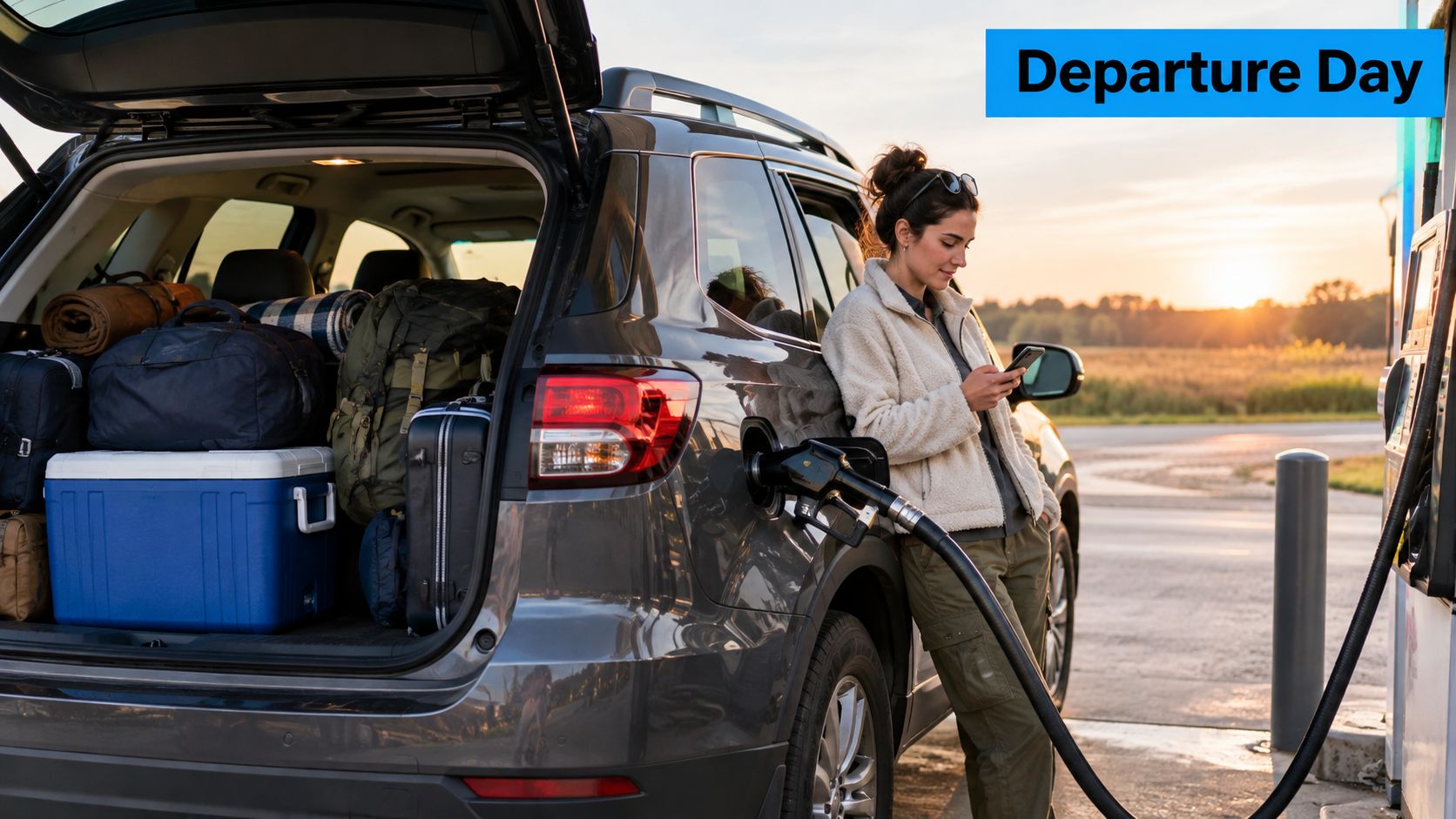
Departure morning turns a cross-country trip into a series of manageable checks. Confirm that the cooler is cold, the spare charger is within reach, and the tire warning reflects a real pressure problem rather than a sensor issue. These small decisions shape the first driving day.
Driving cross country works better as a connected system than as one long event. The route affects fuel and signal coverage. The vehicle affects parking and daily range. Packing supports safety, connectivity protects remote work, and the budget limits every choice. Set those pieces together before leaving, because one weak link can disrupt the day.
Start with the vehicle, then confirm the route, the safety kit, and the connection plan. Download maps and work files before pulling away, and decide where you can stop if service disappears. A productive first day comes from decisions made in advance, not from pushing harder once the trip has begun.
Planning the Route Before You Turn the Key
A workable cross-country route starts with constraints, not scenery. Set the vehicle's dimensions, daily driving limit, fuel range, parking options, expected signal coverage, and likely fatigue points before choosing the roads. The U.S. road system recorded about 3.294 trillion vehicle-miles traveled in 2024, with about 31% on rural roads and 69% on urban roads, according to the Federal Highway Administration FHWA 2024 vehicle-miles data. Your trip will use only a small part of that network, but rural stretches often offer fewer fuel stops, weaker service, and less room for a last-minute change.
Build the route around limits, not hope
Choose the longest day you can drive safely, then plan stops backward from that limit. For commercial drivers, FMCSA requires a 30-minute break after 8 cumulative hours of driving. Property-carrying drivers generally have 11 hours of driving after 10 consecutive hours off duty within a 14-hour duty window FMCSA hours-of-service rules. These rules may not apply to a personal trip, but they provide a useful reality check against an overpacked itinerary.
State speed limits also change the timing. The Federal Highway Administration's rural-interstate table lists Alabama at 70 mph for cars and trucks and Alaska at 65 mph for both FHWA rural interstate table. Build each day by state, planned stops, road type, and weather margin rather than by a single optimistic average.
| Sample Multi-State Speed Reference | Cars (mph) | Trucks (mph) |
|---|---|---|
| Alabama | 70 | 70 |
| Alaska | 65 | 65 |
Measure the vehicle before you pick the scenic road
RV route planning requires the full setup measurement, including the coach, tow vehicle, trailer, roof equipment, and any rear-mounted load. The National Park Service lists a 55-foot maximum total length and a 14-foot maximum height for RVs on the Natchez Trace Parkway NPS RV limits. A scenic route can become unusable when a low bridge, tight turn, or length restriction appears too late.
Service planning belongs on the same route sheet. Mark fuel stops, overnight parking, reliable work locations, and areas where you expect the connection to fail. Download maps and work files before entering a dead zone, and decide what can wait until service returns.
Practical rule: if you haven't measured the full rig, you haven't really chosen the route yet.
Use a daily log with the day number, start city, stop city, target mileage, fuel stop, sleep stop, and connection risk. It turns the route into an operating schedule, making clear where driving, rest, refueling, and remote-work commitments compete for the same hours.
Getting the Vehicle and RV Road-Ready
A loaded rig can feel fine at the driveway and expose its weaknesses an hour later. Heat, cargo, sustained speed, and towing force put pressure on tires, brakes, fluids, and electrical systems. Start with a cold-tire check. NHTSA defines cold as at least three hours after driving and recommends using the vehicle manufacturer's placard pressure, not the maximum printed on the tire sidewall NHTSA summer driving tips.
Tires do most of the work you don't see
For an RV or tow vehicle, check pressure after loading passengers, cargo, water, propane, and tongue weight. The correct setting depends on the actual vehicle and load. Confirm the tire and axle ratings before departure, because an overloaded setup can make an otherwise careful inspection meaningless.
Walk around the entire rig and touch what you can safely inspect. Look for tread damage, cuts, punctures, bulges, cracks, sidewall scrapes, and worn valve stems. Measure pressure before the first drive of the day, before sunlight and road heat raise the readings. Check the spare too, then make sure its tools and mounting hardware are accessible.
Match the inspection to the setup
Inspect brake operation, fluid levels, warning lights, headlights, and brake lights before leaving. Pay particular attention to the trailer connection, safety chains, breakaway cable, hitch pin, weight-distribution hardware, and exterior storage doors. A loose connection or unsecured compartment can create a problem before a mechanical failure does.
The full emergency-kit list appears in the packing section below. Keep that equipment reachable rather than buried beneath clothing or outdoor gear.
A backup camera earns its space whenever you reverse, merge, or change lanes with a trailer. The T1A Auto 2026 camera guide covers features to compare for road use, including visibility and installation considerations. Test the camera in daylight and darkness, and clean its lens before departure.
Electrical preparation also supports remote work. Confirm that the trailer battery charges correctly while driving, powers the equipment you need, and has a practical recharge plan at overnight stops. The SwiftNet trailer battery guide can help you review battery setup decisions before a long route. A dependable power system reduces avoidable stops and gives you more options when a rural location has weak service.
Packing Smart and Building a Real Safety Kit
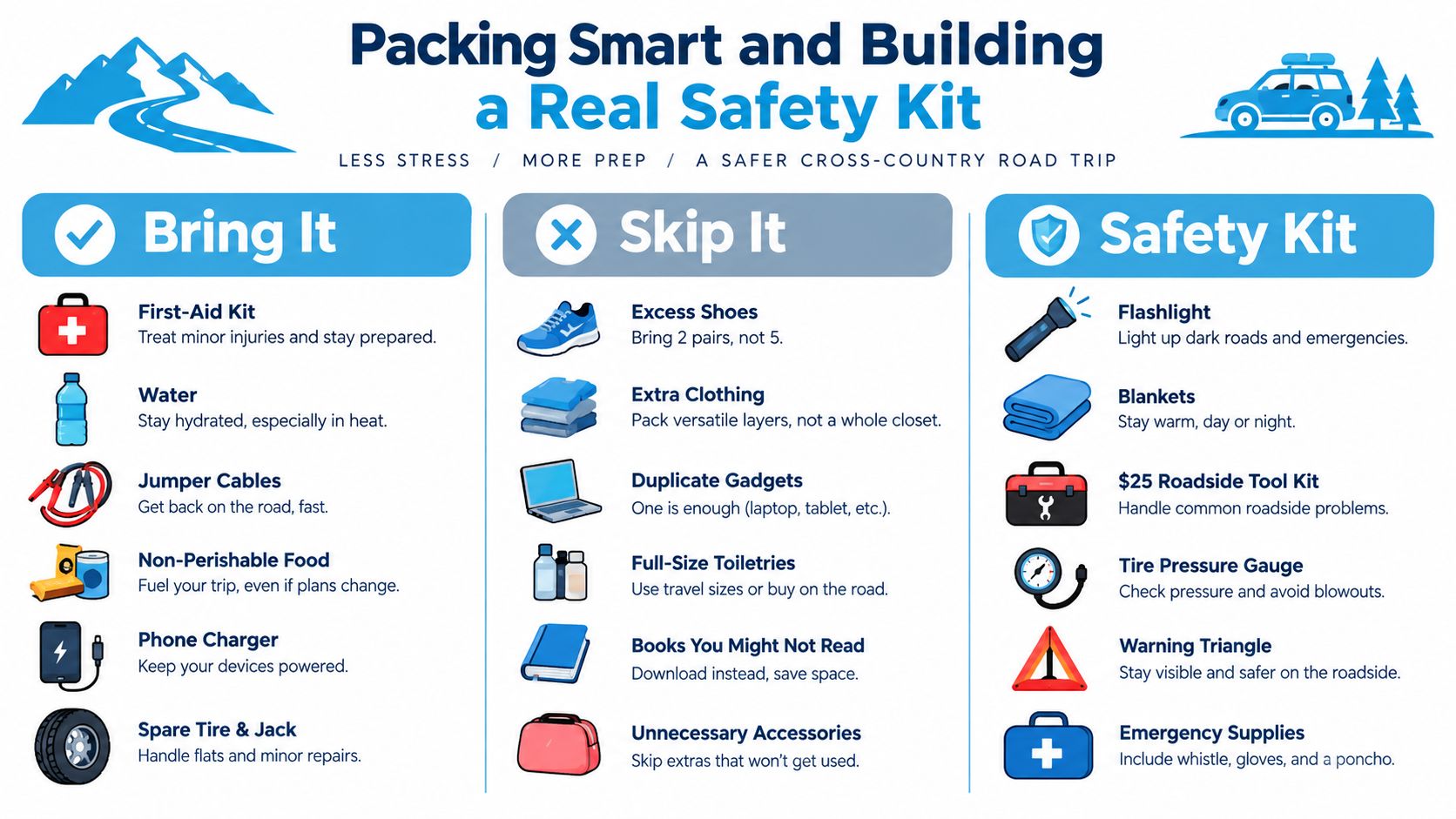
A roadside delay becomes harder when the kit is buried under clothes, cooking gear, or work equipment. I sort supplies into three groups: daily-use items, emergency equipment, and comfort items for recovery after a long driving day. That system keeps the cabin usable and lets me reach the items that matter without unloading the vehicle.
Build a kit for real delays
AAA's emergency checklist provides a useful baseline AAA cross-country trip prep. Adapt it to your vehicle, route, and work demands.
- Charged phone and power bank: keep calls, maps, and roadside support available when the vehicle is off.
- First-aid supplies: cover cuts, blisters, burns, and other minor injuries until professional help is available.
- Warning triangles or flares: place them where approaching drivers can see a stopped vehicle, especially in poor light.
- Jumper cables: choose 4-gauge cables with enough length to reach a tow vehicle's battery.
- Flashlight and spare batteries: use a hands-free light for checking a tire, hitch, or engine compartment after dark.
- Tire gauge: check pressure accurately instead of relying on appearance, particularly after temperature changes.
- Basic tools: carry equipment for loose fittings, simple adjustments, and temporary repairs that match your vehicle.
- Water: reserve drinking water separately from water used for handwashing or light cleanup.
- Nonperishable food: keep several easy-to-eat options accessible when weather, traffic, or a mechanical issue delays the next stop.
Store a printed route summary, insurance details, vehicle documents, and emergency contacts with the kit. If a phone loses service, those details still help. Connectivity also belongs in this decision: keep chargers and backup power accessible, and avoid placing the only working phone beneath luggage.
Leave weight behind
Duplicate gadgets, extra shoes, and untested “just in case” equipment consume space without improving readiness. Pack what supports driving, sleep, washing up, communication, or recovery from a problem. In an RV, distribute heavier items low and near the vehicle's center. Poor weight balance can affect handling before storage bins appear full.
A clean packing system can turn a difficult third day into a manageable one.
The ProMed Certifications course comparison offers a practical reference for judging which first-response skills fit a trip where professional help may be far away. The goal is not medical training for its own sake. It is knowing which supplies belong in the kit and how they support the first minutes of an incident.
Budgeting the Full Cost of Getting There
Fuel is the line item everyone remembers, which is exactly why the invisible ones get dropped. A usable budget includes lodging, food, tolls, tire wear, fluids, connectivity, parking, campground fees, propane, generator fuel, and money set aside for rerouting or repairs. Pricing only gasoline covers the first leg, not the trip.
Time and money move together
Parking determines how many miles a driver can complete each day. The U.S. Department of Transportation reports that more than 11% of truck crashes are associated with driver fatigue, while field studies found 83% of drivers spend more than 30 minutes searching for parking. Drivers may also give up an average of 56 minutes of available driving time per day by parking early to avoid being stranded without a space USDOT parking and fatigue briefing. Early parking can protect safety, but it may reduce daily mileage and add another night of lodging or campground fees.
RV travel has separate cost traps. A campground site, dump station, propane refill, and generator fuel should each have a place in the estimate rather than being folded into groceries or one nightly figure. Those choices also affect route reliability. A cheaper overnight stop may require a longer detour, weaker service, or enough generator use to erase the saving.
Price the trip per day, not per fantasy
Ask what one travel day costs after the vehicle stops, sleeps, and powers back up. Split the estimate into fixed and variable expenses, then add room for breakdowns, reroutes, and weather delays. If the drive runs smoothly, that cushion remains available instead of disappearing into an unexpected bill.
Remote workers should budget connectivity alongside fuel and lodging. A dependable connection may require a backup option, planned town stops, or paid campground access. Those choices support income and deadlines, so they belong in the operating cost of the trip, not in a last-minute miscellaneous category.
Staying Connected Through Rural Dead Zones
A route can look connected at breakfast and leave you without service by lunch. Carrier choice matters, but route continuity matters more. Terrain, distance, and long rural stretches can interrupt navigation, payments, work calls, and emergency communication even after a strong signal in the last town.
Recent rural research found that people with home broadband still experienced major disruption from poor cellular coverage, including highway stretches where drivers could travel for an hour without service and geographic features blocking signals PLOS ONE rural connectivity study. One successful connection does not prove that the next section of road will support the same tasks.
Build a dead-zone protocol before you leave
Download offline maps, permits, reservations, and work documents before entering remote segments. Mark likely no-service corridors, then schedule large uploads and video meetings during town stops. Keep payment details and key phone numbers available offline as well.
A backup connection supports different needs than a phone signal. Navigation may continue while a cloud file fails, or a payment terminal may stop working while basic calls still connect. A no-contract, month-to-month system such as SwiftNet Wifi can provide another option when the vehicle doubles as a workspace. Compare its setup, power needs, and expected coverage with your route rather than treating it as a universal fix.
Water stops belong in the same continuity plan. The Water Filter Advisor picks help compare portable filters for long rural stretches, where a planned refill can prevent an unnecessary detour.
Don't confuse coverage with usability
Basic phone coverage is not sustained, multi-device internet. A route can show bars and still fail during a video call, cloud backup, or payment transaction. The right question is not, “Which carrier is strongest?” It is, “What happens when the strongest signal disappears for the next hour?”
Use this order: offline files first, a backup connection second, bandwidth-heavy tasks near towns, and battery power throughout the day. The guide to internet for remote areas offers a practical framework for planning around dead zones instead of relying on optimistic map coverage.
Route rule: if the meeting matters, schedule it where the signal has already been tested, not where the map app is optimistic.
Working Remotely Without Losing the Work
Travel time is chopped time: driving, parking, charging, getting online, and finding a quiet place to speak all compete for the same hours. A workable remote schedule assigns each task to the part of the route that supports it, rather than assuming every hour can function like office time.
Use driving breaks like working breaks
Use the federal break rhythm covered in the route-planning section to divide the day into safer, more useful blocks. Fuel stops are good for quick email, file checks, and short messages. Schedule calls for planned stops where you can park, test the connection, and speak without rushing. Save focused writing and uploads for a settled work block, not the minutes before departure.
A meeting also needs a connection plan. If the signal is marginal, audio-only is usually better than a stuttering video call. Tell participants in advance, and keep the agenda tight enough to finish before the next driving window.
Protect power and expectations
A laptop, phone, and hotspot can drain quickly when they run together. Keep the workspace simple, charge during fuel stops, and avoid idling the engine just to power a workday. Download working files before leaving reliable service, then keep local copies available if the route enters a dead zone.
Set expectations before departure. Tell clients and teammates when you will be driving, when you expect to be reachable, and when replies may wait until the next town. The guide to remote work while traveling can help explain why connectivity, parking, power, and call timing belong in the operating plan.
Work in batches when the route allows it: calls near dependable service, uploads near towns, and offline tasks during long stretches between them. That sequence protects deadlines without forcing the road to compete with every work request.
Your Integrated Cross-Country Checklist
A good cross-country setup comes down to one system, route, vehicle, packing, budget, internet, sleep, and work all have to agree. The old Lincoln Highway proved the point early, the Lincoln Highway Association was established on July 1, 1913, the route was publicly announced on September 14 of that year, and the association estimated 20 to 30 days for the trip at about 18 mph Lincoln Highway history. That was an expedition then. It's a planning exercise now.
Keep the checklist short enough to use
- Before departure: confirm tire pressure cold, fluids, lights, brakes, load balance, and emergency kit.
- Before leaving each town: top off fuel, check parking, and test the next connection window.
- Before a work block: download files, test audio, and set expectations for call quality.
- Before fatigue hits: stop early, sleep fully, then resume clear-headed.
The 2026 version of driving cross country isn't about heroics. It's about better hardware, more flexible mobile internet, and the same old requirement to plan sleep, fuel, stops, and work before the key turns.
If you're planning a coast-to-coast run and need internet that's built for real travel, visit SwiftNet Wifi and see how a mobile, month-to-month connection can fit into the way you drive and work. It's a practical option for RV travelers, remote workers, and anyone who'd rather prepare for dead zones than gamble on them.


