

You're parked at a rural campsite, the laptop is open, and the video call keeps freezing every time someone starts talking. The router shows a bar or two, but that icon doesn't tell you whether the modem has clean signal quality, usable throughput, or a stable uplink. A 5G router with external antenna ports can solve the physical problem, but only when the modem, antenna array, connectors, cable, and mounting position work together.
The antenna itself isn't magic. It has to capture the right bands, preserve the router's MIMO streams, and deliver that signal through coax with as little loss as possible. This guide focuses on the parts that decide whether an installation improves connectivity or just adds hardware to the roof.
Why External Antennas Change the Game for Weak Signals
Internal router antennas are convenient, but they're often in the worst possible place. In an RV, the modem may sit behind a metal roof, reflective insulation, cabinets, solar equipment, or other electronics. In a rural home, thick walls, foil-backed insulation, and low window placement can weaken the signal before it reaches the modem.
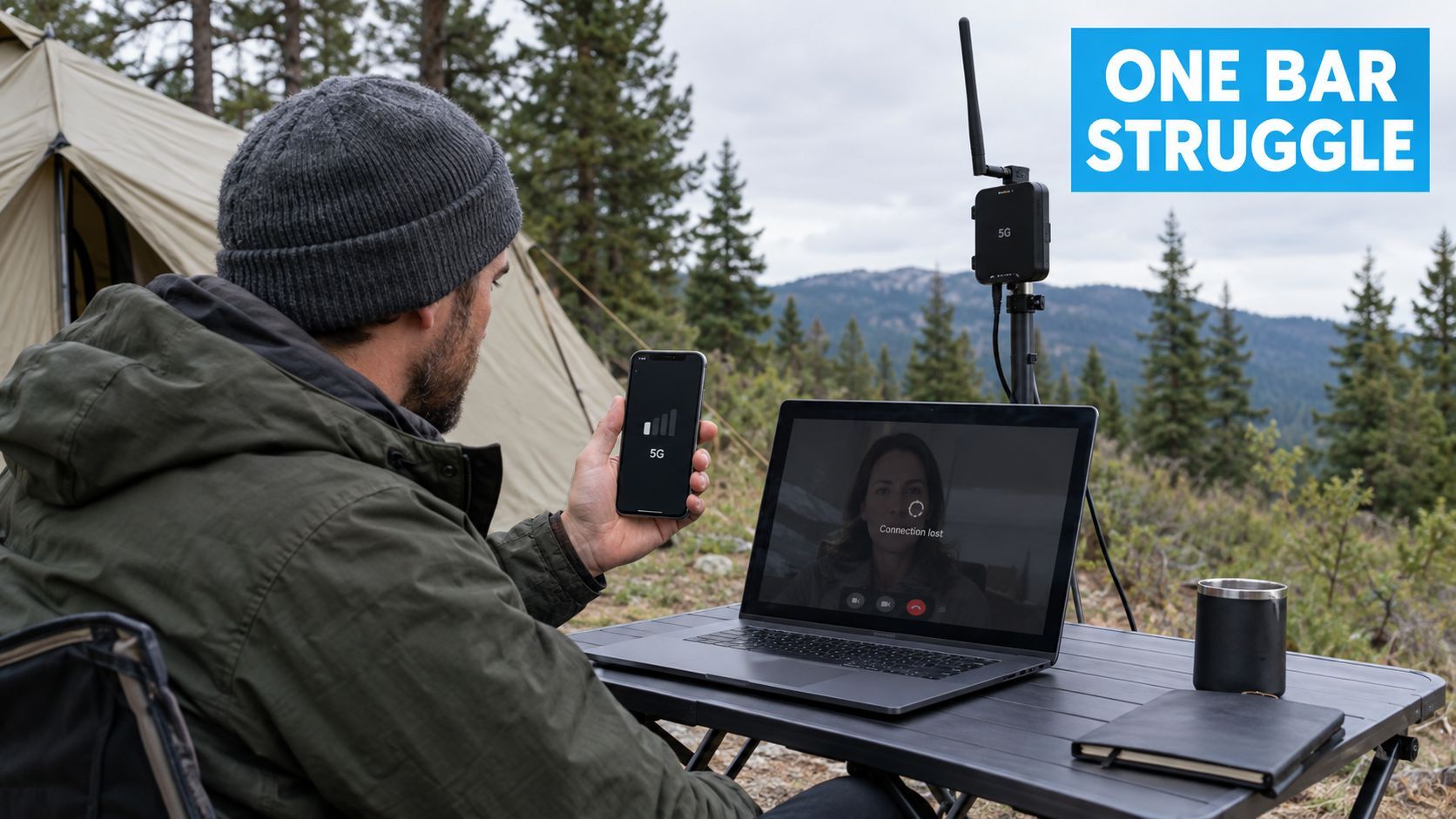
An external antenna moves the reception point outside that enclosure. Raising it above the roofline can reduce obstruction, while placing it on a mast or exterior wall can give the antenna a cleaner radio path. That doesn't guarantee fast service, because tower congestion and carrier limits still matter, but it can give the modem a much better signal to work with.
Outdoor position matters more than router bars
Signal bars compress several radio measurements into a simple icon. They won't show whether interference is high, whether the router is holding the wrong band, or whether the modem has lost a spatial stream. An outdoor antenna can improve signal quality, not just apparent strength, by separating the antenna from local reflections and electronic noise.
Omnidirectional antennas receive signals from multiple directions. They're practical for RV travel, changing locations, and areas where you don't know which tower will serve you. Directional panels focus reception toward a selected tower, which can work better at a fixed rural property when you can aim accurately and maintain a reasonably clear path.
Field rule: An antenna mounted outside and above obstructions is usually a more useful first move than buying a router with a more impressive dashboard display.
The physical layer is becoming a standard part of fixed wireless design rather than a specialist add-on. The global 5G external antenna market was valued at USD 3.13 billion in 2024 and is projected to reach USD 15.73 billion by 2032, according to market projections for 5G outdoor routers. That growth reflects demand from rural broadband, mobile connectivity, private networks, and outdoor installations.
A 5G router with external antenna support is therefore useful in two different ways. It can help a stationary rural installation capture a distant or obstructed signal, and it can give an RV owner more control over the reception point than a router sitting inside the vehicle ever could.
Matching Your Router to the Right Antenna Hardware
The first purchase decision isn't antenna gain. It's the router's modem architecture. A 2×2 MIMO router needs a two-antenna external array, while a 4×4 MIMO router needs a four-antenna array if you want to preserve all available spatial paths.
MIMO, or Multiple Input Multiple Output, uses separate antenna paths to transmit and receive data. Connecting only part of a four-port router's intended array can leave performance on the table, and an antenna that advertises 4×4 MIMO won't create four paths if the router exposes only two cellular ports.
A compatible 4×4 setup can increase 5G and 4G speeds by up to 100% compared with a standard 2×2 MIMO antenna when paired with a compatible four-port router, according to Maxview's external 5G antenna specifications. Treat that as a compatibility-dependent ceiling, not a promise for every campsite or tower.
Read the router and antenna specifications together
Check the router manual or chassis before ordering. Confirm the number of cellular antenna ports, whether those ports are enabled for external reception, and which connector type they use. Common connector families include SMA, TS-9, and N-type, but the connector must match mechanically and electrically.
Frequency coverage matters just as much. For U.S. sub-6 GHz use, compatible equipment commonly needs coverage across roughly 617 to 4200 MHz, as outlined in this 5G router antenna compatibility guide. A narrow antenna may perform well on one band and poorly on another, so compare its supported range with the bands your carrier and router use.
| Router MIMO Type | Required Antenna Array | Common Connectors | Best Use Case |
|---|---|---|---|
| 2×2 MIMO | Two-element external array | SMA or TS-9, depending on router | RVs, portable routers, and fixed locations with ordinary coverage |
| 4×4 MIMO | Four-element external array | Four compatible cellular ports, often SMA | Rural fixed wireless, demanding remote work, and stronger 4G or 5G cells |
| Router with N-type outdoor interface | Matching outdoor MIMO assembly | N-type | Roof, mast, or commercial installations with weather-resistant cabling |
For broader infrastructure planning, resources covering industrial network solutions can help place cellular connectivity alongside other wired and wireless equipment. For a router-specific compatibility check, use this guide to routers with antenna ports before buying adapters.
Don't assume a higher-gain antenna is automatically better. A directional design may narrow the useful coverage area, and an antenna that excludes the active carrier band can underperform despite a strong specification sheet.
Physical Installation and Optimal Placement Strategies
A technically compatible antenna can still fail if it sits beside an air conditioner, behind a solar panel, or at the end of a long, lossy coax run. Installation is where many otherwise good systems lose their advantage.
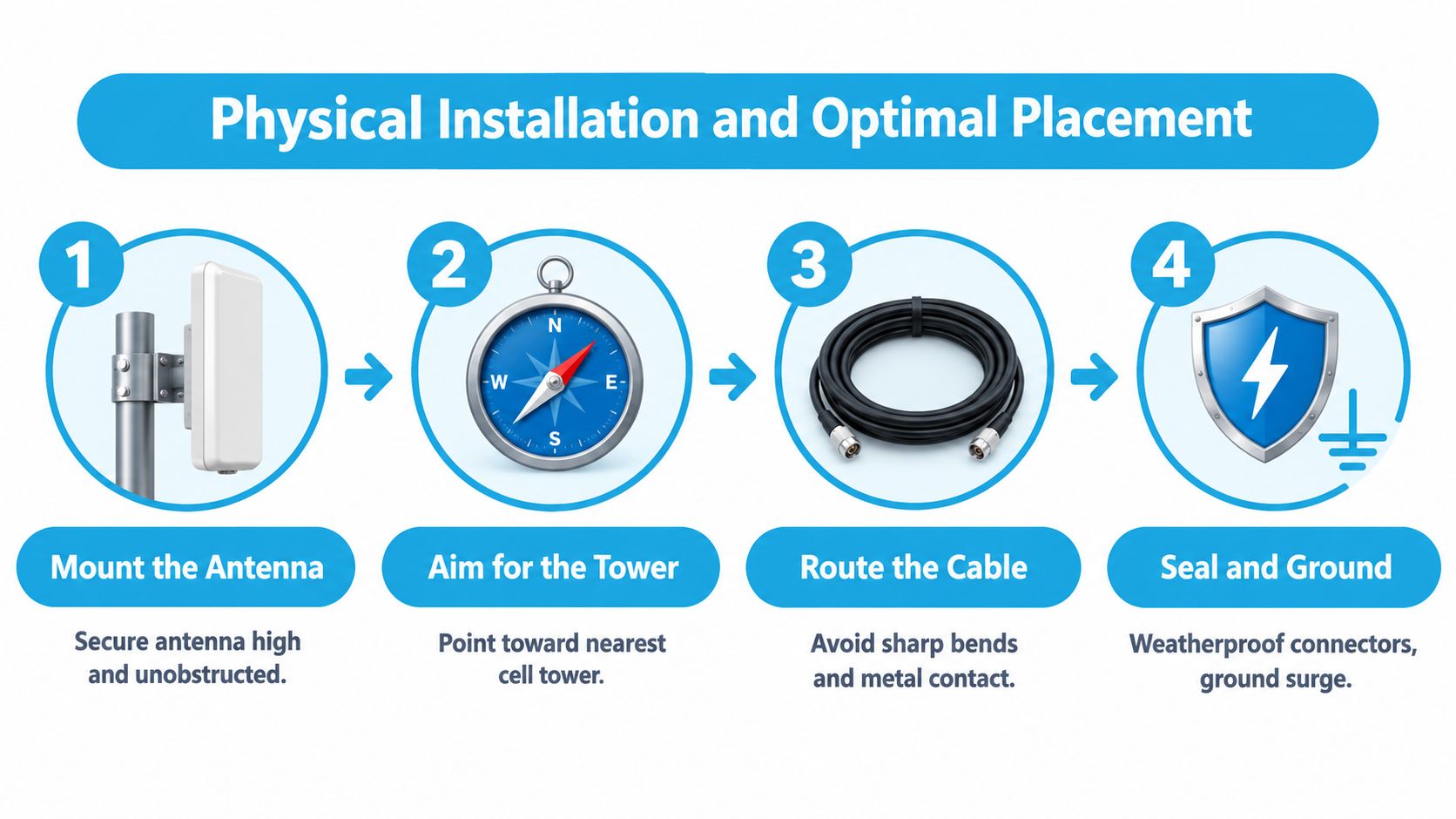
Mount above obstacles, not beside them
Start by testing possible mounting positions before drilling. Place the antenna temporarily on the roof, a mast, or an exterior wall, then compare the router's diagnostic readings and repeated speed tests. Higher placement often clears branches, nearby roofs, and RV equipment, but the highest point isn't automatically the best point if another structure introduces interference or forces a long cable route.
For directional equipment, aim at the exact serving tower rather than just pointing toward the nearest town. Rural 5G placement guidance emphasizes both height and accurate aiming in weak-coverage areas. An omnidirectional antenna needs less aiming, but it still needs clearance from large metal surfaces and rooftop clutter.
A useful site survey for a cabin or rural building follows the same logic as site surveys for AP placement. Test the physical environment first, identify obstructions, and choose the position that balances radio performance with a short, protected cable route.
Keep coax short and protected
Coaxial cable carries the captured cellular signal between the antenna and modem. Every extra length, adapter, bend, and connector adds loss, and at 5G frequencies that loss can erase the benefit of moving the antenna outdoors. Use the shortest practical low-loss cable, avoid unnecessary couplers, and don't coil excess cable tightly beside the router.
Route the cable without sharp bends or crushing points. Keep it away from edges that can abrade the jacket, and use a protected entry point through the RV roof or building wall. Seal outdoor connectors with suitable weatherproofing, because water entering a connector can gradually change its electrical characteristics and create intermittent faults.
Secure the antenna against vibration and wind, especially on an RV. Use strain relief at the router and antenna ends so cable movement doesn't transfer force to the connectors. For broader indoor placement decisions after the cellular signal reaches the router, this Wi-Fi router placement guide covers the separate question of distributing Wi-Fi inside the vehicle or home.
Testing Signal Metrics and Optimizing Performance
A baseline turns antenna installation into a controlled test instead of a guess. Before connecting anything, place the router in its normal position, record its diagnostic readings, and run repeated tests during a consistent time window. Then change only the antenna setup and compare the same carrier, location, and bands.
Track radio quality, not just strength
The key readings are RSRP, RSRQ, SINR, band lock state, and carrier aggregation status. RSRP indicates reference signal power. RSRQ adds information about signal quality and interference, while SINR shows how clearly the modem can distinguish the wanted signal from noise.
As a practical starting point, RSRP below about -100 dBm often indicates that an external antenna may help, while around -105 dBm or worse can make external reception essential, according to GL.iNet's external cellular antenna guidance. These thresholds aren't guarantees. A router with excellent SINR may outperform one with stronger RSRP but heavy interference.
Record whether the router is connected to the expected band and whether carrier aggregation is active. A new antenna may change the serving band, so an apparent speed improvement might come from a different radio condition rather than the antenna alone.
Use a repeatable test routine
Run tests from a device connected to the router, not from a phone on a different radio path. Keep the router, test device, carrier, and physical location unchanged. Test more than once because cellular conditions vary naturally, especially when nearby users share the same tower.
One hands-on review recorded downstream throughput rising from 68 Mbps to 325 Mbps with an external 4×4 MIMO antenna, with latency also improving, as reported in Waveform QuadMini field testing. That result demonstrates what good placement and suitable radio conditions can achieve, not what every installation should expect.
Compare the same location, carrier band, and time window. If you move the router, change the plan, and add an antenna together, you won't know which change mattered.
If readings improve but download speed doesn't, the bottleneck may be tower load, the service plan, Wi-Fi distribution, or the connected device. If RSRP improves but SINR worsens, the antenna may be receiving more energy and more interference. Use the complete diagnostic picture before deciding that the installation succeeded or failed.
Troubleshooting Installation Issues and Common Myths
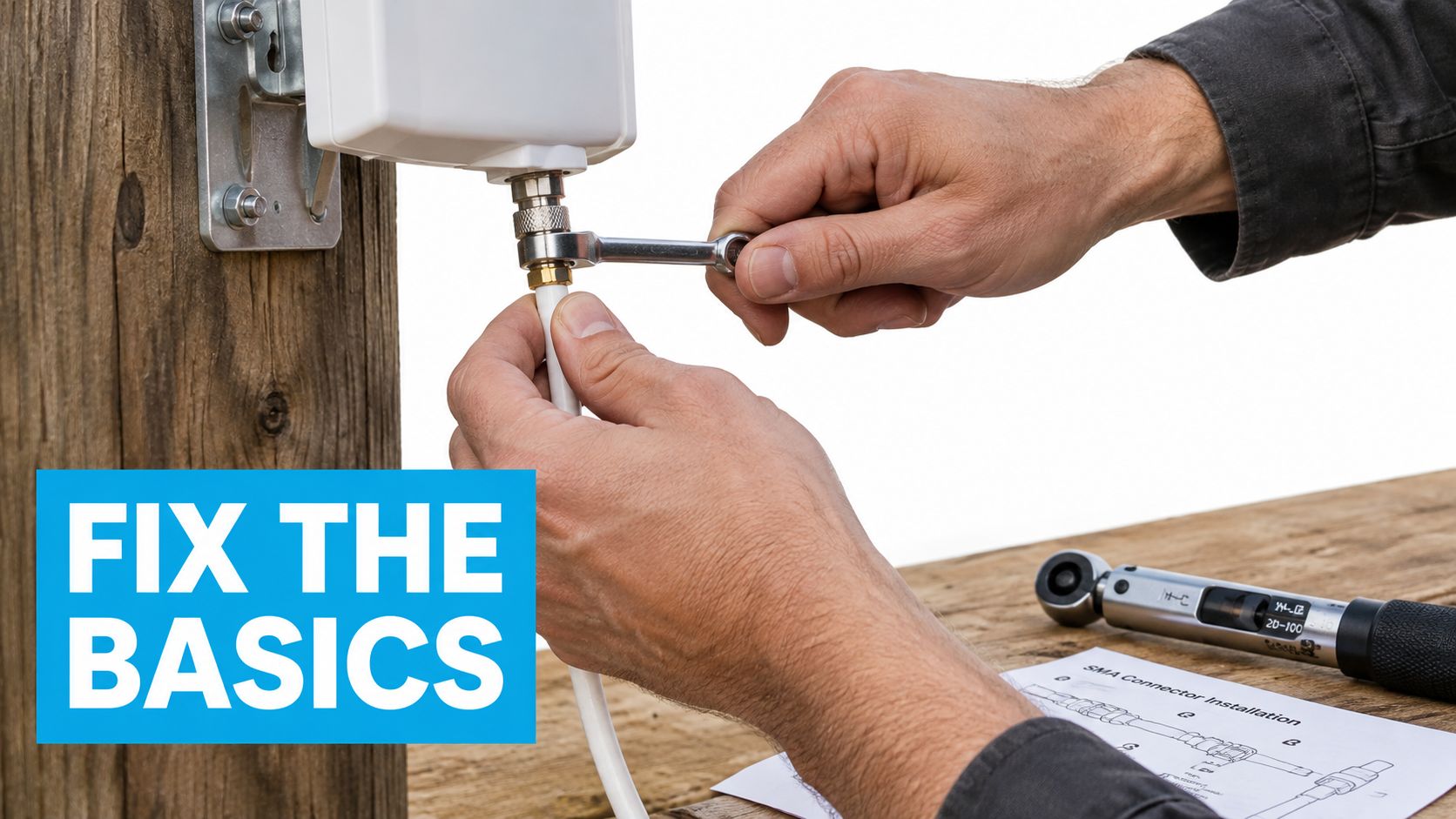
The most common installation error is treating the antenna as a plug-and-play speed upgrade. Loose SMA fittings, damaged adapters, wet roof penetrations, and poorly supported cable can create a connection that works briefly and then drops under vibration or weather.
Higher gain isn't always the answer
A high-gain antenna focuses reception more tightly. That can help a fixed rural installation with a known tower and a clear path, but it can hurt a moving RV or a wooded site where the strongest usable signal arrives from changing directions. Expert guidance warns that high-gain designs can underperform when they narrow coverage too much or when the active carrier band falls outside their effective range, as explained in this 5G MIMO antenna selection guide.
Omnidirectional hardware is often the more practical choice for travel because it avoids constant aiming. Directional panels make more sense when the router stays put and you can identify the serving tower. Neither design can overcome a congested tower or a plan that limits throughput.
Isolate one fault at a time
Troubleshoot in a fixed order:
- Inspect connectors: Confirm every port is fully seated and protected from moisture.
- Check the cable path: Look for crushed coax, excessive length, tight bends, or unneeded adapters.
- Compare internal and external modes: Use the router interface to verify that the modem is using the external ports.
- Repeat the baseline: Test under the same conditions instead of relying on one fast or slow result.
- Change one variable: Adjust aim or position, but don't replace the antenna and move the router simultaneously.
A booster is a different device category from an external antenna. Before considering cellular signal boosters, determine whether the router already has external ports and whether the problem is weak outdoor reception, indoor distribution, or tower capacity.
The right diagnosis may be that an antenna won't solve the problem. If RSRP and SINR remain healthy but speeds collapse during busy periods, local RF hardware isn't necessarily the limiting factor. If the antenna improves the readings but not the application experience, check Wi-Fi placement and the service plan before adding more equipment.
Final Checklist for Reliable Off-Grid Connectivity
Use this checklist before drilling, traveling, or blaming the carrier:
- Confirm MIMO: Match a 2×2 router to a two-element array and a 4×4 router to a four-element array.
- Verify connectors: Check SMA, TS-9, N-type, or the exact interface specified by the router.
- Check bands: Make sure the antenna covers the carrier bands your modem uses.
- Plan the cable: Keep coax short, low-loss, protected, and free from sharp bends.
- Test placement: Compare roof, mast, and exterior-wall positions before permanent mounting.
- Aim carefully: Point a directional antenna at the serving tower, not merely toward the nearest town.
- Record a baseline: Save RSRP, RSRQ, SINR, band state, aggregation status, and repeated throughput results.
- Weatherproof everything: Seal connectors and roof entries, add strain relief, and inspect mounts after travel.
- Change one thing: Adjust only one variable during troubleshooting so the result remains meaningful.
A reliable off-grid setup comes from preserving the whole signal path. The antenna, MIMO layout, coax, mount, modem settings, and carrier conditions all matter, and the weakest part can determine the result.
SwiftNet Wifi offers 4G and 5G home and mobile internet plans, along with an omnidirectional external antenna accessory and practical guidance for matching router ports, bands, cables, and mounting hardware. If you're setting up connectivity for an RV, rural home, or remote-work backup, visit SwiftNet Wifi to review the available options and get support.


