

A quiet campsite can feel like the perfect office until your morning video call starts. Your laptop is connected, the kids are streaming in the back, your partner is uploading photos, and suddenly the picture freezes. You move the phone closer to the windshield, watch the signal drop, and start searching for a connection that can handle real life inside an RV.
An RV WiFi hotspot can provide a practical foundation, but buying any device labeled “5G” won't solve every connectivity problem. Reliable internet on the road depends on the cellular network, the plan's hotspot rules, antenna placement, local congestion, and whether you have a backup when the primary connection fails. This guide explains how hotspots work and how to build a setup for browsing, streaming, navigation, and remote work.
The Connectivity Problem Every RVer Runs Into
The campsite is peaceful. The coffee is ready. Your calendar says the video meeting starts in a few minutes. Then the campground WiFi slows to a crawl because several nearby rigs are online at the same time, while your phone shows a weak signal that disappears when the RV turns toward a hill.
That situation isn't unusual. A 2026 RV connectivity survey found that 73% of RVers and campers stay connected while traveling, while 68% say internet availability affects where they choose to camp (RV connectivity survey). Internet now supports more than entertainment. Travelers use it for remote work, route planning, weather information, reservations, schoolwork, medical communication, and staying in touch with family.
Practical rule: Treat internet like your electrical system. One source may work most of the time, but a second path matters when the first one fails.
Campground WiFi often looks attractive because it may be included with the site. The problem is shared capacity. A connection that feels acceptable early in the afternoon can become unreliable when many campers return, start streaming, or make calls. WiFi range can also fall off sharply outside the immediate access-point area, so a site that appears close to the office may still have poor service inside a metal-sided RV.
Phone tethering helps in a pinch, especially when you need to send a document or check a route. It isn't always comfortable as a full-time solution. Your phone has to handle its normal duties while also acting as a router, and the carrier may apply separate hotspot limits.
A dedicated hotspot gives you a separate connection for the RV. You can place it where reception is strongest, connect several devices, and leave your phone available for calls and navigation. That same setup also makes ordinary travel easier. After a day on dusty roads, you can use a specialist service to remove stubborn bugs from RV paint without turning your phone into the only device carrying every task.
The central question isn't just whether an RV WiFi hotspot is fast. It's whether your setup can keep working when the campground network is busy, the nearest tower is congested, or your primary carrier has no usable signal.
What an RV WiFi Hotspot Actually Is
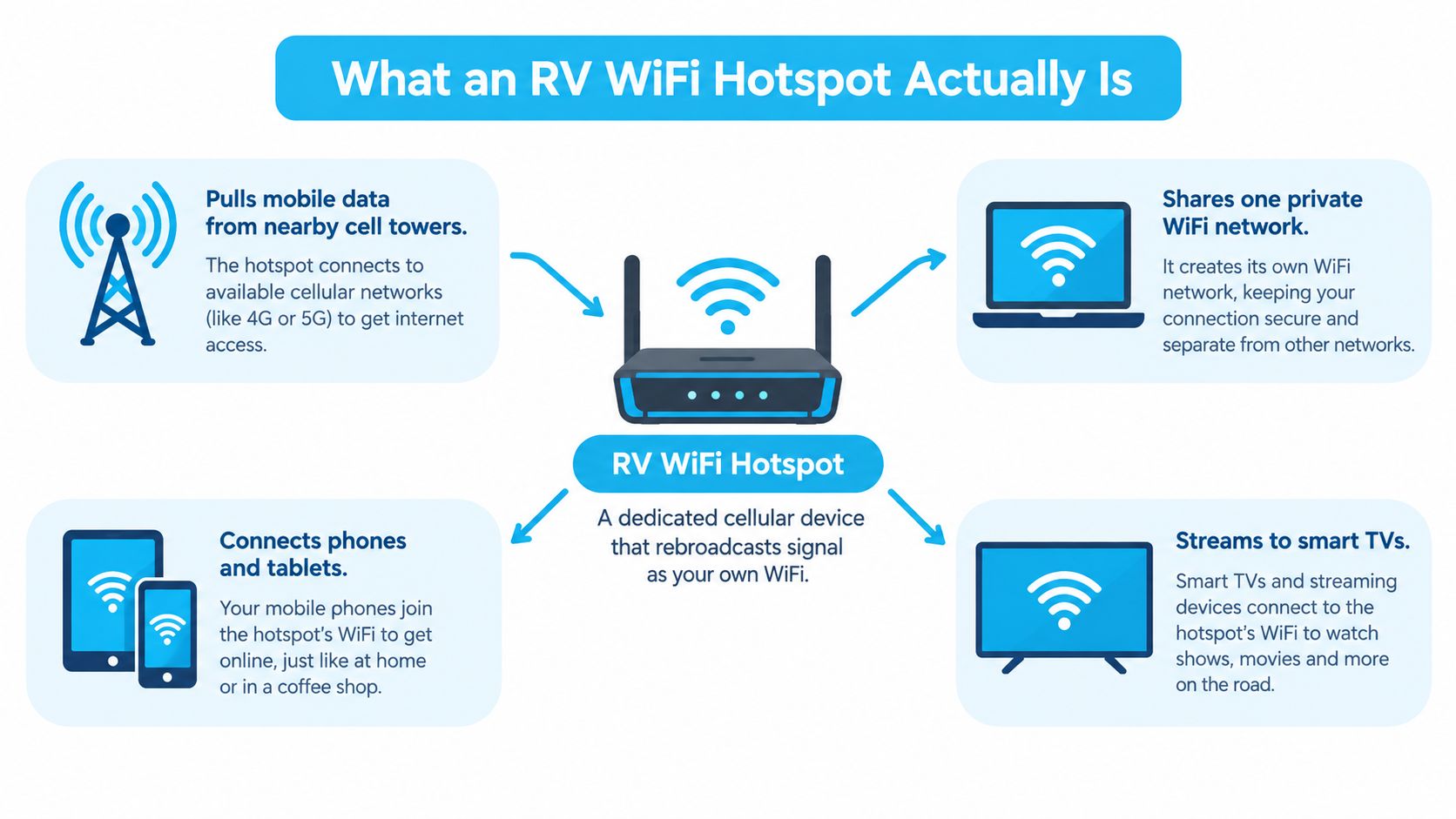
An RV WiFi hotspot is a cellular modem and router in one device. It receives data from a nearby mobile tower over LTE or 5G, then creates a private WiFi network inside your RV. Your laptop, phone, tablet, streaming stick, printer, and smart TV connect to that local network instead of connecting individually to the cellular tower.
Think of it as a purpose-built version of your phone's hotspot feature. Your phone can share its connection, but a dedicated unit is designed to keep doing that job for longer periods. Depending on the model, it may offer a stronger modem, better antenna options, Ethernet, a larger battery, and network controls that phones usually hide.
The important terms
A virtual SIM, often called a vSIM, lets one compatible router work with data service from more than one carrier without requiring you to physically swap SIM cards. In practical terms, the router can use different network options as you travel. That matters because the carrier that performs well near one campground may not be the carrier that works best at the next stop.
Carrier aggregation is a modem feature that combines multiple cellular frequency bands at the same time. The simplest analogy is a highway. One lane can carry traffic, but several available lanes can move more data when the tower and plan support that arrangement. Aggregation can't create coverage where none exists, and it can't remove congestion from a busy tower, but it can help a compatible device use the network more efficiently.
A hotspot's local WiFi and its cellular connection are separate parts of the system. Your laptop may show an excellent WiFi connection to the hotspot while the hotspot itself has a weak or overloaded link to the tower. That distinction prevents a common mistake: upgrading the local WiFi standard while ignoring placement, antennas, carrier choice, or data policy.
Why a phone isn't always enough
Phone tethering remains useful for occasional trips and backup access. It requires no extra device, and you can activate it quickly. For daily work, though, a dedicated hotspot keeps the internet workload away from your main communication device and can provide better placement inside the RV.
A dedicated device can also connect to an external antenna or feed a wired connection to a router. For a deeper explanation of the basic technology, see this guide to what a mobile hotspot does. The key idea is simple: the hotspot doesn't amplify the internet itself. It receives a cellular signal, manages a carrier data session, and shares the resulting connection with your devices.
How a Mobile Hotspot Works on the Road
When you power up an RV WiFi hotspot, its modem scans for supported LTE and 5G networks. It measures available signals, selects a compatible band and tower, and authenticates with the carrier. Once the carrier approves the data session, the hotspot converts that cellular connection into a private WiFi network.
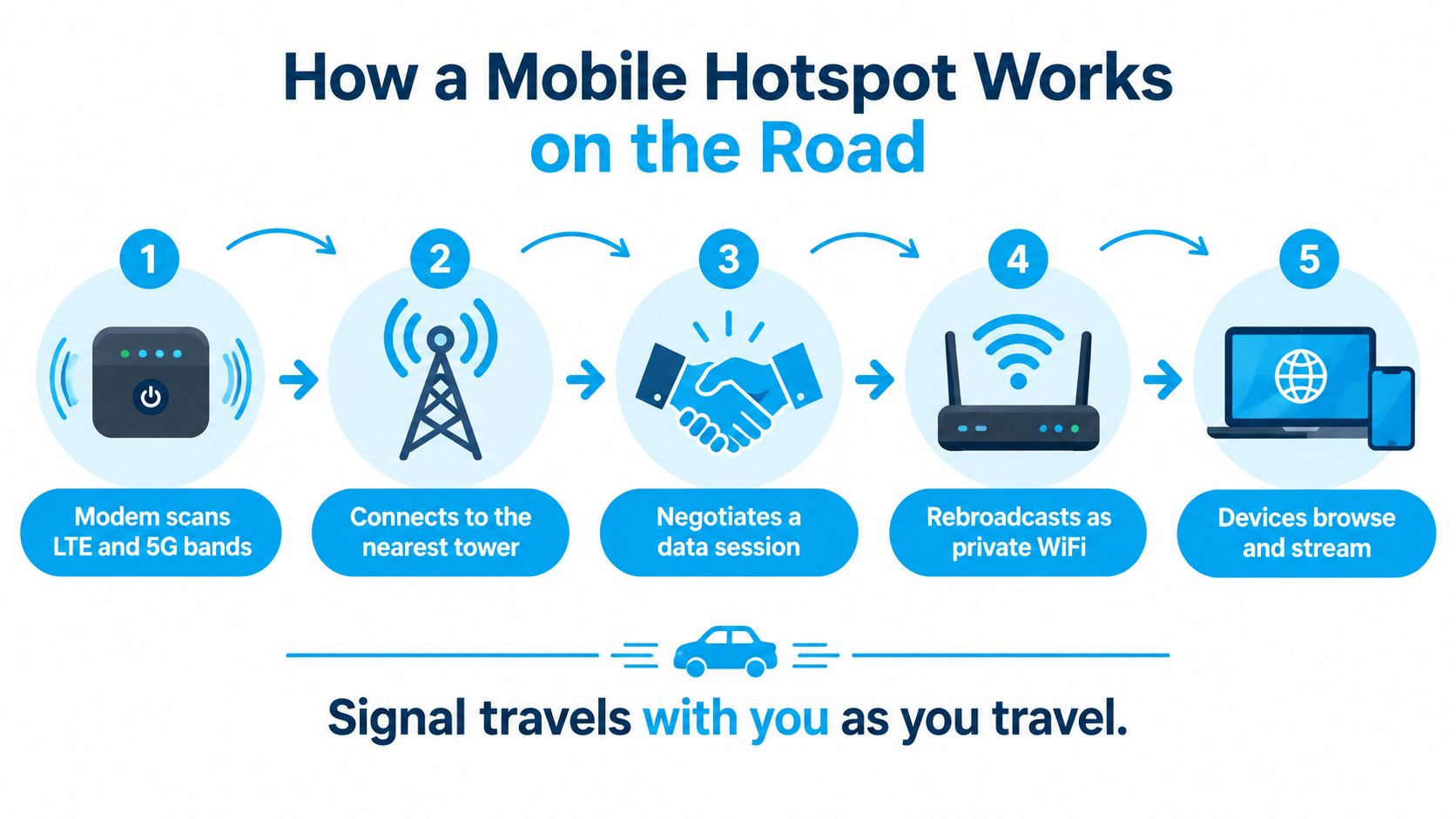
As the RV moves, the modem may change towers or bands. That handoff explains why a connection can be stable in one parking area and unreliable a short distance away. Trees, hills, building materials, weather conditions, tower distance, radio interference, and the number of active users all affect the result.
Where the antenna fits
A hotspot placed beside a window may perform better than one buried in a cabinet surrounded by wiring and metal. An external MIMO antenna, mounted where it has a clearer view of the surrounding signal environment, can improve reception in fringe areas. The antenna doesn't bypass the carrier or guarantee speed. It gives the modem a better chance to communicate with a tower.
Some advanced routers also allow band locking. Normally, the modem chooses bands automatically. If it repeatedly selects a busy band, locking it to another supported band can improve consistency. That setting requires testing, because the strongest signal isn't always the least congested signal.
The device then shares the connection over WiFi or Ethernet. WiFi works well for phones and laptops, while Ethernet can provide a more stable wired path for a work computer, desktop, or secondary router.
The hotspot can only work with the tower it can reach. Better local WiFi won't repair a weak cellular path.
Mobile hotspots are also affected by latency, which is the delay between sending a request and receiving a response. Published comparisons place typical hotspot latency around 30 to 80 milliseconds or higher, compared with roughly 20 to 50 milliseconds for fixed home internet, and note that hotspot latency changes with signal quality and congestion (hotspot latency comparison). Browsing and streaming may feel fine while VPN calls, cloud desktops, and multiplayer games expose the delay.
RV WiFi Hotspot vs Other Ways to Get Online
No single connection method wins at every campsite. The right choice depends on whether you need occasional access, several connected devices, a work-grade backup, or service far beyond cellular coverage.
| Option | Typical Speed | Monthly Cost | Best For | Main Limitation |
|---|---|---|---|---|
| Campground WiFi | Variable shared performance | Often included or bundled with the site | Light browsing and basic trip tasks | Congestion, weak range, and shared bandwidth |
| Phone tethering | Variable cellular performance | Included only within the phone plan's hotspot policy | Short tasks and emergency backup | Battery drain and hotspot-specific restrictions |
| Dedicated mobile hotspot | Variable cellular performance | Separate data plan | Remote work, travel, and several devices | Depends on tower coverage and plan rules |
| Cellular router | Variable cellular performance | Separate data plan or multiple plans | Permanent RV installations and failover | Higher setup complexity and equipment cost |
| Satellite internet | Often useful where cellular is unavailable | Dedicated service and equipment | Remote locations beyond practical tower coverage | Line-of-sight needs, latency, power, and price |
Campground WiFi
Campground WiFi can be convenient when you need to check email, download a reservation, or browse a few pages. It becomes less attractive when many rigs share the same access point. A guide to RV WiFi describes campground service as generally slower than home WiFi or even coffee-shop public WiFi, with shared bandwidth that can make streaming and work calls difficult (campground WiFi guide).
Use it as a useful secondary connection, not as the only link for an important meeting.
Phone tethering
Your phone is the fastest way to get online because it's already in your pocket. It works well for occasional browsing, route research, and a short call. For sustained work, heat, battery use, device limits, and carrier policy can make it uncomfortable.
Dedicated hotspot
A dedicated mobile hotspot separates the RV's data traffic from your phone. It can sit near the best reception point, keep several devices on one private network, and often supports antenna connections. The device still depends on the carrier and the plan, so hardware alone won't fix an unsuitable service policy.
Cellular router
A cellular router is the more permanent version of a hotspot. It can run from RV power, provide Ethernet, connect to external antennas, and manage more advanced routing. Some systems support multi-WAN, which means the router can use more than one internet source and move traffic to a backup when the primary link fails.
Satellite internet
Satellite service can help where cellular towers aren't practical, but it needs a clear view of the sky and usually consumes more power than a small hotspot. Installation costs can also be substantial. One RV connectivity guide estimates tripod-mounted satellite installations at roughly $1,000 to $3,000 and rooftop mounts at $6,500 to $16,000 (RV connectivity equipment guide). That cost and installation burden help explain why many travelers start with cellular service and add satellite only when their routes demand it.
Choosing the Right Hotspot Plan and Device
Start with your work pattern, not the device box. A solo traveler who checks email on weekends has different requirements from a family that streams while one adult works through a VPN. List the devices you expect to connect, the tasks they perform, and the places you visit most often.
Choose hardware for the route
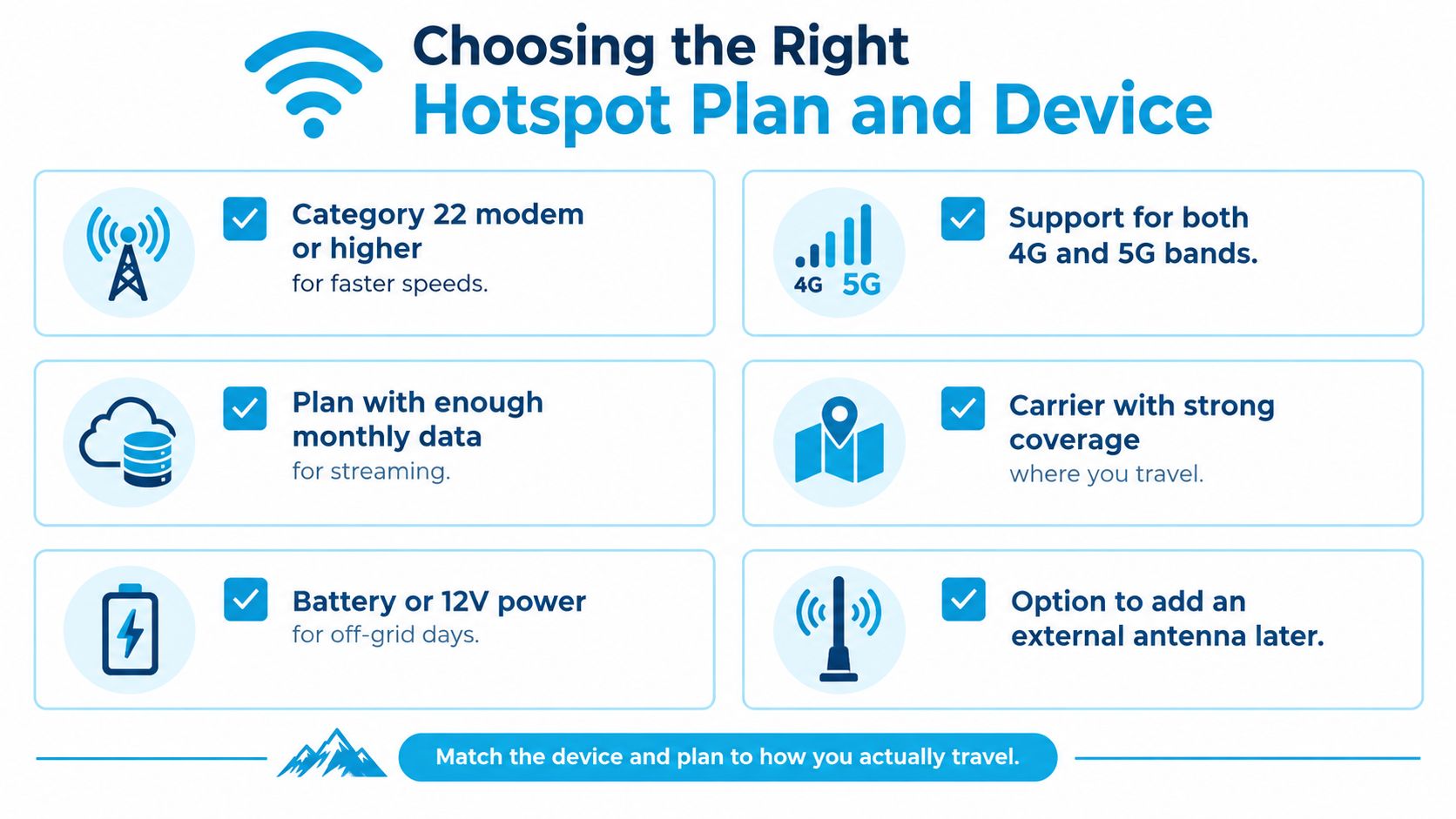
Look for a modern modem with broad LTE and 5G band support, carrier aggregation, external antenna connections, and enough processing power for several active devices. WiFi 6 can help a busy local network, but it won't improve the cellular signal reaching the hotspot. Ethernet is useful if you want to connect a work computer or feed the hotspot into a larger RV router.
Power matters too. A portable model with a removable battery suits short stops away from shore power. A router designed for 12V operation may fit better in a full-time installation. Leave room for an external antenna later, even if you start with the built-in antennas.
Read the plan policy carefully
Coverage maps from Verizon, AT&T, and T-Mobile provide a starting point, but your route matters more than a national color map. Check the areas where you camp, then ask whether the plan allows roaming, how hotspot data is treated, and what happens after the high-speed allowance is used.
The word “unlimited” needs careful reading. Guidance on RV hotspot plans reports that many smartphone plans throttle hotspot traffic after a full-speed allowance, with throttled rates commonly falling between 128 kbps and 600 kbps (mobile hotspot policy guide). Another plan may offer a larger hotspot allowance or a different priority policy, but you should verify the exact terms before relying on it for work.
Consider postpaid, prepaid, and multi-carrier options. Providers such as Visibly, US Mobile, and Nomad may suit different budgets and coverage needs, but their current hotspot limits and roaming rules can change. Compare the written policy, not just the advertised download speed.
Match the plan to your usage
A weekend traveler may need a capped plan and a phone hotspot as backup. A full-time remote worker generally needs a dedicated hotspot allowance that can support meetings, uploads, cloud applications, and personal use without an unexpected throttle.
Keep a usage log before committing. Record work calls, video quality, software updates, streaming, and backups. The purpose isn't to predict every megabyte. It's to discover which activities consume your allowance and whether you need a second carrier or a second connection.
For more help comparing service structures, review these WiFi hotspot plan considerations.
Setup and Optimization for Better Coverage
Placement often produces a bigger improvement than changing the local WiFi setting. Put the hotspot near a window or in the cab, keep it raised, and avoid enclosing it in a metal cabinet. Ventilation matters because sustained cellular work can create heat, especially while the device is charging.
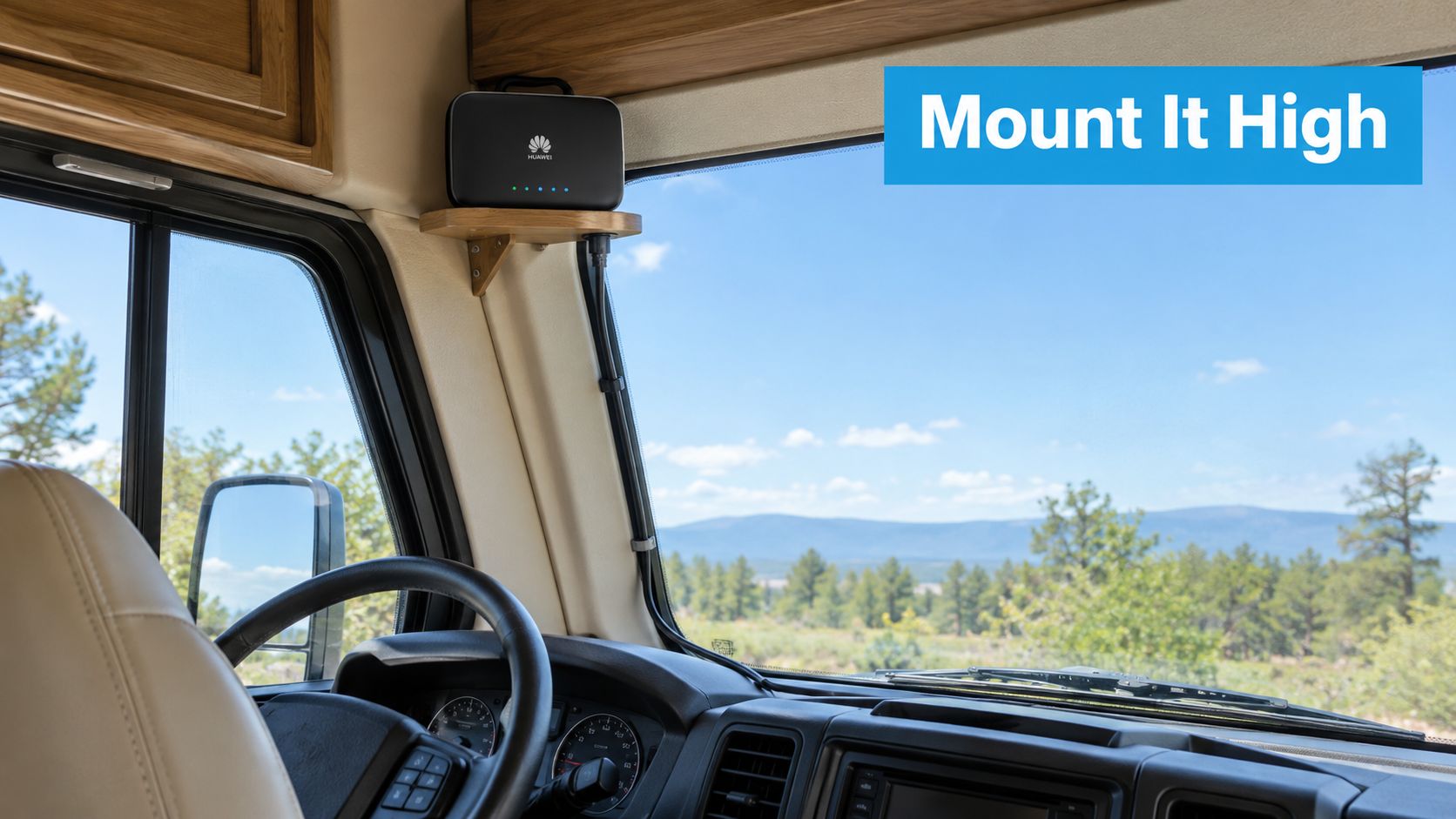
If the built-in antennas aren't enough, connect an external MIMO antenna with the correct connectors and cable. Test the hotspot in several locations before drilling or permanently mounting anything. A position that adds signal strength may still perform poorly if the tower is congested, so test upload speed and latency as well as download speed.
Tune the local network
Use 5 GHz WiFi for nearby devices that need more local capacity, and 2.4 GHz when range through the RV matters more. Select a less crowded channel if the device allows it. In a small interior, lowering transmit power can reduce unnecessary interference and save energy.
Turn off features you don't use. Limit connected devices, disconnect idle clients, use WPA3 when available, and change the default network password. A private password-protected network gives you more control than repeatedly joining shared campground WiFi.
Update firmware before leaving home. Download offline maps, current work files, and any required installers while you have a dependable connection. CellMapper and similar signal-mapping tools can help you understand coverage along a route, but treat maps as planning aids rather than guarantees.
A cellular hotspot can also feed a larger router, which is useful when you want wired devices, guest access, or automatic failover. This hotspot-to-router setup guide is relevant when the portable unit is only one part of the RV network.
The following video can help visualize a practical router installation:
Performance Limits, Failover Design, and Common Questions
The most useful RV internet question isn't “Is this hotspot fast?” It's “What happens when this connection becomes unusable?” A strong download result at an empty campsite doesn't guarantee a stable upload for a meeting during the evening. Shared WiFi can slow during busy periods, and cellular service can fail entirely in zero-bar areas.
A useful failover design starts with two independent paths. For example, use a dedicated cellular hotspot as the primary connection and campground WiFi, a phone on another carrier, or satellite as the backup. If your work depends on uptime, separate carriers are more independent than two devices using the same carrier.
Build a simple workday backup
Test both connections when you arrive. Check download, upload, latency, and the applications you use. If a router supports multi-WAN, configure it to move traffic when the primary link drops. If it doesn't, keep the backup network credentials ready and practice switching before a meeting begins.
Independent RV guidance recommends at least two connections for remote workers because congestion, obstruction, and dead zones can end a workday (RV failover guidance). The backup doesn't need to carry the entire household. It needs to keep essential work online until the primary connection returns or you reach another location.
Questions RVers ask most
Is a phone hotspot enough?
It can be enough for light, occasional use or emergency access. For daily remote work, move the primary workload to a dedicated hotspot and preserve the phone as a separate backup.
What should I do when there is no signal?
No antenna can create a cellular signal where the network has no usable coverage. Move to a higher or more open location if possible, check another carrier, use campground WiFi, or rely on satellite service where the sky view and power setup support it.
Is a 5G hotspot worth paying more for?
Only when your route, plan, and device can use 5G in places you visit. LTE remains important because coverage varies, and a 5G label doesn't overcome tower congestion or a restrictive hotspot policy.
How much data does a remote workday use?
There isn't one reliable amount. Video meetings, cloud desktops, file uploads, software updates, and streaming can produce very different usage. Track your own sessions, disable automatic updates during limited periods, and set alerts before the plan's high-speed allowance is exhausted.
Do hotspots work while the RV is moving?
The cellular modem can remain connected while traveling, but signal changes as the vehicle moves. For navigation and passenger use, a hotspot may be practical. For a critical work call, stop in a location where you can test the connection first.
Are signal bars enough to judge performance?
No. A strong-looking signal can still connect to a busy tower. Measure upload speed and latency, especially if your work involves video calls, VPNs, or cloud applications. Recent RV connectivity guidance emphasizes that location and time can matter more than the advertised speed of the plan (RV internet performance guide).
For RV travelers who want a multi-carrier option, SwiftNet Wifi offers virtual SIM hotspot and router services that can use major nationwide carrier networks, including AT&T, Verizon, and T-Mobile, with plans intended for home, mobile, and RV connectivity. Visit SwiftNet Wifi to review the available equipment and plan options for building a primary connection or a practical backup.
#rv #rvlife #rvliving #rvlifestyle #rvrenovation #rvremodel #rvtravel #rvcamping #rvadventures #ruralwifi #5gwifi #5ginternet


