

Most advice about Wi-Fi no contract starts with the wrong question. It asks how to avoid an early termination fee, then compares monthly prices as if every connection behaves the same way. For an RVer parked beyond the reach of cable, a remote worker living outside a fiber footprint, or a truck driver moving between coverage zones, the more important question is whether the service works at the exact place and time it's needed.
Cellular internet changes with tower distance, terrain, building materials, antenna placement, and congestion. A provider's coverage map can suggest that service exists while your campsite still struggles with video calls or VPN access. No-contract service matters because it gives you room to test that uncertainty before turning a variable radio connection into a long-term obligation.
Rethinking Contract-Free Internet For Mobile Lifestyles
No-contract internet isn't merely a convenient way to cancel. It's a practical risk-management tool.
A fixed broadband contract assumes that the service address, infrastructure, and expected performance will remain suitable. That assumption can work for a stable home with reliable cable or fiber. It's much weaker for a motorhome that moves between rural campgrounds, or for a rural household whose nearest tower may be affected by terrain and evening congestion.
The FCC's mobile coverage guidance makes the distinction clear. Its mobile map indicates where users may connect outdoors or in moving vehicles, but it doesn't establish indoor availability. A map can't account perfectly for the metal structure of an RV, a valley between towers, or a crowded cell during the hours when remote workers are online.
The real value is optionality
A contract-free plan lets you collect evidence before you commit. You can test the connection at the desk where you take calls, beside the window where the router performs best, and at the campsite where you expect to spend the next month. If the result is poor, leaving is part of the plan, not a failure of the plan.
That flexibility is especially useful when a provider's advertised service relies on cellular backhaul. Two locations in the same broad coverage area can behave very differently, and a connection that streams comfortably in the morning may struggle during evening demand. A month-to-month arrangement keeps the cost of being wrong manageable.
Practical rule: Treat a no-contract period as a field test. Don't judge the service by the signal bars alone. Judge it by the work you actually need to complete.
Before signing up, read the cancellation terms as carefully as the price. Check whether equipment must be returned, whether the trial has conditions, and whether unused service is refundable. If you're cleaning up an old account before testing a replacement, Compass+ explains how to cancel subscriptions without losing track of recurring services.
For a focused look at the equipment and billing model, compare this no-contract mobile hotspot guide. The key lesson is simple: no contract protects your ability to change your mind, which is valuable when the network itself can't be evaluated from a brochure.
Separating Local Wi-Fi From Cellular Internet Access
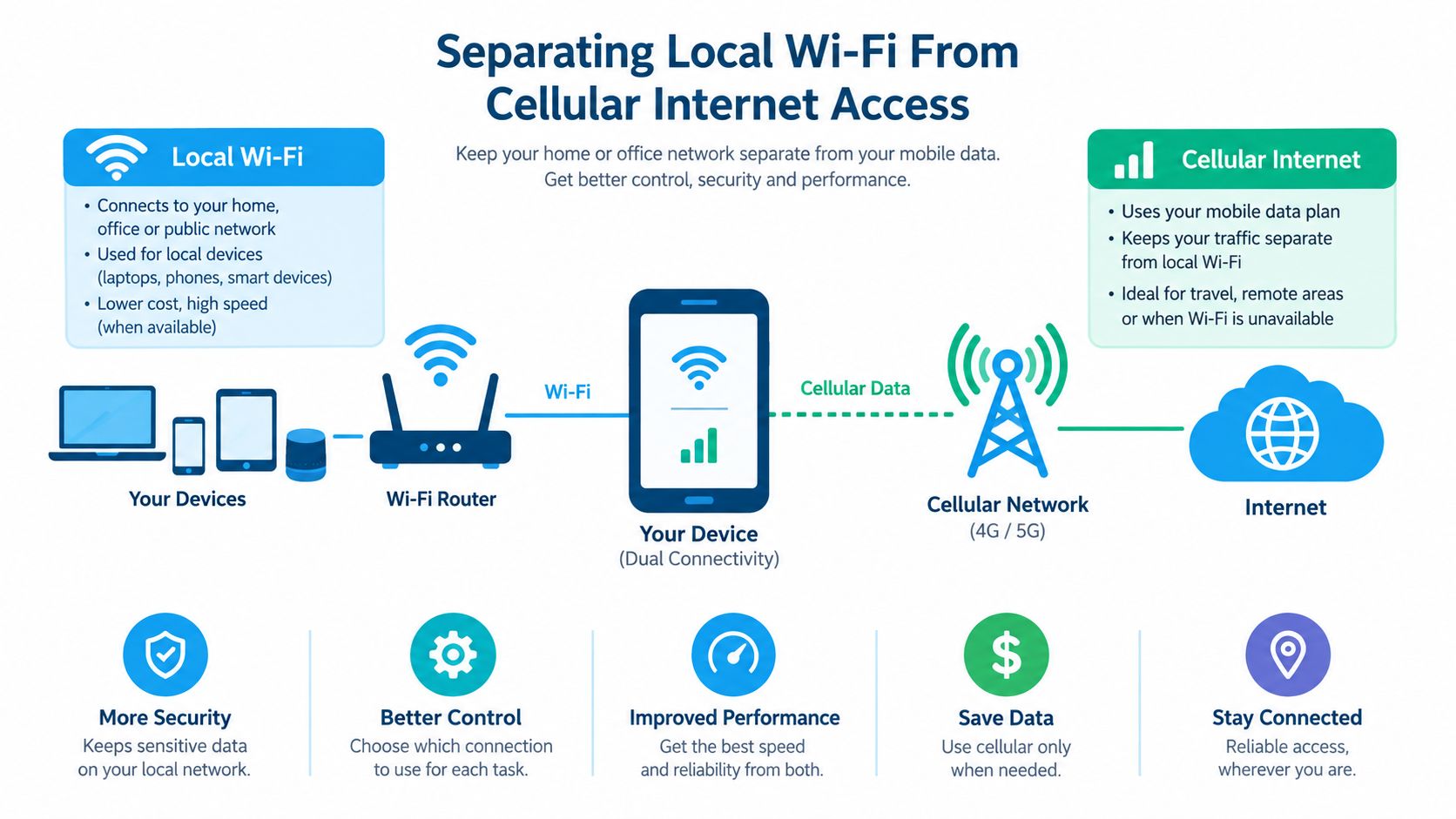
People often say “Wi-Fi” when they mean the entire internet connection. That shortcut causes expensive mistakes.
Wi-Fi is the local wireless network created by a router or hotspot inside your RV, home, truck, or campsite. It connects phones, laptops, televisions, cameras, and other devices to the router. The router still needs an upstream connection, known as backhaul, to reach the internet. That backhaul may come from a cellular network, fixed wireless service, fiber, cable, or satellite.
A powerful Wi-Fi router can distribute a strong local signal while receiving weak cellular service. Conversely, a phone may have an excellent cellular connection but provide an inconvenient local network for several devices. You're evaluating two separate systems: the local Wi-Fi layer and the internet-access layer.
Why the distinction matters on the road
The IEEE 802.11 wireless LAN project began in September 1990, leading to the first standard in 1997. Today, Wi-Fi 6, formally 802.11ax, supports theoretical data rates up to 9.6 gigabits per second, enabling portable routers to deliver high-speed local networks fed by flexible cellular backhaul, as documented by the IEEE overview of Wi-Fi standards.
That evolution explains why modern portable equipment can feel fast inside an RV even when the upstream connection is cellular. The Wi-Fi standard determines how efficiently devices communicate with the router. It doesn't guarantee that the tower can supply consistent throughput, low latency, or enough upload capacity.
When comparing a 4G or 5G hotspot, examine the radio bands and carrier compatibility separately from the router's Wi-Fi features. A useful example is this Xiaomi Redmi 17c 4G versus 5G review, which illustrates why the label attached to the cellular device matters independently from the Wi-Fi network it creates.
Build the two layers deliberately
For light use, a phone hotspot may be sufficient. For several occupants, remote work, streaming, or a permanent rural setup, a dedicated router usually gives you better placement options and more consistent device management.
Look for a router that can sit near a window or connect to an external antenna, while still placing the local Wi-Fi where people work and sleep. Ethernet ports can serve a fixed workstation or streaming device without adding another wireless hop. The goal isn't to chase a headline Wi-Fi speed. It's to match the local network to the number of devices and match the cellular hardware to the coverage conditions.
Evaluating The True Cost And Performance Tradeoffs
Flexibility has a price, but the monthly bill is only one part of it. A proper comparison includes equipment, activation, taxes, trial conditions, data limits, throttling, overage exposure, price changes, and the cost of keeping service active when you're away.
A contract plan may offer a lower promotional rate or more predictable billing, but it can attach you to a service that fails at your address. A no-contract cellular plan may cost more per month while giving you the ability to move, pause, replace, or supplement it. The financially rational choice depends on how expensive poor performance would be.
The coverage gap explains why cellular alternatives matter. FCC data indicates that fixed broadband availability, including fixed wireless, was approximately 96% in urban areas and about 56% in rural areas. Without fixed wireless, rural availability fell to approximately 49%, according to the FCC comparison of broadband availability.
Compare the commitment, not just the connection
| Feature | Traditional Contract Internet | No-Contract Cellular Wi-Fi |
|---|---|---|
| Commitment | Usually tied to a term and service address | Month-to-month or prepaid flexibility |
| Cancellation | May involve early-termination conditions | Usually easier to stop, subject to provider terms |
| Mobility | Designed primarily for one address | Portable between suitable coverage areas |
| Performance | Often more consistent on wired infrastructure | Varies with signal, tower capacity, terrain, and congestion |
| Upload behavior | Often more predictable on fiber | Can change substantially by location and network load |
| Equipment | May include a gateway, rental, or installation requirement | Hotspot or router may be included, rented, or purchased |
| Testing value | A contract can make a poor result costly | A trial or flexible term makes local testing safer |
| Best fit | Stable households prioritizing predictability | RVers, movers, rural users, and backup connections |
The table highlights a contrarian point: no contract isn't automatically cheaper. A flexible plan can carry a higher baseline price, while a low advertised price can exclude equipment or conceal usage restrictions. The opposite is also true. Paying for a cheaper contract service that can't support work calls, uploads, or cloud tools can create more cost through downtime and duplicate connectivity.
Account for interactive work
Throughput tells only part of the story. The FCC defines latency as the time required for a packet to travel between endpoints, and its broadband specifications treat backhaul latency as a round-trip millisecond value. Jitter and packet loss also affect calls, cloud desktops, gaming, and VPN sessions.
A connection might stream a video while still producing freezes in a video conference. Rural users should expect more variability when towers are sparse, terrain blocks the signal, or many customers share the same cell. Compare the total cost of a primary connection, a backup hotspot, or seasonal service against the work and travel pattern, then use this guide to examine the cheapest no-contract internet options without treating price as the only decision criterion.
Testing Coverage And Latency Before You Commit
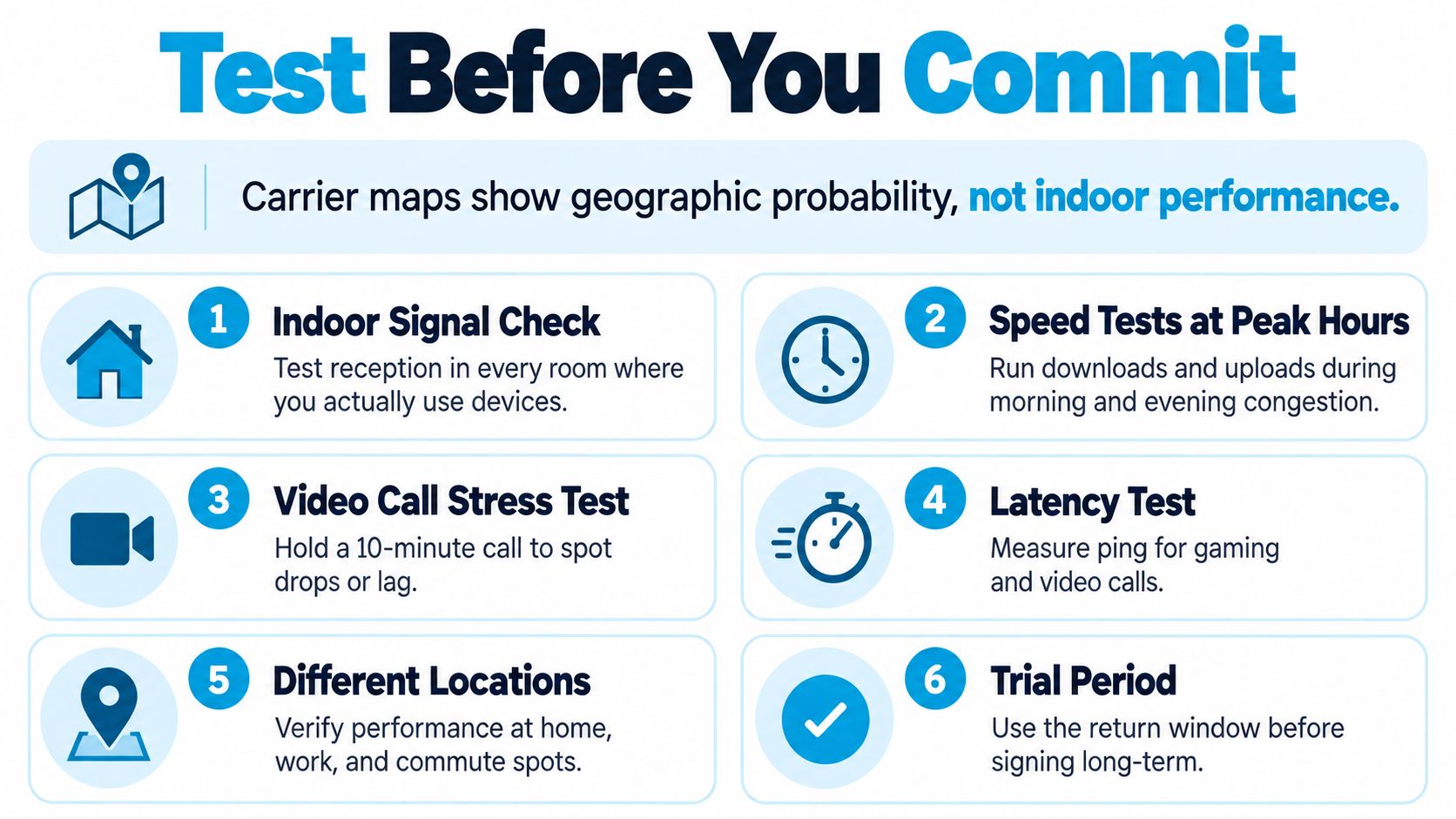
A carrier map can suggest where a connection may work, but it cannot predict your workday. Coverage maps generally show where users may connect outdoors. Terrain, building materials, tower congestion, and indoor placement can change the result. Measure performance at the locations and times that matter, using the FCC Speed Test app and consumer broadband tools described in FCC Speed Test app and consumer broadband tools.
A useful test reproduces actual tasks. Do not rely on one download result beside an open window. Put the router where you would use it, connect the devices you depend on, and run a normal work routine.
A field test that reflects real use
- Start indoors. Test each room where you work, sleep, or use connected equipment. In an RV, compare the router on a desk, near a window, and in its intended permanent position.
- Record more than download speed. Check upload throughput, latency, jitter, and packet loss. Upload performance affects cloud backups and calls. Packet loss can disrupt a meeting even when download speed looks healthy.
- Repeat the measurements. Test in the morning, during evening demand, and over a weekend period. A quiet-period result can conceal congestion that appears when nearby customers return home.
- Run a work simulation. Hold a video call, connect through your VPN, open the cloud applications you use, and upload a representative file. Test streaming and gaming separately because each responds differently to delay and instability.
- Check the route. If you travel, test the places where you regularly stop instead of assuming one campsite predicts the next. A connection can perform well at one residence and fail a short drive away.
- Use the cancellation window. Keep existing service until the replacement passes your tests. If it does not meet your requirements, return the equipment and cancel within the documented trial terms.
Signal strength helps diagnose reception, but it does not measure available capacity. A strong signal on a congested tower can still produce a poor workday.
An external antenna or a position near a window may improve signal quality. Neither adds tower capacity, removes congestion, or guarantees service through terrain. Test before and after moving the hardware so you can separate a placement improvement from a temporary network change.
This three-minute walkthrough shows how to mount cellular networking equipment on an RV window mount to improve signal intake.
Choosing The Right Hardware For Variable Networks
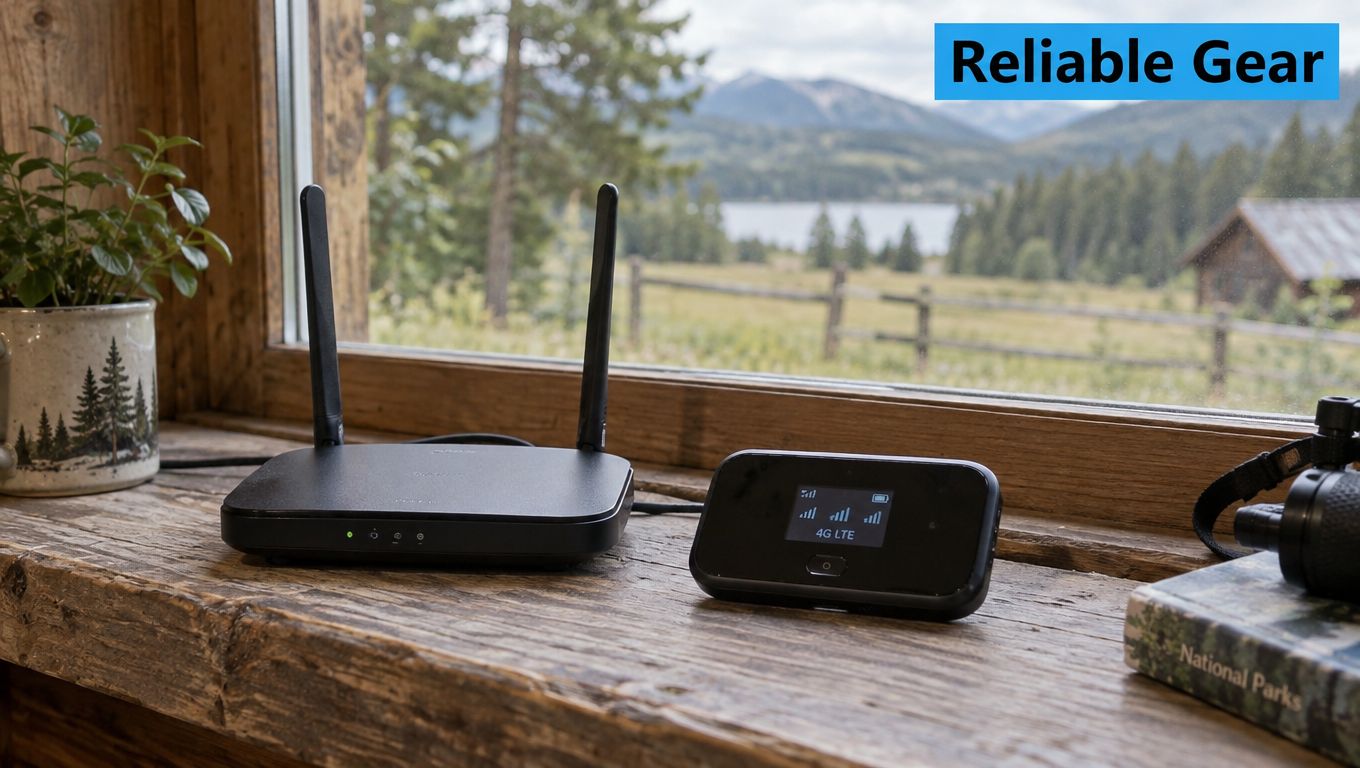
The router is the part of a mobile setup that turns an unpredictable cellular link into something your household or work kit can use. Hardware can't fix an overloaded tower, but it can prevent avoidable problems caused by poor placement, weak indoor reception, or limited device connectivity.
Match features to the job
For a remote-work desk, Ethernet ports provide a stable wired path to a laptop, docking station, or primary workstation. That doesn't improve the cellular backhaul, but it removes local Wi-Fi variability from the most important device.
External-antenna support is valuable when the indoor signal is weak or the RV body obstructs reception. It gives you more freedom to position the receiving elements, although the result still depends on tower distance, spectrum, terrain, and available capacity.
A dedicated router also separates the network from your phone. You can leave it in the best reception position while moving around the RV, and other household devices won't depend on a phone battery or a personal handset remaining nearby.
Multi-network access and resilience
Automatic carrier selection or virtual SIM technology can help a device use more than one nationwide network, depending on the provider's terms and hardware. This can improve the chance of finding workable service as you move between coverage zones, but it doesn't guarantee uninterrupted connectivity. A network may be available yet congested, or a carrier policy may restrict usage in a particular location.
For critical remote work, keep a second path available. A phone hotspot on another network can provide an emergency route during a local outage or poor campground performance. This is redundancy, not magic. Two services can still fail in the same area because of terrain, power loss, tower damage, or broader congestion.
The following video offers a visual reference for how mobile networking equipment fits into a travel setup:
Before buying, verify the router's supported cellular bands, antenna connectors, Ethernet options, power requirements, and return policy. RV equipment must also tolerate the practical realities of travel, including awkward placement, changing power sources, and the need to relocate quickly when the next campsite performs differently.
Finalizing Your Setup With Risk-Free Trials
The final choice should follow your use case, not the most attractive speed claim. A rural household using the connection as its primary service needs dependable daily capacity. An RVer may value portability and fast setup more than a fixed installation. A remote worker with wired broadband may need cellular internet mainly as a backup for outages.
A 2025 survey of more than 1,000 outdoor travelers found that 78% expected high-speed Wi-Fi at campgrounds, according to reporting on the campground connectivity survey. That expectation makes real-world verification more important than a plan label.
Use a simple decision filter
- Primary rural connection: Prioritize sustained upload performance, latency, equipment placement, support, and a clear cancellation process. Keep a backup path if work income depends on the connection.
- Travel connection: Favor portable hardware, simple power requirements, useful antenna options, and coverage flexibility across the routes you drive. Test each recurring stop rather than relying on a national map.
- Seasonal service: Confirm whether you can pause, cancel, or reactivate without unexpected charges. A flexible plan only helps if the provider's inactive-service terms are transparent.
- Backup connection: Test failover before an outage occurs. Connect the work laptop, open the VPN, make a call, and confirm that essential services operate through the alternate path.
Read the plan terms line by line. Look for data caps, deprioritization, traffic management, activation charges, equipment obligations, taxes, trial deadlines, and price-change language. A provider that offers a risk-free cancellation window gives you a practical way to validate the service at your address or campsite.
For travelers who want to compare flexible service models, this guide to pay-as-you-go Wi-Fi on the go can help frame the choice between primary, seasonal, and backup use. The right plan is the one whose billing terms and tested performance match how you live, work, and move.
SwiftNet Wifi offers contract-free 4G and 5G hotspot and router plans using virtual SIM technology, with access to major nationwide carriers and a 7-day risk-free trial. If you want to test a flexible connection at your rural home, RV campsite, or travel route before committing, visit SwiftNet Wifi to review the available options.


