

You're parked at a campground, the cellular signal is good enough for work, but your laptop keeps dropping from the hotspot's Wi-Fi. Or you've brought a rural-home router that accepts internet through a physical WAN cable, only to discover that the “Ethernet hotspot” you found online is a travel router that can't create a cellular connection by itself. The phrase mobile hotspot with Ethernet port hides an important distinction, and getting that distinction wrong can leave you with the right cable and the wrong kind of internet device.
A true cellular hotspot with Ethernet takes data from a mobile network and makes it available through Wi-Fi and a wired RJ45 connection. A travel router may only pass an existing connection between Wi-Fi, USB, or Ethernet interfaces. Those devices can look similar in product listings, but they solve different problems.
What a Mobile Hotspot with an Ethernet Port Actually Is
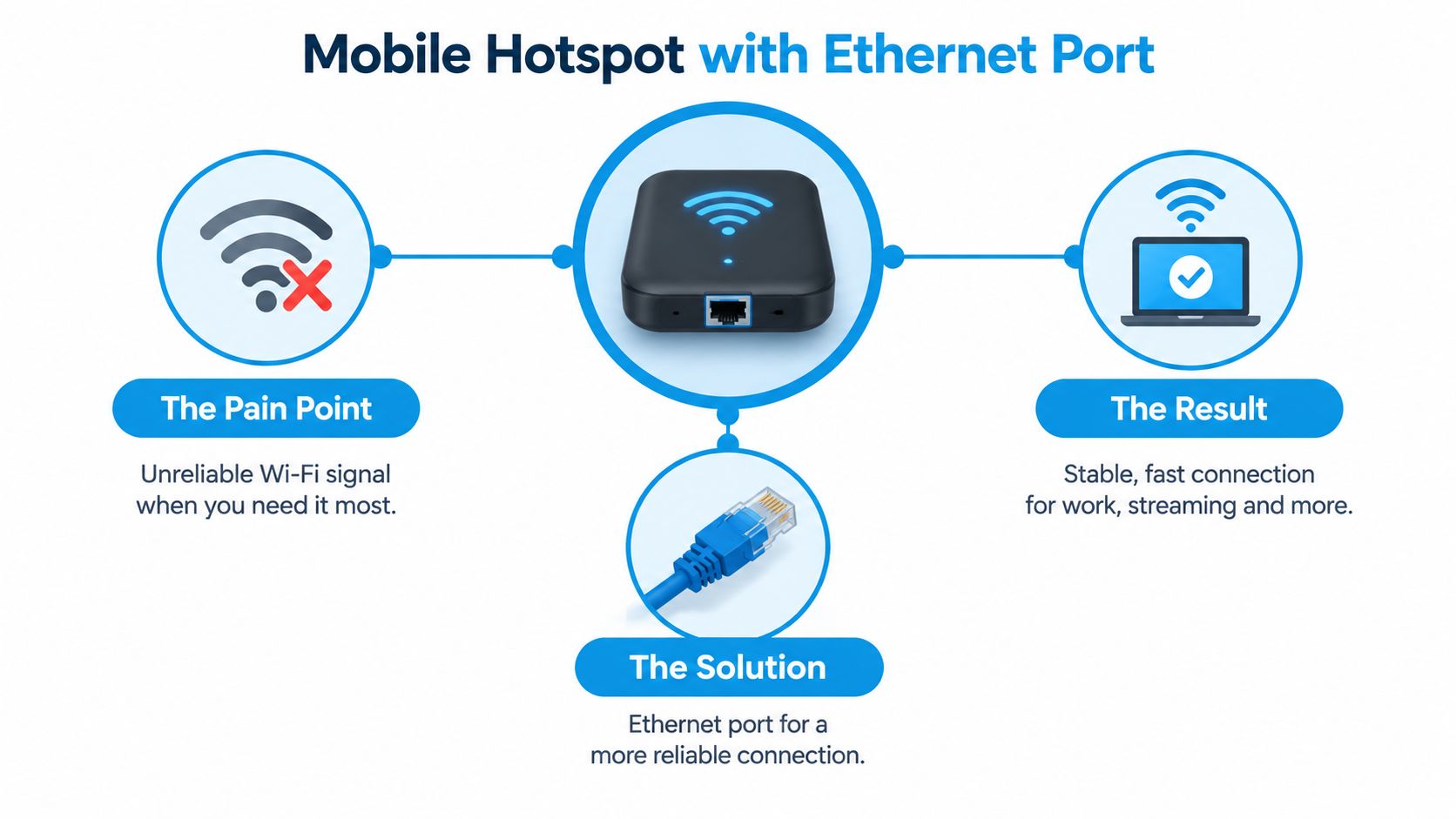
A mobile hotspot with an Ethernet port is a cellular modem, router, and wired-network gateway in one portable device. It uses a SIM or embedded cellular service to connect to the carrier network, then shares that connection with nearby devices. Wi-Fi handles wireless clients, while the Ethernet port gives a laptop, switch, streaming device, or downstream router a physical network path.
That matters when Wi-Fi is the weak link. A laptop beside the hotspot might lose its wireless connection because of interference, distance, or aggressive power saving, even though the cellular connection itself remains usable. Plugging the laptop directly into the hotspot separates the cellular backhaul from the local Wi-Fi connection. The cable doesn't improve the tower signal, but it can remove one source of instability.
The category confusion buyers keep encountering
The easiest way to classify a product is to ask one question: Can it get online from cellular service when no other internet connection is present?
If the answer is yes, it's a cellular hotspot. If the device needs an existing Ethernet connection, hotel Wi-Fi, or phone connection before it can provide internet, it's functioning as a travel router or bridge. Some products support both modes, but the specification and manual should say so clearly.
Microsoft's support discussion about hotspot sharing illustrates why operating-system hotspot features shouldn't be confused with dedicated hardware. Windows hotspot sharing doesn't provide the same Ethernet behavior as a purpose-built cellular gateway, and software sharing on a computer isn't equivalent to a cellular modem with a LAN interface. This practical guide to mobile hotspots can help establish the basic category before you compare ports and plans.
Phone tethering is another adjacent option. A phone can share cellular data over Wi-Fi, USB, or sometimes Bluetooth, but it usually isn't designed to remain a permanent WAN source for a household router. A dedicated hotspot generally gives you better placement flexibility, a separate battery, and network controls intended for multiple connected devices.
Why the wired port appeared
Mobile hotspots with Ethernet ports emerged as a practical bridge between cellular broadband and wired networking as 4G devices evolved. A notable early example was the Huawei E5770 Mobile WiFi Pro, described in 2015 as combining an LTE modem with an RJ45 LAN port and offering three connection paths: mobile network access, Ethernet input, and use as a power bank. It was rated for up to 150 MBit/s over LTE Cat4, showing that portable hotspots had already moved beyond basic Wi-Fi tethering into hybrid networking equipment for hotels, offices, and travel use cases. The historical overview of Ethernet-equipped hotspots documents that early design.
The port exists because many networks still depend on cables. A wired connection can feed an existing router, connect a work computer directly, or avoid the unpredictable behavior of a crowded campground Wi-Fi environment. It's not a magic cellular booster. It's a local-network interface that makes the hotspot more flexible.
Where the Ethernet Port Makes the Biggest Difference
The wired port earns its place when the local connection is less reliable than the cellular backhaul. That happens often in mobile work setups, RVs, and rural homes where one hotspot may serve as both primary access and emergency backup.
A remote worker might position the hotspot near a window for better cellular reception, then run Ethernet to a laptop at the dinette or desk. The laptop doesn't need to compete with other nearby Wi-Fi devices, and moving the computer doesn't require moving the hotspot away from its strongest signal position. For video meetings, remote desktop sessions, and cloud applications, that separation can be more valuable than a higher advertised wireless speed.
RV setups benefit in a similar way. A hotspot can sit where the cellular signal is strongest, while a cable runs to a laptop, television streamer, or the RV's router. RV-focused coverage describes Ethernet-equipped 5G hotspots as useful for feeding a router as a WAN input or connecting a PC or laptop directly, including a Verizon/TCL hotspot with a gigabit Ethernet port. The RV hotspot coverage and equipment discussion highlights that flexibility.
Three situations where wired access changes the setup
- A crowded campground: Several nearby networks can create local Wi-Fi contention. A direct cable avoids that particular wireless hop for the connected device.
- A rural backup connection: A hotspot can connect to a router's WAN port, allowing the router to distribute service through the home's existing wired and wireless network.
- A fixed work station: The hotspot can remain near a window or external antenna connection while the computer stays at a comfortable desk location.
A rural homeowner may also use the hotspot only when a primary line fails. In that role, Ethernet lets the cellular device act like a replaceable WAN source rather than forcing every household device to reconnect to a new Wi-Fi name. The router still needs compatible failover features, so check its documentation before assuming any hotspot will switch automatically.
When Ethernet isn't worth paying for
A wired port adds little if you use one phone, browse casually, and keep the hotspot beside your laptop. It also won't solve weak cellular coverage, tower congestion, carrier deprioritization, or poor hotspot placement. If your only problem is an unreliable signal from the mobile network, a cable between the hotspot and laptop addresses the wrong layer.
The useful question isn't whether Ethernet sounds faster. Ask whether you need physical placement freedom, direct wired access, or router integration. If you don't, a smaller Wi-Fi-only hotspot or phone tethering may be simpler.
Performance Trade-Offs and Technical Realities
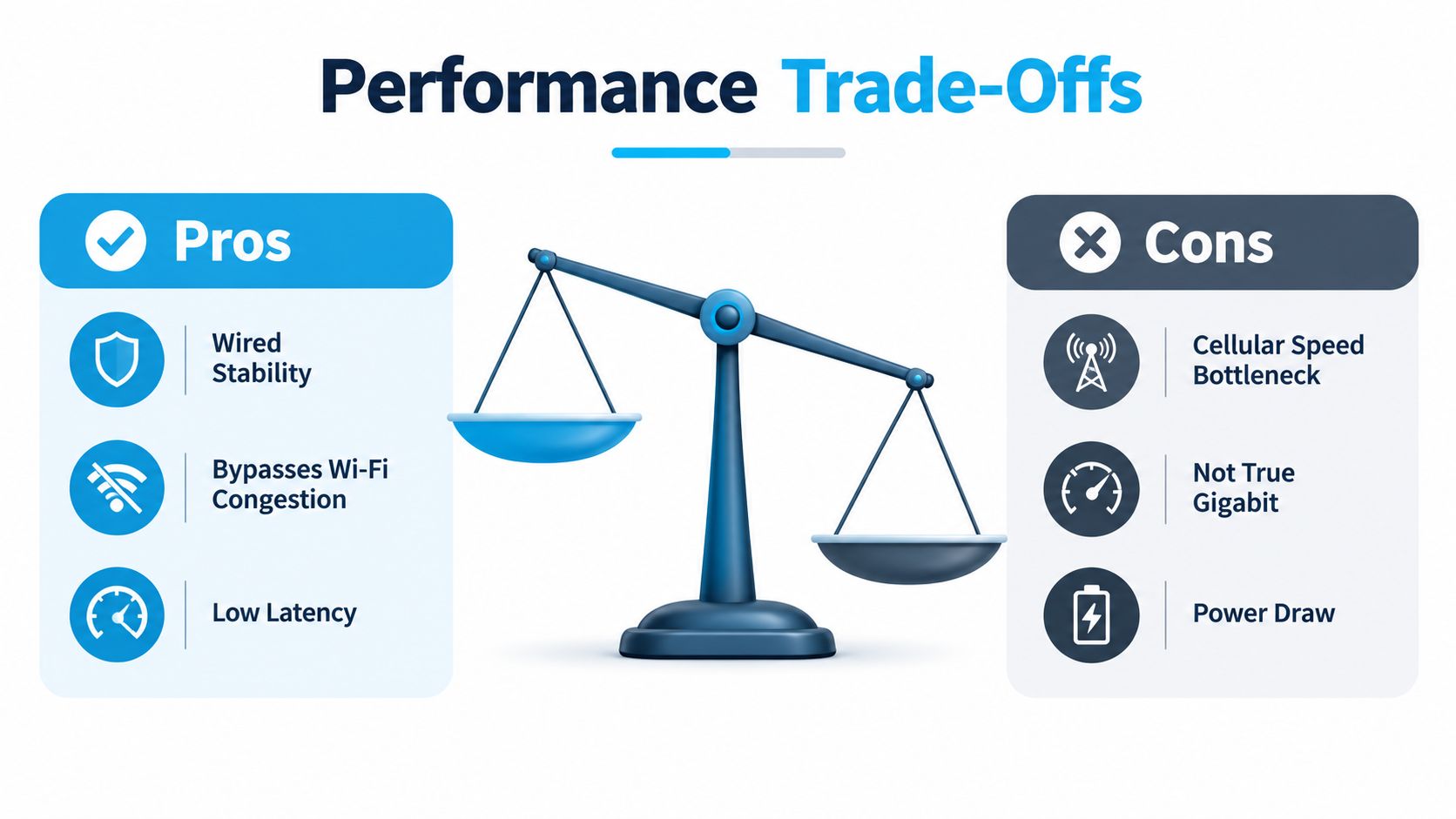
The Ethernet port controls only the link between the hotspot and connected equipment. Cellular capacity still depends on the modem, signal conditions, tower load, and carrier service. A device can advertise a fast LAN interface while LTE or sub-6 GHz 5G remains the practical limit.
Many Ethernet-equipped hotspots use a physical RJ45 LAN port, usually with Gigabit Ethernet and, on higher-end models, 2.5G Ethernet. A cable removes the wireless hop between the hotspot and a laptop or downstream router, reducing local Wi-Fi contention and making the connection easier to troubleshoot. A 1 Gbps port is sufficient for most current mobile-broadband use cases. 2.5G adds headroom for a capable wired network and may extend the device's useful life, but it cannot make cellular service deliver that speed. NETGEAR's technical specification document shows why modem capability and port capability must be considered separately.
Speed tests also need context. Throughput, latency, packet loss, and consistency affect whether a connection feels usable for video calls, remote work, or large transfers. This guide to network performance provides a useful framework for reading those results instead of judging the hotspot by its Ethernet label alone.
The port may be asleep when you need it
Battery operation creates another failure point. Some hotspots ship with Ethernet disabled in software, while others enter Ethernet sleep mode after roughly two minutes without an active connection. The device favors battery runtime over keeping the wired interface ready. External power may allow the port to remain available longer. The Nighthawk M7 Pro manual documents this power-management behavior.
An RV setup running overnight or a backup installation can expose the problem quickly. A router may still show a configured Ethernet link, yet the hotspot can put the port to sleep when it does not detect active traffic. Check the interface setting, power options, and external-power requirements before treating the device as an always-on wired gateway.
Cabling and signal limits still apply
Use a cable that matches the port's capability. HTC recommends Cat 5e or higher for maximum speeds on its 5G Hub and describes the port for Ethernet-enabled devices, routers, and switches. HTC's Ethernet-port guidance reinforces a practical point: the cable is part of the link.
Ethernet can also work in two directions. In cellular gateway mode, it may send internet service to a wired device. In travel-router mode, it may accept upstream Ethernet and redistribute that connection. PCMag's coverage of the Nighthawk LTE warns that its port is input only in travel-router mode, so read the manual for the exact operating mode rather than relying on the product-page headline.
A cable cannot fix poor cellular placement. Metal cabinets, dense walls, weak coverage, and incompatible external antennas can limit performance before Ethernet matters. In those locations, modem position and antenna support deserve more attention than the choice between Gigabit and 2.5G.
How to Choose the Right Ethernet-Port Hotspot
Start with the cellular side, not the Ethernet label. A fast LAN port is useless if the hotspot doesn't support the carrier or bands available where you live, work, or travel. Check carrier compatibility, SIM requirements, coverage in your usual locations, and whether the device can use an external antenna if you operate in a rural home or remote campground.
Then match the wired interface to the job. A Gigabit port is usually enough for a laptop, router WAN connection, or small RV network. A 2.5G port makes more sense when you want extra headroom between the hotspot and a capable downstream router, or when you expect to keep the device for years. It won't automatically make cellular service deliver 2.5 Gbps.
Compare the documented options
The table below uses only specifications documented in the supplied product and user-guide references.
| Device | Ethernet Port Speed | Max Devices | Key Feature |
|---|---|---|---|
| Huawei E5770 Mobile WiFi Pro | RJ45 LAN port, speed not stated in the cited reference | Not stated | LTE modem, Ethernet input, and power-bank use |
| NETGEAR Nighthawk M6 Pro | 2.5 Gig Ethernet | 32 concurrent devices | Claims wired speeds up to 2.5 Gbps over Ethernet |
| Orbic R562L5 | 1 Gbps RJ45 | Not stated | Ethernet disabled by default and enabled through device settings |
| Sonim MegaConnect | 2.5 Gbps Ethernet | Not stated | Direct internet connections over Ethernet or USB-C |
| Sonim H700 | 2.5 Gbps Ethernet | Not stated | Ethernet offloading, routing traffic through an attached internet-connected device |
The NETGEAR Nighthawk M6 Pro lists a 2.5 Gig Ethernet port, claims wired speeds up to 2.5 Gbps, and supports 32 concurrent devices. NETGEAR's product specifications provide those details. The same source describes Ethernet's broader role in mobile infrastructure, including IEEE ComSoc figures showing Ethernet represented $6.4 billion, or 91%, of the 2011 mobile backhaul equipment market, accounted for 40% of physical mobile-backhaul connections in 2012, and was projected to reach 95% by 2015. That projection is historical, not a current market forecast.
Selection questions that prevent expensive mistakes
- Does the port provide cellular internet out? Don't assume an RJ45 jack works as a LAN output in every operating mode.
- Can the device serve your household or RV network? Capacity matters when phones, laptops, televisions, and smart devices share one connection.
- Does it support external antennas? A wired port helps local stability, but antenna support can matter more at the edge of coverage.
- Can it offload Ethernet traffic? Sonim's H700 shows how newer devices can route traffic through an attached internet-connected device instead of cellular.
- Will it remain powered? A battery-powered hotspot may sleep its Ethernet interface, making plugged-in operation preferable for failover.
SwiftNet Wifi's portable hotspot offering is one option for travelers and rural users who want mobile internet service, while the hardware choice still depends on carrier compatibility, Ethernet behavior, and your planned network layout.
Setting Up and Optimizing Your Hotspot
At a campground or rural home, a cable may connect your hotspot to a router while the hotspot sits near the best cellular signal. That setup works only after you confirm that the RJ45 port provides cellular internet to the attached device. A true cellular hotspot with Ethernet differs from a travel router that merely bridges another connection, so test the complete path rather than assuming the port works as soon as the cable is inserted.
The Orbic R562L5 guide describes a 1 Gbps RJ45 connection that is disabled by default and must be enabled in device settings. The FCC-hosted Orbic guide confirms that Ethernet requires an explicit setting on that device.
Follow the connection path
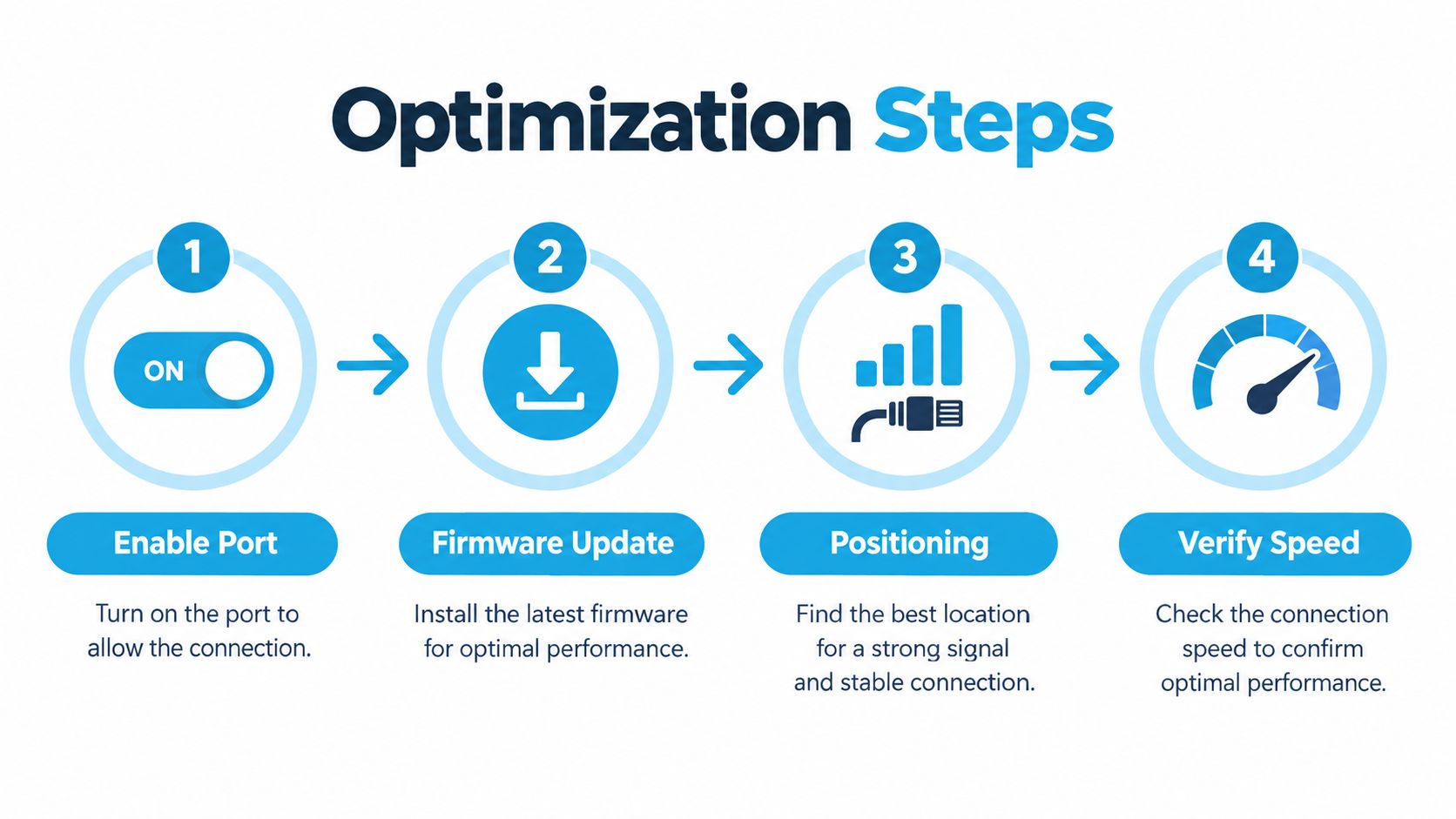
- Insert the SIM and confirm cellular service. Test Wi-Fi first. This separates a mobile-network problem from an Ethernet configuration problem.
- Enable Ethernet in the device interface. Check LAN, Ethernet, wired connection, or network settings. Manufacturers use different labels, and some modes treat the port as input rather than output.
- Connect a Cat 5e or better cable. Attach the hotspot to a laptop, router WAN port, switch, or other compatible device.
- Check both ends of the link. Look for a link light, Ethernet status, assigned connection, and internet access. A physical link without internet usually points to the wrong port mode, router configuration, or an unavailable cellular connection.
Keep the wired link available
Battery operation can change Ethernet behavior. Some hotspots put the interface to sleep after roughly two minutes without an active connection, so a battery-powered unit should not be treated as an always-on wired gateway until you test it under real conditions. For an RV router or rural failover system, use external power when continuous availability matters.
A router adds another layer of network management. Connect the hotspot to the router's WAN port, follow this hotspot-to-router setup guide, and confirm that the router receives internet rather than merely detecting a cable.
Improve the result before chasing speed
Put the hotspot where cellular reception is strongest, even if that spot is inconvenient for your desk. Ethernet lets the router or laptop remain elsewhere. Disable unnecessary Wi-Fi broadcasting when every client is wired, but leave it enabled if other devices need wireless access.
Update firmware through the manufacturer's supported process, review power settings, and test with the actual router or laptop you plan to use. Repeat speed checks in different locations instead of relying on one result. If the signal stays weak, adjust placement or investigate supported antenna options before paying for a faster Ethernet port.
Making the Right Call for Your Connection Needs
An Ethernet-equipped hotspot makes sense when you need cellular internet delivered through a cable. It's particularly useful for a laptop that must stay wired, an RV router that needs a WAN source, or a rural backup setup where you want to keep the existing local network in place. It can also let the hotspot sit in a better reception location while your equipment stays elsewhere.
A simpler Wi-Fi-only hotspot or phone tethering is often enough for one nearby user and light, portable work. Neither option becomes inadequate merely because it lacks RJ45. The wired port matters only when it solves a real local-network problem.
Don't confuse port speed with cellular performance. A Sonim MegaConnect user guide provides a newer example with a 2.5 Gbps Ethernet port and direct internet connections over Ethernet or USB-C, showing that portable hotspots can support much faster wired links than basic laptop tethering. The Sonim MegaConnect guide reference documents that capability. The port still won't strengthen a weak tower signal, bypass carrier limits, or replace sensible hotspot placement.
Choose the device that matches your connection path. Confirm that it creates cellular service independently, verify whether Ethernet is output or input in the mode you need, check power behavior, and treat external-antenna support as a separate requirement.
SwiftNet Wifi offers portable and home 4G/5G internet options for RV travelers, remote workers, and rural households that need a flexible cellular connection alongside wired networking equipment. Visit SwiftNet Wifi to compare available plans and find a setup that fits your hotspot, router, or backup-internet needs.
#rv #rvlife #rvliving #rvlifestyle #rvrenovation #rvremodel
#rvtravel #rvcamping #rvadventures #ruralwifi #5gwifi
#5ginternet


