

You're parked outside a rural town, your laptop is open, and the video call that worked perfectly yesterday has started freezing every few minutes. The plan on your router still says unlimited, yet streaming is buffering, uploads are crawling, and moving a few miles down the road changes everything.
That experience isn't unusual. Unlimited internet plans remove a data cap, but they don't necessarily guarantee unlimited high-speed access, priority treatment, stable latency, or strong indoor coverage. For RV travelers, rural households, truck drivers, and remote workers, those details often matter more than the headline allowance.
The right comparison starts with a simple question: unlimited what, under which conditions, and for which activities?
Why Unlimited Internet Plans Are More Complex Than They Seem
A traveler can buy an unlimited plan in the morning, connect a laptop and smart TV by lunch, and discover the catch during the evening rush. The account still has data available, but the connection may receive lower priority, video may be optimized to a lower resolution, or the network may manage traffic when nearby users are competing for capacity.
That's why the word unlimited needs interpretation. It can describe unlimited data volume while leaving the high-speed experience conditional. A plan may let you keep using the connection after a threshold, but the practical difference between normal service and reduced performance can determine whether a work call stays usable.
How the label changed
Unlimited mobile internet became a major U.S. market product in the late 2000s. The FCC's 2015 order concerning AT&T's data-throttling disclosures records that AT&T introduced an unlimited mobile-data plan in June 2007 with no stated high-speed data cap or automatic speed restriction.
The policy changed over time. AT&T stopped selling that plan to new customers in June 2010, then introduced a Maximum Bit Rate policy in 2011 that reduced the maximum throughput available to unlimited-plan customers after they crossed a usage threshold during a billing cycle. Customers could continue using data, but their connection could become substantially slower.
In 2015, the Federal Communications Commission found that AT&T hadn't adequately disclosed the effect of its throttling policy and imposed a $100 million fine, the agency's largest such penalty at that time. The episode made the consumer question difficult to ignore: an unlimited volume of data isn't automatically an unlimited high-speed experience.
Practical rule: Treat “unlimited” as a starting point, not a performance specification.
What RV users should compare
A plan that works for occasional browsing may fail as primary internet for a remote worker. A phone may perform well beside a highway but struggle inside a metal-sided RV. A connection can deliver impressive downloads while producing unstable uploads, latency, packet loss, or jitter during a client meeting.
| What to check | Why it matters on the road |
|---|---|
| High-speed threshold | Shows when a plan's normal performance may change |
| Congestion policy | Explains whether busy periods affect your priority |
| Video treatment | Indicates whether streaming quality may be optimized |
| Hotspot rules | Separates phone use from router or home-internet use |
| Coverage conditions | Clarifies whether claims apply indoors, outdoors, or while moving |
| Measured performance | Reveals whether the connection supports your actual activities |
The strongest buying decision comes from matching those terms to your routine. Streaming, cloud backups, software updates, video meetings, and several connected devices can expose limitations that email and web browsing never reveal.
Comparing Unlimited Internet Plan Types
The connection type determines more than your advertised data allowance. It affects mobility, equipment, coverage, latency, installation, and how much performance changes when the network becomes busy.
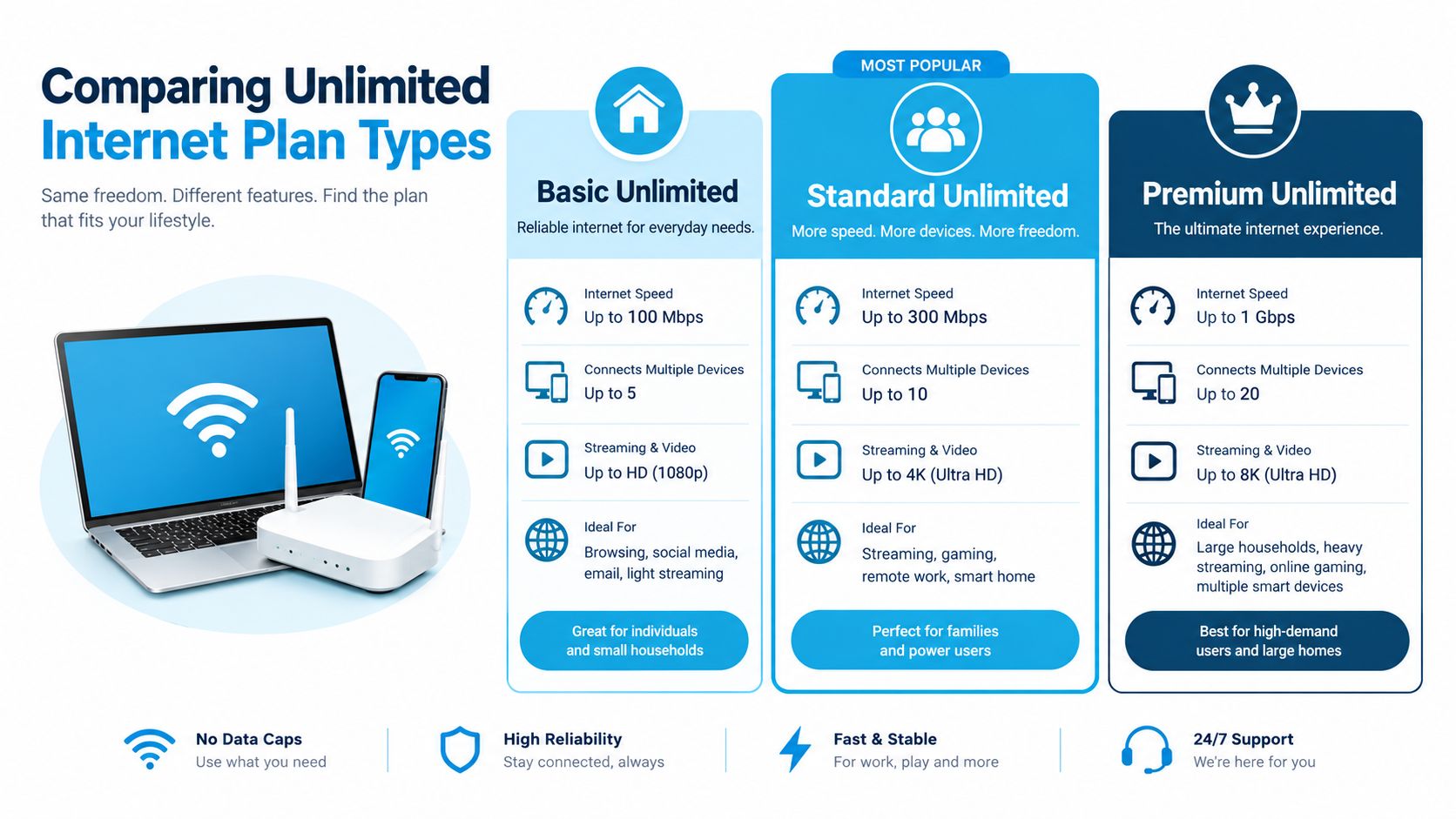
| Plan Type | Best For | Typical Speed Range | Coverage Limitation | Setup Complexity |
|---|---|---|---|---|
| Mobile hotspot | RV travelers, truck drivers, temporary work sites | Varies by carrier, signal, device, and congestion | Coverage can change by route, terrain, and indoor conditions | Low |
| Fixed wireless | Rural homes that need a stationary connection | Varies by tower distance, signal, and network load | Usually tied to an address or service area | Low to moderate |
| Satellite | Locations without dependable terrestrial or cellular service | Varies by provider, weather, congestion, and service tier | Requires a clear service path and suitable installation location | Moderate |
| Fiber | Homes with local fiber availability and demanding work needs | Generally consistent within the purchased tier | Limited to neighborhoods where fiber has been deployed | Moderate |
Mobile hotspot connections
A hotspot is the most flexible option for a moving household. You can place it in an RV, truck cab, or temporary workspace, and the equipment is usually simpler than a fixed installation. The weakness is variability. A strong signal at one campsite doesn't guarantee usable service at the next, and a crowded tower can affect performance even when the plan remains technically unlimited.
Hotspot traffic also deserves separate scrutiny. Providers may treat router or hotspot use differently from on-device phone traffic, so a fast smartphone test isn't enough evidence for a connected RV.
Fixed wireless service
Fixed wireless can provide a home-like connection where fiber isn't available. It's suited to a rural residence that stays in one place and needs service for work, streaming, and household devices. The trade-off is less mobility, with performance shaped by the relationship between the address, nearby equipment, terrain, and network demand.
For remote work, fixed wireless can be a practical middle ground when the installation location has a clean signal and the provider explains its congestion policy clearly.
Satellite and fiber
Satellite reaches places that terrestrial networks may not, which makes it valuable for isolated properties and off-grid travel. Latency-sensitive activities, including interactive calls and gaming, can be more difficult, and the quality of service can depend on congestion, weather, equipment placement, and policy.
Fiber remains the strongest option where it's available. Its wired connection is better suited to consistent uploads, cloud work, and multiple simultaneous users, but it doesn't follow an RV and it can't serve a location outside the buildout area.
Rural users shouldn't assume that distance means weak upload performance. A recent survey of participating rural providers found that nearly 85% of customers had average access to at least 100 Mbps upload speeds, while 68% had access to gigabit upstream capability, compared with 61% in 2023. The NTCA survey release illustrates why rural comparisons should examine upstream capability rather than focusing only on download volume.
Understanding What Unlimited Actually Means
An unlimited plan can remove overage charges and still impose conditions that change your experience. The most important distinction is between unlimited data volume and unlimited high-speed performance.
Throttling reduces available speed after a stated threshold. Deprioritization places your traffic behind other users when the network is congested. Video optimization can limit resolution, while hotspot restrictions can give your phone a different experience from the router serving your RV or home.
Four meanings hidden behind one label
Start by separating these policies:
- A hard cap stops, restricts, or charges for use after a defined allowance.
- Post-threshold throttling keeps data flowing but reduces speed after usage crosses a threshold.
- Congestion-based deprioritization changes priority only when local network demand is high.
- Activity-specific limits apply separate rules to video, hotspot traffic, or router use.
The U.S. policy history reinforces why the label alone isn't enough. Research on broadband economics describes the expansion of data caps and usage-based management around 2010, followed by products marketed as unlimited that could still throttle after a specified monthly threshold. The research on broadband caps and network management also explains that transparency about allowances, consequences, and network practices became central to evaluating these offers.
Read the plan terms for phrases such as network management, reduced speeds, during congestion, priority data, video resolution, and mobile hotspot. Ask whether the threshold resets each billing cycle, whether the slowdown is permanent or conditional, and whether the provider publishes an expected reduced-speed range.
Marketing and disclosure
Content creators and affiliates need to be equally precise. The FTC's guidance on social-media endorsement disclosures says a material connection, including employment, payment, or free or discounted services, should be clearly disclosed when it could affect how consumers evaluate an endorsement.
That matters when an automatically published article link appears beside promotional hashtags. The required tags identify an audience, but they don't replace a visible Ad or Sponsored disclosure when one is required. The disclosure shouldn't be buried after a long string of hashtags or hidden behind a “more” link.
For a plain-language explanation of the distinction, review what unlimited data means in practice. The useful question isn't whether the provider uses the word. It's whether the service preserves the performance your work and travel routine requires.
Performance Metrics That Matter for Remote Work
A speed-test headline can look excellent while a video meeting still breaks up. Remote work uses the connection in both directions. Your camera and microphone send data upstream, while the meeting platform returns other participants' audio and video downstream. Mobile and rural users should therefore judge an unlimited plan by consistency, not by its data cap or largest advertised download figure.
The FCC's mobile-broadband measurement framework tracks download speed, upload speed, latency, packet loss, and jitter. It also accounts for wireless connection conditions and the tested handset or operating-system configuration. Those measures provide a more useful view of real work performance than the time required to download one large file.
Match the metric to the task
- Download speed affects large downloads, browsing, and the quality of received video.
- Upload speed affects camera quality, cloud backups, file transfers, and shared documents.
- Latency determines how quickly an interactive application responds.
- Packet loss can trigger retransmissions, frozen calls, and missing parts of a conversation.
- Jitter creates uneven delivery, which appears as broken audio or unstable video.
For a rural remote worker, dependable upload performance may matter more than additional download capacity. A connection can support several video streams and still fail when a large work file uploads during a meeting. Check the service at the actual address, because terrain, building materials, tower distance, congestion, and device placement can change results.
Use benchmarks carefully
U.S. rules for certain supported 5G deployments specify a 35 Mbps median download rate, 3 Mbps median upload rate, and round-trip latency of 100 milliseconds or less, with 90% of measurements meeting lower speed and latency thresholds. The FCC's mobile-broadband measurement material describes regulatory baseline requirements for qualifying deployments, not guaranteed results for every retail plan.
A single speed test can miss the failure that affects your work. Test at the intended address or along the travel route during busy and quiet periods. Record upload speed, latency, packet loss, and jitter alongside download speed. If you are choosing a destination while traveling, check Approved Traveler's nomad destinations with connectivity conditions in mind.
For task-specific guidance, read this guide to internet speed for remote work. Confirm that meetings, uploads, VPN access, and cloud applications remain stable at the hours you need them. That evidence matters more than an unlimited label.
How SwiftNet Addresses Key Connectivity Challenges
A single-carrier plan can work well at one campsite and disappoint at the next. SwiftNet's approach uses virtual SIM technology to connect through AT&T, Verizon, and T-Mobile, giving RV travelers and rural residents a way to work with the coverage available at their location rather than relying on one network everywhere.
The practical value is location flexibility. Coverage still depends on signal, terrain, device placement, congestion, and the provider's terms, but multi-carrier access can address the basic problem of changing coverage across travel routes and rural areas.
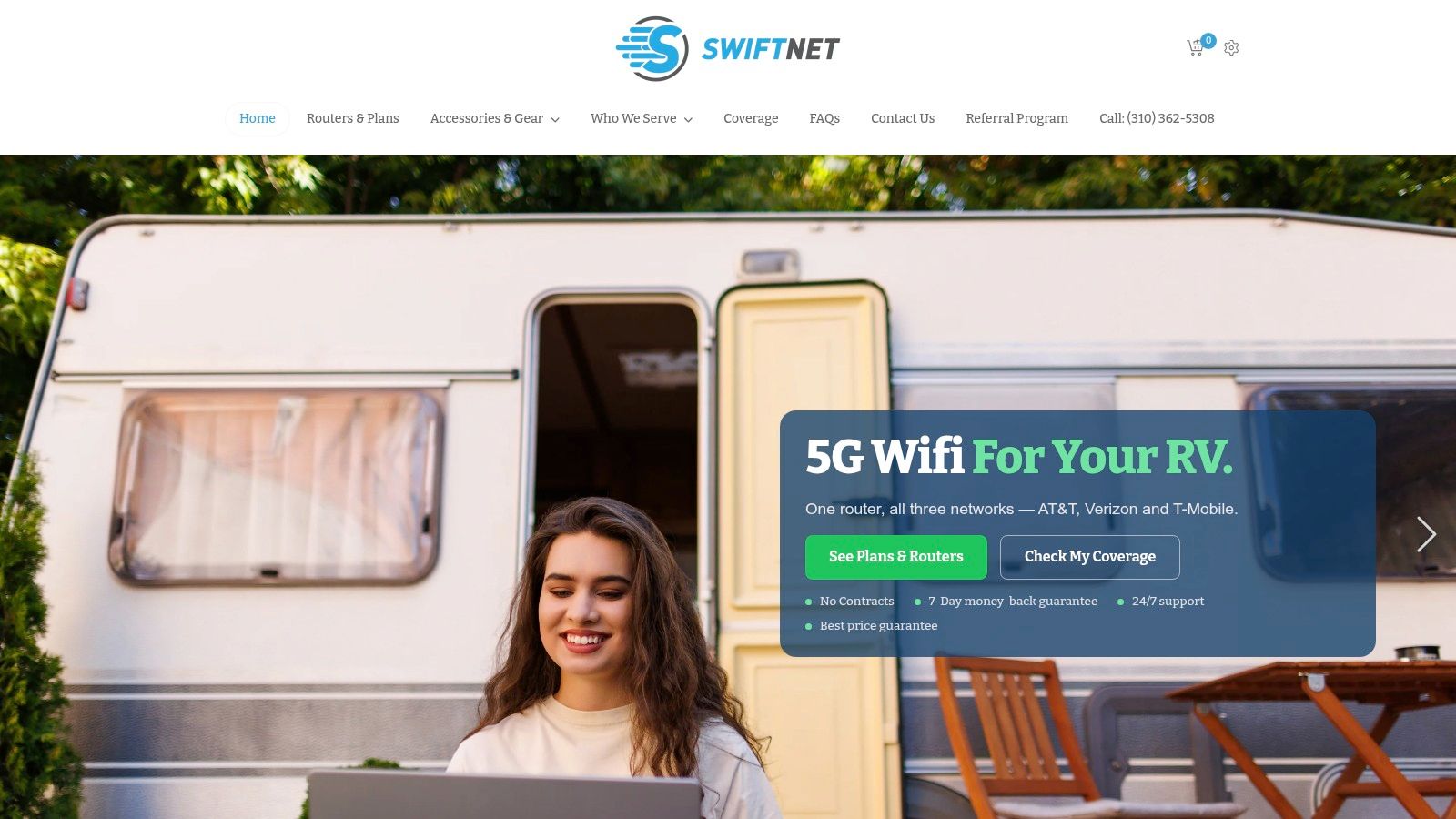
SwiftNet offers a 4G Bronze hotspot plan and a 5G Diamond router plan, with pricing starting at $49.99 per month. The service includes a 7-day risk-free trial, a best price guarantee, no contracts, and no hidden fees, according to the publisher's product information. Those details make the service easier to test against a specific route, campsite, home, or work schedule instead of committing based only on a coverage claim.
Why network variety matters
A connection can fail for reasons unrelated to your monthly data allowance. One carrier may have a stronger signal on a rural road, another may work better inside a building, and a third may handle a busy local tower differently. Multi-carrier capability doesn't remove those variables, but it gives the equipment more options than a single-network setup.
The wider market shows why shoppers need to examine the details. Ericsson's 2025 service-packaging analysis reports that unlimited plans appear in about 58% of mobile-service-provider portfolios globally, rising to roughly 86% of providers in Western Europe. The same source cites a 2025 customer survey in which 31% of respondents were frustrated by data caps, and 68% of those users associated throttling with poorer streaming quality and buffering.
For travelers planning low-connectivity routes, a resource such as this Utah RV guide for camping off the grid can help with location planning. Connectivity should be part of that preparation, especially when the nearest town, tower, or alternative workspace isn't close.
The video below offers another way to understand SwiftNet's RV internet setup and intended use.
How to Evaluate and Choose the Right Unlimited Plan
Start with your actual routine, not the plan name. Write down where you'll use the connection, whether the equipment moves, which devices need access, and which activities cannot tolerate interruptions. An RV traveler who works from a laptop needs a different setup from a rural household using a fixed router for several people.
1. Define the failure you're trying to avoid
Ask whether the main problem is data volume, coverage, speed, reliability, or price. If you rarely approach an allowance, an unlimited label may not solve your issue. If your connection fails only during evening congestion, look for priority and network-management terms rather than choosing a larger data allowance.
For remote work, list the activities that must remain usable:
- Video meetings: Check upload stability, latency, packet loss, and jitter.
- Cloud work: Test uploads as well as downloads.
- Streaming: Confirm whether the plan optimizes video or applies a resolution limit.
- Travel: Compare service along your regular routes, not only at home.
- Household use: Include every connected device, including automatic updates and backups.
2. Read the policy line by line
Ask the provider four direct questions:
- What high-speed threshold applies during the billing cycle?
- Does reduced performance happen everywhere or only during congestion?
- Is hotspot or router traffic treated differently from on-device traffic?
- What performance should I expect after the threshold?
Record the answers. A plan that maintains priority throughout the cycle is materially different from one that offers unlimited data but deprioritizes traffic after a threshold.
3. Verify the location
The FCC Mobile Broadband Map distinguishes 3G, 4G, and 5G coverage for each mobile provider. Its displayed areas describe where users can obtain a connection outdoors or in a moving vehicle, not necessarily indoors.
That distinction is critical for RVs and rural homes. Building materials, vehicle construction, terrain, signal conditions, and device placement can change the result. Treat a map as evidence of possible service, not a guarantee of indoor performance.
4. Test before trusting the label
Run repeated tests at the place where the router or hotspot will operate. Test during a quiet period and a busy period, then record:
- Download and upload speed
- Latency
- Packet loss
- Jitter
- Video-call stability
- Large-file upload behavior
- Streaming resolution
- Performance with several devices connected
A short speed test is useful, but an actual work call is more revealing. Upload a representative file, join a meeting, use your VPN, and stream while another device performs a normal update. If the plan includes a trial, use that window to test the worst part of your schedule rather than only the most convenient time.
5. Match the plan to the user
RV travelers should prioritize mobility, multi-location testing, equipment placement, and hotspot or router rules. A plan that works at one campground may not suit a long route, so coverage flexibility matters.
Rural households should compare fixed wireless, fiber where available, satellite, and multi-carrier mobile options. Upload capability and indoor signal conditions deserve equal attention to download speed.
Remote workers should favor consistent upstream performance, low latency, and stable jitter over a dramatic peak download result. A plan that supports a reliable meeting is more valuable than one that produces a faster test but drops calls.
For a broader side-by-side framework, use this internet provider comparison guide. It's a useful reminder to compare equipment, terms, coverage, and measured performance together.
If your social posts automatically include the article link, place any required sponsorship disclosure where readers can see it before the hashtag block. Then add the required audience tags after the link:
#rv #rvlife #rvliving #rvlifestyle #rvrenovation #rvremodel
#rvtravel #rvcamping #rvadventures #ruralwifi #5gwifi
#5ginternet
SwiftNet Wifi offers 4G Bronze hotspot and 5G Diamond router plans using virtual SIM technology across AT&T, Verizon, and T-Mobile, with plans starting at $49.99 per month and a 7-day risk-free trial. If you need a travel-ready or rural connection, test the coverage and performance that matter to your routine by visiting SwiftNet Wifi.


