

You've arrived at a scenic campground, leveled the RV, and opened your laptop. Your phone shows two bars, a video meeting starts in ten minutes, and the router keeps dropping its connection. You search for an RV internet booster, hoping there's a box that can turn this campsite into a dependable office.
The useful question isn't which booster has the biggest number on its packaging. It's which part of your connection needs help: the cellular signal reaching your RV, the equipment receiving it, or the network carrying your data.
Why RV Owners Search for an Internet Booster in the First Place
Campground connectivity feels confusing because several different problems produce the same symptom: a page that won't load. A weak cellular connection, an overloaded network, and poor Wi-Fi distribution inside your RV can all leave you staring at a spinning circle. Buying equipment before identifying the problem is how a promising upgrade becomes an expensive passenger.
An RV cellular booster is an amplifier operating between an outside antenna and an inside antenna. It helps an existing cellular connection reach devices inside the vehicle, but it isn't a separate internet service. Your phone, hotspot, or cellular router still needs a compatible carrier connection and an active data plan.
Start with the connection you're actually using
The phrase internet booster can refer to very different products. Before shopping, identify whether your laptop gets online through campground Wi-Fi, a phone hotspot, or a dedicated cellular router.
- Campground Wi-Fi: Your upstream connection belongs to the campground. A cellular booster doesn't strengthen that Wi-Fi network.
- Phone hotspot: Your phone receives cellular service, then shares it with your laptop.
- Cellular router: The router receives cellular service and distributes internet access to your connected devices.
The need extends well beyond occasional vacation browsing. The RV Industry Association's demographic profile reports that 8.1 million American households own an RV, 22% of RVers have a remote worker in their household, and 54% of those remote workers have worked from an RV.
For someone attending meetings or uploading client files, connection quality affects whether the campsite works as a workplace. For a family, the same connection might need to handle entertainment, schoolwork, and everyday communication.
Choose equipment around those tasks rather than the promise of more bars. SwiftNet's cellular-router approach is one primary-connection alternative to campground Wi-Fi, while a booster remains a possible accessory when reception inside the rig is the specific obstacle.
What an RV Internet Booster Actually Does
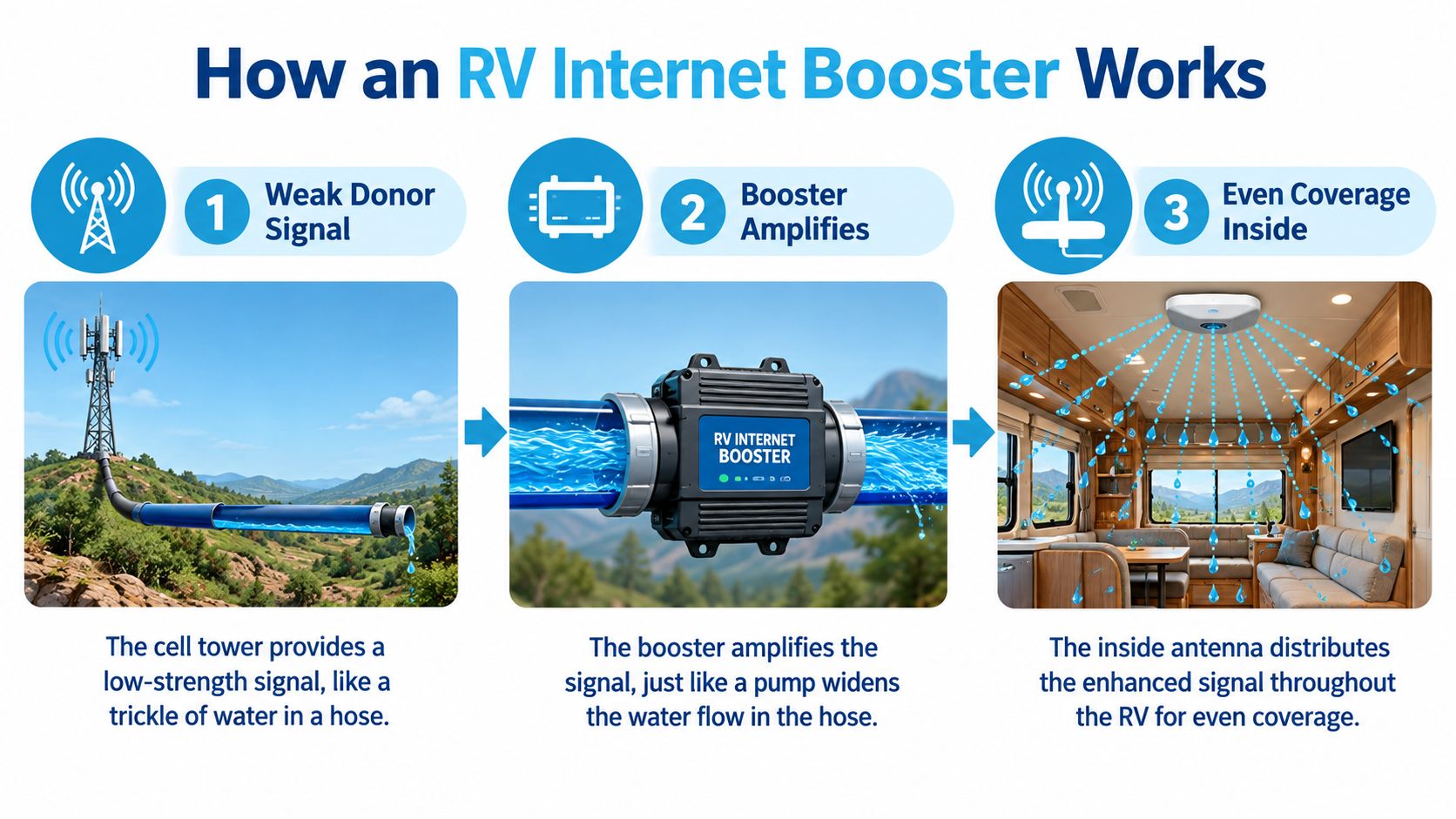
Think of a weak cellular connection as a thin trickle coming through a garden hose. A booster resembles a device that widens the usable passage and distributes the flow inside the RV. The important limitation is at the source: widening the pipe doesn't supply water when there's none coming in.
This diagram illustrates the signal path, rather than guaranteeing identical coverage throughout every vehicle.
Follow the signal in both directions
The exterior antenna captures the available carrier signal. The amplifier increases usable signal energy, and the interior antenna redistributes cellular coverage where your phone or hotspot can receive it.
That process also runs in reverse. Your device must send information back toward the tower, so a useful booster supports both downlink, information coming to you, and uplink, information leaving your device. Under the FCC's consumer signal-booster framework, this bidirectional system can improve signal margin, reduce retransmissions, and stabilize an existing marginal connection, but it can't create service where the carrier signal is absent.
The hose analogy has a limit: radio signals carry information, not water. A booster isn't manufacturing bandwidth, and amplification doesn't mean the carrier has more capacity available.
Practical rule: Treat a booster as a margin-enhancer, not a cell tower in a box.
Keep cellular reception separate from Wi-Fi
Your laptop may show a strong Wi-Fi connection to the router while the router struggles to reach the cellular network. Those are separate links in the same chain, much like having a clear conversation with someone who can't hear the person relaying the message.
If those terms still blur together, Waymap's mobile broadband meaning explained provides a useful terminology reference. Keep the distinction in mind when reading product listings: equipment that extends local Wi-Fi and equipment that amplifies cellular radio signals solve different problems.
A booster also monitors its own operation. It isn't an amplifier you turn up until everything works. Safe operation requires control of interference, which makes antenna separation and the approved installation layout part of the system's performance.
The Real Limits Behind the Marketing Numbers
A headline gain rating describes amplification, not a promised download speed. It doesn't tell you how clean the incoming signal is, how much energy disappears along the cable, or whether your device can maintain a useful return path to the tower.
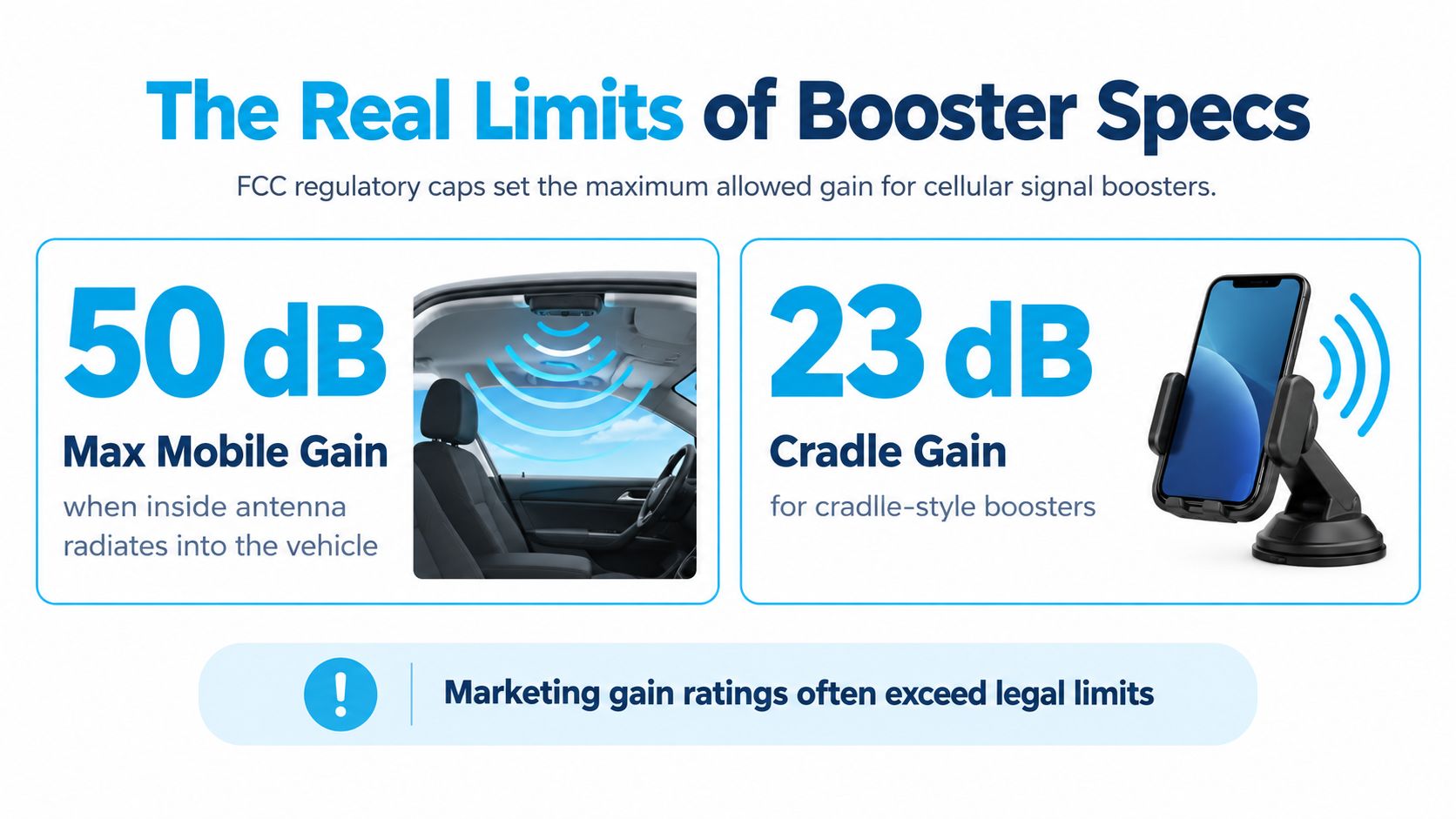
The legal limits provide a more grounded starting point. Under U.S. consumer-booster regulations, maximum mobile gain is 50 dB for an inside antenna radiating into the vehicle, 23 dB for direct-contact coupling such as a cradle, and 15 dB for a direct physical phone connection; consumer boosters must also provide equivalent uplink and downlink gain and at least 0.05 W of conducted uplink output.
Use these limits to identify the equipment category, not to assume every product performs equally at its permitted maximum.
The return trip matters
A remote meeting isn't just a stream arriving at your laptop. You're sending microphone audio, camera video, and other information back out.
Downlink bars don't equal data performance. A connection still needs a usable uplink, compatible frequencies, and available network capacity.
That's why a strong-looking display can coexist with frozen outgoing video. Read specifications as parts of a complete radio path rather than a scorecard where the largest number automatically wins.
The same caution applies to network labels. Before assuming newer service guarantees better reception at your campsite, review the distinction between 4G and 5G coverage. Match the equipment to the service available along your routes.
Account for installation losses
Cable loss subtracts from the amplifier's theoretical advantage. A long coax run or poorly positioned exterior antenna can undermine a system that looks impressive on paper.
For an RV installation, a roof-mounted exterior antenna with a short, approved coax path is generally preferable to placing the outside antenna behind a window. The objective is to receive a cleaner donor signal before amplification, not to compensate indefinitely for avoidable placement problems.
Use the system as a certified combination:
- Approved antennas: Don't substitute a supposedly stronger antenna unless the booster is authorized for that combination.
- Specified cables: Use the manufacturer's supplied or approved cable and coupling equipment.
- Carrier permission: Register the booster with your wireless provider and obtain the required authorization.
- Proper isolation: Plan enough separation between the exterior and interior antennas to prevent feedback.
A larger gain claim isn't permission to improvise the antenna system. Compatibility and installation discipline matter more than assembling the most powerful-looking collection of parts.
Booster vs External Antenna vs Cellular Router vs Repeater
Choose the tool by the weak link it addresses. A booster changes cellular signal conditions inside the RV; an external antenna gives compatible receiving equipment a different antenna location; a cellular router provides the internet gateway; and a Wi-Fi repeater extends an existing Wi-Fi connection.
An external antenna is often a partner to a router, not a replacement for one. The router still needs the appropriate antenna connections, compatible hardware, and a data service.
RV Internet Options Compared
| Option | How it captures signal | MIMO support | Install effort | Best for |
|---|---|---|---|---|
| Cellular booster | Exterior antenna feeds an amplifier and interior antenna | Traditional amplification doesn't preserve a router's separate MIMO paths | Exterior mount, coax routing, interior antenna, and power | Improving marginal cellular reception inside the RV |
| External cellular antenna | Connects directly to a compatible router or hotspot | Available with matched MIMO antennas and ports | Antenna mounting and cable routing | Improving the receiving arrangement of an existing cellular system |
| Cellular router | Receives cellular service through built-in or compatible external antennas | Depends on the modem and antenna configuration | Basic power and network setup, plus optional antenna installation | A primary connection shared across devices |
| Wi-Fi repeater | Receives and rebroadcasts an existing Wi-Fi network | Depends on the device's Wi-Fi capabilities, not cellular MIMO | Placement and connection to the upstream network | Extending a usable campground Wi-Fi connection |
Choose the gateway before its accessories
For remote workers and travelers connecting several devices, start by evaluating the cellular router and its plan. SwiftNet's 5G Diamond is one option to consider for a primary connection using multi-carrier access. Confirm current equipment specifications, network availability, and plan conditions rather than assuming the product name answers every compatibility question.
If you already have a suitable router, examine its antenna ports before adding an amplifier. This guide to a cellular router with an external antenna is a useful next step when deciding whether a direct antenna connection fits your setup.
A repeater deserves a different test. If campground internet already works near the access point but not inside your RV, extending that local connection may make sense. If the campground's upstream internet is unusable, rebroadcasting its Wi-Fi won't remove that bottleneck.
The same gateway-versus-accessory distinction appears in travel connectivity outside RV life. Jasumo's guide to how to stay connected in Japan offers another decision context for choosing between a shared hotspot and device-based service. Its destination-specific advice isn't a substitute for U.S. coverage checks, but the underlying question is useful: do you need internet for one device or a shared connection?
Why a Booster Is Not Always the Modern RV Answer
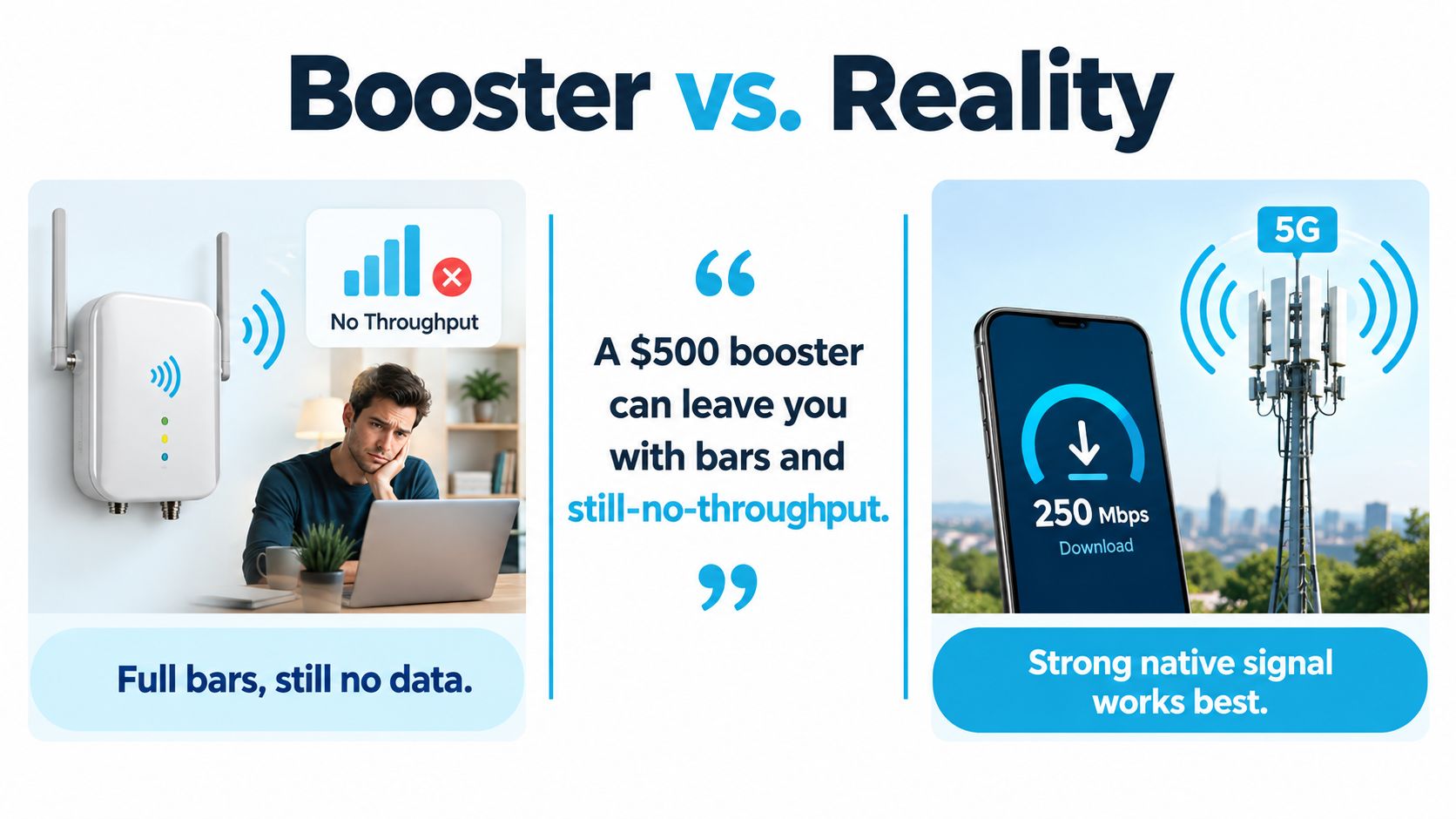
A remote worker can finish installing a booster, see improved bars, and still be unable to upload a presentation. That outcome doesn't automatically mean the amplifier is defective. It may mean signal strength wasn't the main limitation.
The visual below illustrates that distinction. Its price label is illustrative, not a verified current price or a documented customer result.
Modern data needs more than amplification
Independent RV connectivity guidance notes that traditional boosters can amplify noise, can't exploit multiple-input multiple-output, or MIMO, and support only some cellular frequencies. Those limitations can reduce their usefulness on modern cellular networks even when displayed reception improves.
MIMO uses separate antenna paths. Think of it as receiving information through distinct lanes rather than merely making one lane louder. A traditional booster shouldn't be assumed to retain the advantages of a router's matched MIMO antenna arrangement.
Frequency compatibility adds another constraint. If the useful local service operates outside the booster's supported bands, the amplifier isn't helping that particular connection.
More bars can be a useful observation. They aren't a successful workday test.
The accompanying video offers another way to consider the connectivity setup.
Evaluate the data system instead
A mobile cellular router gives you a dedicated gateway and a platform for choosing compatible antennas and service. Multi-carrier access can offer alternatives when one network isn't suitable at a stop, although it doesn't guarantee uncongested service or coverage everywhere.
For primary-connection users, that makes the purchasing question broader than amplification. Evaluate the modem, supported bands, antenna connections, data-plan restrictions, and available carriers together.
SwiftNet's router-based service belongs in that comparison, alongside other cellular options. Don't assume a roof-friendly antenna arrangement or specific MIMO capability without checking the actual hardware. The smarter purchase is the system that addresses your measured limitation, not necessarily the newer device or the stronger amplifier.
Buying and Setting Up an RV Internet Booster the Right Way
Before drilling a roof entry or ordering equipment, establish a baseline. Test the connection you already use inside the RV, then compare it with a safe outside location. A connection that works outside but deteriorates indoors is a more promising booster candidate than a connection that fails everywhere around the campsite.
Write down what fails, not just what the signal display shows. A meeting that loses outgoing audio calls for a different investigation than Wi-Fi that disappears in the rear bedroom.
Buy for your carrier and travel pattern
Check the booster's supported bands against the carriers you intend to use. If you travel across different coverage areas, don't assume compatibility at home means compatibility everywhere.
The FCC's consumer signal-booster guidance requires safeguards including self-monitoring and automatic oscillation detection and mitigation, along with approved accessories and operation within applicable limits. Verify authorization and complete your provider's registration process before use.
- Check the model's intended use: Confirm whether it's designed for mobile operation, stationary use, or both.
- Plan the exterior mount: Follow the antenna's instructions regarding nearby metal, roof equipment, mounting surfaces, and clearance.
- Map the cable route: Keep the approved coax path practical without pinching cables or exposing connections to weather.
- Plan power safely: Follow the manufacturer's power requirements and secure wiring away from moving parts and heat.
Prevent feedback before chasing performance
Oscillation is radio feedback between the inside and outside antennas. It resembles a microphone picking up its own loudspeaker output, although the mechanism here is RF coupling rather than sound.
Maintain the separation specified by the manufacturer and use the greatest practical isolation your layout allows. If the system indicates reduced gain, interference, or shutdown, consult its troubleshooting guide instead of swapping in unapproved antennas. Don't guess what an indicator means across different brands.
Test the work, not the display
Compare booster-off and booster-on operation using the same device and location. Keep other activity as similar as practical, and repeat the comparison because network conditions can change.
- Upload behavior: Send a representative work file or test outgoing video.
- Latency: Check responsiveness rather than focusing only on download speed.
- Sustained performance: Try the actual meeting, streaming, or browsing task you need.
- Installation status: Confirm the booster remains in its normal operating state.
Buy the router first if you don't yet have a suitable primary gateway and plan. Add amplification only when these checks identify a reception problem it can reasonably address.
Two Real RV Setups and How the Booster Helps Each
These are representative setup scenarios, not documented customer case studies or promises of measured results. They show how to make the decision with ordinary travel needs.
A remote-working couple in a metal-clad fifth wheel
Consider a couple using a SwiftNet 5G Diamond router as their primary connection while traveling full-time. At a remote boondocking stop, their cellular devices work more reliably outside than at the indoor desk.
A booster could be a useful sidekick for compatible cellular devices affected by the RV shell. They'd test their actual meeting workflow before relying on it, rather than treating successful installation as proof of usable service.
The important distinction is how the router receives its signal. If a compatible external MIMO antenna already gives it a direct outside receiving path, they shouldn't assume routing the connection through a traditional booster is an upgrade. Their purchase should follow the hardware configuration and observed results.
A family at an established campground
Consider a family of four arriving at a campground where a phone shows two bars. The children want to stream in the evening while the parents handle email through a hotspot.
If reception outside is usable but deteriorates indoors, amplification may help stabilize the cellular link. The family would still test simultaneous use because successfully loading email doesn't demonstrate enough capacity for everyone's evening activities.
If service slows throughout the campground when guests start streaming, the booster may be an expensive mismatch. If the family is using campground Wi-Fi rather than cellular service, it addresses the wrong network entirely.
The same equipment can be a primary helper, a supporting accessory, or an unnecessary purchase. The deciding factor is the bottleneck, not the traveler's enthusiasm for staying connected.
Choosing Your RV Connectivity Setup With Confidence
Choose a booster for a demonstrated reception problem. Choose a cellular router for a primary shared connection, with SwiftNet's 5G Diamond among the options to evaluate. This week, test indoors versus outdoors, check equipment compatibility, and compare RV internet providers.
For connected social accounts, place these tags after the auto-posted article link. Keep any required advertising disclosure separate and visible, consistent with the FTC's social-media disclosure guidance.
#rv #rvlife #rvliving #rvlifestyle #rvrenovation #rvremodel
#rvtravel #rvcamping #rvadventures #ruralwifi #5gwifi
#5ginternet
SwiftNet Wifi offers cellular hotspots and router-based internet options for RV travel, rural households, and remote work. Visit SwiftNet Wifi to compare its mobile plans and ask about carrier access, antenna compatibility, and whether a booster would complement your particular setup.


