

You're sitting in a rural house with no fiber on the road, or you're parked in an RV where the campground Wi-Fi collapses after dinner. Your phone shows several signal bars, but that doesn't tell you whether a router in the living room can support a video call, cloud backup, or several connected devices at once.
Using 4G for home internet can solve that problem, but only if you install it like fixed wireless rather than treating it as a phone plan with a larger antenna. Coverage gets you into the conversation. RSRP, SINR, router placement, band selection, upload performance, and repeated time-of-day testing decide whether the connection earns a permanent place in your home or RV.
When 4G Home Internet Actually Makes Sense
4G home internet makes the most sense when wired service is unavailable, unreliable, or too expensive to justify. That includes rural homeowners beyond the cable footprint, RV travelers who change locations regularly, remote workers who need a backup connection, and households testing cellular service before committing to a longer installation.
The technology is mature enough to support that role. By the end of January 2015, 352 operators had commercially launched 4G-LTE networks, and at least one LTE operator served 124 national markets, more than half of the world's mobile markets (Pew Research Center's overview of mobile technology and home broadband). That broad deployment helped turn LTE from a phone feature into a practical fixed-wireless foundation.
Start with the use case, not the device:
- Primary rural connection: Choose 4G when wired options are absent and your address passes repeated testing.
- RV connectivity: Use a portable hotspot or cellular router when you need to move between towers and locations.
- Remote-work backup: Keep a separate cellular connection available if your main provider fails.
- Temporary bridge: Use it while waiting for fiber, cable, or another fixed installation.
A 4G connection isn't automatically suitable for every household. If you need heavy simultaneous uploads, highly consistent low latency, or large downloads throughout the day, 5G, cable, or fiber may be a better fit where available. Satellite remains relevant at exceptionally remote addresses, but test 4G first because the cellular network may already reach the property.
For a practical overview of the household use case, see this guide to 4G LTE internet for home. The important distinction is simple: a nearby signal is not the same as usable household service.
Choosing the Right Hardware for Your Home or RV
A phone may show bars beside the driveway while the router inside the house struggles all day. Hardware determines whether that signal becomes dependable household internet, so choose for the installation rather than the marketing label.
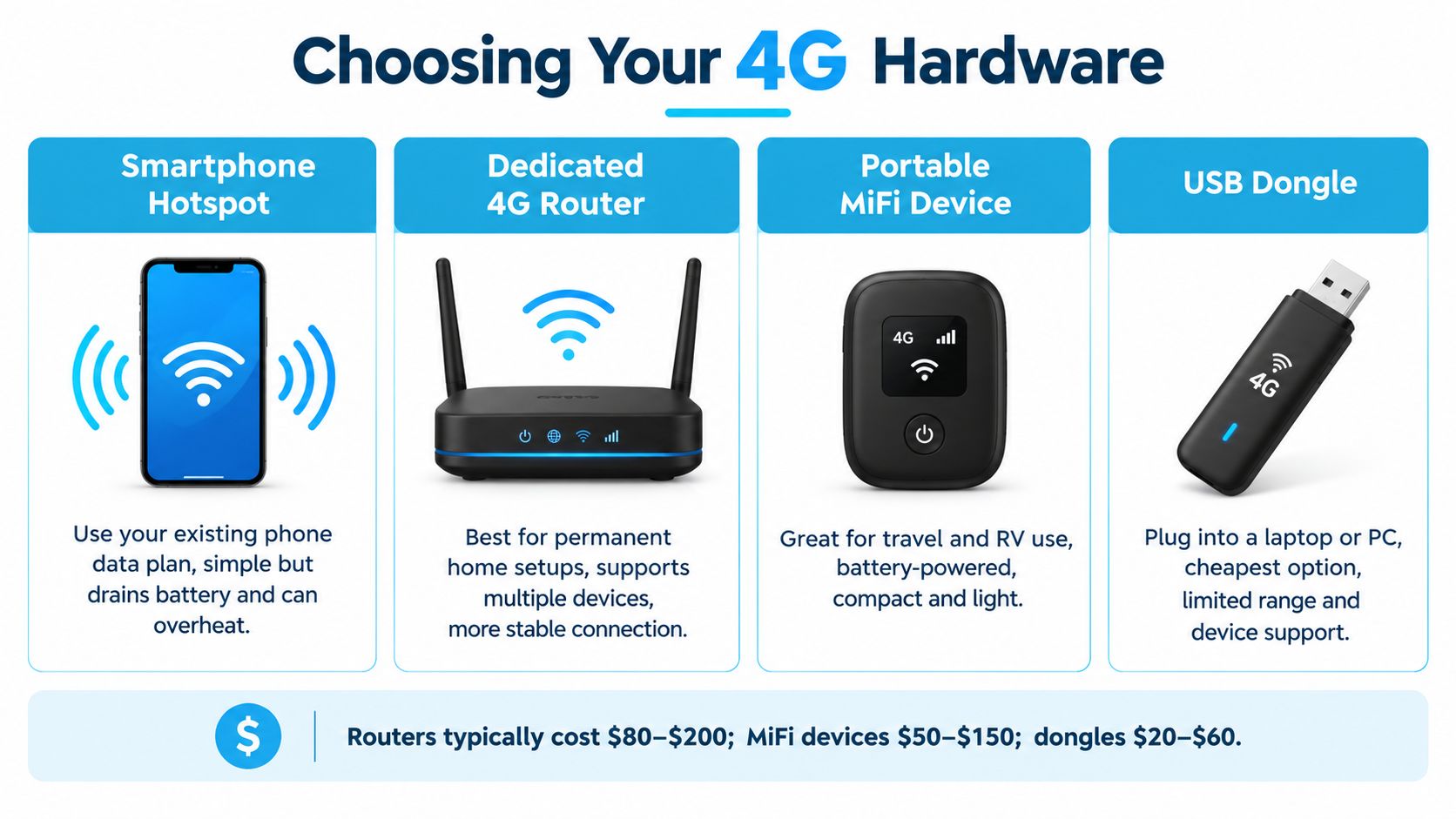
Match the device to the job
A smartphone hotspot works as a quick proof of concept or emergency link. Sustained tethering heats the phone, drains its battery, restricts placement, and usually hides the cellular readings needed to diagnose a weak connection.
A portable MiFi hotspot suits travel better. Its own battery lets it serve several nearby devices, and you can place it beside an RV window instead of keeping your phone there. Wi-Fi range is limited, however, and many models offer little antenna flexibility.
A dedicated 4G hotspot, such as hardware used with SwiftNet's 4G Bronze plan, handles longer sessions and multiple connected devices. It fits an RV, small household, or rental where you need mobility but not Ethernet wiring throughout the property.
A 4G or 5G home router is the right tool for a fixed setup. Prioritize Ethernet ports, external antenna connectors, stronger Wi-Fi coverage, and an interface that displays RSRP, RSRQ, SINR, and connected bands. Those readings matter more than a row of signal bars because they show whether the radio link can support the household consistently. A 5G Diamond-style router plan fits an address with usable 5G coverage where cellular fallback still matters.
A USB modem or tethered dongle serves one laptop or desktop. It keeps the connection near that computer and does not provide practical whole-home coverage without a separate router.
Check power, antennas, and placement
In an RV, confirm that the equipment runs from the available 12V system. If it requires an inverter and AC adapter, account for that before installation. Keep vents clear, protect the unit from direct sun, and never place a cellular router inside a metal cabinet for appearance.
For a stationary home, Ethernet often matters more than buyers expect. Wire a work computer, access point, or mesh system where possible. That leaves the cellular router free to sit in the position with the best RSRP and SINR instead of forcing it to compromise for indoor Wi-Fi coverage.
Plans start at $49.99 per month and include a 7-day risk-free trial, a best price guarantee, no contracts, and no hidden fees (SwiftNet Wifi plan information). Check the device policy separately. A low monthly price does not make up for hardware that cannot display signal data, accept an external antenna, or lock the bands that perform best at your address.
Use this 4G and 5G equipment guide to compare hardware features before buying. My recommendation is direct: use a phone to test, a hotspot for mobility, and a cellular router for a household that depends on the connection every day.
Checking Real Coverage at Your Exact Address
A phone may show bars beside the driveway while a router struggles inside the house. Coverage polygons are only the first filter. The FCC defines mobile LTE coverage with a modeled minimum of 5 Mbps download and 1 Mbps upload, a 90% probability of service at the cell edge, and at least 50% cell loading (FCC mobile broadband map methodology). Those thresholds describe modeled outdoor, stationary conditions. They do not reproduce a router behind timber walls, inside a metal-sided RV, or in a truck sleeper cab.
The access gap makes address-level testing more important. In 2019, 99.9% of the U.S. population lived in areas with Mobile Long Term Evolution coverage, compared with 97.5% of people in American Indian and Alaska Native communities. Only 65% of housing units on rural American Indian and Alaska Native lands had access to comparable wired broadband service (Pew Research Center internet connectivity data). Cellular service can reach locations where wired construction has not.
Run an address-level test
Open the FCC map and the carrier's coverage tool for the exact property. Then test from the places where the router will operate. A roadside result is not enough.
- Mark likely router positions. Include an interior window, an upper floor, and any window-adjacent spot suitable for a supported external antenna.
- Test each carrier separately. A phone can use a different band or antenna setup than a router. Treat phone results as clues, not proof.
- Log four measurements. Record download, upload, latency, and packet loss. The FCC mobile measurement program tracks all four, rather than speed alone (FCC mobile measurement information).
- Repeat throughout the day. Test morning, afternoon, evening, and the busiest period for your household. A strong signal can still produce poor speeds when the serving sector is crowded.
- Run household tasks. Make a video call, upload a file, stream sustained video, and watch for dropouts or rising latency.
Field rule: Keep the existing connection until cellular service survives repeated evening tests, uploads, and real work. One fast result does not prove that a household connection is ready.
Signal readings explain why coverage and performance diverge. RSRP measures received signal power. SINR shows how clean that signal is against interference, while RSRQ adds another quality indicator. Favor stable readings and consistent service over the best value captured for a few seconds.
A nearby tower may slow sharply under load. A high, window-facing router can outperform a phone held in the center of the house. Review this cellular coverage map resource, then verify the carrier, band, and performance at the exact address. That fixed-install approach is what separates a usable 4G home connection from a marketing map that merely shows service nearby.
Setting Up, Placing, and Optimizing Your 4G Router
Once the equipment arrives, install it in an order that produces measurable answers. Insert the SIM, connect power, open the router dashboard, and locate the cellular information page before you decide where the unit belongs.
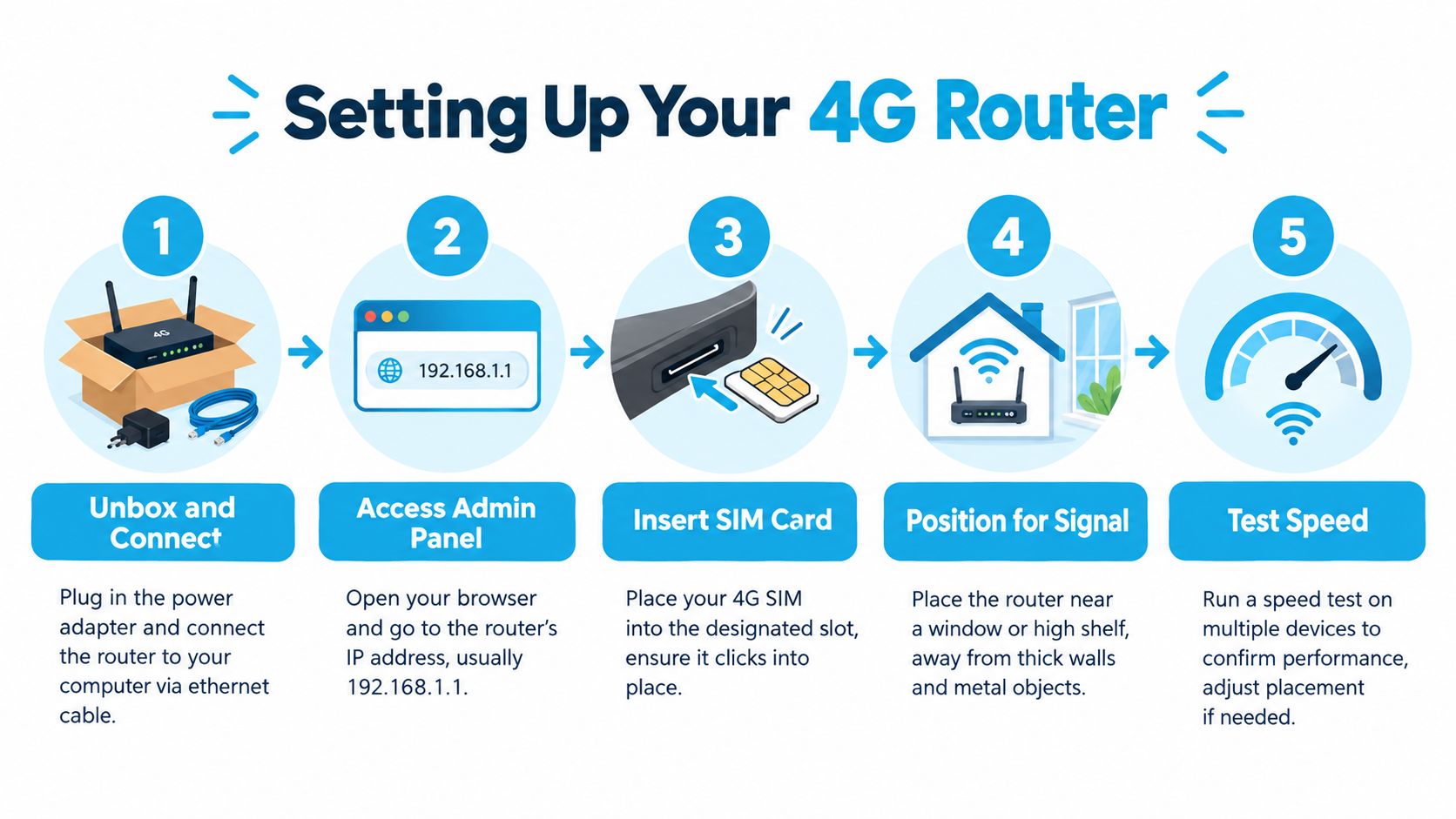
Put the router where the radio works
Start at an unobstructed window. If that fails, try a higher shelf or upper floor. Only then consider an external MIMO antenna supported by the router and carrier bands.
Avoid cabinets, metal surfaces, thick masonry, large appliances, and locations beside heat sources. A central room may be ideal for Wi-Fi, but it can be a poor location for the cellular modem. Use Ethernet or a separate access point to distribute Wi-Fi after you find the strongest cellular position.
Independent technical guidance associates enhanced 4G data service with approximately -105 dBm RSRP outdoors and about -95 dBm indoors or in vehicles, alongside at least 2 Mbps downlink and latency below 100 ms (Canadian Radio-television and Telecommunications Commission technical guidance). These are reference points, not a promise that every device will perform identically.
Record RSRP, RSRQ, SINR, serving band, latency, packet loss, download, and upload. Move the router in small increments, wait for it to settle, then repeat the same measurements. Choose the position with the best combination of quality and stability, not the briefest peak speed.
Use band controls carefully
Some routers let you lock or prefer a cellular band. Band locking can prevent a device from jumping to a distant or congested band, but a bad lock can make the connection worse or block mobility when an RV moves. Record the original automatic setting before changing anything, test one change at a time, and restore automatic selection if performance becomes unstable.
External antennas can help when indoor attenuation is the limiting factor. They won't create capacity at a busy tower, and a poorly installed antenna cable can erase the benefit. Follow the router's connector and MIMO requirements instead of buying an antenna because its packaging promises a larger signal.
Test during morning, evening, and peak household use. For an RV, repeat the process whenever you relocate because the serving cell, terrain, and interference environment change.
Watch the setup process before you seal the router into a cabinet:
How 4G Stacks Up Against 5G, Cable, and Satellite
The right connection depends on what fails at your address, not on which label sounds newest. Fiber and cable usually win on consistency when physically available, but many rural homes and moving RVs can't order them. Satellite reaches places cellular networks don't, yet 4G normally offers a more practical path for interactive work when its signal and capacity hold up.
The FCC describes current 4G speeds as approximately 12 to 36 Mbps, while some 5G services are expected to support up to 300 Mbps or more. In the FCC's example, downloading a feature-length movie could take almost six minutes over 4G versus as little as 15 seconds over 5G (FCC 5G FAQ). The practical difference also appears in delay, uploads, and how quickly several users consume shared capacity.
| Option | Where it fits | Main weakness |
|---|---|---|
| 4G LTE | Rural homes, RVs, backups, and locations with mature LTE coverage | Congestion, indoor loss, and variable upload quality |
| 5G | Homes with strong local deployment and higher throughput needs | Availability and performance can vary sharply by band and tower |
| Cable or fiber | Fixed homes with existing wired infrastructure | Not available at many rural addresses or moving locations |
| Satellite | Very remote properties beyond usable terrestrial networks | Often a less convenient choice for low-delay interactive work |
Use 4G as the primary service when repeated tests support your actual workload. Use it as a backup when the wired connection is usually good but vulnerable to outages. For an RV, portability often matters more than maximum speed.
A hybrid 4G and 5G setup can be sensible when the hardware supports both and the local 5G signal is inconsistent. Don't pay for 5G merely because the label is newer. Test the specific router position, then choose the network that stays usable during the hours you work.
Troubleshooting the Problems That Actually Show Up
A rural household can have a strong-looking signal and still lose calls every evening. Diagnose 4G like a fixed wireless installation: record download, upload, latency, packet loss, RSRP, and SINR at the router's actual position, then repeat the tests at different times. A single speed test cannot separate weak radio conditions from a busy tower.
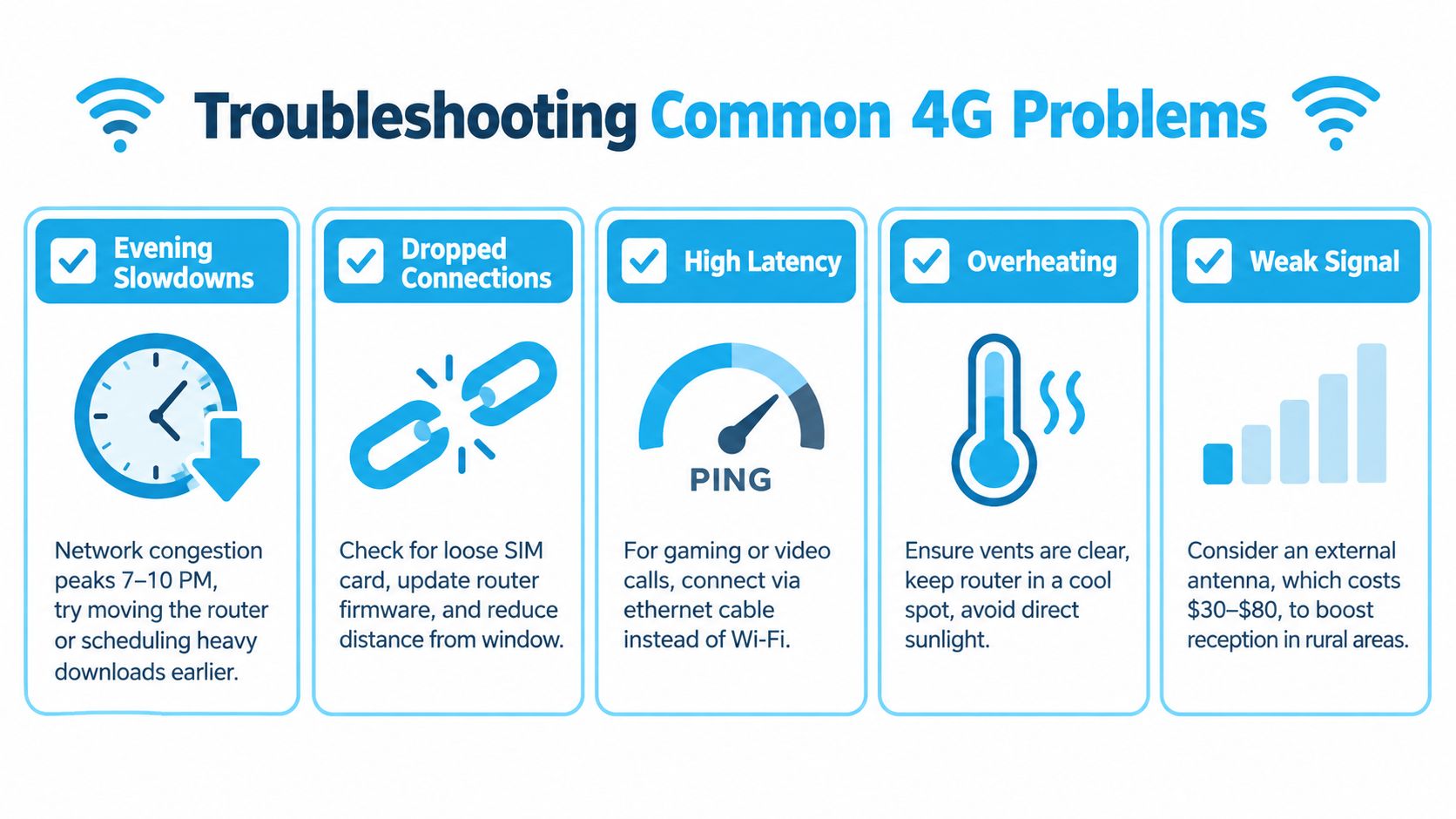
Match the symptom to the cause
Evening slowdown usually indicates cell-sector congestion when RSRP and SINR stay stable while throughput drops. Test the same router position in the morning and evening. If repositioning makes little difference, compare another carrier or schedule large downloads outside the busiest period. Band locking can help when one supported band remains usable, but test it rather than assuming it will improve service.
Video calls fail during uploads when limited upstream capacity or household traffic fills the connection. Measure upload speed, latency, and packet loss while someone sends a large file. Use Ethernet for the work computer, pause cloud backups, and check whether the router keeps switching bands. A router that supports band locking and traffic management gives you more control than a phone hotspot.
Weather-related drops can expose marginal radio conditions, power interruptions, or a path affected by water and foliage. Record RSRP, RSRQ, and SINR during the failure. Try a higher or window-facing position, inspect antenna connectors, and check the power supply before blaming firmware. If the readings collapse, software will not repair the radio path.
Several users cause lag when the router queue fills under load. Enable quality-of-service or traffic-management controls if available, prioritize work calls, and prevent one device from consuming the entire upload. This matters more than a higher headline download speed.
Seasonal performance changes can follow foliage growth, storms, or network adjustments. Repeat the original location test and compare the saved readings. After an RV moves, treat it as a fresh installation. The best position and band at one campsite may fail at the next.
The FCC map model uses a threshold of 5 Mbps down and 1 Mbps up, with methodology based on 90% cell-edge coverage probability and 50% cell loading (FCC mobile map methodology). Those figures describe modeled availability, not the capacity, indoor signal, or evening performance at your home.
If the same router performs poorly at every tested position during busy hours, stop buying accessories. The problem may be tower capacity or carrier choice.
Change carriers when repeated tests show congestion rather than weak signal. Reposition or replace hardware when radio readings improve sharply near a window or with a supported antenna. Keep the test log so support can work from evidence instead of asking for one isolated speed test.
Cost, Trial, and the Smart Way to Switch
A low monthly rate can become expensive if the setup needs an antenna, replacement router, extra cabling, or a second connection for evening failures. Price the complete installation, including hardware, mounting, power adapters, Ethernet equipment, and travel needs. Then compare the total with keeping your current service as a backup.
A useful household example is simple: add the router price, any antenna and cabling, and one month of service. Compare that total with keeping your existing connection for 30 days while you test cellular internet. This exposes the switching cost before you cancel anything.
Use the trial under normal household conditions. Put the router in its intended location, record RSRP and SINR, test uploads, run work calls, and repeat speed and latency checks during busy hours. Keep the old service active until the 4G connection handles the workload your household generates. No contracts and no hidden fees reduce the financial risk, but address-specific radio testing decides whether the service works.
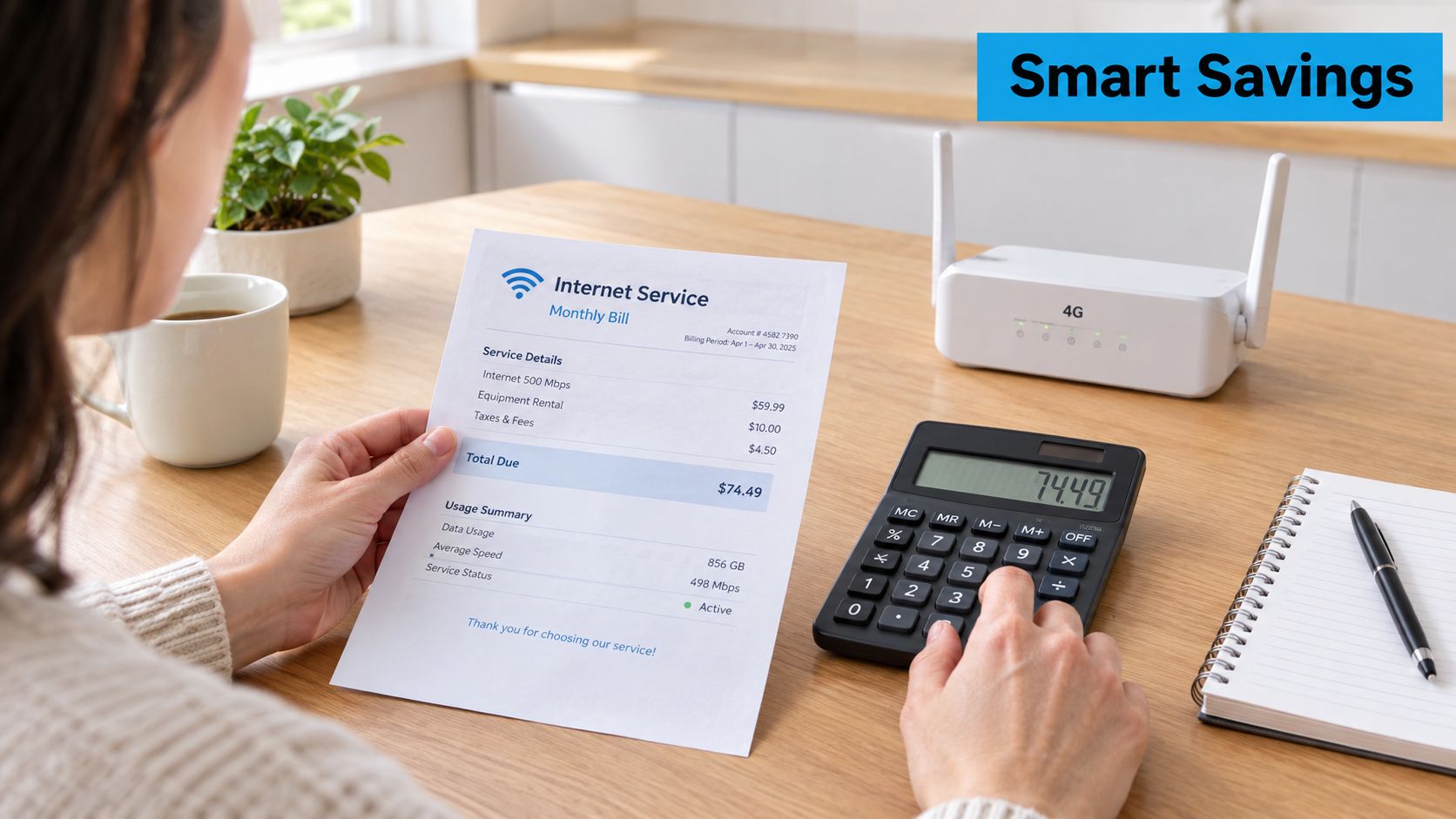
Use this switching checklist
- Test before canceling: Keep the old connection until cellular service handles work calls, uploads, streaming, and evening demand.
- Check the full bill: Confirm the monthly charge, equipment terms, taxes, and travel conditions before ordering.
- Use the trial deliberately: Test each candidate router position, compare RSRP and SINR, and record more than download speed.
- Choose the role: Decide whether 4G will serve as your primary line, backup, or travel connection.
- Document the baseline: Save signal readings, latency, upload, download, and packet-loss results for later troubleshooting.
SwiftNet Wifi offers cellular internet options for rural homes and RV travelers, including a 4G hotspot approach and equipment for more fixed setups. Test the service at your exact address during peak hours, then visit SwiftNet Wifi to review available plans and use the trial before replacing your current connection.


