

Not long ago, hitting the road in an RV was all about disconnecting. Today, it’s the exact opposite. For a huge number of us, it’s about reconnecting—with nature, with family, with ourselves—without giving up the ability to work, learn, or binge-watch our favorite show on a rainy day.
A solid internet connection is the invisible utility that makes this lifestyle possible, turning a beautiful campsite into your office or a movie theater under the stars.
Your Roadmap to Reliable RV Internet
This guide is your definitive map for staying connected anywhere the road takes you. We’re going to walk through the real-world options that actually work, from high-speed cellular routers and game-changing satellite systems like Starlink to knowing when (and when not) to rely on campground Wi-Fi.
The whole game has changed. The explosion of remote work and digital nomadism has completely reshaped what it means to be an RVer.
The New Generation of RVers
Look around any modern campground, and you'll see it. RVing is attracting a younger, more tech-savvy crowd than ever before. In fact, a whopping 61% of RV owners are now between the ages of 18 and 54.
For this new wave of travelers, dependable internet isn’t just a nice-to-have; it's the bedrock of their entire lifestyle. You can dive deeper into these demographic shifts in the latest RV industry insights.
Our mission here is simple: to cut through the noise and give you a clear, no-nonsense plan. We'll break down the primary solutions that power today's RVer, from powerful cellular setups to the off-grid magic of satellite.
A reliable internet connection is the foundation of modern RVing. It’s what allows you to check the weather, book your next spot, handle a work emergency, or stream a comfort show on a rainy day.
Throughout this guide, we'll give you actionable advice and straightforward comparisons to help you piece together the perfect setup for your travel style. Whether you’re a weekend warrior or a full-time professional on wheels, you’ll walk away with the confidence to solve your RV internet puzzle for good.
Here’s what we’ll cover:
- Core Connectivity Options: A real-world breakdown of cellular, satellite, and Wi-Fi.
- Essential Equipment: Getting to know routers, antennas, and boosters.
- Custom Setups: How to design a system that fits your specific needs.
- Troubleshooting Tips: Practical advice for fixing and fine-tuning your connection on the move.
Comparing Your Top RV Internet Options
Choosing the right internet for your RV can feel like trying to solve a puzzle with pieces that are constantly changing. The truth is, there’s no single "best" solution for everyone. The best setup is the one that fits your lifestyle—how you travel, what you need to do online, and where you like to park your rig.
Let's walk through the four main players in the RV connectivity game. I like to think of them as different tools in a toolbox: cellular, satellite, campground Wi-Fi, and fixed wireless. Once you get a feel for what each one does best (and where it falls short), you’ll be on your way to building a system you can actually count on.
To help you see the big picture, here's a quick side-by-side look at how these options stack up against each other.
RV Internet Options at a Glance
| Internet Type | Typical Speed | Average Monthly Cost | Best For | Key Limitation |
|---|---|---|---|---|
| Cellular/5G | 25–200+ Mbps | $50–$150 | Most travelers, remote workers, frequent movers | Requires a decent cell signal; can be slow in crowded areas |
| Satellite | 50–150+ Mbps | $150–$250 | Boondockers, off-grid explorers, anyone needing coverage everywhere | Needs a clear view of the sky; high initial hardware cost |
| Campground Wi‑Fi | 1–10 Mbps | Free–$30 | Casual browsing, checking email, saving your data | Highly unreliable and slow, especially during peak hours |
| Fixed Wireless | 25–100 Mbps | $50–$100 | Stationary RVers, long-term stays (3+ months) | Only works at one specific address; not mobile at all |
This table gives you a starting point, but the real magic is in understanding the details. Let's dig a little deeper into each one.
Cellular and 5G: The Go-To for Most RVers
For the vast majority of us on the road, cellular is the heart of our internet setup. It’s the same technology your phone uses, but we channel it through more capable gear like mobile hotspots or dedicated 5G routers to create a solid Wi-Fi network right inside our RV.
There's a good reason it's so popular. Cellular offers a fantastic mix of speed, flexibility, and coverage nearly everywhere people travel. If you’re anywhere near a town, highway, or popular park, chances are you’ll have a signal.
The numbers back this up. Recent research shows that a staggering 56% of RV owners use their phone as a hotspot, making it the default method for getting online. And with 22% of RVers working remotely, the need for a reliable connection is more than just a luxury—it’s a necessity.
Here’s the good:
- Widespread Coverage: The major carriers have you covered in most populated areas and along major travel routes.
- Blazing Speeds: Modern 5G networks can deliver speeds that honestly feel just like home broadband, and sometimes even faster.
- Grab-and-Go Flexibility: Your internet works while you're driving and is ready the moment you park. No setup required.
And the not-so-good:
- Dead Zones Are Real: No carrier covers 100% of the map. Head deep into a national forest or a remote desert canyon, and you’ll likely lose signal.
- The "Unlimited" Catch: Most "unlimited" plans have a soft cap. After you use a certain amount of data, the carrier can slow you down (deprioritization), especially when the network is busy.
- Network Congestion: Ever been to an RV rally or a packed holiday campground? When everyone tries to use the same cell tower, speeds can slow to a crawl.
Who is this for? It’s perfect for remote workers who depend on stable video calls, digital nomads who move between towns, and families who want to stream movies in most campgrounds.
Satellite Internet: The Off-Grid Champion
When your adventures take you far beyond the reach of the last cell tower, satellite internet is your lifeline. For years, satellite was painfully slow and laggy, but newer Low Earth Orbit (LEO) systems like Starlink have completely rewritten the rules. They now deliver high-speed, responsive internet to places that were previously black holes for connectivity.
Just picture it: a personal internet beam delivered straight from space to your campsite. This makes it the undisputed king for boondockers, overlanders, and anyone who chooses their spot based on the view, not the cell bars.
Here’s the good:
- Go-Anywhere Coverage: If you can see the sky, you can get online. It’s that simple.
- Seriously Good Speeds: It’s more than capable of handling Zoom meetings, streaming in HD, and downloading big files without breaking a sweat.
- Truly Unlimited Data: For heavy users, this is a massive advantage. No data caps mean no worries about getting throttled.
And the not-so-good:
- Steep Upfront Cost: The hardware—the "dishy"—is a significant investment right out of the gate.
- Needs a Clear View: Trees are its mortal enemy. Tall mountains, deep canyons, or even a severe thunderstorm can block the signal.
- It’s Power-Hungry: The equipment draws a fair amount of power, which is a big consideration if you're running on batteries off-grid.
Who is this for? This is the ultimate tool for dedicated boondockers, full-timers exploring the backcountry, and anyone who refuses to let cell coverage dictate their travel plans.
Campground Wi-Fi: The Convenient Gamble
Almost every RV park advertises free Wi-Fi, but as any seasoned RVer knows, the quality is all over the map. It can be a handy way to check your email or do some light browsing, but it rarely holds up for anything more demanding.
The core issue is shared bandwidth. The park pays for one internet connection and splits it among every single guest. During evenings and weekends, it’s like a hundred people trying to sip from the same tiny straw—nobody gets enough.
Here’s the good:
- Usually Free: It’s typically included with the cost of your site, so it won’t hurt your wallet.
- Easy to Use: There’s no special equipment needed. Just find the network on your phone or laptop and connect.
- Saves Your Data: Using the park's Wi-Fi for simple things helps you save your precious cellular data for when you really need it.
And the not-so-good:
- Painfully Slow and Unreliable: Performance is notoriously bad, especially when the campground is full.
- Security Concerns: These are public networks, making them a risky choice for anything sensitive like online banking or logging into work accounts.
- Spotty Range: The signal is often only usable if you’re parked right next to the office or clubhouse.
Who is this for? Think of it as a backup plan. It's best for non-critical tasks like a quick web search or checking the weather. It's almost never a viable option for remote work or streaming.
Fixed Wireless: The Stationary Solution
If you’re the type of RVer who stays put for a whole season—think snowbirds or folks on long-term work assignments—fixed wireless can be a game-changer. A provider installs a small dish or antenna on your RV that points to a nearby broadcast tower, giving you a stable, residential-style internet connection.
This isn’t for the RVer on the move. But if you’re settled in one spot for a few months, it delivers the kind of reliability that mobile solutions often can't match. If this sounds like it might fit your travel style, you can learn more by checking out our guide on [finding the right RV internet providers](https://swiftnetwifi.com/blogs/news/rv-internet-providers #rv #rvlife #rvliving #rvlifestyle #rvrenovation #rvremodel #rvtravel #rvcamping #rvadventures #ruralwifi #5gwifi #5ginternet).
Here’s the good:
- Rock-Solid Stability: It’s designed to provide a consistent, dependable connection to a fixed location.
- Generous Data Plans: Plans often come with very high data allowances or are truly unlimited.
- Professional Setup: The provider usually handles the installation, so you don’t have to mess with aiming antennas.
And the not-so-good:
- It’s Not Mobile: It works at one address and one address only. If you move your RV, the service stops.
- Limited Availability: It’s typically only available in specific rural and suburban areas where providers have built out their networks.
Who is this for? It’s exclusively for stationary or long-term RVers who need a powerful, high-capacity connection and have no plans to move for an extended period.
A Deep Dive Into Cellular and 5G for RVs
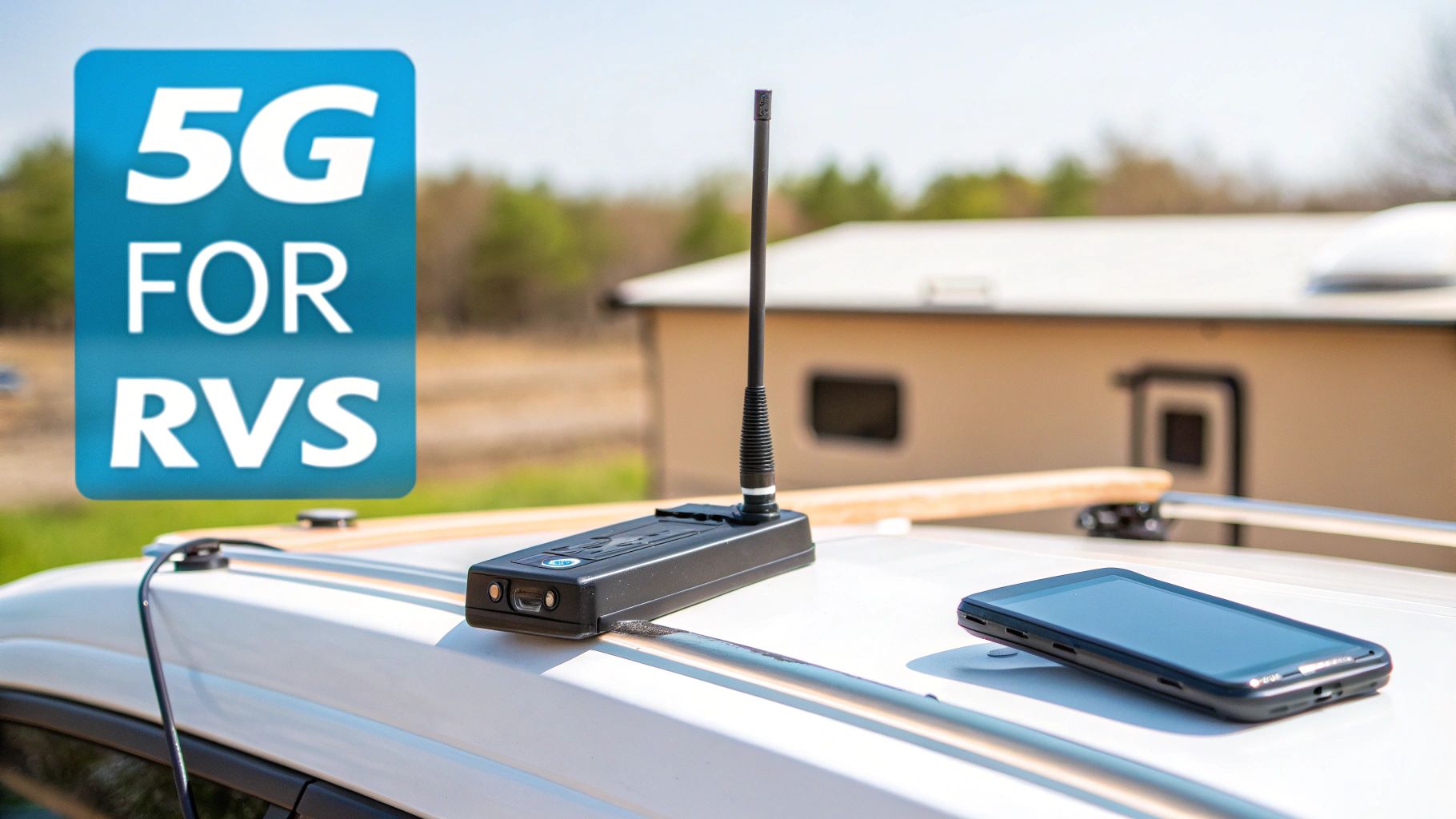
For most of us on the road, cellular internet is the bedrock of staying connected. It really hits that sweet spot of speed, coverage, and flexibility that modern RVers need, especially if you're working remotely or just can't live without your favorite streaming service.
But to really make it work for you, it's time to graduate from just using your phone's hotspot. Sure, a phone hotspot is a lifesaver in a pinch, but relying on it full-time is like trying to cook a Thanksgiving dinner on a single-burner camp stove. It’ll get the job done, but a proper dedicated setup gives you so much more power, stability, and control.
That's where dedicated hardware comes in.
Mobile Hotspots Versus 5G Routers
The first step up the ladder from your phone is a mobile hotspot, which you might know by brand names like MiFi or Jetpack. These are small, often battery-powered gadgets built for one purpose: turning a cell signal into a personal Wi-Fi network. They’re a definite improvement over a phone and work well for many travelers.
For anyone who truly depends on a solid connection for work, though, a dedicated 5G router is the real game-changer. Think of this as the command center for your entire RV network. These are beefier devices, built to run 24/7, and they come packed with features that make a massive difference in day-to-day use.
Here's why a dedicated 5G router is a worthwhile investment:
- Superior Signal Strength: They have larger, more powerful internal antennas that can latch onto a weak signal and hold it steady far better than a tiny hotspot.
- Multiple Device Support: These routers are designed to handle a crowd—laptops, smart TVs, tablets, and phones—all at once without getting bogged down.
- External Antenna Ports: This is a crucial feature. It lets you plug in rooftop antennas, which can dramatically improve your signal by pulling it in from high above the campground clutter.
Understanding Your Cellular Data Plan
Picking the right hardware is only half the story. Your data plan is the fuel that makes it all go, and honestly, navigating the options can be a headache. The marketing language often hides what you’re really getting, so let's cut through the noise. There are three key concepts you have to understand when choosing a plan for internet for rving.
First up is the data cap. This is how much high-speed data you can actually use per month. A lot of so-called "unlimited" plans are anything but. They'll give you a generous chunk of premium, full-speed data—maybe 100GB—but once you burn through that, your speeds get slammed.
That brings us to throttling, which is when the carrier intentionally slows your internet way, way down. It's what happens after you hit your data cap, often dropping your connection to a crawl that makes even simple web browsing a test of patience.
But the trickiest one to spot is network deprioritization. Even on an "unlimited" plan, your data can be flagged as lower priority than data from other customers, like those on premium phone plans. When the cell tower gets busy in a packed campground, it serves those higher-priority users first, leaving you with a connection that feels sluggish and unresponsive.
Boosting Your Signal for Maximum Performance
Sooner or later, you're going to park in a spot with a weak, fringe signal. It happens to all of us. This is when signal-boosting gear becomes your best friend, turning a barely-there, one-bar connection into something you can actually work with.
Your two main tools here are external antennas and cell signal boosters.
- External Antennas: You mount these on the roof of your RV and run a cable directly to your 5G router. By getting up above nearby trees and other RVs, they can grab a much cleaner, stronger signal from the cell tower.
- Cell Signal Boosters: A booster works a little differently. It takes a weak signal from outside, amplifies it, and then rebroadcasts that newly strengthened signal inside your rig. It's fantastic if there's some signal outside but it's too weak to use. Just remember, a booster can't create a signal out of thin air, but it can make a bad one a whole lot better. For a deeper dive on how network tech affects this, our article comparing [5G speeds vs 4G](https://swiftnetwifi.com/blogs/news/5-g-speeds-vs-4-g #rv #rvlife #rvliving #rvlifestyle #rvrenovation #rvremodel #rvtravel #rvcamping #rvadventures #ruralwifi #5gwifi #5ginternet) has some great insights.
When you combine a powerful 5G router, the right data plan, and some signal-enhancing gear, you create an internet system that's tough, reliable, and ready for just about any adventure you throw at it. This is the kind of setup that delivers the stability you need for those important video calls, a productive workday, and a relaxing movie night, cementing cellular's spot as the top choice for most RVers.
Satellite Internet: Your Ticket to True Off-Grid Connectivity
When your travel map leads you to places where cell towers are just a memory, satellite internet becomes the undisputed champion of staying connected. For a long time, satellite was the option you only turned to when you had no other choice—it was painfully slow, clunky, and riddled with lag. But that's ancient history now. The arrival of Low Earth Orbit (LEO) satellite systems, with Starlink leading the charge, has completely rewritten the rules for serious boondockers.
Picture this: you're camped deep in a national forest, miles from the nearest hint of civilization. Instead of that dreaded "No Service" message, you pop up a small dish. Within minutes, you're on a flawless video call with your team. That’s the reality of modern satellite internet for rving. It pulls high-speed connectivity straight out of the sky and delivers it to your campsite, letting you work, stream, and stay in touch from almost anywhere on the planet.
How LEO Satellite Works for RVers
So, what’s the secret? Unlike the old satellite tech that bounced signals off massive, distant satellites in geosynchronous orbit, LEO systems use a massive fleet of smaller satellites zipping around much closer to Earth. This proximity is the magic ingredient. It dramatically slashes latency—the technical term for that frustrating delay you experience in online activities.
Lower latency means your connection feels incredibly responsive, just like the fast cable internet you might have back at a sticks-and-bricks home. It’s this leap in performance that makes satellite a game-changer for remote workers and adventurers. Starlink has quickly become the favorite for RV travelers, often clocking download speeds between 50–150+ Mbps even in the most remote spots. With latency hovering around 30–50 ms, it leaves legacy systems and their agonizing 600+ ms lag in the dust. You can even stream HD movies and play online games from the middle of nowhere.
To get a better feel for the technology behind it all, check out our guide on [how satellite internet works](https://swiftnetwifi.com/blogs/news/how-does-satellite-internet-work #rv #rvlife #rvliving #rvlifestyle #rvrenovation #rvremodel #rvtravel #rvcamping #rvadventures #ruralwifi #5gwifi #5ginternet).
Practical Considerations for Life on the Road
While satellite feels like magic, it does come with its own set of rules. Getting the most out of it means understanding what it needs to thrive.
First and foremost is the absolute necessity of a clear view of the sky. The dish (affectionately known as "Dishy") needs a wide-open, unobstructed line of sight to talk to the satellites flying overhead. Towering trees, steep canyon walls, or even a thick blanket of storm clouds can block the signal. Before you even think about leveling your rig, you’ll need to scout a spot with a big patch of open sky, usually with a northern bias.
For the serious boondocker, the off-grid adventurer, and anyone who refuses to let cell towers dictate their itinerary, satellite internet isn't just an option—it's freedom. It’s the key that unlocks the most remote and beautiful office spaces on the planet.
Next up is power consumption. The hardware needs a consistent source of AC power, which is a big deal if you're living off solar and battery banks. The system typically pulls between 50-75 watts, so you absolutely have to factor that into your daily power budget to avoid waking up to dead batteries.
Finally, there’s portability and setup. On travel days, the dish, stand, and cables all need to be packed away carefully to avoid getting damaged. While the setup and takedown process is pretty straightforward, it does add an extra chore to your arrival and departure checklists. These systems are designed for stationary use, so you’ll be setting it up once you’re parked and stowing it away before you hit the road again.
Building Your Perfect RV Internet Setup
Now that you’ve got a handle on the different ways to get online, it’s time to start thinking like the architect of your own mobile office. The real secret to dependable internet for rving isn’t finding a single magic bullet. It’s about building a smart, layered system. This strategy is called redundancy, and it’s the ace up the sleeve of every seasoned digital nomad.
Think of redundancy like having a spare tire for your rig. You hope you never need it, but you're incredibly grateful it's there when a tire blows. For your internet connection, this means pairing different solutions—like your cellular plan and maybe a satellite dish—so that when one lets you down, the other is ready to step in. This guarantees you stay connected for that critical work meeting or the nightly video call with family.
There's no one-size-fits-all setup. The perfect system for you will come down to your travel style, how much you depend on your connection for work, and your budget. To make this feel a bit more real, let’s look at a couple of common RVer profiles and the setups that keep them online.
Tailoring Your Setup to Your Travel Style
Not every RVer needs a high-tech command center bolted to their roof. Your ideal setup really depends on what you plan to do on the road. Figuring out which "persona" you fit into is the best first step to building a system that just works, without dropping a ton of cash on gear you don’t actually need.
The Weekend Adventurer: This RVer hits the road for shorter trips and usually sticks to established campgrounds where cell service is pretty decent. Their needs are simple: stream a movie after a long hike, check social media, and look up directions to the next scenic overlook.
- Ideal Setup: A good old-fashioned phone hotspot is often plenty. For a small upgrade, a dedicated mobile hotspot device with its own data plan offers a more stable connection without killing your phone battery. They can use the (often spotty) campground Wi-Fi for casual browsing, saving their precious cellular data for when it really matters.
The Remote Professional: This person’s livelihood depends on a bulletproof connection. They’re jumping on video calls all day, uploading big files, and simply can't afford any downtime. They travel everywhere, from campsites just outside the city to remote national forests.
- Ideal Setup: For this RVer, redundancy isn't a luxury; it's a must. The foundation of their system is a high-performance 5G router hooked up to a roof-mounted external antenna and a high-capacity data plan. That's their workhorse. But for true go-anywhere capability, they pair that with Starlink. This dual-threat approach ensures they have high-speed internet whether they're in a cellular dead zone or a packed campground where the local cell tower is completely overwhelmed.
The goal is to build a system where you never have to ask, "Will I have internet there?" Instead, you'll know that between your different options, you can get online almost anywhere your RV can take you. That confidence is what turns RVing from a simple vacation into a sustainable lifestyle.
Essential Gear for a Robust Connection
Once you've zeroed in on your needs, it's time to pick the right tools for the job. While a full deep-dive into every gadget is a topic for another day, here are the core components that make up most solid RV internet systems.
- Routers: This is the brain of your mobile network. A quality 5G router can manage multiple internet sources, prioritize which devices get the most bandwidth, and broadcast a much stronger Wi-Fi signal than a tiny hotspot.
- Antennas: Think of these as your signal catchers. A directional antenna can be aimed at a faraway cell tower to lock onto a weak signal, while an omni-directional antenna is more of a set-it-and-forget-it option, pulling in signals from all directions.
- Signal Boosters: A booster takes an existing weak signal and makes it stronger. It's a fantastic tool for fringe areas, but just remember: it can't create a signal where there’s absolutely nothing to begin with.
This decision tree helps visualize the thought process for adding satellite internet to your setup—a key choice for anyone serious about off-grid reliability.
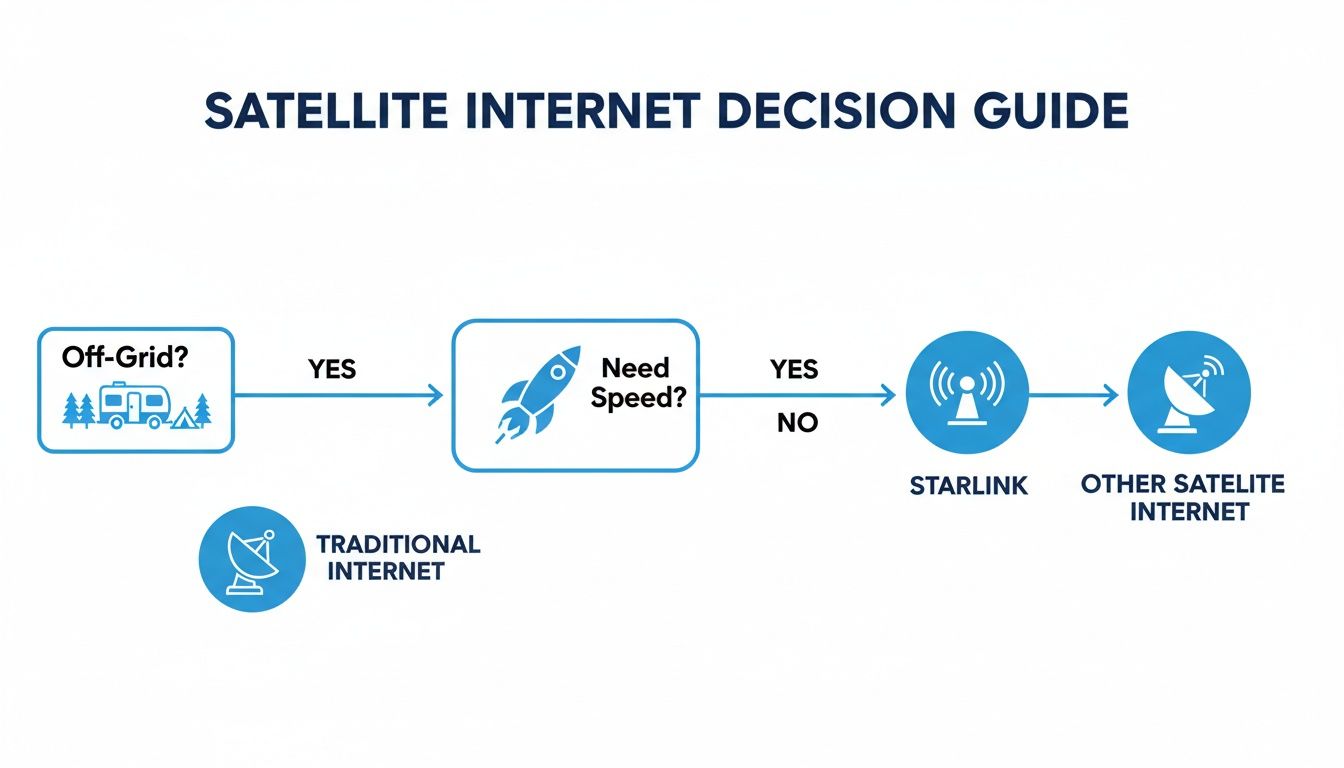
As the flowchart shows, for RVers who value off-grid freedom and need high-speed performance, satellite becomes a pretty logical choice. By honestly assessing your needs and combining the right gear, you can build a customized, dependable system that makes a rock-solid connection an achievable reality on every trip.
Even the best RV internet setup is going to have its off days. We’ve all been there: a sudden slowdown during an important video call, or the sheer frustration of a weak signal just when you’ve settled into a new campground. It’s a shared experience for every traveler.
The secret isn't avoiding these problems entirely—that’s impossible. The key is having a simple, repeatable plan to fix them quickly. Building your confidence in diagnosing and solving common connectivity issues is what turns you from a frustrated user into a self-reliant RVer. Honestly, most problems can be solved with a few basic steps, getting you back online without a massive headache.
When things go wrong, don't panic. Just start with the basics and work your way up. This simple checklist can solve a surprising number of issues.
Your Go-To Troubleshooting Checklist
-
Power Cycle Everything: This is the oldest trick in the IT book for a good reason—it works. Turn your router, hotspot, and any boosters completely off. Wait a full minute before turning them back on. This gives them a chance to fully reset their internal components.
-
Check Your Location: Are you parked down in a signal-blocking valley or completely surrounded by other rigs? Sometimes, moving just 50 feet can dramatically improve your cellular signal by giving your antennas a clearer line of sight to the nearest tower.
-
Consult Coverage Maps: Before you even arrive, use apps like OpenSignal or CellMapper to check the real-world signal strength for your carrier in that specific area. This helps you set realistic expectations and pick the best possible spot in the campground from the get-go.
Having a reliable connection is about more than just good gear; it’s about good strategy. Knowing how to quickly diagnose a problem and manage your data usage are the skills that keep you productive and stress-free on the road.
Smart Data Management Strategies
Running out of high-speed data or getting throttled by your provider can bring your workday to a grinding halt. Being proactive with your data management is crucial for anyone who depends on cellular internet for rving. You don't have to ration every single megabyte, but a little bit of planning goes a very long way.
For those who really want to geek out and deepen their understanding of network fundamentals, it's helpful to learn about foundational technologies like [Internet Protocol version 4](https://redchipcomputers.com/what-is-ip-version-4/ #rv #rvlife #rvliving #rvlifestyle #rvrenovation #rvremodel #rvtravel #rvcamping #rvadventures #ruralwifi #5gwifi #5ginternet). This knowledge can help you better grasp how all your devices actually talk to each other online.
Here are a few practical tips to keep your data usage in check:
- Prioritize Your Activities: If you have a critical work deadline, maybe hold off on streaming that 4K movie until you’re done for the day. Simple choices like this make a huge difference.
- Use Offline Modes: Download maps, music, and videos ahead of time when you have a strong connection. Services like Netflix or YouTube Premium are perfect for this.
- Monitor Your Usage: Make a habit of checking your data consumption through your provider’s app. This helps you avoid any nasty surprises at the end of your billing cycle.
Got Questions? We've Got Answers.
Even after you've mapped out your perfect setup for internet for rving, a few questions always seem to linger. This last section is designed to tackle those head-on, answering the common "what ifs" and "should Is" we hear all the time. Think of it as a final checklist to make sure you're ready to roll.
We've pulled together the questions that pop up most often to give you straightforward answers, cementing the key concepts we've covered. Our goal is to iron out any final wrinkles so you can choose your gear with total confidence.
Can I Get Truly Unlimited Internet for My RV?
Yes, but you have to be a bit of a detective and read the fine print. Many cellular plans shout "unlimited" from the rooftops but hide high-speed data caps in the details. Once you cross that line, they'll throttle your connection—slowing it down to a crawl that makes working or streaming a real pain.
For a more reliable connection, look at specialized providers who build high-capacity plans for the RV lifestyle. But for genuinely unlimited, no-strings-attached data, satellite options like Starlink are the undisputed champs right now, especially if you plan on wandering far off the beaten path.
Do I Need a Cell Phone Signal Booster?
A cell signal booster can be a game-changer, but it’s not always the first piece of gear you should buy. A booster's job is to take a weak signal and make it stronger; it can't magically create a signal where one doesn't exist.
If you're often camping in fringe areas where your phone clings to one or two bars, a booster can dramatically improve your connection's stability. But if you're in a dead zone with no signal at all, it won't do a thing.
A better place to start for most people is a quality 5G router paired with good external rooftop antennas. That combo alone solves the vast majority of connectivity issues. It's best to see a booster as a potential upgrade for later, only if you find you really need it.
How Much Should I Budget for Reliable RV Internet?
This is a classic "it depends" situation, as your budget will scale with your needs. For casual browsing and email, you might get by with a simple phone hotspot plan, which could add $20-$50 to your monthly bill. If you're working remotely and need a robust connection, a dedicated high-speed cellular/5G router plan will likely run between $80 and $150 per month, not including the one-time cost of the hardware.
For the ultimate freedom to roam anywhere, Starlink comes with an initial equipment fee of around $599, plus a monthly plan starting at $150. Most full-time RVers who can't afford downtime land on a budget between $120 and $250 per month. This usually covers a redundant system with both cellular and satellite, giving them the best of both worlds.
Ready to build a reliable, high-speed connection for your adventures? SwiftNet Wifi provides powerful 5G internet solutions designed for the freedom of the open road, ensuring you stay connected from anywhere.
Explore our RV internet plans today!


