

RV off-grid living means running an RV without campground hookups, relying on your own power, fresh water, waste tanks, and cellular connection for everyday needs. It has grown well beyond a niche camping hobby. Today, remote workers, retirees, truck drivers, and families are using it as a practical way to live with more control over where they go and how long they stay.
How RV Off-Grid Living Became Mainstream
Picture Dana, a remote project manager who left her suburban commute behind for a 28-foot travel trailer beside a quiet river. Her RV doubles as a mobile office, complete with a laptop desk, solar charging, and enough cellular data for daily video meetings.
Off-grid RV living is less like staying in a hotel and more like living in a house you can carry with you.
Flexible work, rising travel costs, and a desire to stay in one place longer have all helped fuel this shift. The tradeoff is that an office on wheels still needs dependable power and internet, just like a fixed home.
- Working-age households can combine employment with extended travel.
- Retirees can travel seasonally while keeping familiar routines.
- Truck drivers already understand charging, water storage, and self-contained systems.
- Remote workers need dependable connections for calls, file sharing, and customer meetings.
The scale of RV ownership helps explain the momentum. The RV Industry Association reports that approximately 8.1 million U.S. households owned a recreational vehicle, while median usage reached about 30 days per year, a 50% increase from 2021. Explore more RV industry findings and research
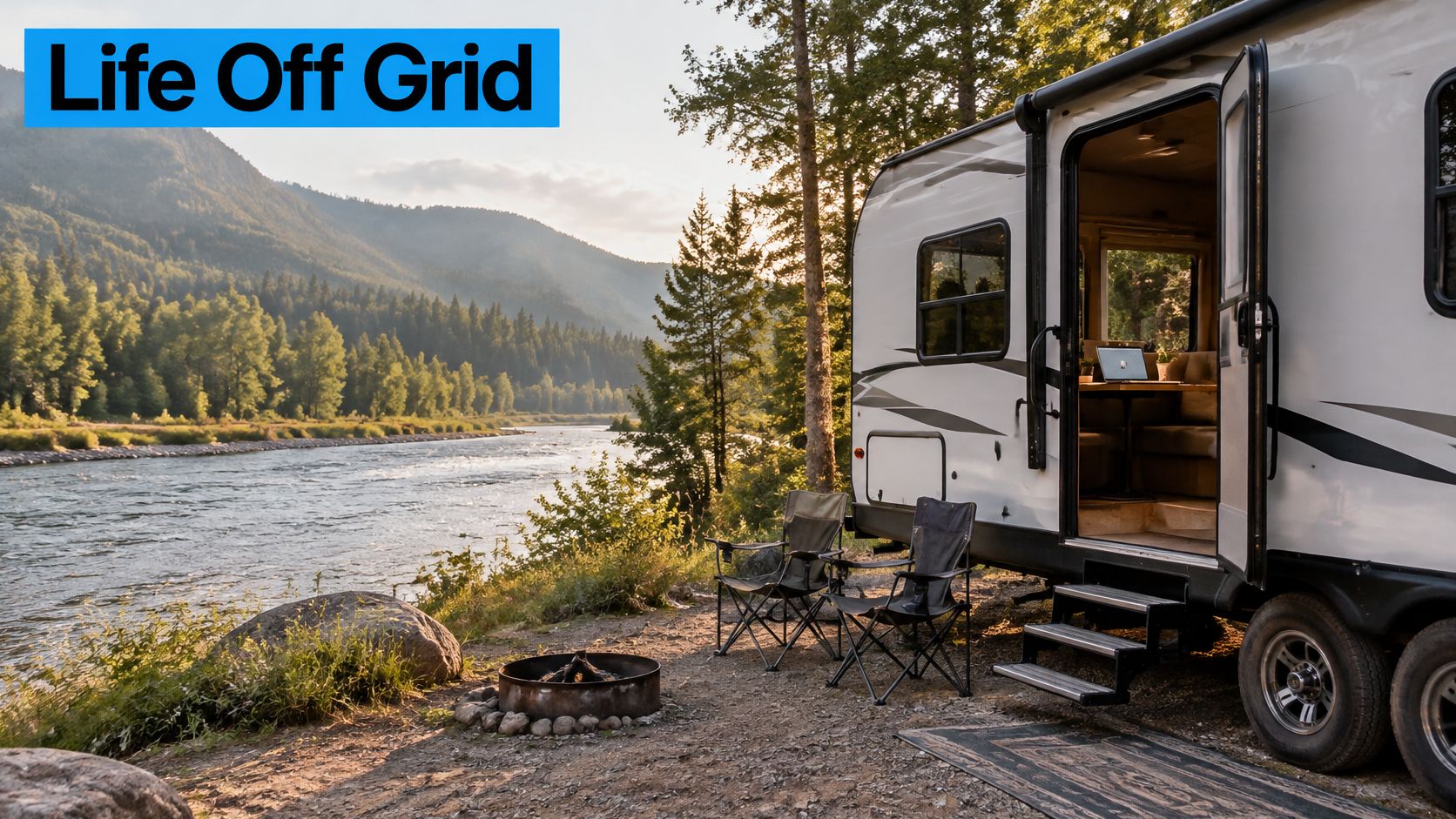
This screenshot shows an RV beside a river at sunset, the kind of setting that makes self-sufficient travel feel possible.
The scenery explains the appeal, but the real change is practical: people are learning to manage four connected systems rather than simply parking an RV for a weekend.
What Changes During Longer Stays
Short trips can hide weak water planning, overloaded batteries, and unreliable signal. Longer stays expose each limitation quickly, especially when the weather turns cloudy or a work deadline arrives.
Dependable internet has therefore become central to the lifestyle. Cellular service lets an RV keep working beyond campground Wi-Fi, while a multi-carrier hotspot reduces the risk of relying on a weak network. Planning before departure now includes checking coverage, carrying backup power, and identifying recovery stops.
Before setting out, assess your daily energy use, water consumption, waste capacity, and connection needs. Then explore SwiftNet WiFi’s 4G and 5G options for cellular connectivity designed for RV travel and remote work.
#rv #rvlife #rvliving #rvlifestyle #rvrenovation #rvremodel #rvtravel #rvcamping #rvadventures #ruralwifi #5gwifi #5ginternet
Think of your RV as a small ship. Before you leave port, you need power on board, drinking water stored, room for wastewater, and a working link to the outside world.
RV off-grid living comes down to keeping those systems in balance, not just buying bigger gear.
The Four Systems Every Off-Grid RV Needs
Electrical power runs the essentials, from your water pump to your communication gear. Fresh water covers drinking, cooking, and washing, while wastewater storage holds what leaves the sinks, shower, and toilet. RJourney's boondocking guide walks through these onboard responsibilities well.
- Connectivity keeps internet and communication available where service exists.
- System balance means looking at what each resource needs, instead of treating every purchase as a separate decision.
The diagram below lays out the four systems, what they include, and how they affect your stay.
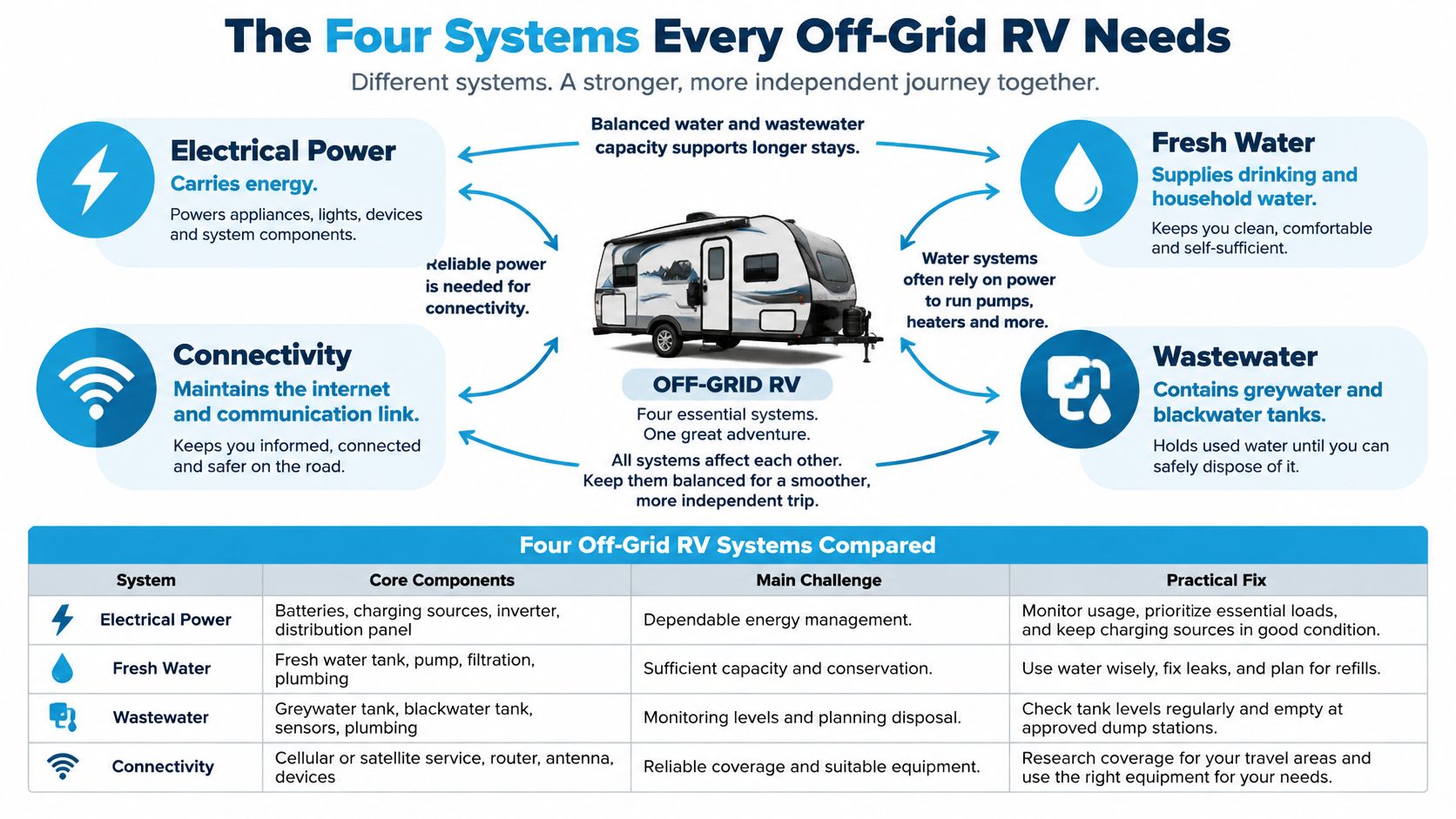
The lesson here is dependence. A charged battery can't get you online through a dead router, and extra fresh water doesn't help if your gray tank is full.
Your practical limit is whichever essential system needs attention first.
Compare Your Onboard Resources
Before you pick upgrades, it helps to see each system side by side. The challenges below reflect the kind of resource juggling described in this practical off-grid camping guide.
Here is how the four pieces fit together:
Four Off-Grid RV Systems Compared
| System | Core Components | Main Challenge | Practical Fix |
|---|---|---|---|
| Electrical Power | Batteries, charging equipment | Dependable energy management | Track consumption and charging |
| Fresh Water | Tank, pump, fixtures | Capacity and conservation | Monitor use and conserve |
| Wastewater | Gray and black tanks | Storage and disposal | Check levels; plan disposal |
| Connectivity | Hotspot or router | Coverage and equipment | Check service before settling |
No single system carries the trip on its own. When one falls behind, it sets the limit for the rest.
Say you roll in with full batteries, only to find your router power cable isn't working. Power isn't the issue. Without that link, the stored energy can't do its job.
It's the same with water. When you wash dishes, stored fresh water becomes wastewater. Think of those tanks as linked containers, not separate reserves.
Test the Whole Setup Together
This idea lines up with the off-the-grid overview, which shows how self-contained living works in practice.
Real independence comes from coordination across resources, not one standout upgrade.
So before your next trip, do a driveway rehearsal:
- Use your onboard power while running your usual essentials
- Record water and tank changes during normal meals and washing
- Confirm your connection works with the equipment powered as planned
Write down the first limit you hit. Fix that before you try to stay out longer.
Power planning for RV off-grid living starts with what you'll actually run, not which panels look best on the roof.
Building a Solar Power System That Keeps You Connected
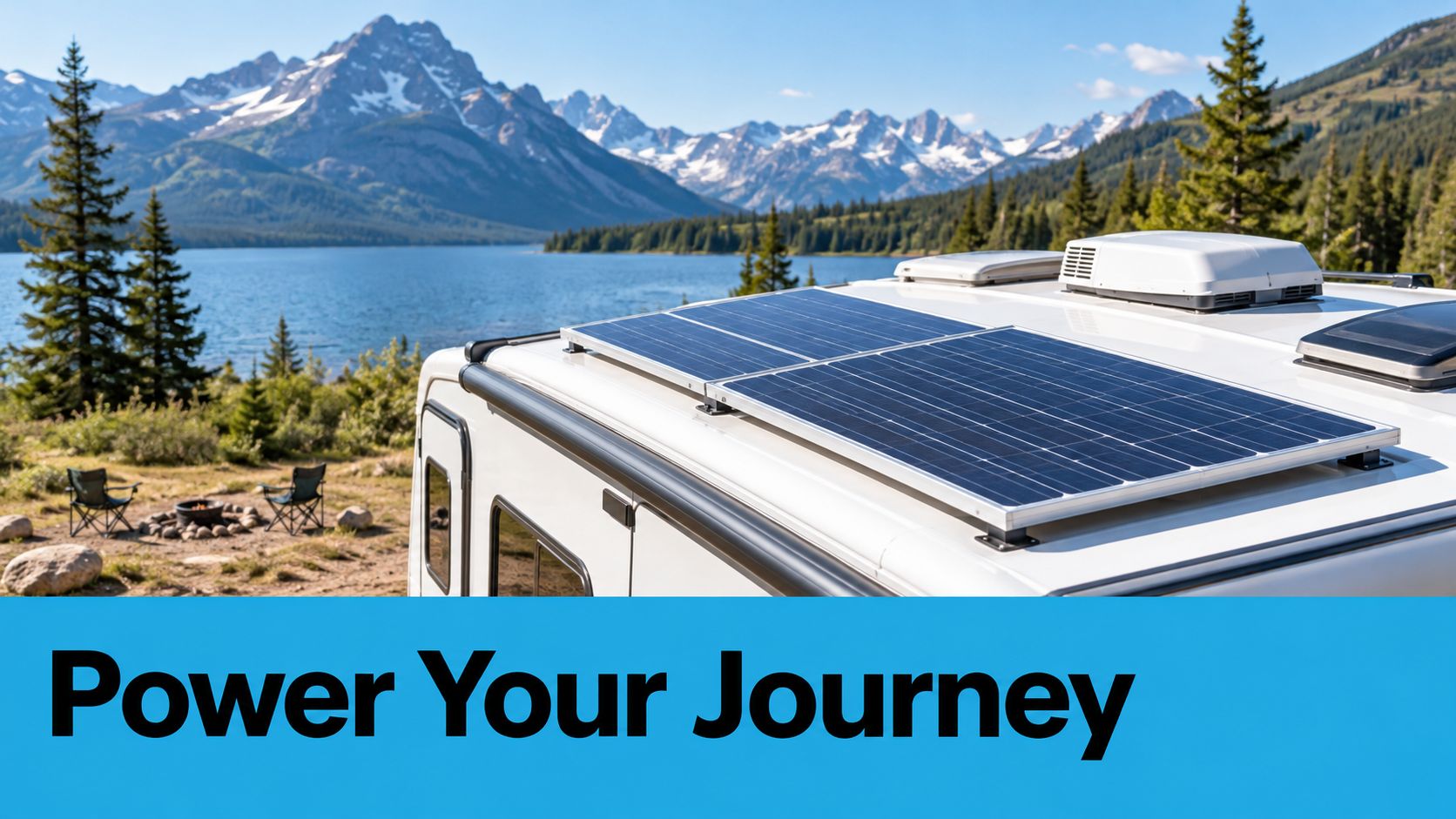
Think of your battery bank as a bucket. Solar panels top it up while the sun is out, and everything you switch on drains it through the day.
A 2025 overview estimated 1.5 million American households lived fully off-grid, with about 70% of off-grid homes relying mainly on solar. Those figures are for houses, not RVs specifically, and solar covers power — not internet by itself. Explore the off-grid living overview.
Size your power and your internet separately, then budget the extra electricity to keep that connection online.
Here is how it fits together. Panels feed your batteries through a charge controller, and an inverter turns that stored DC power into AC for your normal household gear. When sun falls short, a generator fills the gap, a setup explained well in this practical boondocking guide.
Calculate Your Daily Energy Budget
It all comes down to watt-hours. Take a device's watts, multiply by the hours you run it, then add up every device for the daily total.
Say this is your normal workday setup:
| Device | Assumed Draw | Runtime | Daily Energy |
|---|---|---|---|
| Router | 10 watts | 12 hours | 120 Wh |
| Laptop | 50 watts | 6 hours | 300 Wh |
| Lights | 10 watts | 4 hours | 40 Wh |
That example lands at 460 Wh, and that is before the fridge, water pump, fans, charging losses, and everything else. Labels can mislead, so measure your real draw when you can.
- List every load, including the stuff that hums overnight.
- Choose reserve days, then multiply daily use by that number.
- Account for losses, discharge limits, and weaker solar days.
Two days at 460 Wh means you need 920 Wh of usable storage, before losses and other loads. Usable energy is not the same as the big number on the battery label.
Compare lithium and lead-acid on usable capacity, charging needs, temperature limits, and weight. This RV trailer battery guide can help frame your comparison before purchasing equipment.
Plan for Shade and Cloudy Days
Park with shade in mind. Trees, roof AC units, vents, and the rig next to you can all cut output. Walk the site morning and afternoon instead of judging it at noon only.
- Reduce connectivity demand by checking device wattage and using approved DC adapters where they fit.
- Keep backup charging available, and run any generator within campsite rules and manufacturer safety guidance.
Before you buy anything, log one full workday of use, pick your cloudy-day reserve, and have a qualified RV electrical installer review the plan.
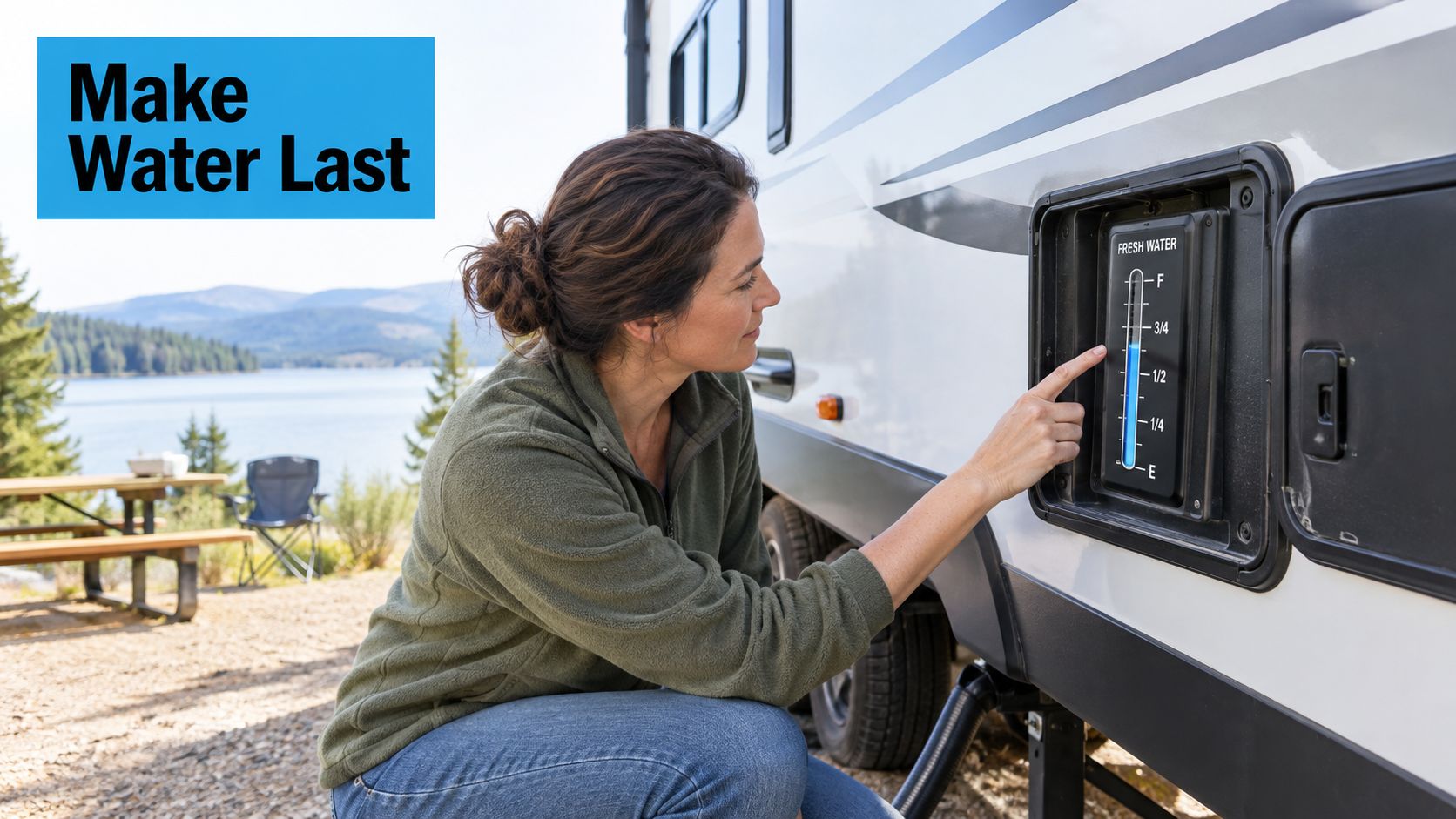
Ask any boondocker what cuts a trip short, and it's rarely power. It's water. Most rigs carry 40 to 60 gallons of fresh water, which sounds like plenty until you realize every gallon you use has to go somewhere.
Think of it like a checking account. Fresh water is what you have to spend, and your waste tanks are the bill that comes due.
Build a Fresh Water Budget
Don't guess at it. Watch what you actually use for a day or two. A couple with a 40-gallon fresh tank can make that last a full week with a little planning.
Small changes add up fast out here:
- Use a dishpan for dishes instead of letting the faucet run
- Take shorter showers, and shut the water off while you lather
- Keep drinking and cooking water in measured jugs
- Top off portable jugs in town before the main tank gets low
- Swap in a low-flow showerhead and faucet aerators
For guidance on keeping fresh water available and properly maintained while living off-grid, see this HYDAWAY hydration gear for van trips.
Conservation works best when it becomes a routine, not an emergency response after the tank is empty.
Track Greywater Before It Becomes a Problem
Your sinks and shower all drain to one place — the grey tank. And that tank almost always fills faster than the black tank.
Get in the habit of checking the level often, especially after showers and dishwashing. And never dump it on the ground. Even soapy water has food bits, grease, and bacteria that can spoil soil and water.
A simple routine helps:
- Check the grey tank after shower-heavy mornings
- Stick with low-flow fixtures and skip extra rinsing
- Find dump stations before you head into remote areas
- Start every trip with grey and black tanks empty
Plan Blackwater Disposal
Blackwater is toilet waste, and there's no shortcut for it. You need a proper dump station or sewer hookup.
It fills slower than grey water, but ignore it and you'll pay for it. Before you roll out, check hoses, valves, and seals. Keep that black valve closed on the road unless you're hooked to a dedicated waste connection.
If you need help with fresh water treatment after a trip, follow this RV water tank cleaning guide before refilling.
The best off-grid waste strategy is simple: track levels, dispose legally, and never assume a full tank has room to spare.
Head out with a real water plan, empty waste tanks, and your next dump stop already mapped.
#rv #rvlife #rvliving #rvlifestyle #rvrenovation #rvremodel #rvtravel #rvcamping #rvadventures #ruralwifi #5gwifi #5ginternet
For RV off-grid living, pick internet to fit your workday and where you actually park, not just the fastest number on an ad.
Choosing the Right 4G and 5G Connection
Cellular internet moves with your RV, but tower distance, hills and trees, and evening congestion all pull speeds down. Think of it like a highway.
More lanes help only when the road is actually open.
The FCC uses 100/20 Mbps as its fixed broadband benchmark. Roughly 75% of urban households have at least two providers at that speed, compared with about 35% of rural households. That gap is why rural choices can feel thin. Explore the FCC’s broadband findings.
A dependable connection at your campsite matters more than a speed promise made elsewhere.
Before you compare gear, get honest about what you need. Checking email now and then is one thing.
Holding video meetings all day with two people online is something else entirely.
- Occasional browsing — portability matters most.
- Daily remote work — coverage flexibility and steady performance matter more than peak downloads.
Match Your Equipment to Your Workday
A 4G hotspot is simple to carry and easy to fire up. A 5G router with a compatible external antenna is better suited to a parked, work-focused setup.
Neither one can create coverage that isn’t there.
Hotspot, Router, and Campground Wi-Fi Compared
Here’s how the three common options stack up for everyday RV life:
| Connection Option | Best Use Case | Key Strength | Main Limitation |
|---|---|---|---|
| 4G hotspot | Portable browsing | Easy movement | Coverage dependent |
| 5G router and antenna | Stationary work setup | Antenna placement flexibility | Requires compatible equipment |
| Campground Wi-Fi | Backup access | No cellular plan needed | Shared network performance |
Use the hotspot for flexibility, the router setup when you’ll sit still and work, and campground Wi-Fi only as a backup.
SwiftNet’s 4G Bronze hotspot and 5G Diamond router show how virtual SIM service works. SwiftNet connects through AT&T, Verizon, and T-Mobile, so you’re not locked to one carrier. Check current plan terms and supported coverage through SwiftNet’s internet options.
Multi-carrier access still doesn’t make signal appear from nothing. Ask how carrier switching works before you buy, and check if the gear supports an external antenna.
Also look at data allowances, hotspot limits, device capacity, and any slowdowns after you hit a threshold. Add evening streaming to your work needs when you estimate monthly use.
Test Coverage Before Settling In
Start with SwiftNet’s cellular coverage map guide, then test on arrival. Treat maps as a planning tool, not a promise.
- Compare positions near different windows and allowed outdoor spots.
- Record signal readings from your device display.
- Try real tasks, like a video call and a file upload.
- Repeat during busy hours before you commit to a longer stay.
Before you roll out, narrow down plans, confirm antenna fit, and run your normal workday while you still have another site as an option.
A good route isn't packed end to end with drive days. It leaves breathing room for bad weather, repairs, and work deadlines.
Planning Trips and Maintaining Your Off-Grid Setup
For RV off-grid living, it helps to think of your itinerary like a work calendar with campsites attached. Take Dana’s hypothetical three-month route as an example, where long national forest stays are broken up with rural town stops.
Her first month moves through Dixie National Forest and the small Utah towns nearby. The second pushes east toward Colorado’s San Juan country. The third lands in Medicine Bow National Forest. You’ll see those same regions in RJourney’s suggested camping loops, though every single overnight spot still needs its own check.
Plan the next refill, recharge, and dependable work connection before choosing another remote stop.
Before she leaves, Dana runs through the same short checklist:
- Verify access by looking up district camping rules, road conditions, closures, and stay limits.
- Budget resources from real power and water use, tank size, and the sunshine in the forecast.
- Protect workdays by lining up a backup site plus a town workspace before she rolls in.
She also leaves one open travel day between remote stretches. That little buffer means she can pull out early if a storm moves in or a cloudy stretch slows down charging.
Match Each Campsite to Your Work Schedule
Start with this cellular coverage planning guide, then stack carrier maps against recent reports from other campers. Neither one replaces testing the signal right where you park.
Dana tries to arrive the day before heavy meetings. She runs through her normal work tasks, then makes sure she has somewhere else to go. A quick call to the town workspace confirms hours, internet access, and whether video calls are okay.
- Keep a second carrier available, and only count it if it actually works near camp.
- Pause discretionary downloads during calls, and push big backups outside meeting times.
- Schedule around observed congestion instead of assuming every site gets busy at the same hour.
If evening uploads start to drag, for example, she’ll shift file transfers to the morning. And when a meeting time can’t move, she moves camp rather than hoping the signal is better tomorrow.
Put Preventive Maintenance on the Calendar
Use this basic rhythm next to your manufacturer instructions, which always win over generic timing.
| Timing | Suggested Check |
|---|---|
| Monthly | Review battery condition, charging behavior, and visible connections. |
| Quarterly | Inspect roof surfaces and seals for damage or separation. |
| Seasonally | Check water pumps and heaters; follow winterization instructions when needed. |
Write down what you find and get qualified repairs handled before you stretch out another remote stay.
Before your next departure, add those reminders to your calendar, lock in your backup workspace, and jot down your weather exit plan.
At the end of the day, RV off-grid living works when your gear lines up with how you actually live. Not how you think you might live.
Frequently Asked Questions About RV Off-Grid Living
Do You Need Solar to Live Off Grid in an RV?
No, but you need solid charging. Batteries only hold power, they don't make it.
A generator or a good vehicle charging setup can do the job just as well, depending on your rig and where you're parked. Think overnight in real terms — furnace, refrigerator, and router will drain you a lot faster than lights ever will. Take a look at these boondocking power considerations before you buy anything.
How Much Does Reliable Internet Cost on the Road?
SwiftNet plans start at $49.99/month, plus whatever you spend on hardware and a backup.
Check current SwiftNet plan details and look at the full picture, not just the sticker price:
- Check data terms, including caps and slowdowns
- Match gear to real use, especially with two or more people online
- Confirm coverage, because cheap doesn't help if it drops at your site
Treat internet like fuel. Budget for what your work actually consumes, not just the cheapest starting price.
Make Your Setup Fit Your Workday
Internet on paper and internet during a 9 a.m. Zoom are two different things.
Can You Work Full Time From an RV With Cellular Internet?
Yes, if coverage and speed line up with your job. Opening email is easy. Holding video all day is another story.
Before you settle in for a work week:
- Take a live call during your normal hours
- Upload a real file from the site
- Have a backup spot lined up before a big deadline
What Is the Biggest Mistake New Off-Grid RV Owners Make?
Building around gear instead of measured use. There's no single ranked mistake, but this one burns people fast.
Do a short test run close to town. Track what you use, find what runs out first, and fix that bottleneck before you go farther out.
Compare SwiftNet WiFi plans, check coverage for your next stop, and sort your connection before you roll.
#rv #rvlife #rvliving #rvlifestyle #rvrenovation #rvremodel #rvtravel #rvcamping #rvadventures #ruralwifi #5gwifi #5ginternet


