

So, what exactly is "travel WiFi"? Think of it as your own personal, portable internet connection that goes wherever you do. It works by taking cellular signals—like 4G and 5G—and turning them into a private WiFi network for your devices.
For anyone living the RV life, working remotely, or setting up shop in a rural area, it's the missing piece of the puzzle. It’s how you stay connected for work, stream your favorite shows, and keep in touch, no matter how far off the grid you are. This guide is all about making that connection a reality.
Your Digital Lifeline for Life on the Move
For modern RV travelers and rural residents, reliable internet isn't some fancy add-on—it's as essential as electricity and running water. The freedom of the open road or the quiet calm of a remote homestead is amazing, but it often comes with a huge catch: finding a decent, high-speed connection.
That gap between needing city-grade internet and the spotty reality of being off the beaten path is where the frustration kicks in. Dropped video calls, that dreaded buffering wheel, or the inability to upload a critical work file can turn the dream lifestyle into a daily digital struggle. But what if your internet could be as reliable as your spirit for adventure?
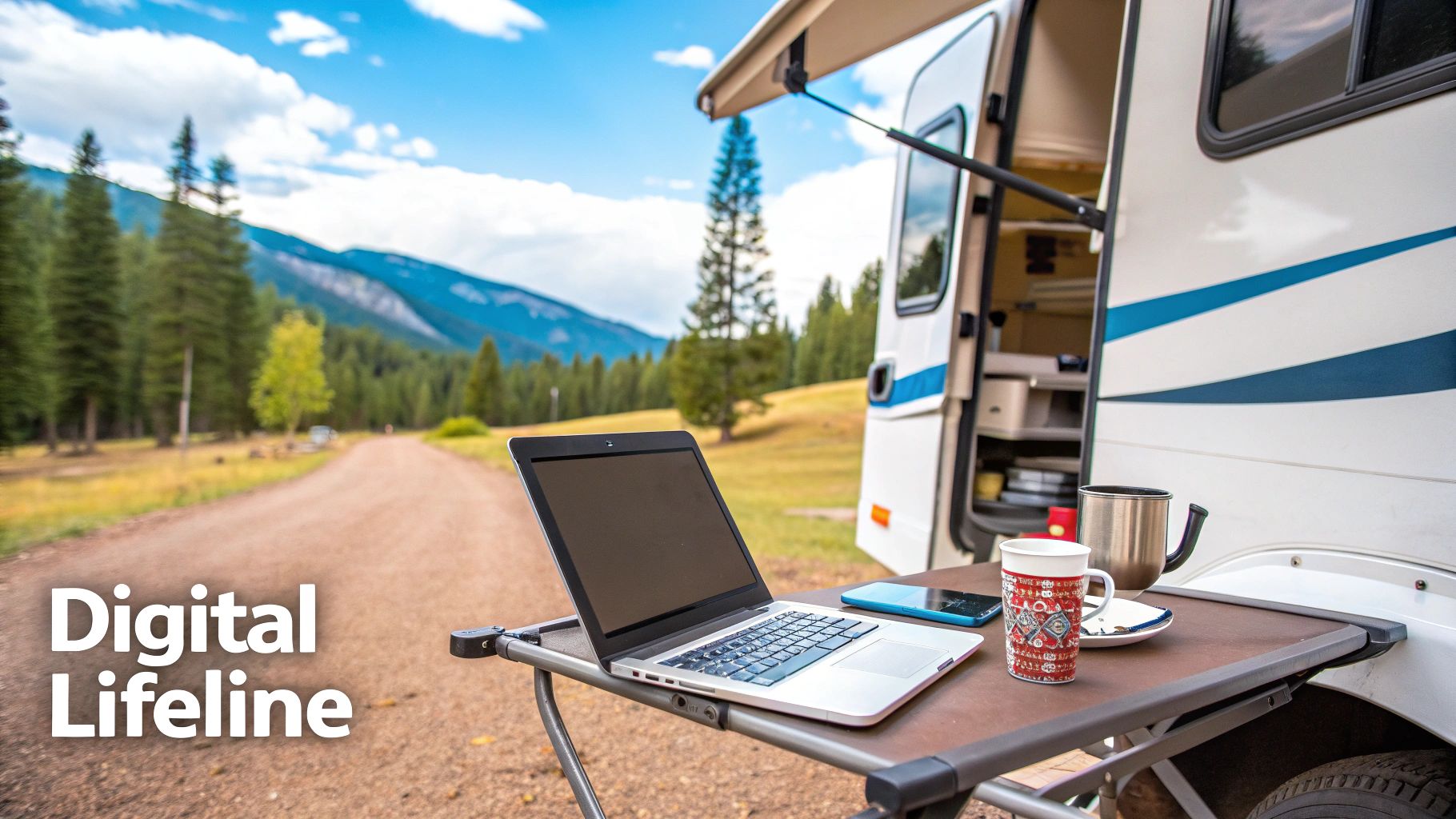
Bridging the Connectivity Gap
The demand for solid travel WiFi has exploded as more people ditch the traditional office for a mobile lifestyle. Maybe you're a remote worker juggling projects from a national park, or a family that just wants to stream a movie after a long day of hiking. Whatever the reason, your needs are pretty straightforward.
You need a solution that delivers:
- Consistent Speed: Enough juice for smooth video calls, quick downloads, and high-quality streaming without the constant lag.
- Reliable Coverage: The ability to pull in a strong signal even in those beautiful, less-populated spots where traditional internet is just a rumor.
- Simple Usability: A setup that’s easy to get going and manage, without needing a degree in network engineering to figure it out.
Think of a powerful travel WiFi setup as your personal communications tower. It grabs the best available cell signal and blankets your RV or home with a stable, private network, keeping all your gadgets happily connected.
This guide is your roadmap to finally achieving that digital freedom. We’ll walk through the key technologies that make it happen, from simple mobile hotspots to powerful, dedicated 5G services like SwiftNet. Our goal is to give you the knowledge to build a system that supports your work, your entertainment, and your peace of mind—putting an end to connectivity headaches for good.
How Travel WiFi Actually Works
Getting reliable internet on the road can feel like a bit of black magic, but the tech behind travel WiFi is actually pretty straightforward. Just imagine creating your own personal, portable internet bubble that follows you anywhere, whether you're parked at a remote campsite or cruising down the highway.
At its heart, travel WiFi works by grabbing a cellular signal—the very same 4G or 5G your phone uses—from a nearby tower. A dedicated device then takes that connection and turns it into a secure, private WiFi network. This lets you connect all your gear, from laptops and tablets to a smart TV, at the same time, just like you would at home.
The Three Key Ingredients
To pull this off, you really only need three things working in harmony. Once you see how each piece fits, the whole system makes perfect sense—and it becomes clear why a dedicated setup is usually miles ahead of just using your phone's hotspot.
- The Device (Router or Hotspot): This is the brain of the whole operation. It’s the piece of hardware that catches the cellular signal and broadcasts it as your own WiFi network. These can be anything from tiny, pocket-sized hotspots to more powerful routers built specifically for RVs.
- The SIM Card: Just like the one in your phone, the SIM card is your key to a specific carrier's network (think Verizon, AT&T, or T-Mobile). It tells the network who you are and gives your device the green light to get online.
- The Data Plan: This is the subscription that actually provides your internet access. Plans are all over the map, from small monthly gigabyte packages to truly unlimited options designed for serious streaming and remote work.
This simple but powerful combo is what's fueling the entire mobile internet revolution. Demand has absolutely exploded, which just shows how much our work and lifestyles have changed. The global market for portable WiFi hotspots hit $1,656 million and is climbing fast, thanks in large part to the remote work boom. By 2025, an estimated 36.2 million American workers were expected to be remote—a massive 87% jump from pre-pandemic levels. Discover more insights about this growing market on marketreportanalytics.com.
From Cell Signal to WiFi Network
So what's really happening inside that little box? Think of your travel WiFi router as a skilled translator. It listens for the cellular network's "language" (the 4G or 5G signal) using its antennas. Once it picks up that signal, it translates it on the fly into the WiFi "language" that your laptop, phone, and other gadgets understand.
This creates a self-contained network, often called a Local Area Network (LAN), right inside your RV or vehicle. All your devices connect to this one private network, and the router funnels all their internet traffic through its single, stable cellular connection. It's way more efficient and reliable than having every single device fight for its own, often weak, cell signal. Learn more about how portable WiFi works in our detailed guide.
The real beauty of a dedicated travel WiFi system is that it’s built for one job and one job only: giving you the strongest, most stable internet connection it possibly can. Your smartphone has to juggle calls, texts, apps, and its own battery life. A dedicated router, on the other hand, puts all its energy into maintaining your digital lifeline.
Comparing the Top Travel WiFi Options
Choosing the right way to stay connected on the road can feel like wading through a swamp of tech specs and confusing plans. To cut through the noise, let's break down the four most common travel WiFi solutions. Each one has its own personality and is built for a different kind of traveler, from the weekend warrior to the full-time digital nomad.
This simple decision tree can help you start thinking about what kind of setup fits your life, based on how many devices you're trying to get online.
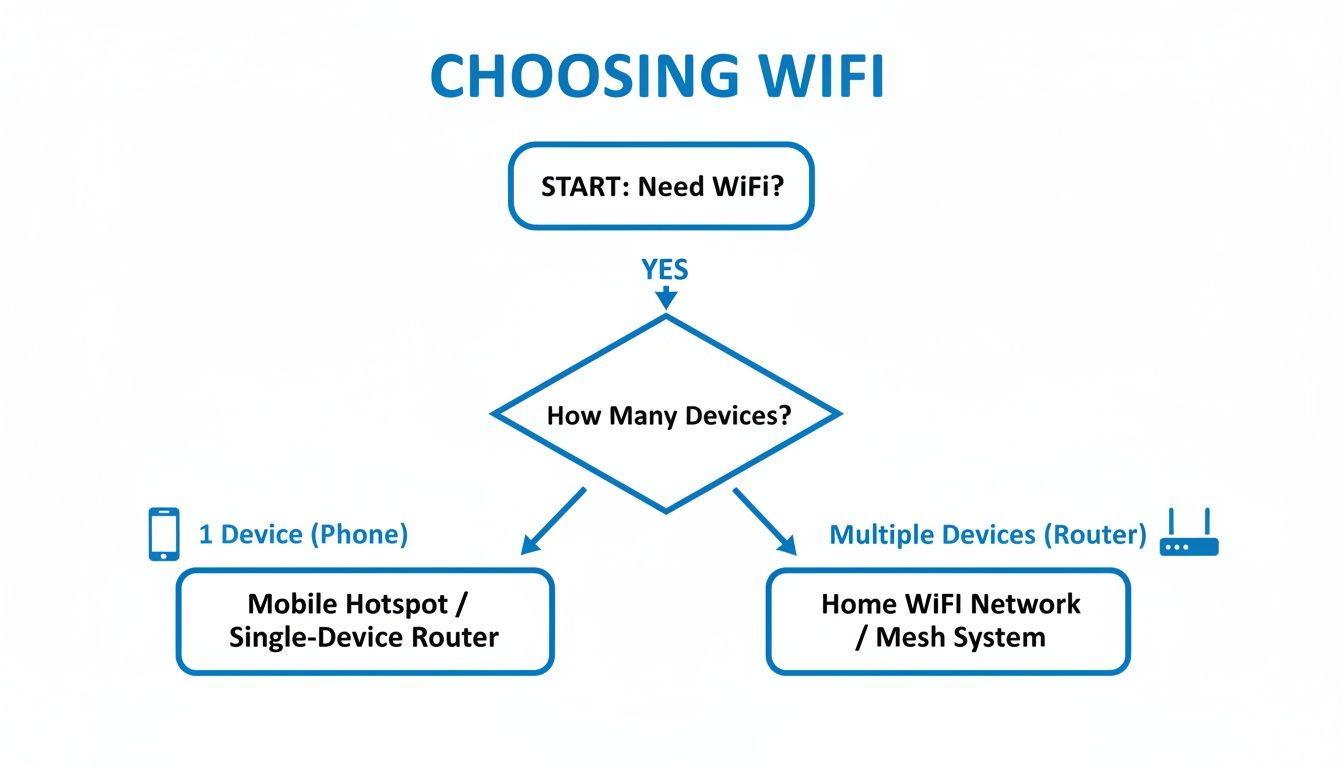
The flowchart gets right to the point: are you just connecting one device, or do you need a central hub for multiple gadgets like laptops, smart TVs, and phones? Answering that first question immediately points you in the right direction.
To give you a clearer picture, let's look at how these technologies stack up against each other in the real world.
Travel WiFi Technology Comparison
Here’s a side-by-side comparison of the most popular travel WiFi options, evaluating them on the key factors that matter most to RVers and remote workers.
| Technology | Best For | Typical Speed | Coverage | Avg. Monthly Cost | Pros | Cons |
|---|---|---|---|---|---|---|
| Smartphone Hotspot | Quick, occasional use for a single device. | Slow to Moderate | Depends on phone's carrier. | Part of your existing phone plan. | Extremely convenient; no extra gear needed. | Drains phone battery; strict data caps; weak signal. |
| Mobile Hotspot | Light to moderate use for a few devices. | Moderate | Good, but relies on small internal antennas. | $20 - $60 | Portable; better signal than a phone. | Limited battery life; can struggle in remote areas. |
| Satellite Internet | Boondockers and off-grid travel in remote areas. | Fast | Global, requires clear sky view. | $120 - $250+ | Works where cell service doesn't exist. | High hardware cost; needs open sky; high power use. |
| Dedicated 5G Internet | Full-time RVers, remote workers, rural homes. | Very Fast | Excellent, especially with external antennas. | $60 - $135 | Home-grade speed and reliability; supports many devices. | Higher initial hardware cost than a simple hotspot. |
As you can see, the "best" option really depends on your specific needs—what works for a casual vacationer would be a deal-breaker for someone running a business from the road.
Smartphone Hotspot: The Quick and Easy Fallback
Using your phone's built-in hotspot is the go-to for most people, and for good reason. You already have it, and turning it on is just a tap away.
It's perfect for very light, occasional use. Think quickly checking emails on your laptop at a rest stop or sending a file when the campground WiFi dies. It gets the job done in a pinch without any extra gear or cost.
But that convenience comes with some serious strings attached. Relying on your phone chews through its battery, and most cell plans have tiny data caps for hotspotting—often slowing you to a crawl after just a few gigabytes. Plus, a phone's antenna just wasn't built to serve a whole network of devices, which means weaker signals and spotty performance.
Dedicated Mobile Hotspots: The Portable Power-Up
A solid step up from your phone is a dedicated mobile hotspot, sometimes called a "jetpack." These are small, battery-powered gadgets that do one thing and do it well: turn a cell signal into a WiFi network.
They offer a much more stable connection than a phone because their hardware is actually designed for the job. With better antennas and processing, they can handle a few devices at once with more consistency. A huge plus is that they don't drain your phone battery, leaving your main line of communication free.
While they're a big improvement, these pocket-sized devices still have their limits. Battery life can be an issue on long workdays, and their small internal antennas can still struggle to grab a signal in fringe coverage areas. Most data plans for these are tiered, too, so you'll pay more for more high-speed data.
The demand for real, on-the-go connectivity is exploding. The Travel WiFi and SIM Card market was valued at $1.76 billion and is projected to hit $4.31 billion by 2034. This growth is fueled by the exact needs of RV owners and remote workers who depend on powerful options like dedicated 5G internet to stay productive far from the city. Read the full research about the travel connectivity market.
Satellite Internet: The Off-Grid Connection
For anyone who ventures into places where "no bars" is the norm, satellite internet like Starlink has been a game-changer. It connects to a massive network of satellites orbiting the Earth, bringing the internet to places that were once total digital dead zones.
Its main superpower is its incredible coverage. If you can see the sky, you can probably get online. This makes it a fantastic tool for boondockers and overlanders who need to stay connected in the middle of nowhere.
But satellite isn't without its kryptonite. The upfront hardware cost is steep, often running several hundred dollars. It also demands a completely clear view of the sky, making it useless in a forested campsite or during a heavy storm. Finally, it's a power hog, which can be a real problem for an RV's battery system, and the monthly bill is usually higher than cellular options.
Dedicated 5G Internet: The Home-Grade Solution
At the very top of the performance mountain, you'll find dedicated high-speed 5G internet services, like SwiftNet. These systems are a different beast entirely, pairing a powerful, high-gain 5G router with a data plan designed for heavy use. The result is an experience that feels just like high-end home internet.
This is the end-game solution for serious remote workers, full-time RVers, and rural residents. These routers are engineered to pull in the strongest possible cell signal and can support dozens of devices at once without even breaking a sweat. With features like Ethernet ports for hardwired connections and the option to add external antennas, they deliver the fastest speeds and most solid connection you can get over a cellular network.
While the initial hardware costs more than a simple hotspot, the performance gap is massive. These setups are built to completely replace a traditional internet connection, giving you the rock-solid stability you need for video calls, 4K streaming, and online gaming. For anyone whose job or lifestyle depends on unwavering internet, a dedicated 5G setup is the undisputed champion.
Building Your Ultimate Mobile Internet Setup
Okay, so you've got the lay of the land on travel WiFi options. Now it's time to turn that knowledge into a rock-solid connection you can actually count on. Putting together your mobile internet setup is less about complex engineering and more about smart placement and a few simple optimizations.
Getting this right from the start can be the difference between buffering videos and seamless, high-speed internet. This section is your hands-on guide to installing and fine-tuning your system for peak performance. We’ll cover everything from finding the perfect spot for your router to using simple tools that can dramatically boost your signal.
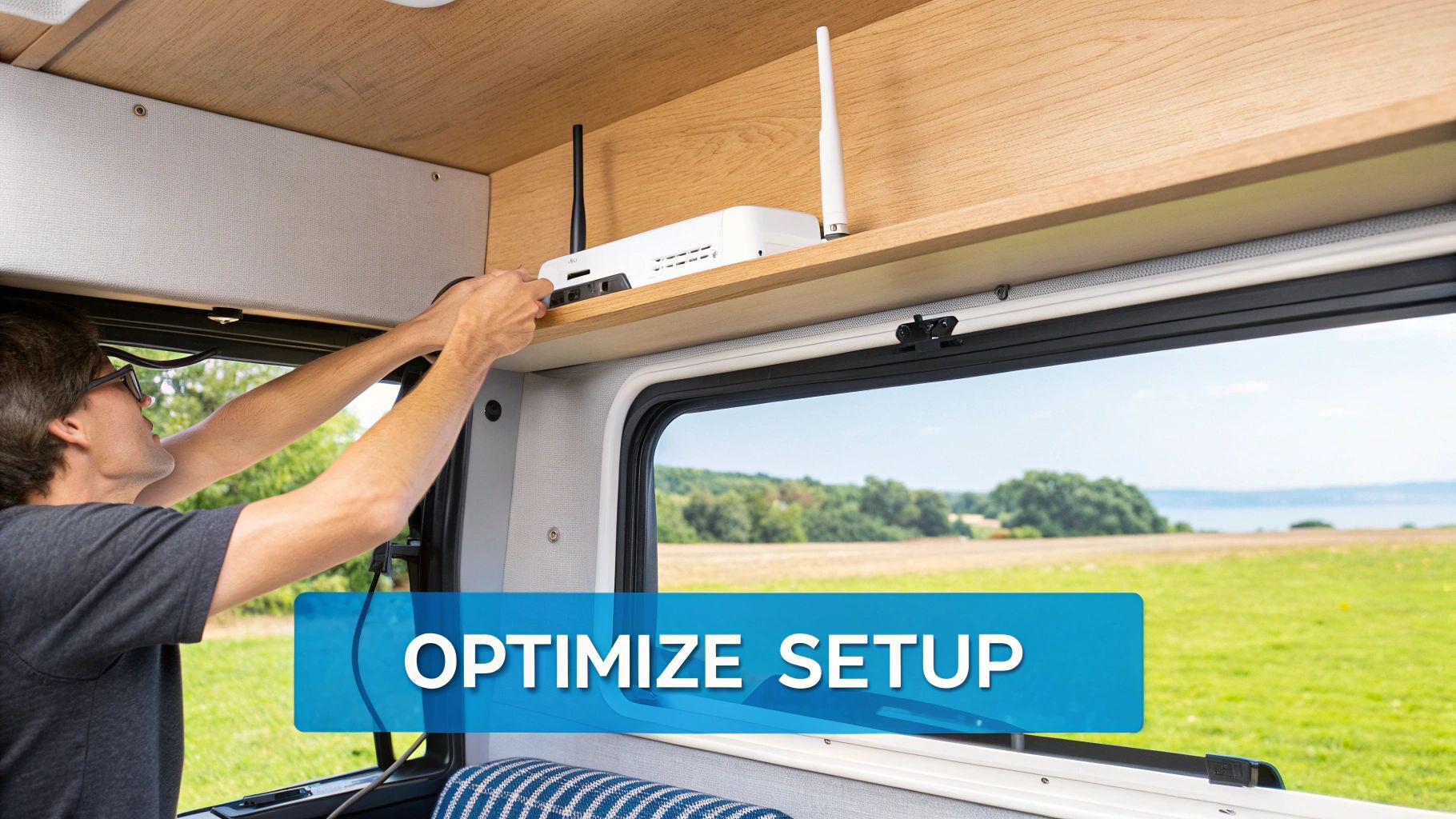
Step 1: Router Placement and Signal Integrity
Where you put your router is single-handedly the most important factor for a strong connection. Think of it like finding the best seat in a theater—you want a clear, unobstructed line of sight to the stage. For your travel wifi router, that "stage" is the nearest cell tower.
The sweet spot is almost always high up and near a window. Why? Because this minimizes the amount of stuff the cellular signal has to punch through. An RV’s metal and fiberglass shell can seriously weaken incoming signals, so giving your router a clear view of the outside world is absolutely crucial.
Whatever you do, don't stash your router in a cabinet, cram it behind a TV, or stick it next to a big metal appliance like a refrigerator. These things act like shields, blocking and deflecting the very signals you need to capture. A central, elevated position not only helps grab a better cell signal but also spreads the WiFi love more evenly throughout your rig.
Pro Tip: Don't permanently mount your router right away. Grab a long power cord and test out different spots near windows on every side of your RV. Run a few speed tests in each location to see which one consistently pulls the best numbers before you commit.
Step 2: Leveraging External Antennas
While a good router can do wonders on its own, adding an external antenna is like giving it a superpower. This is especially true when you're way out in the boonies. The tiny internal antennas inside most routers do their best, but they're fundamentally limited by their size and the fact that they're stuck inside your vehicle.
An external antenna, mounted on the roof of your RV, bypasses the signal-blocking walls entirely. It gets a clean, direct shot at the cell tower, capturing a much stronger signal than anything inside can.
- Directional Antennas: These are fantastic if you're staying put for a while. You point them directly at the nearest cell tower to lock onto the strongest possible signal. Perfect for long-term stays.
- Omni-Directional Antennas: This is the go-to for most RVers. It pulls in signals from all directions (360 degrees), so you don’t have to mess with re-aiming it every time you pull into a new campsite.
Installing an antenna can transform a frustratingly weak one-bar signal into a stable, multi-bar connection that can handle streaming and video calls with ease. For a deeper look at your hardware options, check out our guide on choosing a powerful portable travel wifi router.
Step 3: Pro Tips for Maximizing Your Connection
Once your hardware is in place, a few easy tweaks can squeeze even more performance out of your setup. These little adjustments help make sure your internet is as fast and reliable as it can possibly be.
1. Isolate Your WiFi Network: When you set up your router, give your WiFi network a unique name (SSID). If your router allows it, try setting it to use a less-crowded WiFi channel. This is a game-changer in busy campgrounds, helping you dodge interference from all the other networks around you.
2. Reboot Regularly: It’s the oldest trick in the IT book for a reason. Just like a computer, routers benefit from a fresh start. If your connection starts feeling sluggish for no reason, a simple reboot—just unplug it for 30 seconds—is often the quickest fix. It clears the device's memory and can solve a surprising number of minor glitches.
3. Monitor Your Data: Keep an eye on how much data you're burning through, especially if you aren't on an unlimited plan. Background apps, automatic OS updates, and HD video streaming can chew through data faster than you’d think. Knowing what’s using your data helps you manage it and avoid getting your speeds throttled.
Simple Troubleshooting Guide
Even the best-laid plans can go awry. If you're hitting slow speeds or random connection drops, run through this quick checklist before you spend an hour on hold with tech support.
- Check the Signal: Glance at the signal strength lights on your router. If they're weak or showing red, it's struggling to talk to the cell tower. Try moving it to a different window or check for any known network outages in your area.
- Reduce Device Load: Are ten different gadgets trying to connect at once? That can bog down your network. Try disconnecting devices you aren't actively using and see if your speed improves.
- Test a Wired Connection: If your router has Ethernet ports, plug your computer directly into one with a cable. If the wired connection is speedy but the WiFi is slow, the culprit is likely WiFi interference, not your cellular signal.
By following these practical steps, you can build and maintain a travel WiFi hub that’s both powerful and dependable, giving you the freedom to work, stream, and stay in touch from just about anywhere.
Why 5G Is a Game Changer for Mobile Connectivity
For years, 4G LTE was the undisputed king of mobile internet. It powered everything from our daily commutes to our weekend getaways and was reliable enough for most of what we threw at it. But as our digital lives got more demanding, its limitations really started to show. Now, 5G is here, and it’s not just a minor tune-up—it’s a fundamental shift in what’s possible for mobile connectivity.
Think of 4G as a busy two-lane highway. It gets the job done most of the time, but during rush hour, everything slows to a crawl. 5G, on the other hand, is like a massive, multi-lane superhighway with room for everyone to travel at top speed, all at once. This new infrastructure delivers three massive advantages that completely redefine the travel wifi experience.
Blazing Fast Speeds
The first thing you'll notice about 5G is its incredible speed. While 4G speeds typically top out around 100 Mbps in ideal conditions, 5G can blow past 1,000 Mbps (or 1 Gbps). This isn't just about faster downloads; it transforms how you use the internet on the move.
For a remote worker, this means grabbing a massive presentation file in seconds, not minutes, right before a critical meeting. For a family on the road, it’s the difference between one person streaming a movie in HD and multiple people watching different 4K shows simultaneously, without a single moment of buffering. That raw speed makes a 5G connection feel just like a high-end fiber optic line at home.
Ultra Low Latency
Speed tells you how fast you can download data, but latency is all about responsiveness. It’s that tiny delay between when you click a link and when the website actually starts to load. 4G connections often have a latency around 50 milliseconds (ms), which is fine for browsing but becomes noticeable in real-time applications.
5G absolutely slashes this delay to under 10 ms, and in some cases, as low as 1 ms. This near-instantaneous response is what makes video calls feel smooth and natural, with no awkward lag or people talking over each other. It also makes online gaming feel crisp and immediate, eliminating the frustrating delays that can ruin the experience.
For anyone who relies on live, interactive communication for work, ultra-low latency is the secret sauce. It’s what allows a project manager to lead a seamless team meeting from a campsite, with video and audio that are perfectly in sync, creating a true "work from anywhere" environment.
Massive Network Capacity
The third pillar of 5G’s power is its massive capacity. 5G networks are built to handle a much higher density of connected devices without breaking a sweat. This is crucial in today's world, where the average RV or remote household is packed with a dozen or more internet-hungry gadgets.
Imagine pulling into a busy campground where everyone is trying to get online at once. On a 4G network, this creates a digital traffic jam, grinding everyone’s connection to a halt. A 5G network, however, has the bandwidth to handle all those laptops, phones, smart TVs, and security cameras simultaneously, giving every device the speed it needs. For a more detailed breakdown, you can learn more about the differences between 5G speeds vs 4G in our dedicated article.
This huge capacity ensures your travel wifi stays fast and stable, even in crowded areas. It’s the key to providing a consistent, high-performance internet experience that doesn't falter when you need it most. Dedicated services like SwiftNet are built to fully leverage this power, delivering a reliable connection that finally makes remote work and life on the road truly sustainable.
So, What's the Right Call for You?
Figuring out the world of mobile internet can feel like a chore, but getting a solid connection on the road is honestly more straightforward than ever. The secret isn't some magic-bullet device, but simply matching the right travel wifi tech to the way you actually live and travel. Think of this as your roadmap to making that choice with confidence.
Whether you’re a weekend warrior hitting the trails or a full-timer who depends on the internet for work, your decision really just comes down to four things.
Your Connectivity Checklist
Before you pull the trigger on any new gear or plan, run through this quick mental checklist:
- Speed: Are we talking just checking email and looking up directions, or do you need enough horsepower for 4K movies and back-to-back video calls without a single hiccup?
- Coverage: Will you mostly be in towns and cities with strong cell service, or are you trying to get a signal from that beautiful, remote campsite where your phone shows zero bars?
- Cost: What’s your budget, really? Consider both the upfront cost of the hardware and what you’re willing to spend each month on a data plan.
- Your Needs: How many phones, laptops, and tablets are you trying to get online? And how big of a deal is it if your internet goes down—is it an inconvenience or a work-stopping crisis?
Answering those questions honestly makes the best path forward pretty obvious. Your phone’s hotspot might be perfectly fine for casual trips. But for anyone who truly relies on their connection for work, school, or just staying sane, it’s time for a more serious setup.
The goal here is to put you in control. Once you know what you need, you can finally stop chasing spotty signals and build a system that just plain works for your life on the move.
For most serious travelers and remote workers, this thought process usually leads to one place: a dedicated, high-speed 5G service. It delivers the kind of performance and rock-solid stability you need to turn any spot on the map into a productive office or a cozy movie theater. Now it's just a matter of picking the solution that fits your answers and unlocking what it truly means to be connected, wherever you decide to roam.
Your Top Travel WiFi Questions, Answered
Jumping into the world of mobile internet can feel a little overwhelming, and you've probably got questions. That’s a good thing. To help out, here are some quick, no-nonsense answers to the things we get asked most often about travel WiFi. Think of this as the final piece of the puzzle to help you lock in the right choice for your life on the move.
Can Travel WiFi Really Replace My Home Internet?
For a lot of people, especially full-time RVers or folks in rural spots stuck with lousy internet, the answer is a big, emphatic yes. A high-performance 5G travel WiFi setup can deliver speeds and a solid connection that easily rivals—or completely smokes—the slow DSL or cable that’s often the only option out in the country.
These new-school 5G systems are built for the heavy lifting of modern life. We're talking multiple 4K streams running at once, video games that don't lag at the worst possible moment, and all the demands of a full-time remote job. Sure, a fiber optic line in the middle of a big city might still have the ultimate speed crown, but for anyone living a mobile or rural life, a dedicated 5G setup has absolutely become a legitimate, full-time internet solution.
How Much Data Do I Actually Need for Remote Work?
This is the million-dollar question, and the only honest answer is: it really, really depends on what you do online. Your data appetite is completely unique to your job and how you unwind.
Here are a few benchmarks to help you get a feel for your usage:
- Light Use: If your day is mostly spent on websites and in your email inbox, a smaller plan around 20GB a month could do the trick.
- Moderate to Heavy Use: Video calls are the real data hogs. A Zoom meeting can burn through over 1.5GB an hour, and a single HD movie on Netflix is about 3GB. If that sounds familiar, you should be looking at plans in the 100-200GB range, minimum.
- Power Users and Families: For households with a few people online or professionals who basically live on video calls, an unlimited data plan is the only way to fly. It buys you peace of mind, freeing you from worrying about getting throttled (slowed down) or hit with surprise overage charges.
What's the Difference Between a Hotspot and a 5G Router?
While they both turn a cell signal into a WiFi network, they're built for completely different jobs. It’s kind of like the difference between a bicycle and a pickup truck. Both will get you from point A to point B, but you wouldn't try to haul a couch with a Schwinn.
A little battery-powered mobile hotspot (sometimes called a MiFi or Jetpack) is the bicycle. It’s designed for ultimate portability, perfect for connecting your laptop and maybe your phone for a few hours at a coffee shop.
A dedicated 5G router, on the other hand, is the pickup truck. It’s a serious, home-grade piece of equipment designed to be the internet command center for your entire RV or rural home. It's way more powerful, handles dozens of devices at once without breaking a sweat, blankets your space with a much stronger WiFi signal, and almost always includes Ethernet ports for a rock-solid wired connection to your most important gear, like that work computer.
A dedicated 5G router is engineered for one mission: to deliver the strongest, most stable internet possible to all your devices, 24/7. A hotspot is built for temporary convenience for just one or two.
Will a Signal Booster Actually Make My WiFi Faster?
In the right situation, yes—a cell signal booster can be an absolute game-changer. It's important to know exactly what it does, though. A booster grabs a weak cell signal from outside, gives it a massive power-up, and then rebroadcasts that newly strengthened signal inside your RV or house.
It can't magically create a signal out of thin air, but it’s incredibly good at turning a frustrating, one-bar connection into a strong, reliable one. This makes it an essential piece of kit for anyone who loves venturing to remote spots or lives in an area with spotty cell coverage. A booster helps you squeeze every last drop of performance out of your travel WiFi plan, turning potential dead zones into perfectly connected hideaways.
Ready to stop worrying about your connection and start enjoying the freedom of the open road? SwiftNet Wifi provides blazing-fast, reliable 5G internet designed specifically for RVers and rural residents. Explore our plans and get connected today at swiftnetwifi.com.
#rv #rvlife #rvliving #rvlifestyle #rvrenovation #rvremodel #rvtravel #rvcamping #rvadventures #ruralwifi #5gwifi #5ginternet


