

A 15GB plan in 2026 typically costs about $15 to $70 per month depending on plan type, and those figures are approximate ballparks you must check against current carrier and MVNO pages before you buy. You're likely sitting in a rig, a rural kitchen, or a truck cab right now trying to decide whether that allowance survives a workweek or disappears after two movie nights. That decision doesn't turn on the sticker price alone. It turns on price per usable hour, because the same 15GB buys a very different amount of video and call time once quality settings and a tethered laptop enter the picture.
What 15GB Costs Per Month in 2026
A 15GB plan typically costs about $15 to $70 per month in the US in 2026, and plan type explains most of that spread. If you're asking how much is 15GB of data in dollars, start by finding your row below, not by comparing every offer on the market.
Typical Monthly Cost of a 15GB Allowance by Plan Type
| Plan type | Typical monthly price | Best for | Watch for |
|---|---|---|---|
| Prepaid MVNO on a major network | about $15 to $30 | Phone-first users with light data | Hotspot often limited and video may be slowed |
| Prepaid plan from a major carrier brand | about $30 to $50 | Users who want big-network coverage | Priority data tiers and deprioritization after a threshold |
| Postpaid phone line with a 15GB allowance | about $40 to $70 per line | Bundled or family accounts | Autopay discounts, fees and taxes added |
| Hotspot or router plan, for example SwiftNet 4G Bronze | from $49.99 | RV, rural and remote-work use | Confirm the monthly data cap before comparing |
| Pay-as-you-go top-up beyond 15GB | charged per extra GB | Users who exceed the allowance once | Per-GB rate on the carrier fee schedule |
Prepaid MVNOs sit at the bottom because they resell capacity on a major network with fewer extras, thinner support, and tighter hotspot rules. A prepaid plan sold under a major carrier brand costs more, and you're mostly paying for stronger priority on a busy tower and broader retail coverage. That priority matters at a crowded campground on a holiday weekend, less so at a rural stop midweek.
Postpaid lines look expensive on a single phone. The per-line price drops when several phones share one account on autopay, which is why a family quote and a solo traveler quote rarely match. Hotspot and router plans start higher because they're built for laptops and fixed use, not a single handset. For those, the monthly data cap is the first number to check, before speed claims.
Practical rule: Every figure here is a ballpark range. Promotions expire, and taxes and activation fees can add to the total.
Write down your own monthly gigabyte figure from your last few bills. Pick the matching row, then compare two current offers from that row before you buy. That's faster and more honest than chasing the lowest headline price across unlike plan types.
How Far 15GB Goes for Streaming and Browsing
A few hours of high-quality video can use as much data as several days of browsing. At Netflix's published rates, 15GB covers about 50 hours at the low setting, 21 hours at medium, 15 hours in standard definition, 5 hours in HD, or 2 hours in 4K. The quality setting determines how quickly that allowance runs down.
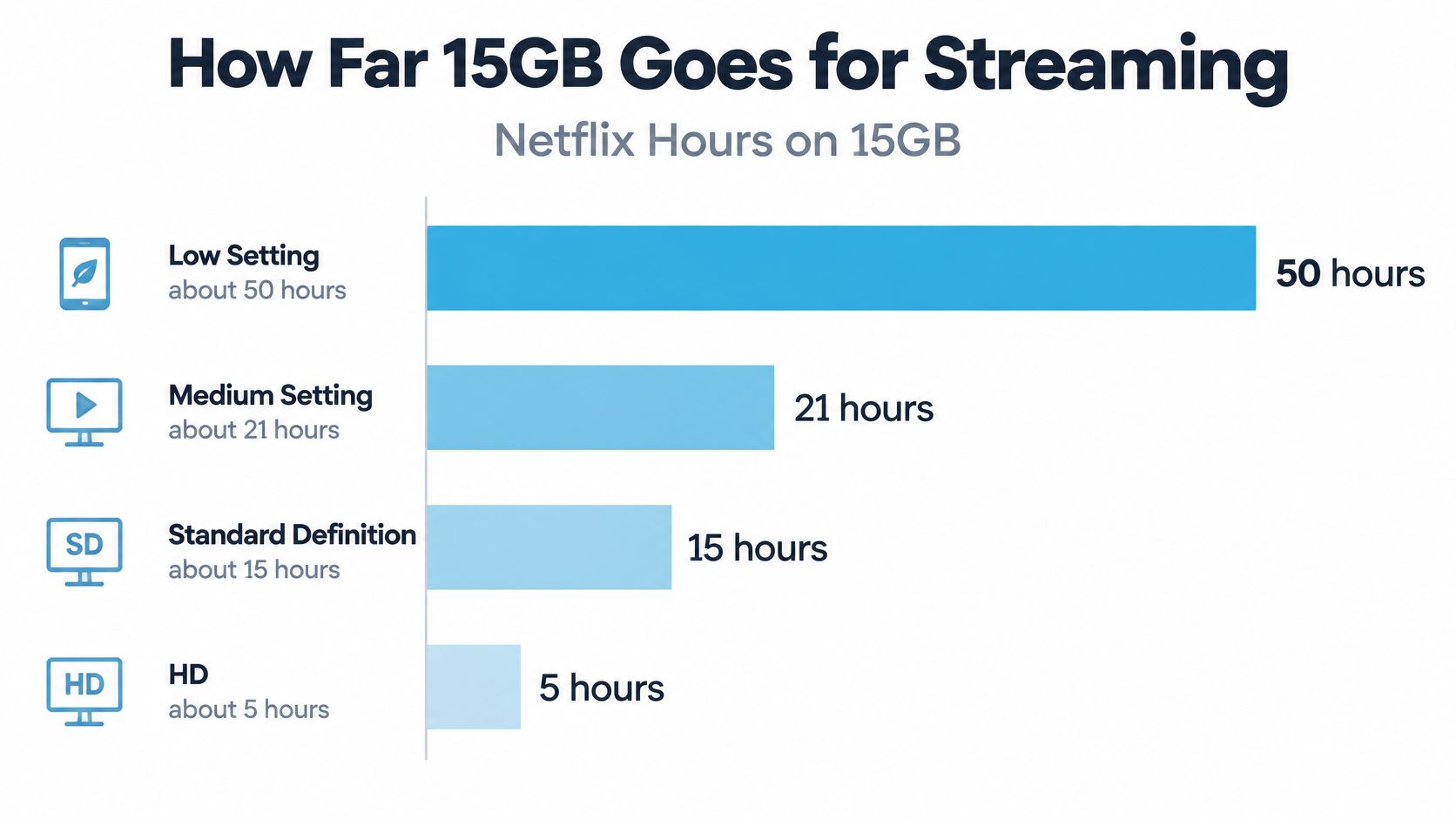
Hours of Video on 15GB by Streaming Quality
| Video quality | Data per hour | Hours on 15GB |
|---|---|---|
| Low setting | 0.3 GB | about 50 |
| Medium setting | 0.7 GB | about 21 |
| Standard definition | 1 GB | about 15 |
| High definition | 3 GB | about 5 |
| 4K | 7 GB | about 2 |
The Netflix help page lists up to 1 GB per hour for standard definition, 3 GB for high definition, and 7 GB for 4K. Its low and medium settings use 0.3 GB and 0.7 GB per hour, respectively. These are estimates, not a guaranteed monthly total. Providers may count gigabytes in decimal or binary units, so 15GB is approximately 15,000 megabytes when using the same basis.
Other estimates put video use lower, so the hours available vary by app and settings. For example, a guide to how long 1 gig of data lasts gives another way to compare usage by quality. Autoplay, ads, buffering, and automatic quality adjustments can push consumption higher, cutting into the hours available at each setting.
Without video, messaging, email, maps, social posts, ordinary browsing, and music use data more slowly than streaming. For phone-first use, 15GB can go much further when video quality is kept low or video is limited. Compare plans by the price of the hours of video you can actually watch, not just the size of the allowance.
Video Calls and Laptop Hotspot Work on 15GB
A video meeting may fit the phone's data budget, while a tethered laptop uses the same allowance without warning for updates, cloud sync, attachments, and web apps. Count both upload and download when estimating call time, then leave room for everything else.
Hours of Two-Way Video Calls on 15GB
| Meeting quality | Data per hour | Hours on 15GB |
|---|---|---|
| 360p, about 600 kbps each way | about 0.54 GB | about 28 |
| 720p HD, about 1.2 Mbps each way | about 1.08 GB | about 14 |
| 1080p HD, 3.8 Mbps up and 3.0 Mbps down | about 3.06 GB | about 5 |
The Zoom technical library guidance on calculating bandwidth lists 360p video at about 600 kbps for both download and upload. For 720p HD, it gives approximately 1.2 Mbps in each direction. Audio adds 60 to 80 kbps. The table translates those rates into approximate hours from 15GB, before laptop activity or other background use.
Audio uses relatively little data; the surrounding work can use much more. A tethered laptop may download software updates, sync files, load web apps, or send email attachments while a call is running. Screen sharing also adds to the call's data use, so a meeting-only estimate can overstate the time available for work.
Build Headroom Before the Month Starts
- Set a reserve: Hold back about 20% in a worked budget for updates, backups, and background activity.
- Subtract it first: A 3GB reserve leaves 12GB to plan around.
- Split by workdays: Across 22 workdays, that is about 545 MB per day, enough for roughly half an hour of 720p calls if other laptop use stays low.
Camera-off calls and capped meeting resolution can stretch that daily allowance. Compare plans by price per usable hour of calls and laptop work, not just by the headline data amount. The same 15GB buys different work time depending on video quality and what the tethered laptop is doing. Check the internet speed requirements for remote work, then remember that connection speed and data allowance are separate limits.
Prepaid, Postpaid and What Happens at the Cap
Prepaid is paid in advance, usually with no contract, and it may carry deprioritization thresholds that slow you behind other customers on a busy tower. Postpaid bills after use, often with autopay and multi-line discounts, but it adds fees and taxes on top of the advertised line price.
MVNOs run on the networks of big carriers at lower prices with their own priority rules. Coverage at your usual stops is usually similar to the host network. Priority is what differs, and you feel it when a tower gets crowded.

What Runs Out First at 15GB
| At the cap | What you feel | What it costs |
|---|---|---|
| Throttling | Video and maps slow, calls stutter | No extra charge, but pace drops |
| Hard cutoff | Data stops until next cycle or a top-up | Top-up price if you can't wait |
| Automatic overage | Service continues at full speed | Each extra GB raises the bill |
| Separate hotspot cap | Laptop loses data while phone still shows some | Work stops without a hotspot add-on |
Throttling keeps you connected for messages and light pages, but I wouldn't plan a video meeting around it. A hard cutoff is honest, though it can strand navigation and tickets. Automatic overage is the quiet one, because nothing feels different until the bill lands.
Before you buy, check the deprioritization threshold, the overage rate, and whether the hotspot shares the same cap as phone data.
Those three answers matter more than a small price gap, especially on wireless internet plans with no contract where switching is easy but terms still vary.
Three Monthly Scenarios and the Real Price per Usable Hour
For a phone-first traveler, 15GB can cover daily video and leave some room for maps and browsing. A laptop hotspot changes the calculation quickly. Use one formula across all three cases: monthly GB equals GB per hour times hours per day times days.
The Hong Kong Office of the Communications Authority guide to understanding mobile data gives neutral estimates of about 700 MB per hour for standard-definition video and 3 GB per hour for high-quality video. At those rates, 15GB lasts roughly 21 hours at standard definition or about 5 hours at high quality. The guide also estimates HD video at 1.6 GB per hour. At 30 minutes a day, that adds up to about 24 GB a month.
Three Monthly Scenarios Tested Against 15GB
| Traveler | Monthly use | Data needed | Fits 15GB? |
|---|---|---|---|
| Phone-first light user | 30 min standard-definition video daily at 0.7 GB per hour, plus browsing and maps | about 10.5 GB for video | Yes, with little margin |
| RV traveler watching HD | 30 min HD video daily at 1.6 GB per hour | about 24 GB | No, about 9 GB over |
| Remote worker on laptop hotspot | 2 hours of 720p calls on 22 workdays at 1.08 GB per hour | about 47 GB before updates | No, needs 50 GB or more |
The light user has about 4.5GB left for maps, messages, and browsing, provided nothing large downloads mid-month. The RV traveler needs about 9GB beyond the allowance. Compare that top-up with the next plan tier, because the carrier's per-GB rate determines which costs less.
The remote worker's calls alone use about 47GB. Adding the stated 20% margin for updates and backups brings the requirement to about 56GB. A plan of at least 50GB is a tight fit; closer to 60GB gives that margin, while unlimited hotspot data is another option.
Price per usable hour makes the trade-off clearer. With a $30 plan that includes 15GB, 720p calls at about 1.08GB per hour provide roughly 14 hours, or about $2.10 per hour. The same 15GB provides about 5 hours of HD video, or roughly $6 per hour. Compare the hours you can use at your usual quality, especially when a laptop is tethered, before renewing.
How to Stretch 15GB and Lower Your Bill
Settings save more gigabytes than willpower does. Fix the defaults once and the savings repeat every day without effort.
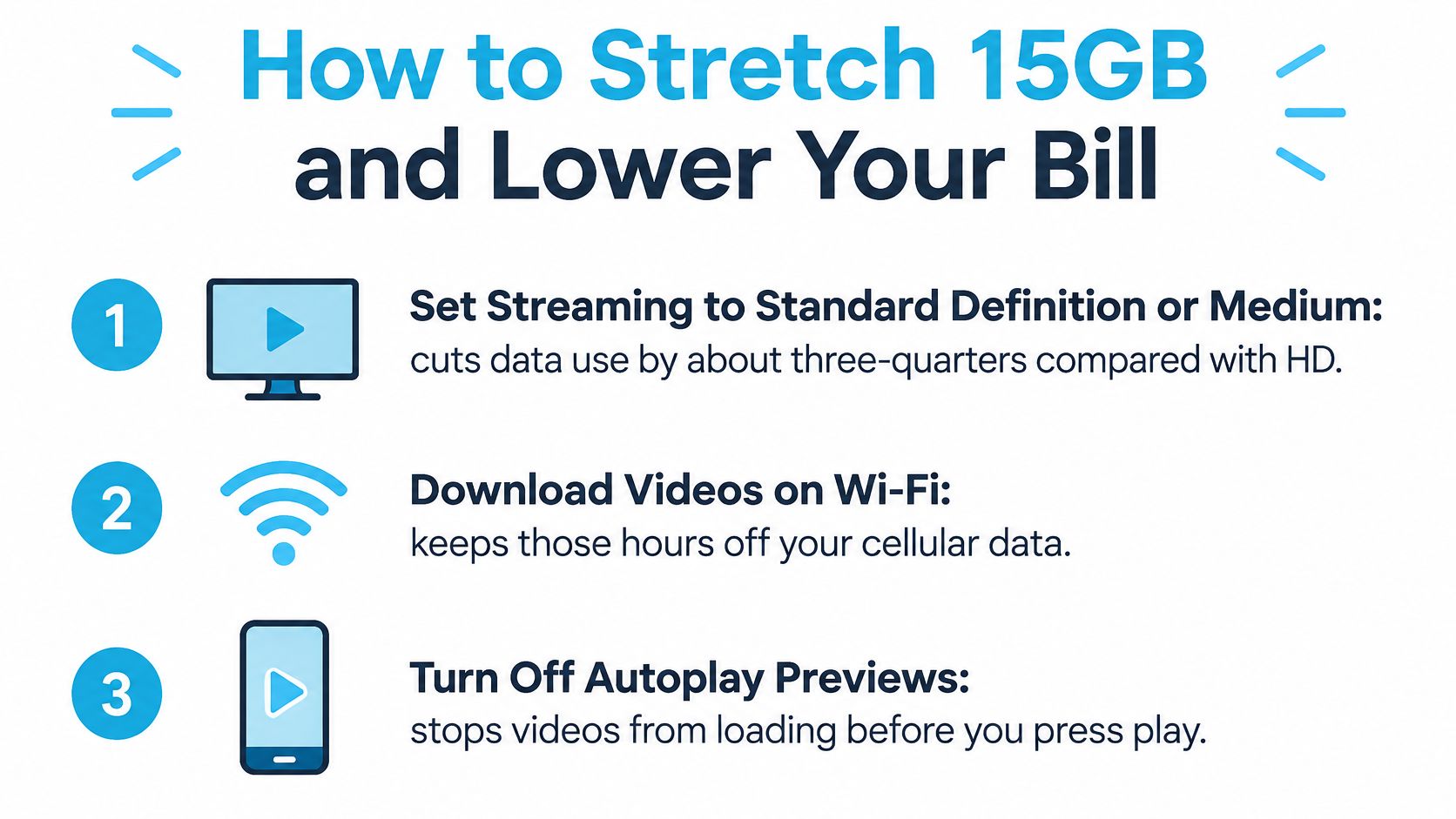
Device Settings That Pay Back Immediately
- Drop streaming to SD or medium: At the rates in the quality table, this cuts viewing data by about two-thirds against HD, and on a phone screen the difference is easy to overlook.
- Download before you leave: Pull shows, maps, and podcasts over campground Wi-Fi. For reference on offline Netflix viewing for traveling families, plan downloads while you're still on a free connection.
- Turn off autoplay previews: Previews load video you never chose to watch. Data-saver mode in social and browser apps does the same job in the background.
- Pause cellular backups and updates: Set cloud photos and app updates to Wi-Fi only. One photo library sync can eat several days of a light user's budget.
- Use offline maps: Download the region you'll drive. Navigation then needs only a trickle for traffic.
- Manage meeting video: Turn your camera off when you're not presenting and cap meetings at 720p. Leave phone hotspot off unless a laptop needs it.
Plan Moves That Lower the Total
Choose a plan one step above your average rather than paying repeated overage, since one tier step usually costs less than several top-ups. Check whether multi-line or autopay discounts apply to your account, and use an MVNO where coverage at your usual stops is proven. Check the data meter in phone settings weekly. A heavy first week is easy to correct, and a surprise on day 28 isn't.
Pick Your 15GB Plan Before You Top Up
Start with your decision, then shop. This screenshot shows where the comparison begins for hotspot and router options.
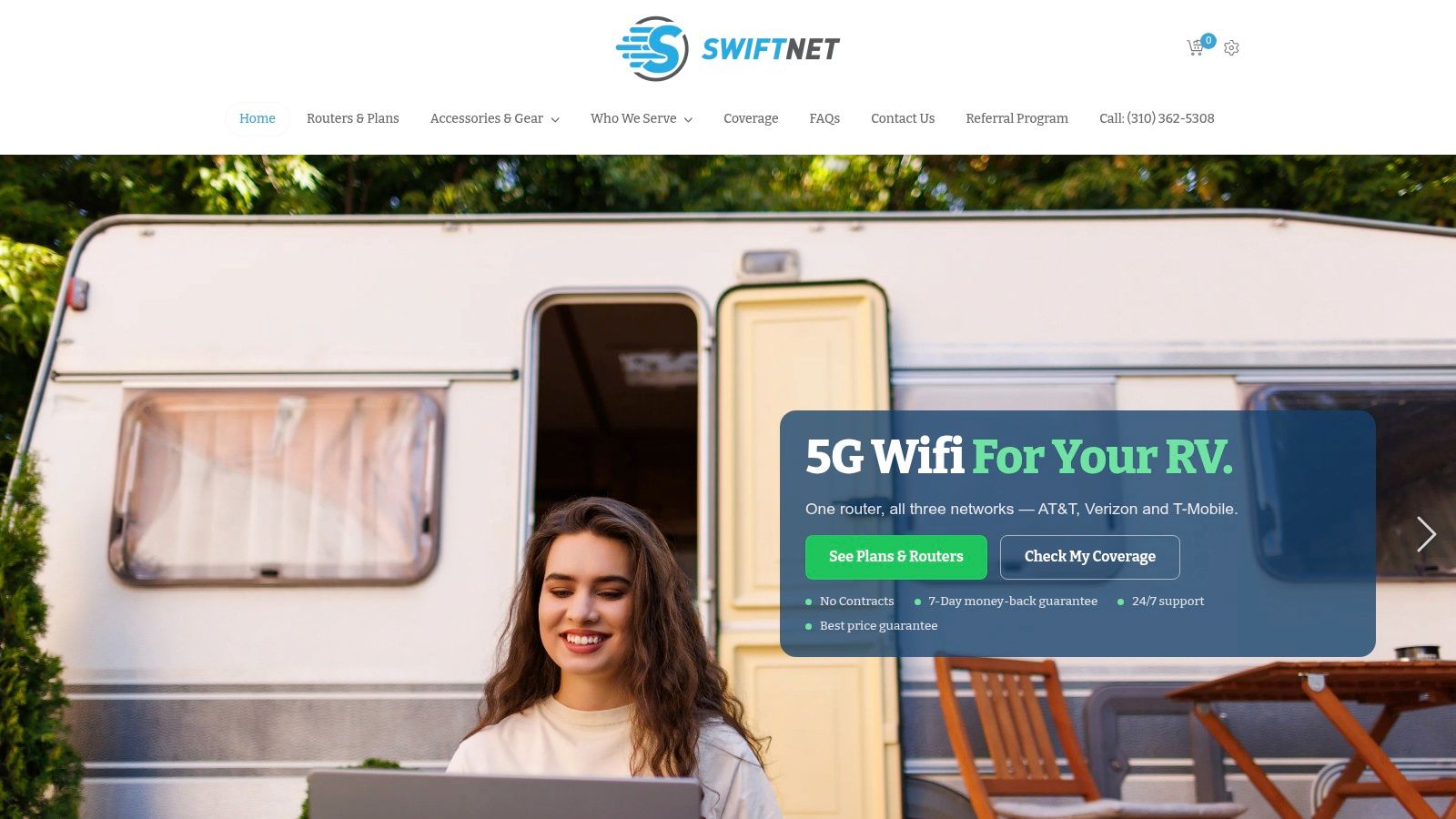
Pick your row from the price table, work out your monthly gigabytes with the scenario formula, and choose a cap that clears that number with about 20% margin for updates and backups. Light phone-only users can usually stop at a prepaid MVNO and keep the savings. Travelers who stream HD in the evening or work from a laptop should compare against a hotspot or router plan instead of stretching a handset allowance past what it can do.
One option for that second group is SwiftNet Wifi. Its 4G Bronze hotspot and 5G Diamond router plans connect through a virtual SIM to AT&T, Verizon, and T-Mobile, start at $49.99 per month, and include a 7-day risk-free trial with no contracts and 24/7 phone and chat support. Confirm each plan's monthly data cap before you compare prices, since that's the number your whole calculation rests on.
The short video below walks through the setup side before you commit to new hardware.
I would decide in this order. Measure your real gigabytes, price the usable hours you will get, and only then top up or switch. Buy the plan that fits your month, not the one that merely fits the advertisement.
#rv #rvlife #rvliving #rvlifestyle #rvrenovation #rvremodel #rvtravel #rvcamping #rvadventures #ruralwifi #5gwifi #5ginternet
If your numbers show 15GB won't survive your streaming and work calls, SwiftNet Wifi offers 4G and 5G hotspot and router plans built for RV, rural, and remote-work use, with a trial period to test coverage where you park. Visit the site, confirm the monthly cap on the plan that matches your calculated gigabytes, and choose the option that clears your month with headroom to spare.


