

The match is already loading and your squad is still waiting on you. The generator hums outside the camper, a phone is dumping photos to the cloud, and the first callout arrives half a second after the fight moved. The game itself looks fine. Online gaming voice chat is the part that falls apart, usually on the upload, not because the download plan is too small.
Score the channel on three things at once: whether words arrive intact, whether they arrive in time to act on, and whether people can stay in the channel without being shouted at. A faster plan does not fix the last one, and it often does not fix the first two either.
Voice Quality Targets Worth Hitting
You are in a dinette or a spare room. Movement looks smooth. Callouts do not. Before you buy a headset or a bigger plan, run the voice path against a short pass sheet. Two-way conversational delay under 200 ms is the line where instructions still land while the fight is happening. ITU-T guidance treats interactive gaming as highly delay-sensitive and sets that two-way target below 200 ms. Codec processing is a separate clock. The IETF codec requirements draft calls a delay below 10 ms highly desirable for fast games, while up to 30 ms stays acceptable for many apps.
| Metric | Target | If you miss it |
|---|---|---|
| Two-way conversational delay | Under 200 ms | Callouts arrive late; check loaded latency not download speed |
| Codec processing delay | Under 10 ms ideal; up to 30 ms acceptable | In-game talk feels late even when ping looks fine |
| Speech bitrate | Start at 16–32 kbit/s | Robotic audio from congestion is often delay, not a bitrate shortage |
| Frame size | 20 ms default; 2.5–60 ms possible | Longer frames save data and add talk-over delay |
| Evenly spread packet loss | About 1–3% partly concealed; 3–5% noticeable | Enable redundancy only when loss keeps returning |
| Burst loss | Four straight 20 ms losses erase about 80 ms | Average-loss stats hide dropouts; test bursts |
Start speech around 16–32 kbit/s with 20 ms frames. WebRTC's Opus notes put the codec from 6 to 510 kbit/s and frames from 2.5 to 60 ms, with a dynamic jitter buffer and error concealment built in. A longer frame saves a little data and then you hear people talk over each other. If you are budgeting cellular data for a long session, a plain video call data usage per hour comparison shows how little speech uses next to a camera feed. Voice is the cheap stream. Delay is the expensive one.
What the loss rows actually mean
Evenly spread loss around 1–3% may be partly hidden by Opus packet-loss concealment. 3–5% gets obvious. Those figures are not a promise, because a clump is worse than the same loss sprinkled out. Four lost 20 ms packets in a row already erase about 80 ms of a word, and concealment fades toward silence. Turn on forward error correction or redundant audio when loss keeps coming back, not for one stray blip. Cap the jitter buffer so recovery does not add a second conversation lag on top of the network. If you are still unsure what those spikes are called, read what network jitter does to a live call before you touch bitrate.
A download speed test does not prove the voice path is healthy.
If the sheet passes and speech still fails, the next stop is the app and the microphone, not a new plan. Robotic audio during congestion is often queueing, late packets, or a radio retry. Dropping the bitrate will not move a packet that is already stuck.
Microphone and Headset Choices That Stay Quiet
A laptop lid mic in a truck cab or an RV dinette will grab the generator, the fridge, and the highway. Teammates hear a roar, then the noise gate chops your first word. Fix placement and gain with the gear you already have before you order anything.
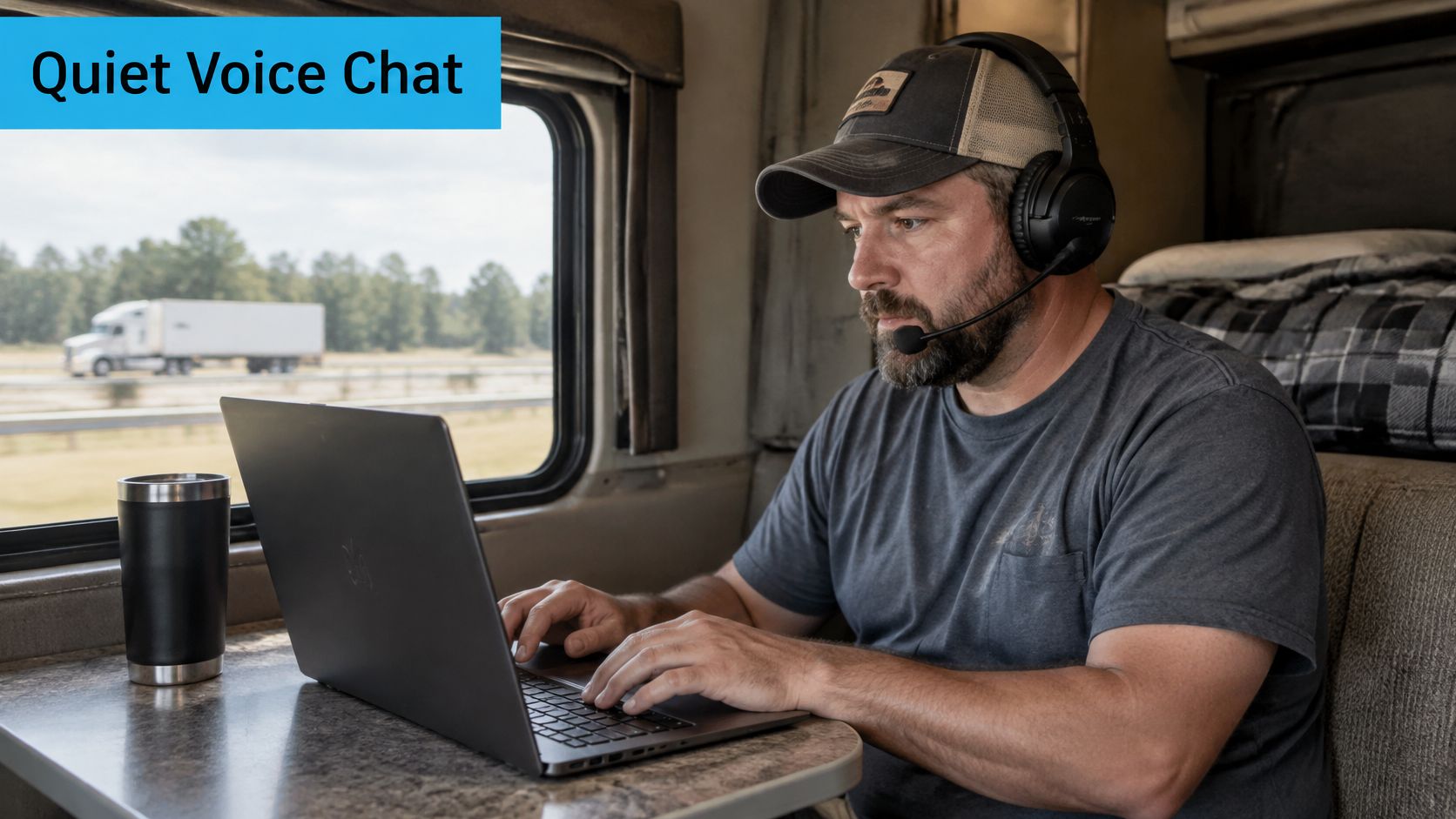
Closed cups matter more than the logo printed on the earpad. Open speakers in a shared vehicle feed straight back into the mic, and no gate can unmix that echo.
| Path | Best use | Tradeoff |
|---|---|---|
| Wired boom headset | Ranked play | Closed cups block generator and road noise better than brand |
| USB mic one finger-width off the mouth corner | Table callouts | Skip a desktop condenser in a camper |
| Bluetooth headset | Casual sessions only | Radio hop adds delay and warble |
One placement and gain check
Park the boom off the corner of your mouth, about a finger-width away, so plosives do not blast the capsule. Talk at a normal callout volume and watch the meter move. A shout should not hit the red clip light. Add a little sidetone so you do not yell over the road, then cut it if anyone hears a hollow copy of you. Automatic gain helps when you lean back in the seat. It hurts when it pumps the fridge or a passing truck up between sentences. Leave a desktop condenser in the house. A camper is too live and too loud for a sensitive studio capsule.
Record thirty seconds, play it back, and stop talking halfway through. Room tone should drop the moment you go quiet. If the playback is still a wash of generator, the network test will lie to you. Clean this recording first, then chase the link.
A 3.5 mm controller headset is the simple console path when you want one cable and no extra radio. I would start with that, or the wired boom, on any night that counts. Save Bluetooth for a casual lobby where a little warble will not cost a round.
How to Set Up Party Chat Step by Step
A fixed four-person squad needs one channel, not Discord plus in-game voice plus a phone speaker. Two live streams double the echo and make every dropout look like three different bugs.
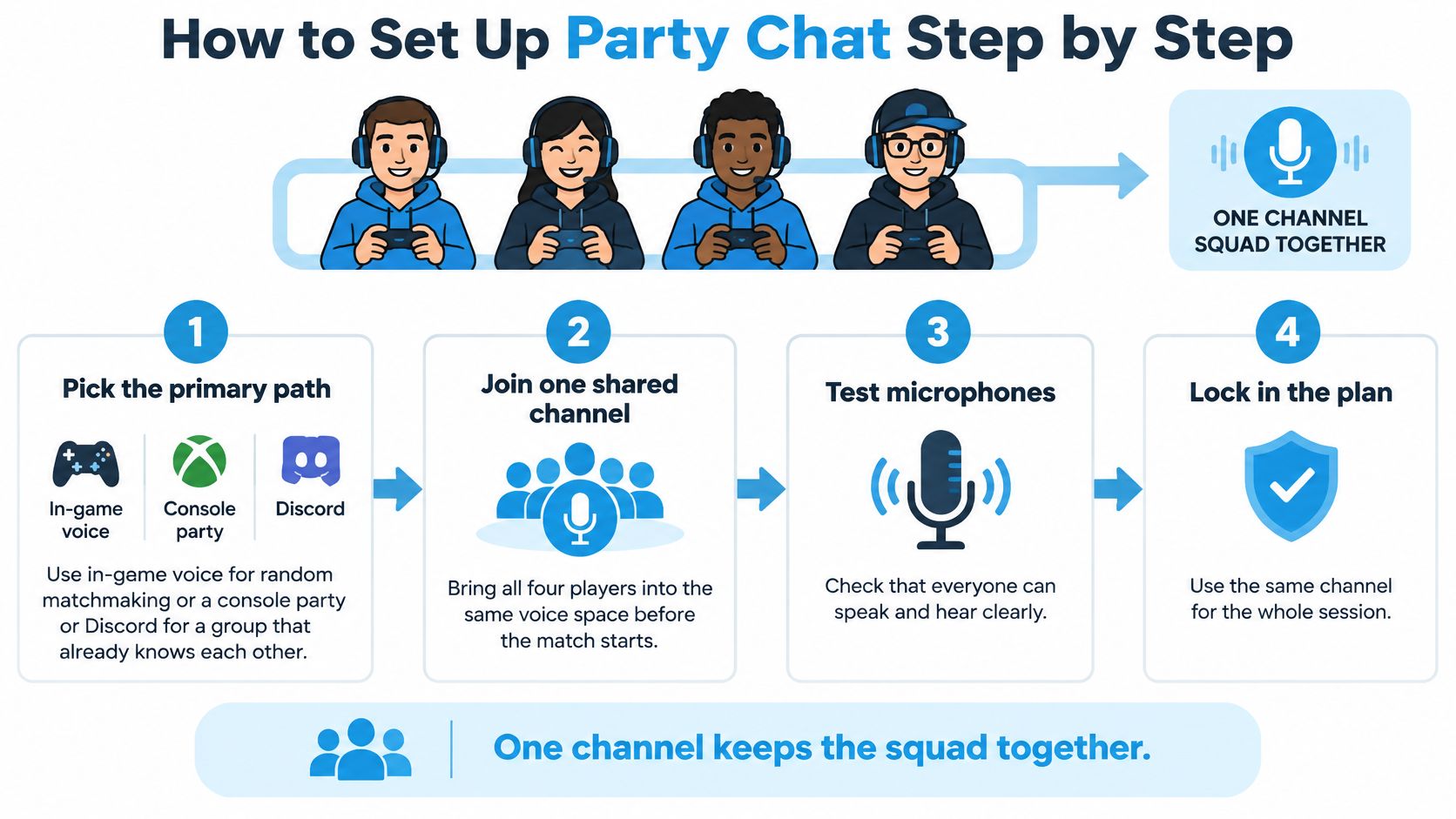
- Pick the primary path. Use in-game voice for random matchmaking. Use a console party or Discord when the four of you already know each other. Stacking both is how you get a second copy of your own voice.
- Leave secondary voice off. Mute the game channel if the party app is live, or the reverse. Two open mics in one room will chase each other forever.
- Create the party on push-to-talk. Open mic in a dinette, cab, or workplace broadcasts the people next to you. That mistake is social, not technical, and it starts the moment the default is "always on."
- Bind a key you can hit blind. A controller bumper or a keyboard key at the edge of your hand. If you have to look down, you will talk late or you will leave the mic open.
- Select one input. Choose the headset microphone and disable the laptop mic and the unused controller mic. A second live capsule is the usual reason teammates hear the TV and your breath.
- Send output to the headset. Not the TV, not the monitor speakers. Speakers plus any mic rebuild the echo you just tried to kill.
- Set input so normal speech peaks without clipping. Record a ten-second sample of a real callout, not a whisper into the foam.
- Ask whether the first syllable is cut. If it is, lower the noise gate before you raise gain. More gain on a hungry gate just makes the chop louder.
- Enable noise suppression only in a loud cab or campsite. Turn it down if voices go underwater. Heavy suppression on a quiet night makes everyone sound like they are talking through a drain.
- Keep a text ping as backup. When the voice relay drops, one short text still marks a rotate. Do not open a second voice app to "fix" a dead relay.
Cross-play without a second delay
A phone Discord channel can bridge console players who cannot share a party. The cleaner ranked path is still a wired headset on the device that is running the game. Bluetooth from that phone adds its own hop, and you will feel it as people stepping on each other even when the match ping looks calm.
Done looks small. One button, one mic, and teammates hear the start of each word. If that is true and the call still warbles, you are done with the app. The link is next.
A short walk-through of the same flow helps if you would rather watch the binds than read them.
Latency and NAT on Home and Travel Links
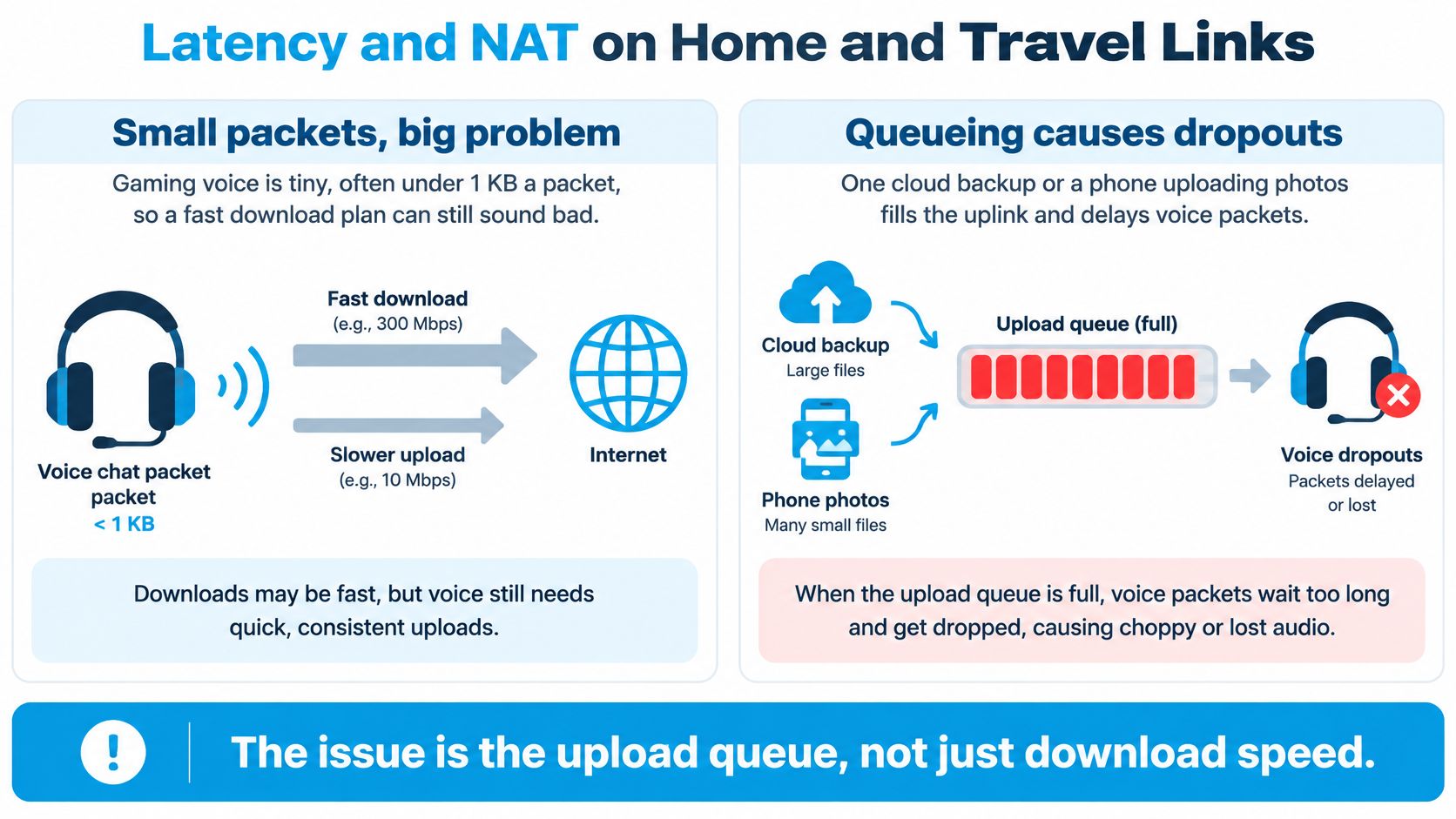
Gaming voice is tiny. ITU-T G.1010 lists interactive gaming traffic as typically under 1 KB, with that same two-way delay target below 200 ms. A fat download plan can still ruin it. The failure is queueing. One cloud backup, or a phone uploading photos, fills the uplink and every voice packet waits behind it.
Idle, match, and a forced upload
Measure the audio path separately from the game. Capture round-trip latency, one-way jitter, packet-loss rate, and how long the losses bunch up. Do it three times: idle, in a match, and during an intentional upload. Send at least 100–300 voice packets each pass, and write down the median and the 95th percentile, not the speed-test average. A ping to a nearby server is not the game's voice relay. You can run a ping test as a quick sanity check, then repeat it toward something closer to the party path while an upload is running.
Compare three positions the same evening. A wired PC is the control. 5 GHz close to the router is the fair wireless test. A cellular router at a window is the travel test. 2.4 GHz through a camper wall is the usual loser, because the radio retries and the voice packets show up late even when the plan speed looks unchanged. For a plain sense of which numbers still feel playable, use a guide to good latency for gaming and then ignore any result you did not take under load.
NAT and the extra router
If the party will not connect, or audio is one-way while the game itself loads, look at moderate or strict NAT before you blame the codec. Enable UPnP, or a consistent port forward, only on gear you control. Avoid a stack of routers in an RV: park Wi-Fi into a travel router into another router is how you get two translations and a one-way call. Campground Wi-Fi is a shared amenity to test on arrival, not a plan for a raid night. When that park link collapses under evening load, a dedicated multi-carrier 4G/5G router is the practical uplink, because it can follow coverage instead of one congested access point.
Repeat the three tests by time of day. Tower load changes jitter without changing the advertised speed. Use smart queue or prioritization only after a load test proves the delay spikes. Otherwise you are masking a weak signal or a badly placed access point.
Do not buy speed until loaded latency is the thing that failed.
Fixes for Robotic Echo and Dropouts
Robotic or late voices while something is uploading are a queue, not a weak microphone. Pause the upload and retest before you touch bitrate. That single change splits "the link is full" from "the codec is wrong."
| Symptom | Likely cause | First fix |
|---|---|---|
| Robotic or delayed voice while something uploads | Uplink queueing and late packets | Pause the upload and retest before lowering bitrate |
| Teammates hear a hollow copy | Sidetone or speakers feeding the mic | Use a headset and reduce sidetone |
| First syllable missing | Noise gate or push-to-talk threshold | Lower the gate and test a longer press |
| You hear them they cannot hear you | Wrong input device or strict NAT | Reselect the mic and restart the party |
| Fine on Ethernet broken on Wi-Fi | Radio retries or distance | Move to 5 GHz or plug in |
| Low ping bad voice | Test hit the wrong server | Measure the voice path under load |
| Warble only on a wireless headset | Bluetooth processing | Switch to a wired headset for ranked play |
A campsite that only broke after the backup
Say the idle test was clean and the match sounded fine until someone started a photo backup. Voices go robotic, loaded latency jumps, and nothing about the headset changed. Stop the upload, or turn on smart queue if you already proved the spike, and play the next round. A new headset would have spent money on a queue. Five quiet minutes at the laptop beat a drive to a store.
The hollow-copy row is local. Headset on, sidetone down, TV speakers off. A missing first syllable is the gate or a short push-to-talk press, so lower the threshold and hold the key through the whole word. One-way audio with a working game is a device or NAT problem: reselect the input and restart the party before you reboot the router. Clean Ethernet and broken Wi-Fi means radio retries, so move to 5 GHz or a cable. A pretty ping with bad voice means you measured the wrong server. Warble that exists only on a wireless headset is the headset radio. Go wired for the ranked night.
If the laptop itself is silent, with no meter and no playback, that is a device problem, not a relay. A practical approach to fix missing audio on your laptop belongs there, before you blame the park. For delay that survives a clean local recording, work through network latency troubleshooting on the uplink you play on.
Moving the router to a window and retesting at a different hour is the longer fix. It is worth it when 5 GHz only passes at noon and fails after dinner. Shouting, slurs, or someone riding an open mic on purpose is not a dropout. Mute it. Chasing packet loss will not make that lobby kinder.
Mute Report and Push to Talk Habits
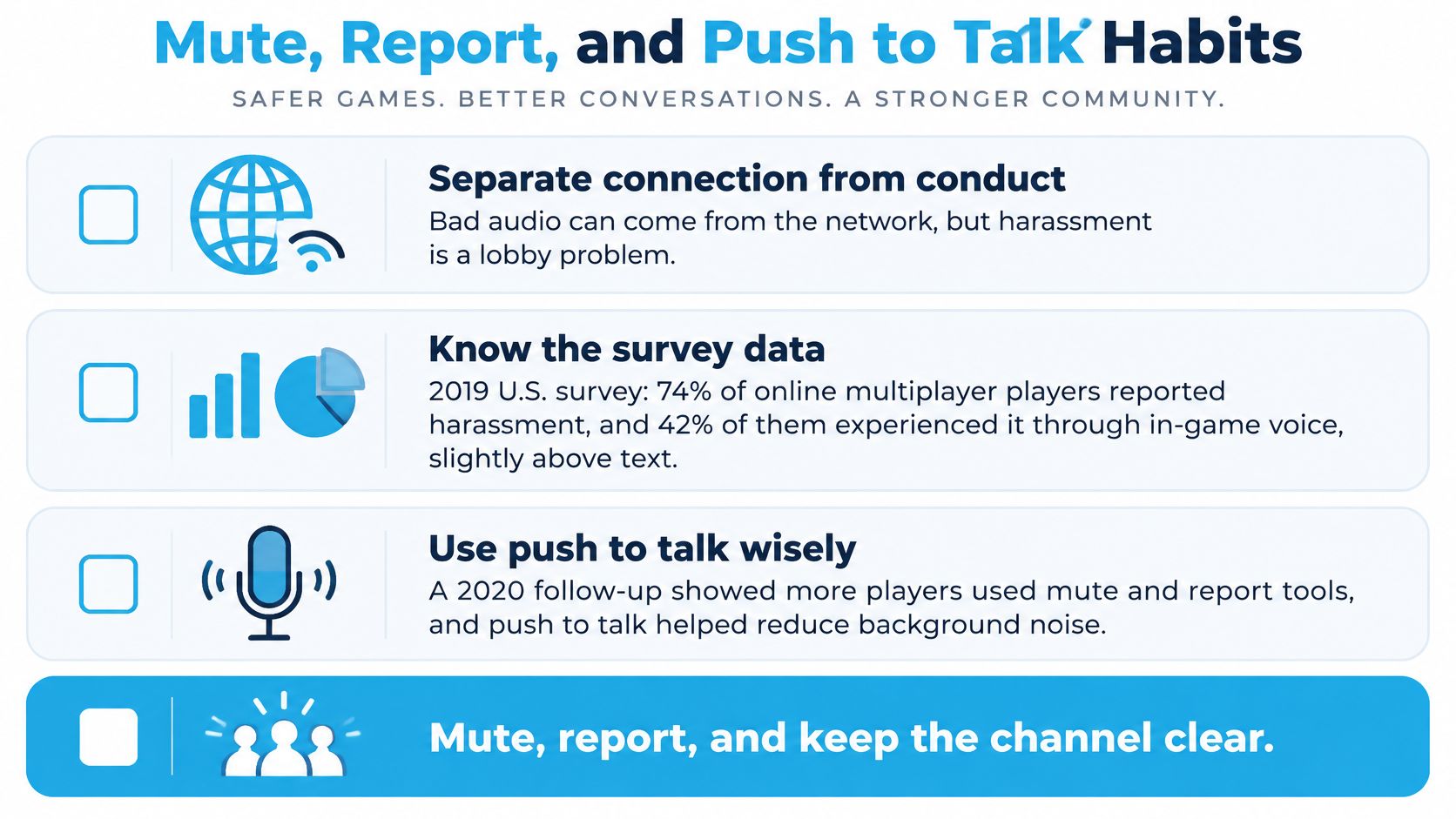
A bad connection drops syllables. A bad lobby aims them. Treat those as different jobs. In a nationally representative 2019 survey of 1,045 U.S. adults ages 18–45 who played games, including 751 online multiplayer players, the Anti-Defamation League reported that 74% of online multiplayer gamers had experienced harassment, and 42% reported it through in-game voice chat, compared with 40% through in-game text chat. A 2020 follow-up found 81% reported some form of harassment, with 48% through in-match voice chat versus 39% through in-match text chat. Faster Wi-Fi can stop dropouts and an accidental open mic. It cannot stop someone who is targeting you.
What to do in the moment
Use push-to-talk in a shared RV, truck, or workplace so bystanders are not broadcast. The moment speech turns to slurs or threats, mute, then block. Do not negotiate with an open mic.
- Xbox clip: Xbox One and Xbox Series X|S players can capture a 60-second clip of an in-game voice incident and send it to the Xbox Safety Team. Xbox announced the feature in July 2023, first for Insiders. It is evidence of one incident, not a recording of every conversation. Hit it while the words are still in that window.
- PS5 report: PlayStation's PS5 reporting does not continuously monitor or record ordinary chat. It keeps voice-chat segments that are part of an abuse report. You can still report someone when voice-data collection is off.
- Party privacy first: Check parental and party settings before a child or a new account joins a public lobby. Friends-only, or voice off, is a setting, not a punishment.
Leaving or disabling voice is a valid choice, not a failure, and it is not the only choice when mute, block, and report are one menu away.
What a speed test never answers
Moderation can change who stays. In Activision-related testing described by NYU Stern, severe toxic-voice exposure fell by about 50% and retention in moderated lobbies rose 28%. Ask what audio is analyzed, who can open it, how long it is kept, and whether moderation builds a biometric voiceprint. The GTA Online approach described there scored behavior without speaker identification or voiceprints. A 2025 League of Legends study notes that developers avoided built-in voice partly because it can add abuse and hit women and people of color for talking. Separate multinational research cited by NYU found 36% of participants faced extreme or hate-based harassment in the prior year, including sexual harassment, threats, doxxing, stalking, or swatting.
Take This surveyed 2,408 players and found three out of four called feeling safe from hate and harassment important or extremely important, one in ten felt unsafe, and younger players cared more. In a 2024 study, Oliver J. Merry and Kate C. Whitfield found that 54.5% of cases involving a child included an offender sending sexual communication through VoIP. Set party privacy before a minor joins a public lobby. If mute, block, and report do not stop the targeting, leave. Teamwork does not require staying. Come back to connection tests only after the channel is safe enough to remain in.
Choose the Link for the Next Session
Keep the link you have when the loaded test already met the delay and loss targets and the local recording was clean. Stop tinkering. If delay spiked only while a backup or a photo upload ran, pause that upload, try Ethernet or 5 GHz, and play at the hour the test passed.
If campground or rural Wi-Fi misses those targets on most evenings you play, move the party to a cellular uplink you control. SwiftNet fits that travel and off-grid case for households, RVs, and rural U.S. coverage: multi-carrier 4G/5G, plans from $49.99 a month, a 7-day risk-free trial, and no contract. The service is internet access only. It is not a voice-chat app, a phone line, or TV, and our support will not install headsets, Discord, or other third-party software, modems, or complex network gear. Connection help is 24/7 by phone at (310) 362-5308 and by chat.
#rv #rvlife #rvliving #rvlifestyle #rvrenovation #rvremodel #rvtravel #rvcamping #rvadventures #ruralwifi #5gwifi #5ginternet
If your loaded test already fails on the evenings you play, SwiftNet Wifi is multi-carrier 4G/5G built for households, RVs, and rural routes where park Wi-Fi cannot carry a squad channel. It is the uplink, not the party app, so your push-to-talk and mute habits stay yours. Visit SwiftNet Wifi when you are ready to put the next session on a link you control.


