

In 2024, 48% of the global rural population used the Internet, compared with 83% of urban residents, according to the International Telecommunication Union. That split is why rural home internet still fails people who can see a tower from the driveway. A mark on a national map is not the same thing as a call that holds at dinner time.
I don't start with the biggest advertised download number. I start with the exact address, the evening rush, the upload, and the latency while something else is using the line. If a video call drops, the plan is the wrong one, no matter what the brochure says.
Four Ways Rural Homes Get Online Compared
Available choices are DSL on an older copper pair, fiber where a line already reaches the road, fixed wireless from a tower you can see, a 4G or 5G router or hotspot, and satellite, either low-Earth orbit (LEO) or older geostationary (GEO). Test the two that can physically reach the property. Don't rank them from a national ad.
| Option | Typical download | Typical latency | Typical monthly cost | Best fit |
|---|---|---|---|---|
| DSL | 5-25 Mbps | 20-40 ms | $30-$60 | Homes close to a telephone exchange |
| Fiber | 300 Mbps-1 Gbps | 5-15 ms | $50-$80 | Properties where a fiber line reaches the road |
| Fixed wireless (licensed 4G/5G) | 25-150 Mbps | 20-40 ms | $50-$90 | Homes with a clear line of sight to a tower |
| 4G/5G hotspot or router | 10-150 Mbps | 20-50 ms | $40-$100 | Campers, remote workers and backup connections |
| LEO satellite | 50-200 Mbps | 25-60 ms | $80-$120 | Remote properties with open sky and no terrestrial option |
| GEO satellite | 10-50 Mbps | 600 ms or more | $50-$100 | Basic browsing where nothing else reaches |
Download figures in that table are peak numbers. Latency and upload decide whether video calls, cloud files, and remote desktops hold up once the neighborhood gets online.
What the rows actually mean on a property
The OECD's Q4 2024 mobile measurements put average rural mobile download at 54.3 Mbps against 74.5 Mbps in cities, a 37.2% urban advantage, with consistent-quality tests succeeding 73.1% of the time rurally and 78.3% in cities. A rural address can "have broadband" and still feel uneven.
Ofcom's Connected Nations update estimated 96% of UK landmass had predicted 4G from at least one network, while 84% had good 4G from all networks. Fixed wireless rides licensed 4G and 5G where a wired drop never arrived. LEO satellites orbit below 2,000 km, which is why they feel quicker than GEO birds parked far overhead.
Say the farmhouse sits two kilometres from the nearest tower with a clear shot across a field. Fixed wireless will usually beat satellite on latency. A campsite tucked in timber, with no tower in reach, may only have satellite, and GEO's 600 ms or more will make live calls feel late even when pages load.
Shortlist two options that can serve the pin. Test both at the house or the pad before you pay for a dish, a radio, or a year of hardware.
Why Rural Coverage Maps Mislead You
A shaded coverage polygon cannot show whether a connection works inside your home at 8 p.m. NTIA's Broadband 101 material reports that 17.2% of rural land lacked service meeting 25 Mbps download and 3 Mbps upload. It also reports that 95.6% of U.S. households had access at 25/3 Mbps or higher, while only 68.9% subscribed at that level or above. Availability is not use, and neither figure tells you the performance at a particular address.
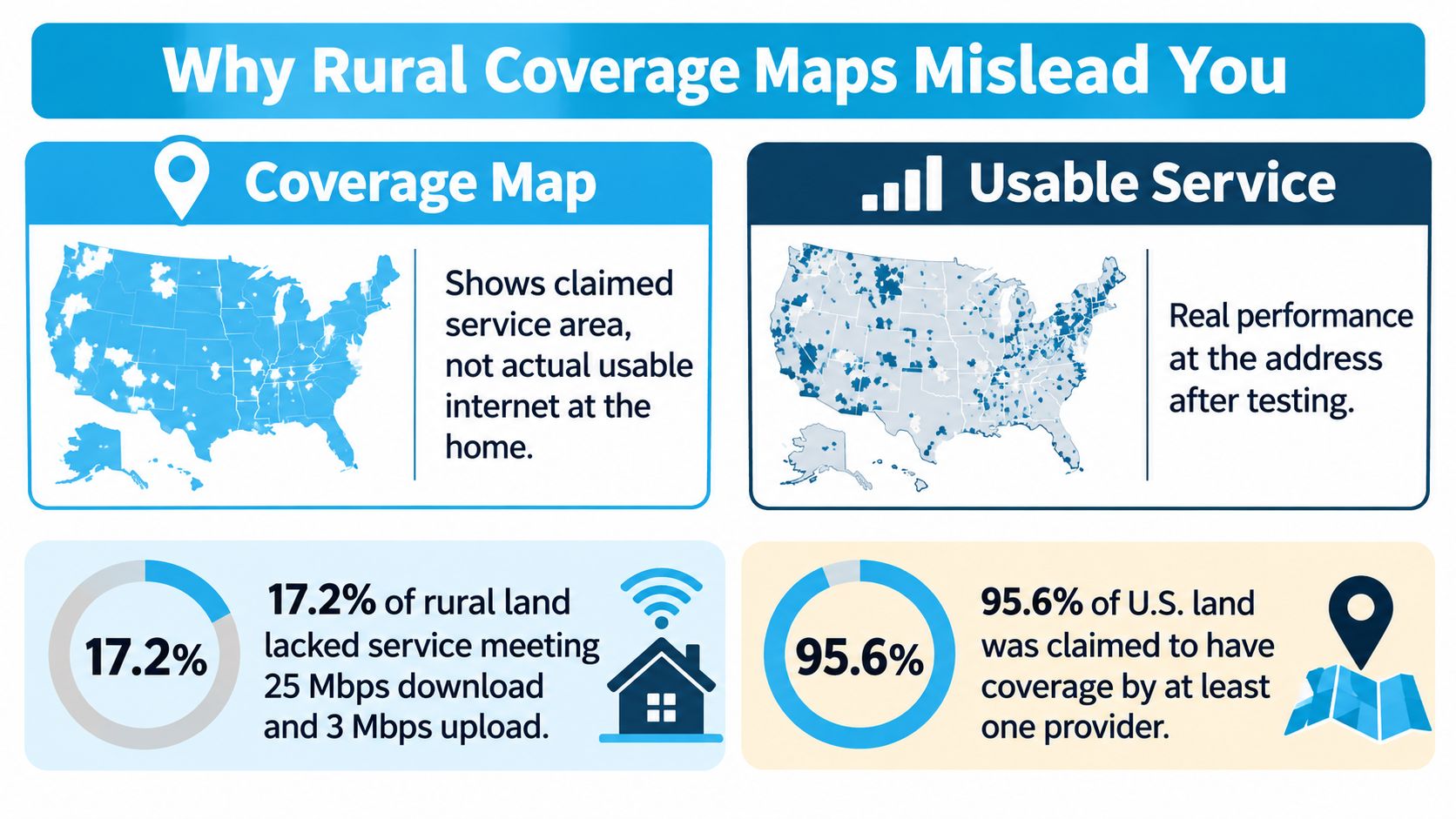
A Congressional Research Service brief citing a 2023 FCC estimate put the number of people without 100/20 Mbps fixed service at about 19 million, or 28% of the U.S. rural population. On rural Tribal lands, the estimated shortfall was about 881,000 people, or 40%. A county can look mostly covered and still include a ridge, hollow, or Tribal address without qualifying fixed service.
Why a painted signal still fails
Terrain can block the path between a home and a cell site. Trees, especially when in leaf, weaken signal; distance, interior walls, metal roofs, and foil-backed insulation can weaken it further. Evening congestion adds another variable: the signal bars may stay steady while download speed, upload speed, or latency under load worsens.
A coverage map describes an area, not the connection in a particular room.
Edge zones make that gap especially clear. A map may show coverage even when the signal drops a few metres from the house or on the side facing away from the cell site. The guide to comparing cellular coverage across networks can help frame which networks to check. For homes with an indoor wireless network, the same room-by-room approach used in office Wi-Fi planning with IT Cloud Global helps identify where a connection needs to reach.
Check three things before relying on a map:
- Exact spot: Is the signal usable where the router will sit, not just at the road?
- Evening performance: What are download speed, upload speed, and latency at 8 p.m.?
- Call stability: Can a video call continue while another person is using the connection?
How to Test Signal and Speed at Your Address
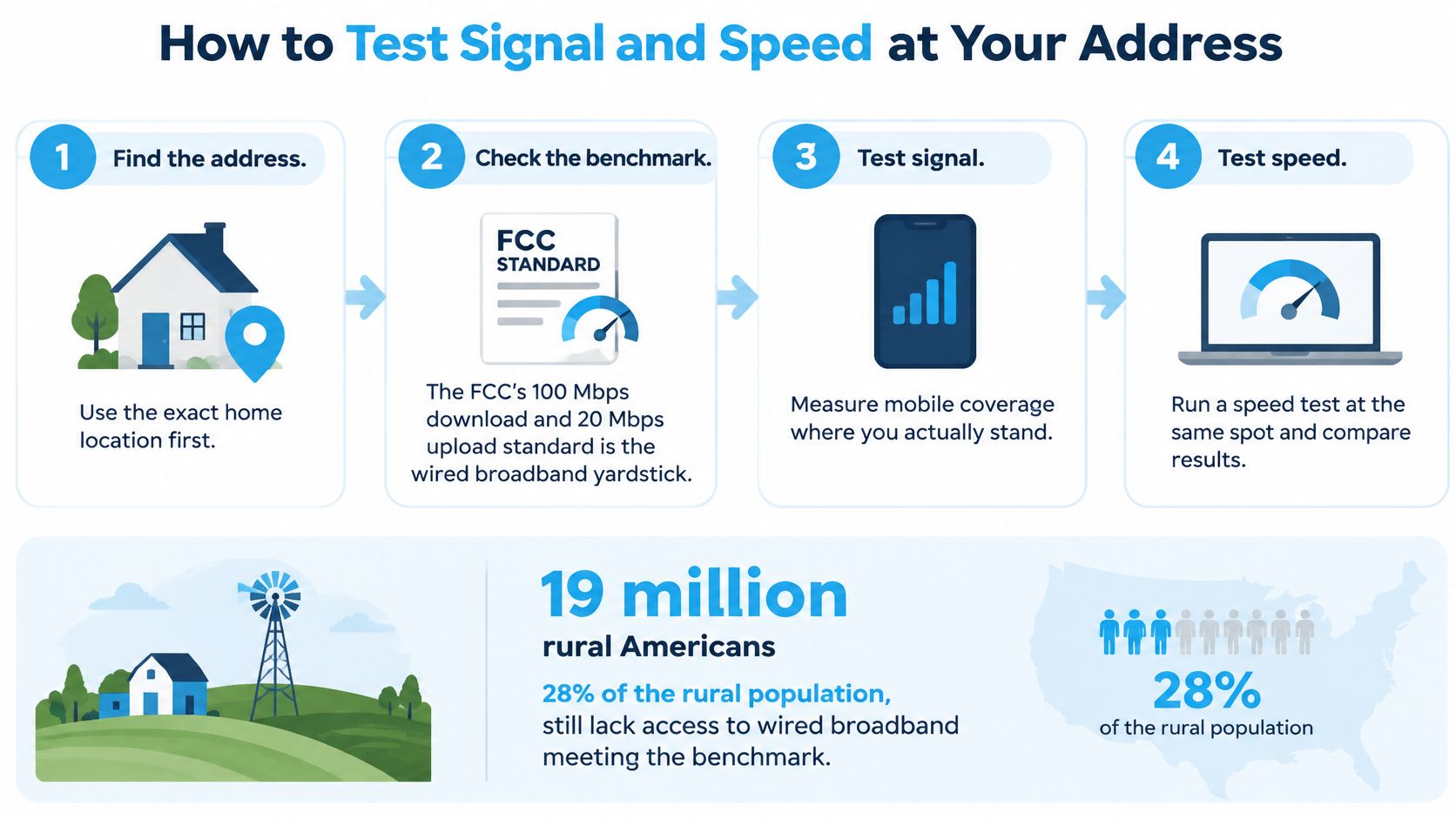
The wired yardstick is the FCC's 100 Mbps download and 20 Mbps upload standard. Plenty of rural buyers won't see that on copper or on a cell site, so also keep a usable floor in view. Ofcom's mobile benchmark calls a good mobile broadband experience at least 5 Mbit/s down, 1.5 Mbit/s up, and no more than 50 ms latency. In its 2024 measurements, average response time was 21.9 ms on 4G and 18.9 ms on 5G, against 42.3 ms on 3G. A modern 4G or 5G router can feel quick where fiber never came, if upload and delay stay in that band under load.
| Metric | Usable target | Why it matters | How to measure |
|---|---|---|---|
| Download speed | 5 Mbps or more | Streaming and web browsing | Speed test at 8 PM |
| Upload speed | 1.5 Mbps or more | Video calls and file uploads | Upload result of the same speed test |
| Latency | 50 ms or less | Responsive calls and remote desktop | Ping result while the network is busy |
| Signal strength | Steady bars on each carrier | Stable indoor connection | Signal meter at the router spot |
The walk-through in connection testing for Edmonton home offices is the same discipline I want on a farm: same spot, same hour, written numbers.
The evening test
- Stand where the router will sit and record signal strength for each carrier you can use. A reading at the mailbox doesn't count, because the house is the radio obstacle.
- Run a speed test at 8 PM, when the sector is busy, and log download, upload, and ping. Noon tests flatter almost every rural tower.
- Repeat on two more days, including the room farthest from the window. One lucky evening is not a plan.
- Stay on a 30-minute video call while a 500 MB file uploads. That is the load that exposes bufferbloat and a weak upstream.
- Compare the log with the targets above. If upload or latency fails, try an outdoor antenna or another carrier before you buy equipment.
A pass looks boring, which is what you want. Calls stay up, uploads keep moving, and the session doesn't drop during the evening test. If ping climbs past 50 ms only while the upload runs, the idle speed test was lying to you.
Real Monthly Costs Beyond the Advertised Price
The monthly price on the landing page is the smallest number in a 24-month decision. Spread the hardware across the term before you compare plans. A $349 satellite dish kit over 24 months is about $15 a month, so a cheap airtime rate with expensive gear can cost more than a higher plan that includes the radio.
| Option | Upfront equipment | Monthly plan | Costs that catch buyers out |
|---|---|---|---|
| DSL | Modem $0-$100 | $30-$60 | Promo rates that end, and slower speed farther from the exchange |
| Fixed wireless | Radio and mount $100-$400 | $50-$90 | Installation fee and contract length |
| 4G/5G hotspot or router | Device $0-$300 | $40-$100 | Data caps and overage charges |
| LEO satellite | $349 dish kit | $80-$120 | Mounting hardware, cable and plan pause fees |
| GEO satellite | Dish included or about $100 to install | $50-$100 | Data allowances and speed throttling |
What changes the total
Promotional rates often jump after month 12. Installation can be a one-time hit or a line item you forgot. Data caps turn a calm month into an overage bill. Equipment rental never ends. "Unlimited" plans can still slow you once a priority bucket is gone, which hurts uploads more than casual browsing.
Our notes on what 5G home internet actually costs are worth reading beside any carrier quote, because the sticker and the two-year sum rarely match.
Take a fixed wireless quote at $70 a month with $250 of radio gear and a $150 install. Over 24 months that is $1,680 of service plus $400 up front, $2,080 all in. A LEO plan at $100 a month with the $349 kit and another $100 of mount and cable is $2,400 of service plus $449, about $2,849. The satellite ad can look simpler and still cost more if you don't need open-sky coverage.
Add the 24-month totals for the two options you already shortlisted. Compare those totals, not the monthly teasers.
Setup Choices That Decide Real Performance
A clear signal reading does not guarantee a stable connection. Router placement, antenna setup, evening congestion and power backup all affect performance at the exact address.
Antenna, failover, and power
Place the router near a window facing the nearest tower, away from metal walls and roofing. In an RV, try windows on different sides; in a home, compare rooms and window orientations. Run the same evening test at each spot, checking upload speed and latency under load as well as download speed. A strong indoor reading at midday may not hold up when the network is busy.
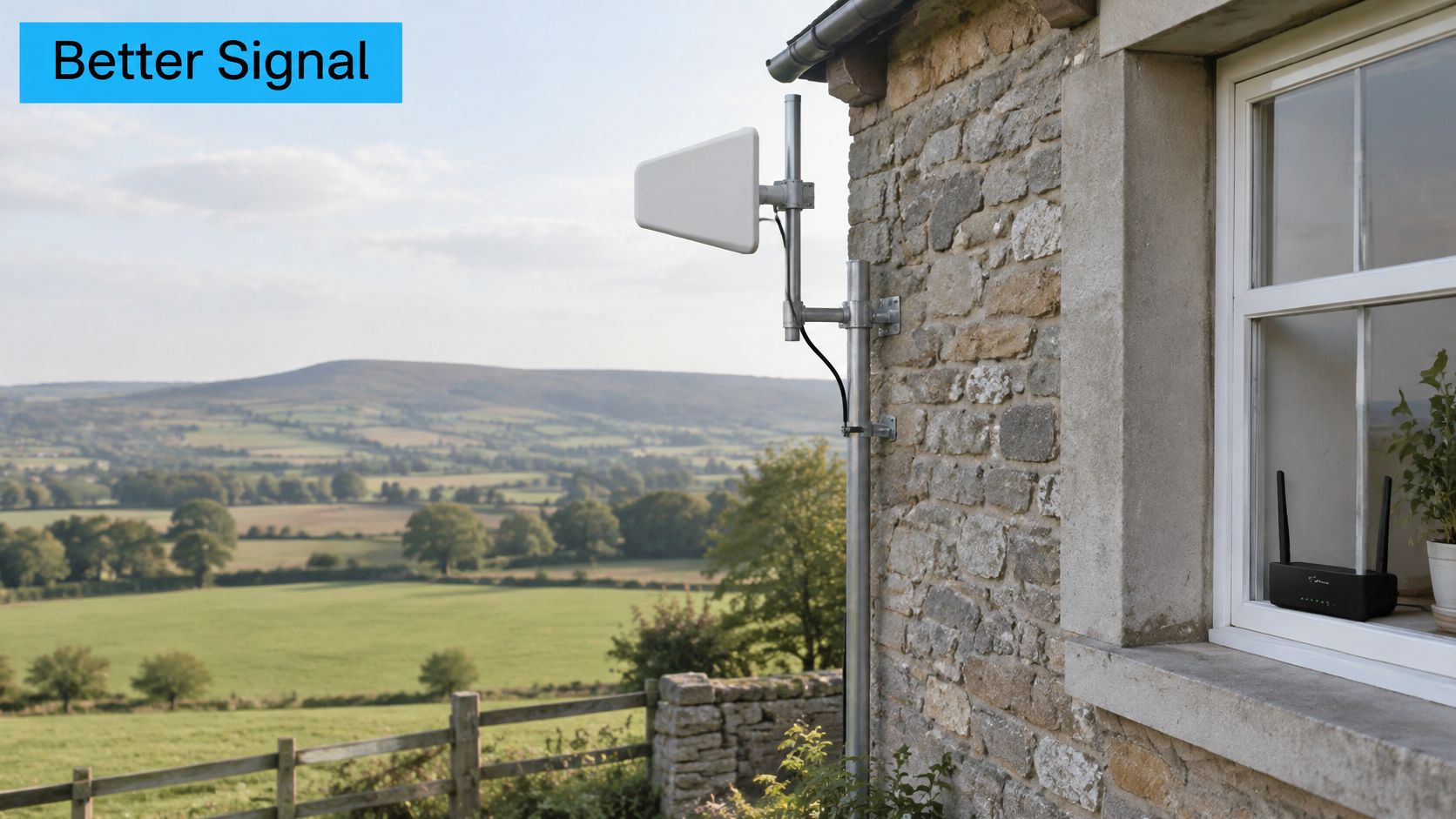
An external antenna can help when trees or a metal roof weaken the indoor signal. Check that the router has antenna ports before buying one; a sealed hotspot may not support an external antenna. For practical guidance on choosing and positioning an internet antenna for rural areas, account for cable routing and the antenna's direction as part of the setup.
A second carrier on a dual-SIM router may provide another network option when one is congested, but it does not guarantee a better connection. Test each available network at the address, especially during evening use.
Power can take the connection offline, too. A battery backup for the router, and for any PoE injector powering an outdoor radio, can keep the equipment running during an outage.
Test the location first, then adjust the antenna before fixing the router in place.
SwiftNet Internet does not provide on-site technical support. Its support staff does not install or troubleshoot third-party modems, network cards, routers, complex network configurations, telephone lines or third-party software. Plan to set up supported equipment yourself or hire a local installer for mast work and cable entry. Alarm systems and special configurations may require professional installation or additional equipment not available through SwiftNet Internet.
The clip below demonstrates how to aim an outdoor antenna.
How to Choose a Rural Provider and Plan
Judge the provider only after the address test, in this order. The map is a starting pin, not a receipt.
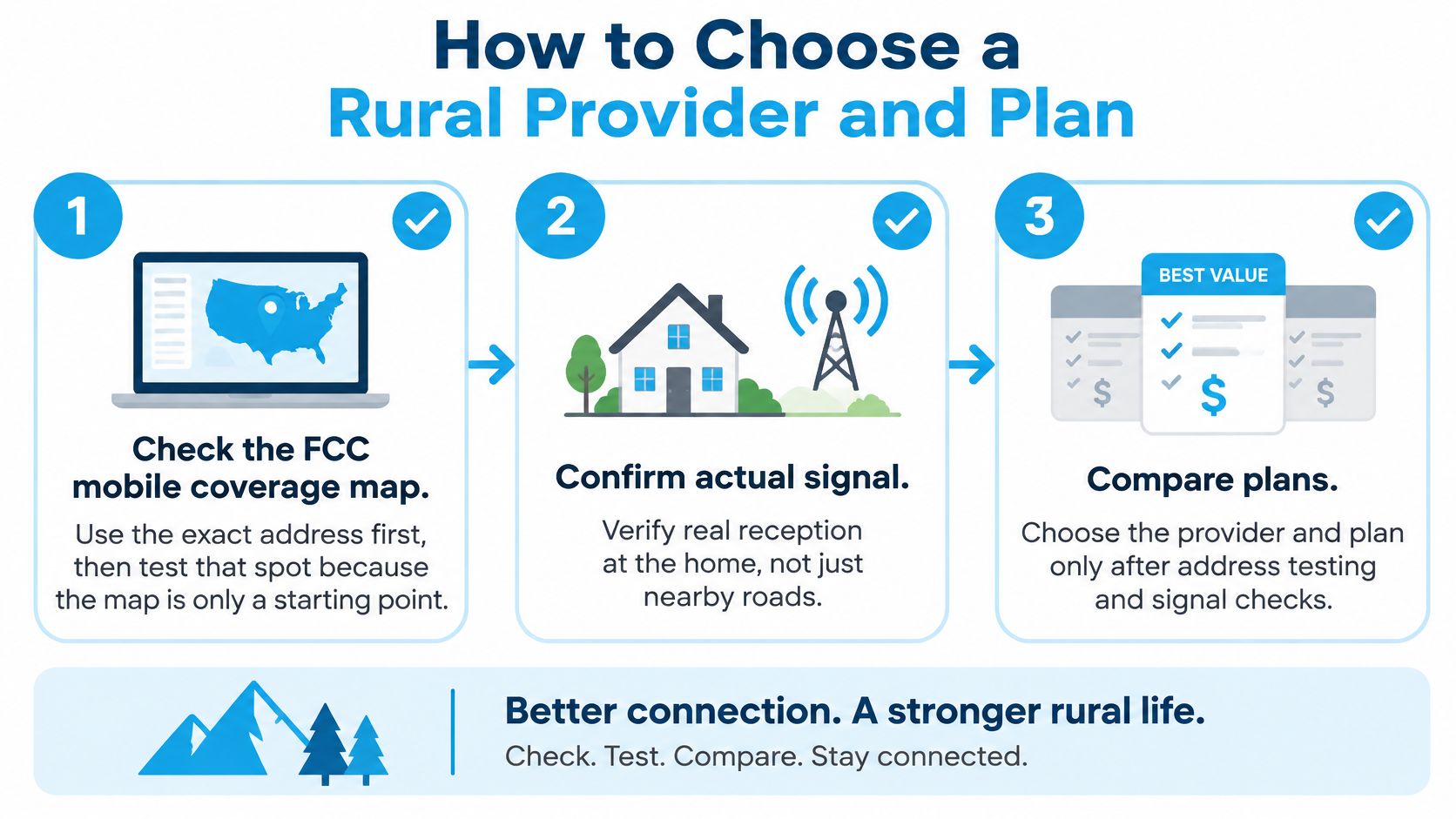
- Check the FCC mobile coverage map for the exact address, then test that spot. Customers can look up SwiftNet coverage there. The shading only tells you which networks claim the area.
- Confirm the service area. A plan isn't sold everywhere, and it works only inside the provider's network range, which can change. We say the same about our own footprint.
- Read the usage rules before you stream all day. Swiftnet Internet reserves the right to disconnect users for excessive or exorbitant usage, and other carriers have their own versions of that clause.
- Ask whether the service can ride more than one carrier, so one weak network has a backup when the sector fills.
- Ask whether the connection is fit as primary home service or only as a backup. Many of our clients use the service as their home internet, and you can too, once the evening test passes.
Tower work is slow and local. If you want a sense of what it takes to put a site on a ridge, telecom infrastructure engineering and construction is a useful look at the build, not the brochure.
The six checks, then the hardware
Copy this list and don't skip a line: map check, on-site test, carrier range, usage terms, backup carrier, and support limits. A carrier-based provider needs a clear antenna spot, a tested signal, and one or two weeks of real use before a long commitment. We don't use long contracts, but the test still comes first.
Match the box to the job. A remote worker who needs a portable backup can favour a 4G hotspot. A full-time rural home that needs a steady upload usually does better with a router and a stronger outdoor signal. Service is internet access only. We don't bundle internet telephone or cable TV with it.
After the signal passes, SwiftNet is one choice to put on that shortlist. 4G Bronze is a portable no-contract hotspot for RV, travel, and remote work at $49.99 a month, working with AT&T, Verizon, and T-Mobile 4G LTE. 5G Diamond is an unlimited no-contract router for RV and rural living at $69.99 a month, working with AT&T, Verizon, and T-Mobile 5G. Both include up to unlimited hotspot data for normal internet use. Run the evening test at the property, check the FCC map, and only then pick a plan.
SwiftNet Wifi gives rural homes, RV travelers, and remote workers 4G and 5G internet that you can judge the same way this guide does, at the address, in the evening, before you commit. Plans are no-contract, built for primary home use or travel, and meant to be tested rather than taken on faith from a coverage map. See current options and start with the connection that holds up where you live and work at SwiftNet Wifi.


