

Yes, a VPN works over a hotspot, but a VPN running on the host phone usually protects only the phone. Each connected device needs its own VPN or a VPN-routing setup.
If the VPN icon is glowing on your phone, what proves your work laptop is using that same protection? That's the gap behind the question, “Does VPN work with hotspot?” For an RV traveler uploading client files or a truck driver checking work accounts, the useful answer comes from testing the connected device, not looking at the phone.
Whether a VPN Covers Devices on Your Hotspot
A VPN works over a mobile or Wi-Fi hotspot, and the hotspot can remain usable while the VPN runs. The catch is which devices send their traffic into the encrypted tunnel.
Treat the hotspot as your internet connection and the VPN as a separate routing choice. Connecting to the former doesn't automatically enroll a device in the latter.
Which devices a VPN protects, by hotspot setup
| Setup | Host phone protected | Connected laptop or tablet protected | What to do |
|---|---|---|---|
| VPN on host phone only | Yes | No, usually | Install the VPN on each connected device |
| VPN installed on each client device | Yes, if its own VPN is enabled | Yes | Check the public IP on each device |
| VPN-aware router or travel router | Only if the phone uses the router's tunnel or its own VPN | Yes, when all traffic routes through the VPN | Confirm the router VPN covers every client |
| Windows PC sharing its VPN adapter | Only if the phone uses the PC's hotspot or its own VPN | Yes, when the adapter is shared to the hotspot | Enable sharing in network settings and retest |
| Tethering with no VPN | No | No | Enable a VPN on each device before sensitive work |
Find the row matching your setup, then compare the final column with the devices you connect. A router protecting your laptop doesn't necessarily protect the phone supplying that router's cellular connection.
Separate coverage from VPN technology
If you're choosing remote-access technology for work, GoSafe Dark Web monitoring's guide can help you compare SSL and TLS VPN options. That's a separate decision from confirming whether hotspot clients enter the tunnel at all.
No setup makes your mobile plan's rules disappear. Hotspot data still counts toward the applicable allowance, and carriers can enforce tethering restrictions and post-cap throttling; a HomeNetworking discussion of mobile hotspot VPNs and IPv6 describes these practical limitations alongside routing problems.
Pick the row matching your equipment, then run the device check below before relying on it.
Why Your Phone's VPN Skips Connected Devices
Say you're parked at a campsite with a laptop connected to your phone. You enable the phone's VPN, see the connected indicator, and assume the laptop has inherited the tunnel.
The phone behaves more like a post office with separate counters. Its own apps send their letters through a sealed armored van, the VPN tunnel. Your laptop hands over packets at the tethering counter, where the phone forwards them through its cellular modem using network address translation, or NAT, along a route that can run beside the van.
That distinction applies whether you're working in an RV or using a laptop in a truck cab. The phone supplies connectivity, but its operating system decides how forwarded packets leave.
A familiar desk setup can conceal this separate routing just as easily as a campsite connection.
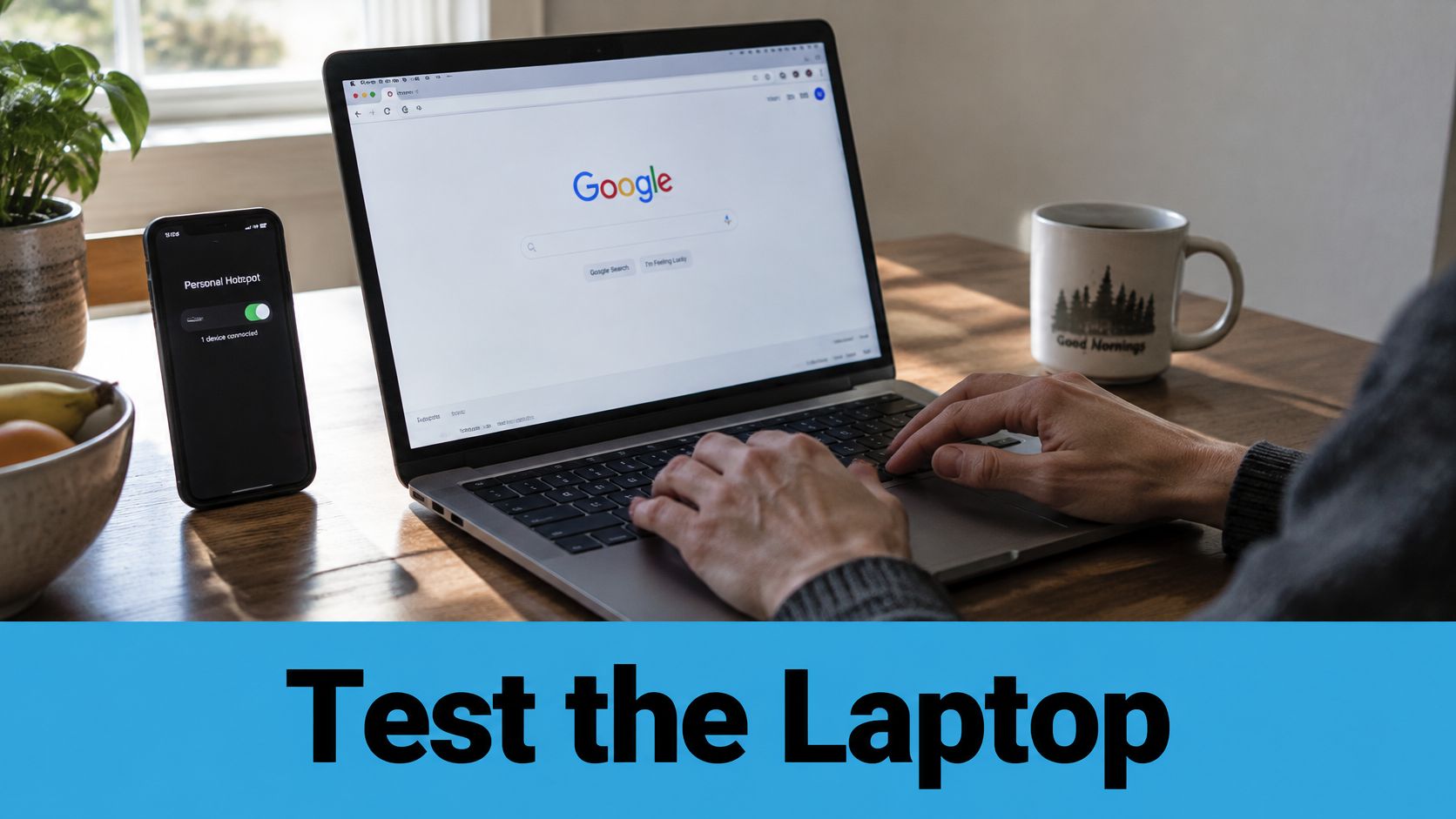
The symptom that gives it away
The phone reports an active VPN, yet the laptop's public-IP check still identifies the carrier's connection. On standard Android and iPhone configurations, forwarded hotspot traffic commonly skips the phone's app-level tunnel.
The same distinction matters for a tablet streaming at a campsite or a smart TV connected through a travel router. Neither device becomes protected just because another device nearby runs a VPN.
For a specific platform example, a technical explanation of Google's Pixel VPN tethering exclusion describes Wi-Fi hotspot and USB-tethered traffic as outside that VPN. Switching to a cable doesn't, by itself, change the tunnel's coverage.
A VPN protects the path it covers, not an entire network by association. NIST's mobile-device security guidance treats VPNs as confidentiality tools and recommends strong encryption and explicit organizational policies for tethering. If you're using an employer-managed laptop, use the approved connection method rather than improvising a sharing arrangement.
A VPN icon on the host phone confirms protection for the phone, not the laptop tethered to it.
How to Check Which Devices Are Protected
Run the check on the laptop, tablet, or other client you need to protect. Checking only the phone answers the wrong question.
Google's Android VPN help explains connecting and managing VPNs on Android. For hotspot use, the practical distinction is between a VPN connection on the phone and a verified route from the tethered client.
Use the visual as a reminder to check coverage device by device, then follow the routing test beneath it.
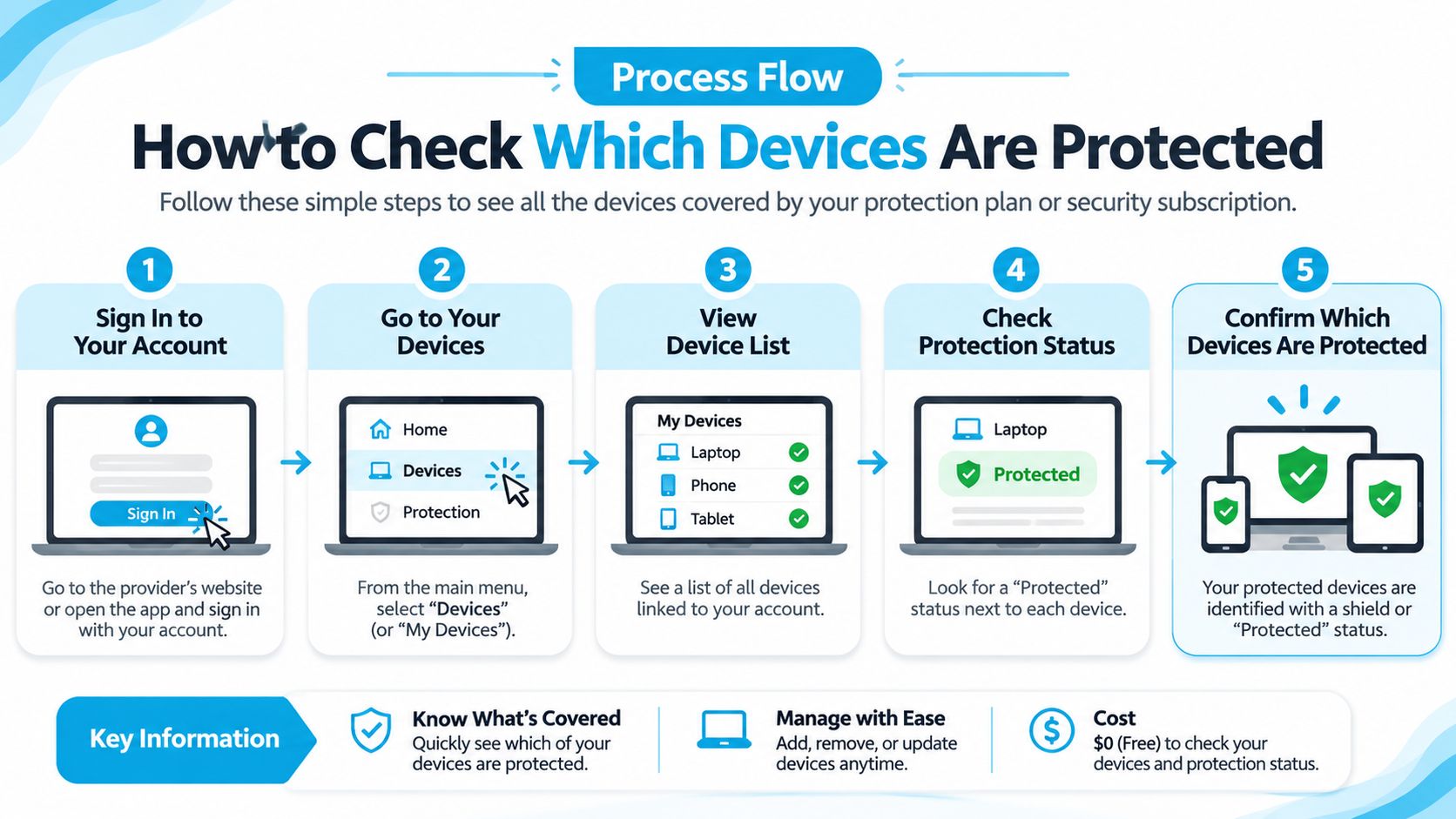
Record, connect, and compare
- Record the unprotected baseline. Turn off the phone's VPN, connect the laptop to its hotspot, and open a public-IP checker and DNS-leak test in a private browser window. Record the public address and reported DNS resolver, making sure any laptop VPN is also disconnected so you're measuring the ordinary hotspot route.
- Enable only the phone's VPN. Wait until it reports connected, then open a fresh private window on the laptop and repeat the checks. Don't trust a browser tab displaying its old results, because a cached page can make a changed connection look unchanged.
- Compare the laptop's results. If its public IP and DNS remain unchanged, treat that as evidence that it's bypassing the phone's tunnel, the expected outcome for many phone-only setups. Compare the complete results rather than just the country label, since the carrier and VPN endpoint may be in the same country.
- Connect the VPN on the laptop. Install the approved VPN app, connect, and repeat the checks. The public IP should now identify the VPN exit, and DNS should follow the intended resolver configuration; a resolver change is a useful signal, but resolver identity alone isn't proof of protection.
- Check IPv6 separately. Look for both IPv4 and IPv6 results rather than stopping when one address changes. An exposed carrier IPv6 route or inconsistent reachability needs investigation even when the IPv4 result looks correct.
- Reconnect and test again. Repeat after waking the laptop, reconnecting the hotspot, or switching networks. This catches a route that worked initially but wasn't restored after a connection change.
Apply the same test on iPhone and public Wi-Fi
For iPhone Personal Hotspot, keep the test on the connected laptop: record its results with the phone VPN off, enable the phone VPN, and compare. Unchanged results mean you shouldn't count the laptop as covered by that phone tunnel.
On public Wi-Fi, run the check from the device joining the network too. Its VPN protects traffic routed into its tunnel, not every user sharing the access point.
For an additional walkthrough, use the video alongside your own connection checks.
A convincing result combines the intended VPN exit, expected DNS behavior, no unintended IPv6 route, and consistent results after reconnection. A changed address alone isn't a complete security audit.
Ways to Route VPN Traffic to Every Client
Installing the VPN directly on each supported device is the simplest starting point. It avoids relying on the host phone to share a tunnel it may never have been designed to share.
For a larger RV network, a compatible router can centralize that job. Windows sharing and specialized Android configurations offer other routes, but they introduce more moving parts.
Ways to route a VPN to every hotspot client
| Method | Covers all clients | Effort | Main limit |
|---|---|---|---|
| VPN app on each device | Yes, when installed and connected on every client | Low per device | Each device needs authorized access, battery capacity, and an active subscription |
| VPN-aware router or travel router | Yes, when every client is assigned to the tunnel | Medium, initial setup | Needs a router that supports VPN clients |
| Windows PC sharing a VPN adapter | Yes, for clients of that PC's hotspot | Medium | Requires a Windows host and a compatible VPN adapter |
| Android proxy or custom firmware | Sometimes, with explicit supported routing | High | Can break after system updates and needs technical skill |
Choose the route you can maintain
With individual VPN apps, each laptop or tablet manages its own connection. You'll need to maintain logins, subscription access, and power on each device, but troubleshooting stays local: if the work laptop fails its check, fix that laptop first.
A VPN-aware travel router suits a more permanent installation with several users or devices that can't run VPN apps. Confirm that it supports acting as a VPN client, not merely passing another device's VPN traffic through. Our travel internet router guide helps frame the connectivity side of that choice.
For an overseas rental, Jasumo's pocket Wi-Fi rental guide is useful for planning equipment in Japan. Don't assume a rented pocket hotspot includes VPN routing just because it provides portable internet.
Windows adapter sharing can work when a compatible VPN adapter is shared to the PC's Mobile hotspot adapter, as described in this networking explanation by Denis Owa. The PC must remain available as the host, and you still need to verify the clients.
Android proxies, custom firmware, and root-level routing are specialist options. I wouldn't choose them for a deadline-dependent work connection unless you can troubleshoot and recover the configuration yourself.
Decision rule: Use individual apps for a small collection of supported devices. Choose a VPN-aware router when maintaining separate apps becomes harder than maintaining one shared gateway.
After any routing change, test every client that joins, including the devices you rarely use.
Speed Loss and IPv6 Problems on Hotspots
A VPN adds encryption overhead to every packet, but the cellular connection usually imposes the larger limit. Expect a modest throughput reduction from the tunnel itself, often in the range of a few percent on downloads and somewhat more on uploads, while signal quality and carrier congestion decide the bigger share of your real speed.
The estimates below apply a typical overhead range to hypothetical baseline connections, assuming everything else stays constant. They are illustrative calculations, not promised speeds or measurements of a particular mobile plan.
Estimated speed after VPN overhead on a hotspot
| Baseline speed (down / up) | Download after about 5% loss | Upload after about 10% loss |
|---|---|---|
| 10 Mbps / 2 Mbps | 9.5 Mbps | 1.8 Mbps |
| 25 Mbps / 5 Mbps | 23.75 Mbps | 4.5 Mbps |
| 100 Mbps / 20 Mbps | 95 Mbps | 18 Mbps |
Actual performance shifts with encryption method, processor load, server distance, signal strength, carrier congestion, and device count. Each additional client shares the same wireless capacity, and a distant VPN endpoint adds travel time for every packet.
Diagnose more than download speed
IPv6 and packet size deserve separate checks. Some cellular networks use IPv6 or address translation, and VPN clients and tethering implementations handle those routes differently. A connection can pass a basic speed test while particular pages stall, DNS requests fail, or services drop intermittently.
Treat throughput, latency, IPv4 reachability, IPv6 reachability, DNS, and sustained stability as separate questions. Three comparison conditions isolate where trouble starts:
- Cellular alone: Establish how the mobile connection performs without tethering.
- Hotspot without VPN: Check what sharing the connection changes.
- Hotspot with VPN: Identify the additional effect of the tunnel.
Keep location, timing, and background device activity comparable across all three. Our 4G LTE hotspot speed guide gives context for investigating the underlying cellular connection before you blame the tunnel.
Start fixes with a nearby VPN endpoint, compatible 5 GHz Wi-Fi, and paused background downloads. If pages still stall, try a lower MTU, the maximum packet size, when your VPN app supports adjustment, and record the original setting so you can restore it.
A VPN cannot create tower capacity or repair weak reception. Stop tuning encryption settings when the hotspot already struggles without the tunnel.
Confirm Your Setup Before You Rely on It
A VPN covers hotspot traffic only where you install it or deliberately route it. Before depending on that setup for work, turn the checks into a repeatable routine.
Your pre-work checklist
- Verify every client. Check the public IP, DNS, and IPv6 behavior from each device that will carry sensitive work, not just the host.
- Compare connection conditions. Test cellular alone, hotspot without VPN, and hotspot with VPN where you normally work, with comparable timing and device load.
- Read the plan terms. Confirm tethering eligibility, data allowances, and any post-cap restrictions rather than expecting encryption to change them.
- Keep a backup connection. Have another usable route available for deadlines, since a tunnel can fail or reconnect without an obvious warning.
- Retest after changes. A replacement router, app update, new client, or network switch deserves a fresh check.
Pair that routine with basic wireless protection using our guide to securing your Wi-Fi network. VPN routing doesn't replace a strong hotspot password or maintained devices.
Our SwiftNet 4G Bronze is a portable, no-contract hotspot for RV, travel, and remote work, working with AT&T, Verizon, and T-Mobile 4G LTE and connecting up to 8 devices. Our service isn't available in all locations and works only within the operating range of the provider's network, which may change.
This week, test your most important work device and write down its public-IP and DNS results as a baseline. Repeat after reconnecting before trusting it with your next deadline.
#rv #rvlife #rvliving #rvlifestyle #rvrenovation #rvremodel
#rvtravel #rvcamping #rvadventures #ruralwifi #5gwifi
#5ginternet
SwiftNet Wifi offers portable cellular internet for RV travel and remote work, providing the connection over which your device or compatible router can run a VPN. Visit SwiftNet Wifi to explore connectivity options for your travel setup, then verify VPN coverage on each device before relying on it.


