

Switch the VPN on before you connect the laptop. That single line of advice appears in nearly every hotspot guide, and it's where the trouble starts. On a phone hotspot, a VPN protects the device running it, not automatically the laptop, tablet or streaming stick attached to it. The padlock appears, you stop worrying, and a work laptop keeps sending client files across the carrier's network outside the tunnel.
The problem isn't the VPN. It's assuming a switch on one device covers four. A VPN is a tunnel between a client and a server, and the client is whichever machine runs the app. Your phone's tunnel carries your phone's traffic.
That assumption travels widely. Up to 31% of internet users relied on VPNs to protect their privacy in 2024, according to Privacy Affairs, and very few of them ever check whether the tunnel reaches a second device. Here's the honest frame before anything else: a VPN adds no bars of signal, no throughput from your carrier and no extra gigabytes to your plan. It changes who can see your traffic and where that traffic appears to come from. Everything else is a setup decision.
Which Devices a VPN on Your Hotspot Really Protects
Sharing a connection and protecting a connection are two separate jobs. On a phone, two different pieces of software do them, and they don't always hand traffic to each other.
Why the Phone-Only Setup Leaves Clients Exposed
Android's native hotspot generally doesn't route tethered clients through the phone's VPN tunnel, which creates a real gap between "VPN enabled" and "all hotspot traffic protected". Researchers building an Android prototype had to add a proxy layer to push client traffic into the tunnel without root access, and the routing worked, at a measurable cost in throughput (VPN hotspot sharing prototype). The same evaluation found that client speeds fell as more devices shared the connection, and that the wireless link, not the VPN, was the primary bottleneck.
This isn't a niche worry. Pew Research Center found that 16% of U.S. adults were smartphone-dependent internet users, owning a smartphone without a home broadband subscription, and that 90% of adults owned a smartphone (Pew Research Center). Tethering is how a large share of those people get work done.
Four setups, four different coverage footprints:
| Setup | Devices protected | Setup effort | Best for |
|---|---|---|---|
| Native hotspot, VPN off | None beyond the carrier link and Wi-Fi password | None | Baseline only |
| VPN on the hotspot phone only | Phone traffic; connected clients may bypass the tunnel | Low | Solo use on one device |
| VPN app on each client device | Each device, with its own app and login | Medium | Two or three devices with work logins |
| VPN-capable travel router | All connected clients through one shared tunnel | High, one-time | RV, truck or multi-device remote work |
Three Questions That Pick the Setup
- How many devices connect at once? One laptop and a phone can live with a phone-level tunnel plus a manual check. Four devices with a streaming stick and a tablet can't.
- Do those devices carry work logins or sensitive files? If a client's data touches the machine, the tunnel has to reach that machine. A protected phone and an exposed laptop is the worst of both worlds.
- How often do you move between campgrounds or job sites? Weekly moves reward a one-time router setup. A twice-a-year trip doesn't.
A solo traveler can run the VPN on the phone and verify each device as it connects. A two- or three-device household is better served by an app on every client. A rig carrying a laptop, a tablet, a camera and a printer gains the most from a VPN-capable travel router, because one tunnel then covers everything downstream.
How to Set Up and Verify a VPN Hotspot Step by Step
Work through these in order. Each check exists because skipping it creates a failure you'll only notice mid-call, three states later.
The short version of the process looks like this:
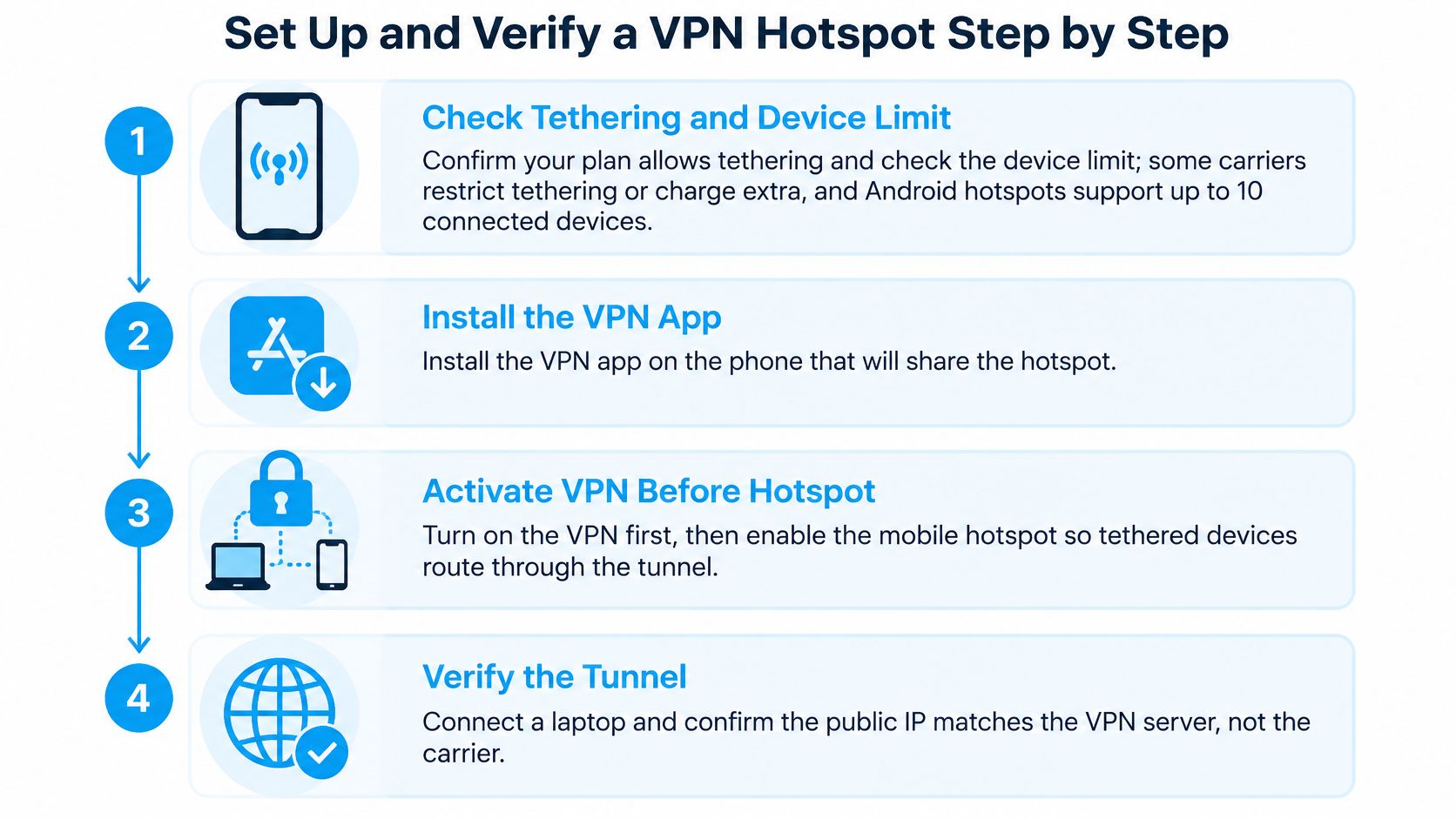
- Confirm tethering is allowed on your plan. Some carriers limit tethering or charge extra for it, and Android hotspots support up to 10 connected devices on supported phones (Android hotspot help). If tethering isn't included, there's no shared connection for a VPN to protect.
- Install the VPN on the phone or travel router and sign in. Pick an endpoint in the region where you're parked or working. A nearby server keeps the detour short, and the detour is what you feel as lag on a call.
- Switch the hotspot on with a WPA2 or WPA3 password. An open hotspot gives anyone in range a seat on your uplink, and no tunnel makes a stranger's traffic disappear from your data allowance.
- Check the public IP from a connected laptop, first with the VPN off, then with it on. This is the only test that proves the tunnel is carrying that device's traffic. The address should change to one in the VPN server's region. If it doesn't change, the laptop is outside the tunnel.
- Repeat the IP check on every device. When a client still reports your carrier's address, either install the VPN on that device or move to a router-based setup. Forcing hotspot clients through a phone's tunnel takes custom routing, firewall, network-address-translation and DNS rules, which is why one documented implementation spells out each rule separately (VPN tethering rule set).
- Run a DNS leak test on each client. Name lookups reveal every domain you visit even when the page content is encrypted. If your carrier's resolver answers them, the tunnel is only half working.
- Open the campground or hotel sign-in page before you trust the tunnel. A captive portal has to complete before normal traffic flows, so load the portal while the VPN is paused, then reconnect.
- Save the configuration and note the device count you tested it with. Six devices on one phone hotspot behave differently from two, and knowing your tested ceiling prevents a surprise on a work day.
For the protocol, choose IKEv2 or IPsec with AES-GCM at 128 or 256 bits, which combines confidentiality and integrity in one cipher mode, and avoid PPTP entirely (NIST IPsec guidance).
Before you close the laptop, three things should be true:
- The public IP changed on every device.
- DNS resolves through the VPN's resolver.
- The portal sign-in completed.
Check IPv6 as well as IPv4 on each client, because IPv6 traffic has to follow the tunnel too. If the hotspot itself refuses to share a connection, fix that before anything else with these iPhone hotspot fixes from Used Mobiles 4 U; encryption can't protect a link that isn't passing traffic. And if the sharing setup itself is still new to you, our walkthrough of mobile hotspot setup covers the foundation before the VPN layer goes on top.
What the VPN Tunnel Protects on the Road
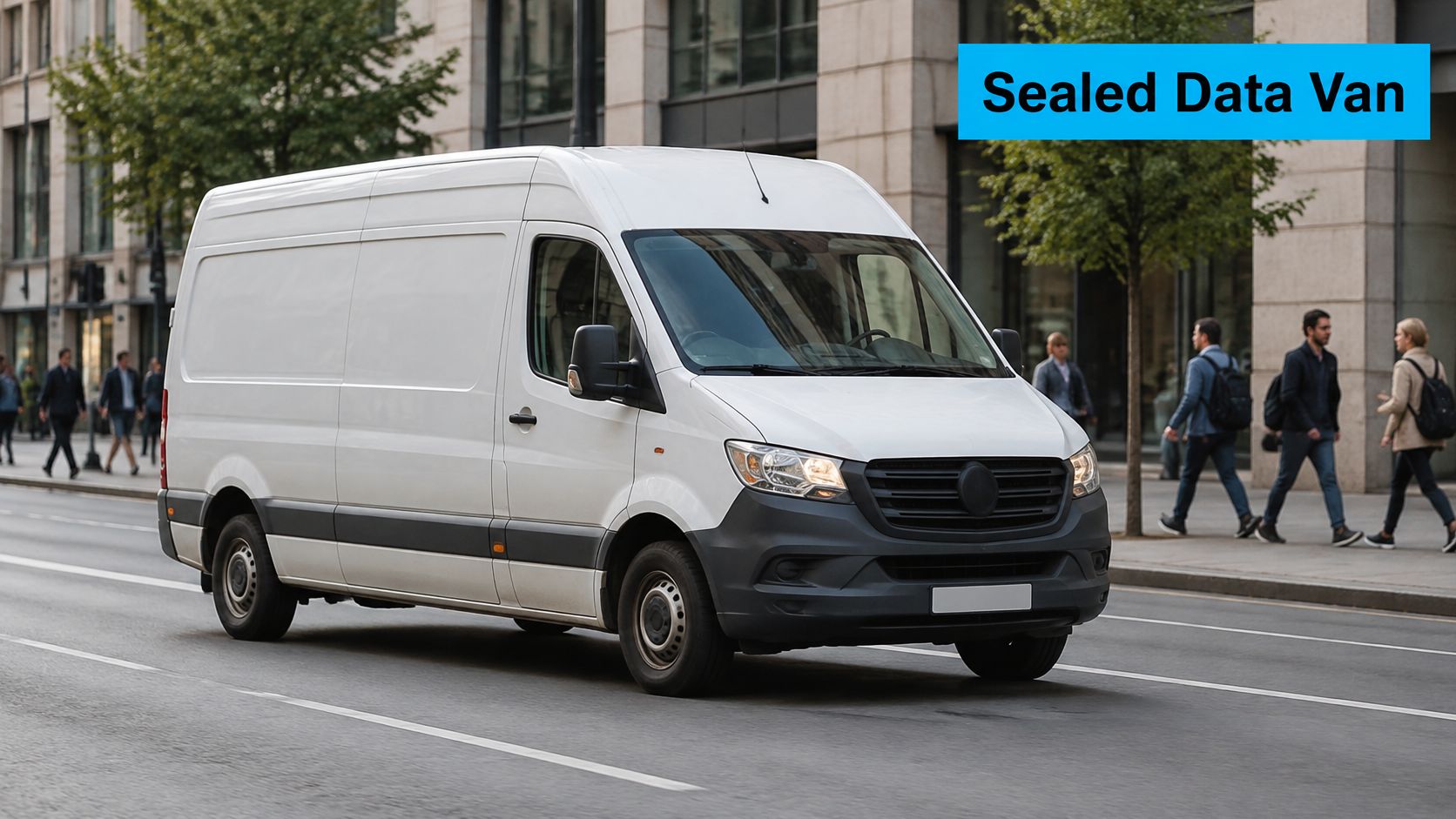
A VPN tunnel works like a sealed courier van. Your data goes in, the doors shut, and the van crosses a busy street where anyone can watch it pass. People on the sidewalk see a van, not the parcels inside. They can still count how many vans run, note where each one stops and time the trip, and observers on a shared network get the same limited view: a device talking to one VPN server, with no sight of the sites behind it.
Three Layers With Three Different Jobs
- The Wi-Fi password protects the radio link between your laptop and the phone or travel router. It stops a stranger from joining the hotspot and reading traffic on the local link.
- The VPN tunnel protects traffic from the device to the VPN server. Apple's Network Extension documentation describes this client-to-server architecture and lists IPsec and IKEv2 as built-in protocols for Personal VPN configurations (Apple Developer documentation).
- HTTPS protects the connection between your browser or app and the website itself, so page content stays encrypted even when the tunnel is not carrying it, such as traffic that bypasses the VPN under split tunneling.
Cellular security and local Wi-Fi security are separate layers. A hotspot may encrypt the radio link and still leave traffic visible once it reaches the carrier network or the public internet. That's why NIST recommends VPN protection for communications over untrusted wireless networks and warns that external networks can provide little or no application-level protection against eavesdropping (NIST SP 800-114 Rev. 1). With the tunnel running, a hotel or campground operator sees one encrypted stream to a single VPN address instead of every site you open.
Full Tunnel or Split Tunnel
Split tunneling sends some apps around the VPN and some through it. Full tunneling sends everything through. On a network you don't control, run the full tunnel whenever work credentials, cloud files or client data are in play.
Anything routed outside the tunnel falls back on the other two layers alone. That traffic still gets Wi-Fi encryption to the phone and HTTPS to the site, but the venue and the carrier can see where it connects. A tunnel only shields the traffic that enters it, which is why each connected device needs checking rather than assumed coverage.
The rule that matters: NIST suggests considering disabled split tunneling on higher-risk wireless hotspots so attackers can't observe traffic that bypasses the VPN. A full tunnel costs latency, since packets travel to the VPN server before their destination, and a nearby endpoint keeps that cost small.
The video below walks through what a tunnel does and where it stops:
What a VPN doesn't stop: phishing pages that copy a bank login, weak or reused passwords, a device already compromised by something you installed, and websites that never encrypted anything in the first place.
How a VPN Changes Hotspot Speed and When to Switch It Off
A VPN on a hotspot charges you twice. Encryption adds headers to every packet, which consumes airtime and battery, and the tunnel adds a detour through a server, which adds latency. On a weak signal both costs land harder, because every retransmission carries the same overhead again.
The Two Costs a Tunnel Adds to a Cellular Link
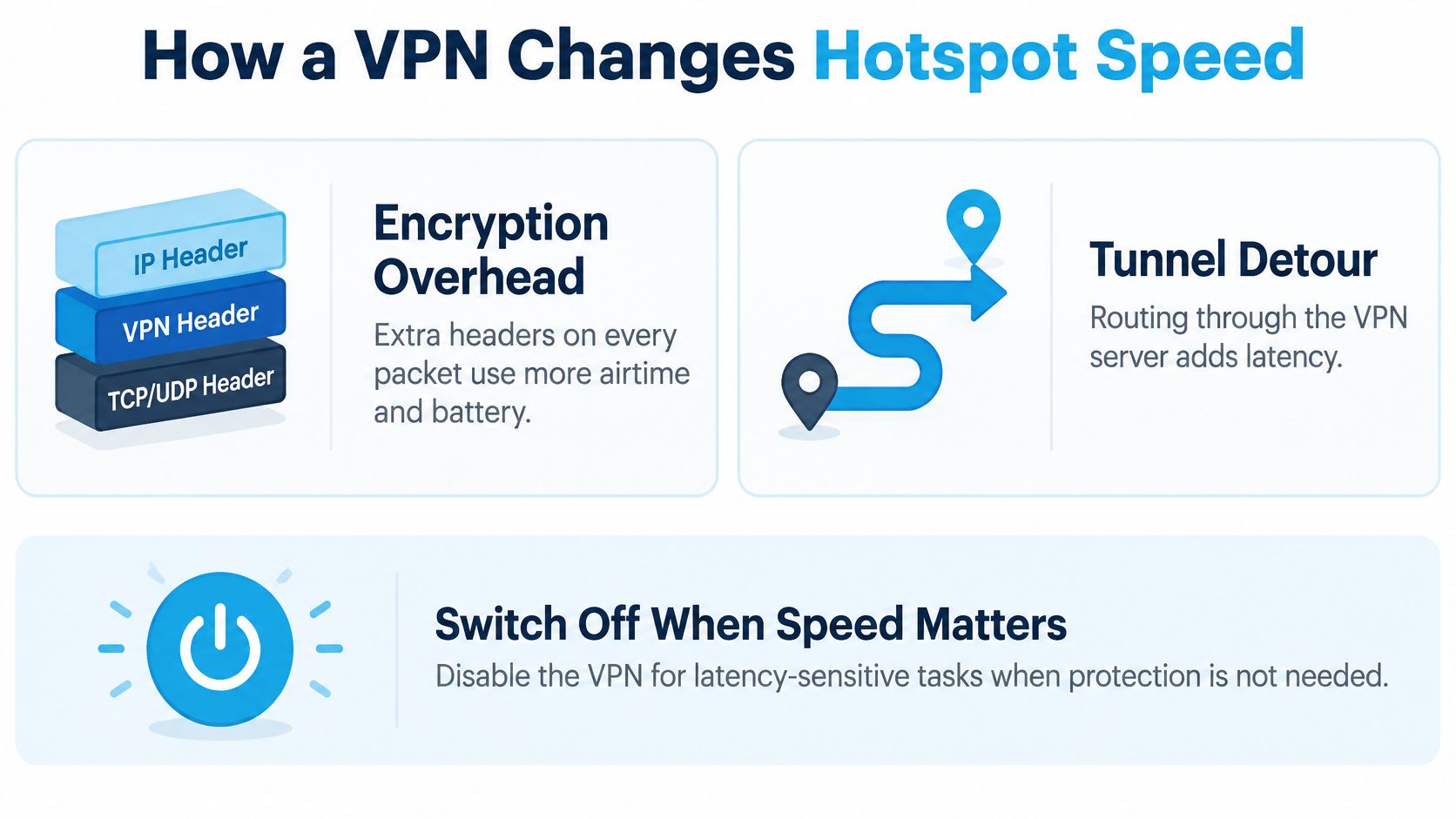
The measured cost is real, and smaller than feared. A 2025 study of VPN-backed hotspot sharing recorded roughly 5% lower download throughput and 10% lower upload throughput (Universiti Teknologi MARA study). The same testing found that 5 GHz Wi-Fi delivered about twice the throughput of 2.4 GHz with five clients connected. Band choice, in other words, can matter more than whether the tunnel is running.
Upload deserves equal billing. Video calls, cloud backups, remote desktop sessions and file sync all run on the uplink, and encryption overhead lands proportionally harder on the slower direction. Judging a hotspot by download speed alone hides the number that decides whether your call holds together.
A Four-Step Test That Measures Upload and Latency
- Test one spot, one time, two states. Run a speed test with the VPN off, then on, without moving or waiting for the tower to change.
- Record four numbers. Download, upload, latency and packet loss. Download alone tells you almost nothing about call quality.
- Repeat under full device load. One laptop first, then every device you'd normally run, because client speeds drop as the connection is shared.
- Watch battery for 30 minutes. Note the drain on the hotspot phone with encryption running, since a hotspot that dies at 4pm is a speed problem in practice.
Run the same test on the cellular link before you blame the VPN. If the raw connection is already producing weak upload numbers, this guide to 4G LTE hotspot speeds shows what a healthy link looks like.
Keep It On, Pause It, or Switch It Off
| Activity | Keep the VPN on | Switch it off | Why |
|---|---|---|---|
| Work calls | Yes, by default | Only if upload tests show call drops | Protects call content, and upload stability decides whether you stay audible |
| Cloud uploads and backups | Yes, for sensitive files | Large non-sensitive uploads on a slow uplink | The uplink is usually the bottleneck, and overhead lands on the slowest direction |
| Banking and sign-ins | Yes, always | Never on a shared or public hotspot | Credentials have to travel inside the tunnel |
| Streaming video | Optional on a private hotspot | When buffering appears | Download loss is small, and latency drives buffering |
| Gaming | Optional | Yes, when ping rises | Latency increases show up first in games |
| Navigation and maps | Optional | When map updates lag | Extra latency slows live routing |
Default position: protect the most sensitive activity first. Turn the tunnel off only where your own measurements show real harm, never because a general guide called VPNs slow.
A nearby server and a modern protocol shrink the penalty, which is why the server list matters as much as the app you pick. Measure, then decide.
Limits a VPN Cannot Fix on a Mobile Hotspot
No tunnel reaches past the edge of coverage. At the end of 2022, about 91.0% of the U.S. population lived in areas with at least one 5G-NR provider advertising minimum speeds of 35 Mbps download and 3 Mbps upload, and the rural-urban split was wide: 64.3% of the rural population against 97.8% of the urban population, with only 10.8% of rural residents able to choose three or more qualifying providers (FCC broadband analysis). Where those providers don't reach, encryption has nothing to encrypt.
Advertised availability isn't performance either. A carrier can list a site as covered and still deliver a weak, congested link at the exact pad you pull into, which is why the signal check happens on the ground rather than on the map.
The Sign-In Page That Stops the Tunnel
Captive portals are the second limit. Apple states that captive-portal negotiation is always excluded from an iPhone VPN, along with network-control traffic that keeps local connectivity working and traffic talking directly to the VPN server. Apple also warns that a VPN configuration can interfere with local networking and some Continuity features while Personal Hotspot is on (Apple iPhone User Guide). In a campground, marina or hotel, accept the terms page first and start the tunnel afterward.
Three Fixes to Apply on Arrival
- Check signal before you settle in. Walk the site with a phone in hand and pick a pad with a usable bar count instead of discovering the dead spot after you've leveled the rig.
- Keep a second connection. Campground Wi-Fi or a second carrier gives you something to fall back on when the primary signal folds.
- Finish the portal, then start the VPN. Two minutes of order prevents an hour of "why won't anything load".
A tunnel protects data in transit. It doesn't protect the account that data belongs to.
A portal that asks for a surname and a site number isn't authentication, and neither is one password reused across six logins. If you handle client accounts from the road, stronger sign-in protection for SMEs does more for you than any tunnel setting, because a stolen password walks straight through an encrypted connection. Set a real hotspot password as well, and secure your WiFi network so the tunnel isn't the only thing standing between a stranger and your laptop.
Choose Your Hotspot VPN Setup Before Each Trip
Three moves settle the decision, and none of them involve comparing encryption marketing.
- Count the devices. Write down everything that connects at the same time: laptops, tablets, a streaming stick, a printer, a camera. A phone hotspot has a device ceiling, and every device-level app adds a login and an update to maintain. Our 4G Bronze hotspot connects up to 8 devices, and its virtual SIM switches between AT&T, Verizon and T-Mobile so the connection holds where a single carrier has no signal.
- Decide whether the router earns its place. A VPN-capable travel router takes an afternoon to configure and then covers every client with one tunnel. That's worth it if you move between campgrounds or job sites weekly with four or more devices. Two devices and an occasional trip don't justify the work.
- Re-verify on arrival, every time. Run the public IP and DNS checks at each new location, because carriers, coverage and portals change from place to place. A configuration that passed in one state can sit outside the tunnel in the next.
The sequence that works: match the setup to your device count, test it at home with the speed and IP checks, then repeat the same test on the road before you trust a workday to it.
SwiftNet Wifi builds portable 4G and 5G hotspots and routers for people who work and travel outside fiber, with virtual SIM technology that moves between AT&T, Verizon and T-Mobile so one dead carrier doesn't end your connection. Plans start at $49.99/month with a 7-day risk-free trial, no contracts and no hidden fees, which makes it easy to test your VPN setup on a real network before your next trip. Visit SwiftNet Wifi to match a plan to the number of devices you connect.


